
iOS 10.2 update adds hundreds of new emoji along with other improvements
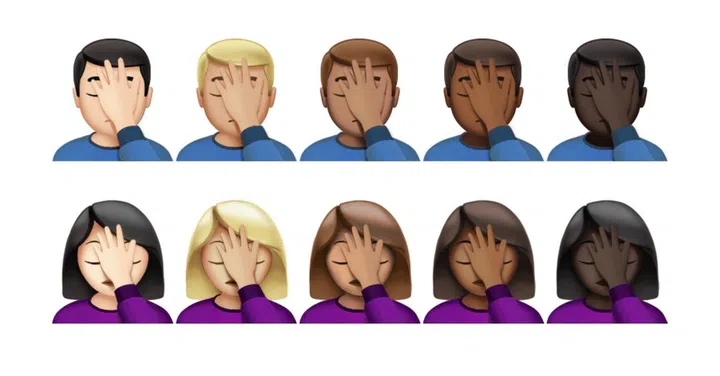
The second major update to iOS 10 is finally here. This release adds hundreds of new emoji including the incredible Harambe emoji, as well as new professions, a face palm emoji and revamped Retina-friendly designs for many existing emoji.




The second major update to iOS 10 is finally here. This release adds a few new features, including Apple's TV app, which was announced at Apple's MacBook 'Hello Again' event in October.
This update also adds hundreds of new emojis including the incredible Harambe emoji, as well as new professions, a face palm emoji and revamped Retina-friendly designs for many existing emoji.
The biggest new feature of iOS 10.2 isn't actually available locally - you can only get it in the US, at least for now. When it is available, the new Apple TV app will completely replace the existing Videos app on your iPhone. The app offers a central location for users to browse through movies and TV shows available to stream, both from apps they subscribe to and from their iTunes’ purchase history.
Other apps have also received some upgrades. Apple has improved the stabilization and increased the frame rate for Live Photos, added new "love" and "celebration" full-screen effects to iMessages, added a new section for saved stories in the News app, and improved the sorting and navigation options for the Music app.
Apple has improved "performance and connectivity" with third-party Bluetooth accessories, and fixed some bugs in FaceTime and Mail.
Apple has also released corresponding updates for the Apple Watch and fourth-generation Apple TV. The tvOS 10.1 update includes the Apple TV version of the TV app, while watchOS 3.1.1 adds support for the new emoji and fixes a handful of other bugs for first-generation and Series 1 and Series 2 Apple Watches.
Here are the full release notes from Apple:
TV
- Use Up Next to see the movies and shows you’re currently watching and pick up where you left off
- Get recommendations for new movies and TV shows in Watch Now
- Discover new apps and the latest iTunes releases in the Store
- Access the Library for your iTunes purchases and rentals
Emoji
- Beautifully redesigned emoji that reveal even more detail
- Over 100 new emoji including new faces, food, animals, sports, and professions
Photos
- Improves stabilization and delivers faster frame rate for Live Photos
- Improves accuracy of groupings of similar photos of the same person in the People album
- Fixes an issue where Memories might generate a memory from photos of screenshots, whiteboards or receipts
- Fixes an issue where the camera would stay zoomed in after switching back from the Camera Roll on iPhone 7 Plus
- Additional support for RAW digital cameras
Messages
- Adds new love and celebration full screen effects in Messages
- Fixes an issue that sometimes prevented the keyboard from displaying in Messages
Music
- Swipe up the Now Playing screen to more easily access Shuffle, Repeat, and Up Next
- Choose how to sort Playlists, Albums, and Songs in Library
News
- Stories you’ve saved for later now appear in the new Saved section
- The best paid stories from channels you subscribe to will now appear in a dedicated section in For You
- It’s now easier than ever to get to the next story, just swipe left or tap Next Story while reading
- Fixes an issue that caused the Move sheet to persist after filing a Mail message
- Addresses an issue with long press activating copy and paste in Mail
- Fixes an issue in which the wrong message would be selected after deleting a Mail conversation
Accessibility
- Adds BraillePen14 support to VoiceOver
- Fixes an issue where the braille table could switch unexpectedly with VoiceOver
- Fixes an issue where sometimes Siri-enhanced voices were unavailable to VoiceOver
- Fixes an issue where VoiceOver users could not re-order items in lists
- Fixes an issue where Switch Control was sometimes unable to delete Voicemails
Other improvements and fixes
- Adds notification support for HomeKit accessories, including window coverings, occupancy, motion, door/window, smoke, carbon monoxide, and water leak sensors
- Adds notification support for HomeKit accessories when software updates are available to HomeKit accessories
- Improves Bluetooth performance and connectivity with 3rd-party accessories
- Fixes an issue that could cause FaceTime participants to appear out of focus
- Fixes an issue that could cause FaceTime calls to appear with incorrect aspect ratio and orientation
- Fixes an issue that prevented some Visual Voicemail from completing playback
- Fixes a Safari Reader issue that could cause articles to open as empty pages
- Fixes an issue that could cause Safari to quit unexpectedly after marking an item as read in Reading List
Source: Apple
Our articles may contain affiliate links. If you buy through these links, we may earn a small commission.