
Samsung i780 - A Brand New Experience
Several Windows Mobile handheld devices have been making an impact recently, and Samsung has definitely managed to tap on this trend with the new Samsung i780. Join us as we reveal the capabilities and performance of Samsung's latest Windows Mobile device in this article.

An Enhanced Experience
As the months went by, we've seen a slew of impressive Windows Mobile devices hitting the market. From last year's HTC TyTN II and the newer Touch Cruise to recent ones such as the LG KS20 and i-mate's Ultimate 8502, consumers have been spoilt for choice with the varied lineup. Thus, it came as no surprise to us when Samsung unveiled its much anticipated Windows Mobile device for the year, the Samsung i780. The real surprise though, came after we've had a full run with this device.
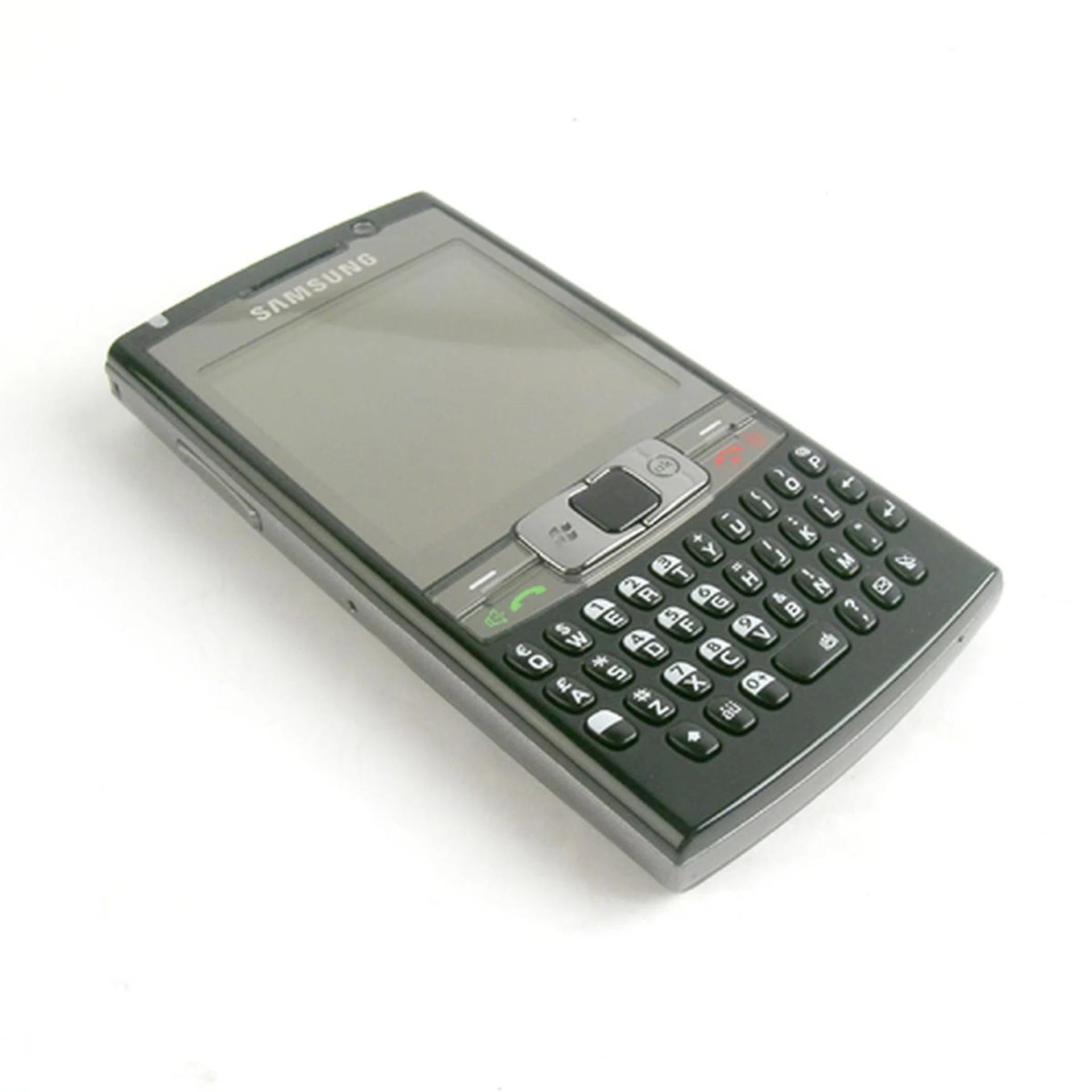
The Samsung i780, with full touch screen capabilities coupled with a 37-key QWERTY keyboard.
In all honesty, the initial outlook for the i780 was one to be reckoned with. The Windows Mobile community in particular waited with bated breath for a device that works on the success of Samsung's i607 Blackjack and its updated version, the i617 Blackjack II. With added touch screen capabilities, a full-sized QWERTY keyboard and a little bit of interface tweaking from Samsung, the i780 definitely lives up to the hype. To give you a brief outline of this high-powered device, here's the full specifications of the all new i780.
Tried and Tested Formula
As far as design goes, Samsung sticks to a simple and standard form factor, with a glossy piano black front, grey borders and a matt-black back panel. Measuring at 115.9 x 61.3 x 12.9mm, the i780 can be a tad large for petite hands, but fits well into an average sized palm. The attraction though is the weight of the i780, which comes in well balanced at 120g. By far, the i780 is one of the lighter handheld devices on the market, and that definitely scores well with the consumers' need for a high-powered and compact device that doesn't cut back on usability nor screen size.
Display-wise, the i780 comes with a generous 2.5-inch TFT touchscreen supporting 65K colors and supports a screen resolution of up to 320 x 320 pixels. One concern here is the 320 x 320 resolution support which is a departure from common 240 x 320 resolution. As such, issues with third-party applications that run on only 240 x 320 will be present, and is a slight dent in the i780's otherwise well-thought design.

As seen here, the i780 does have a snug fit in an average-sized hand, though difficulties are abound for smaller palm sizes - but that's more or less the norm for most smartphones of this class.
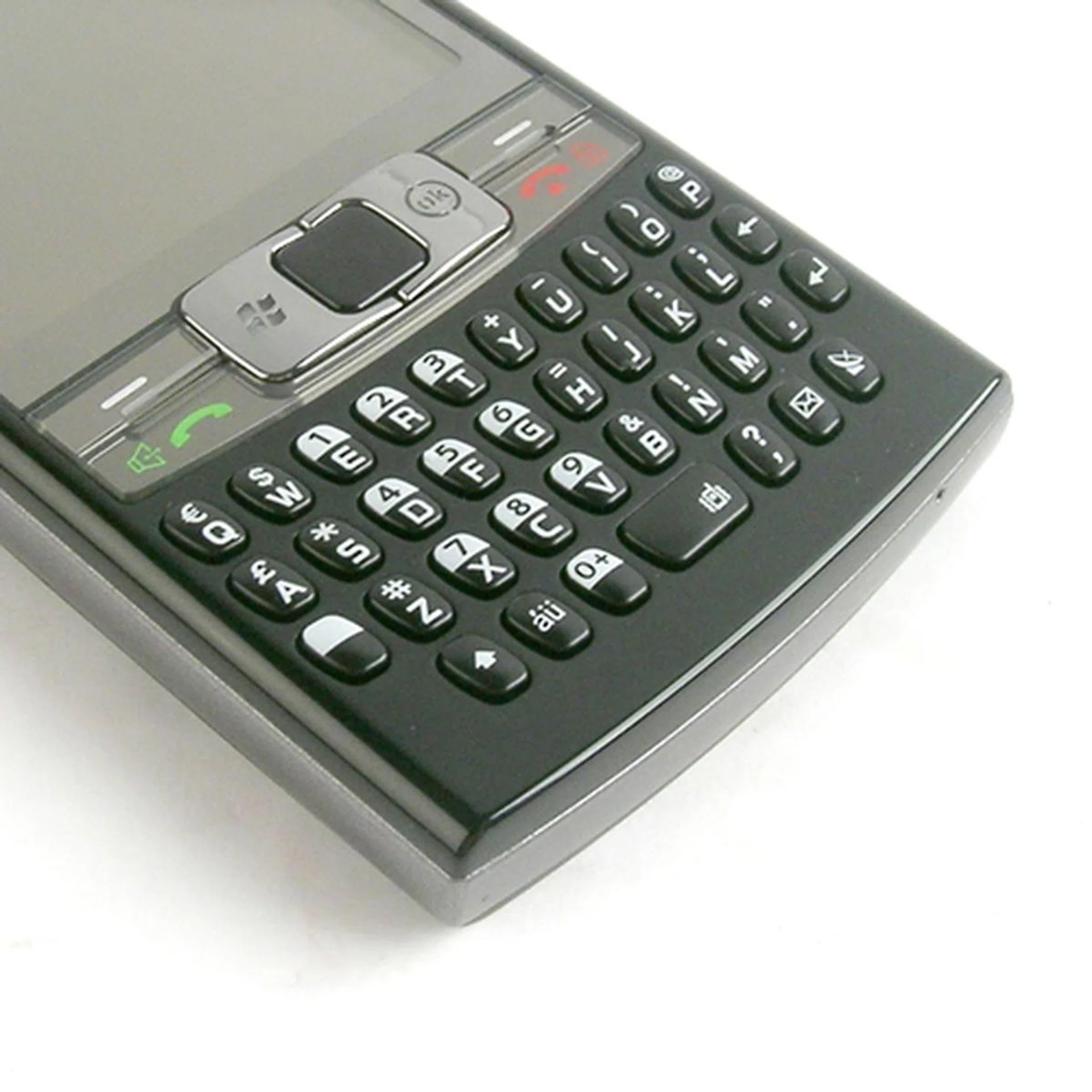
The individual keys are raised to provide better tactile input with the 37-key QWERTY keyboard, which is well-suited for one-handed input. Do note that those with stubby fingers will face some difficulties engaging in SMS sprees. Right on top of the keyboard is the innovative dual-mode touchpad (more on that later), accompanied by the Start and Ok buttons at its side with the two softkeys, Call and End button further out.
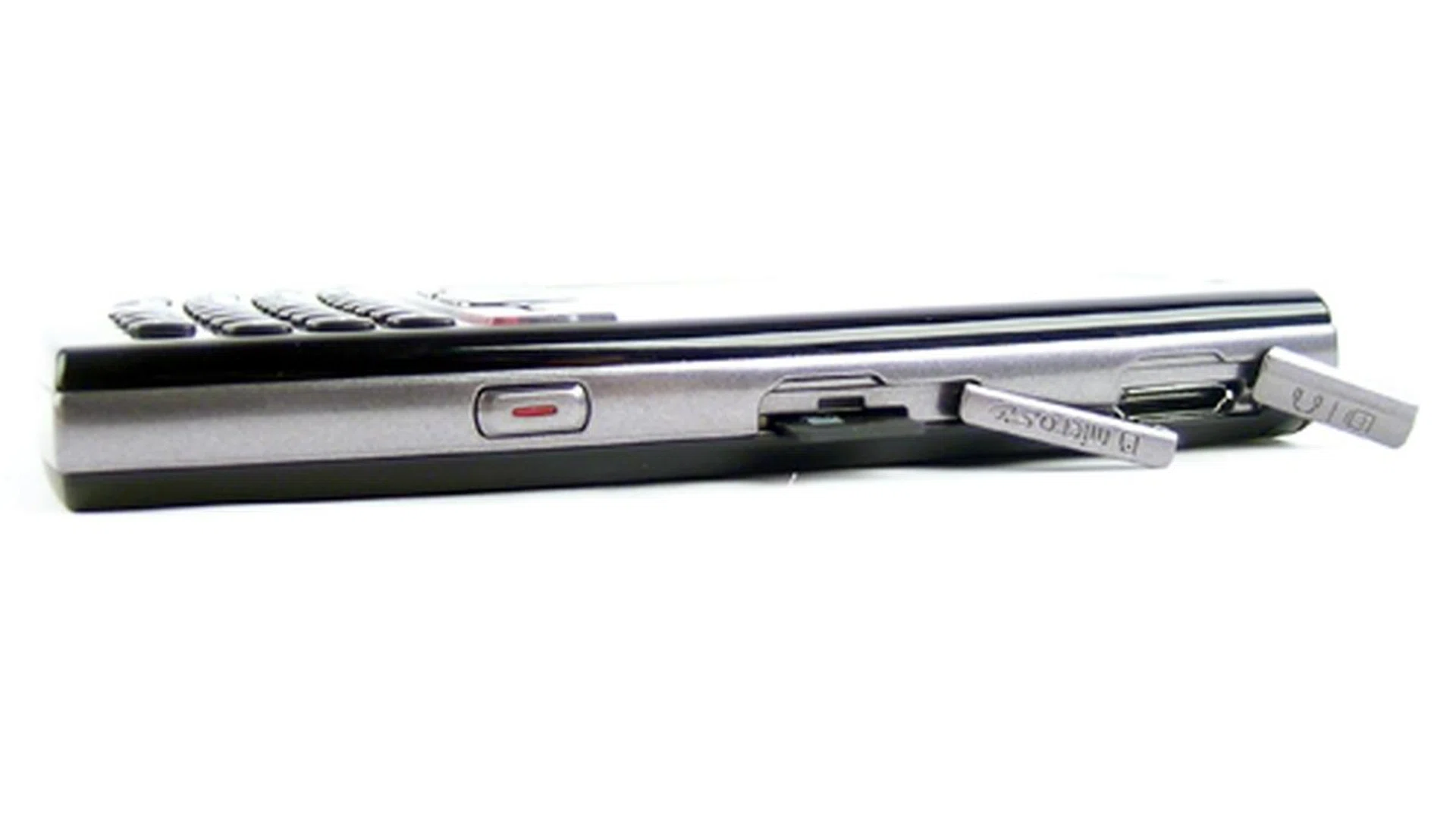
On the left profile, we have the Camera button (holding it down will switch the phone to camera mode, whilst a quick press will activate the Mini Player application), microSD and finally the USB slot which, by the way, requires Samsung's propriety USB cable. No 3.5mm or 2.5mm audio jack here, so you'll be utilizing the same USB slot for audio playback.
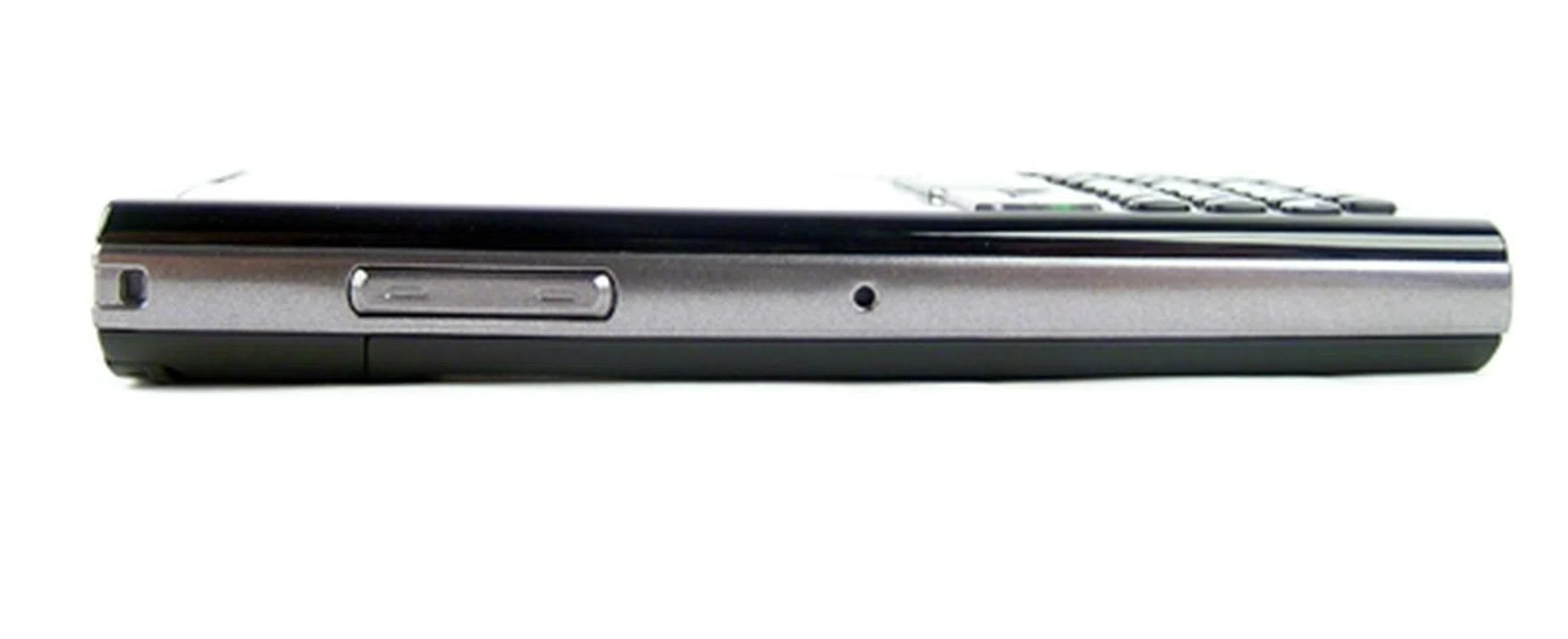
On the right, we have the Volume control buttons and the tiny recessed Soft Reset button located at the center of the right profile.
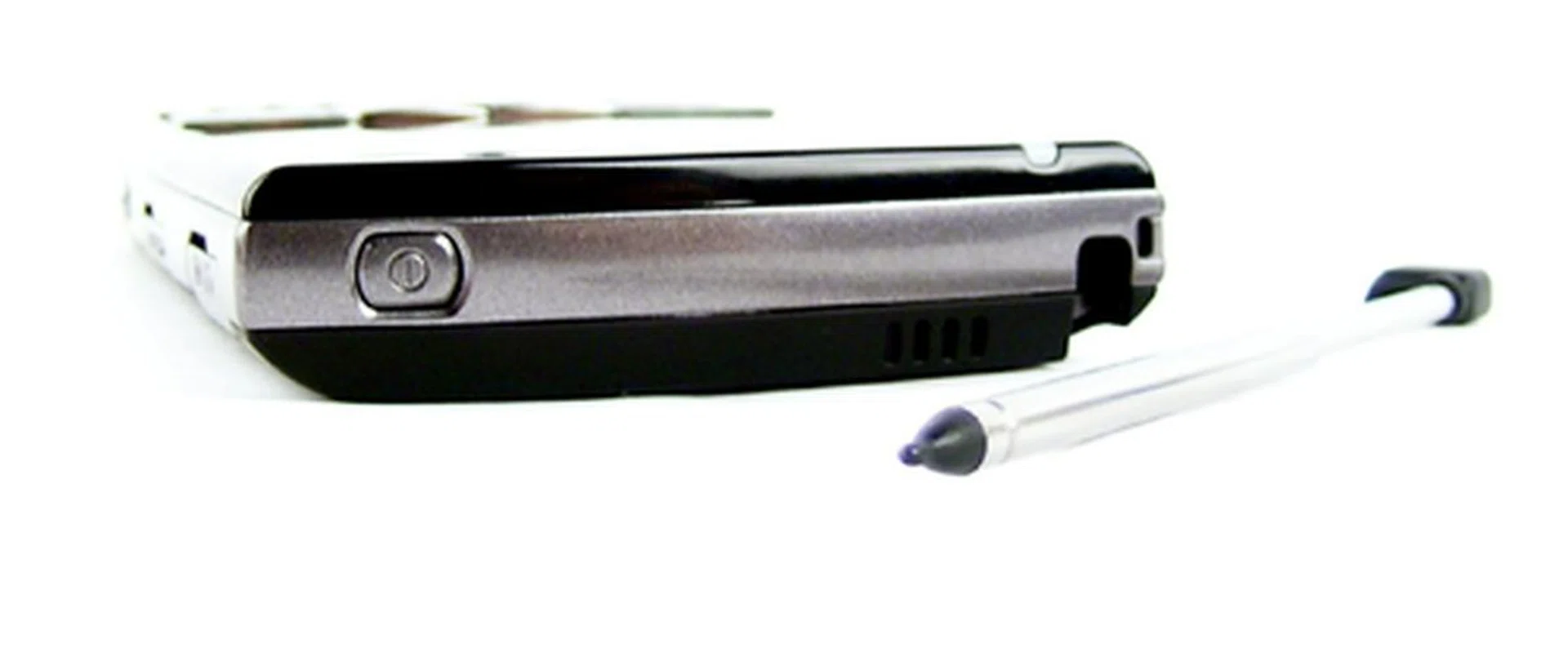
And at the top, we have the power button. The telescopic stylus is fitted snugly into the stylus slot located on the rear right.
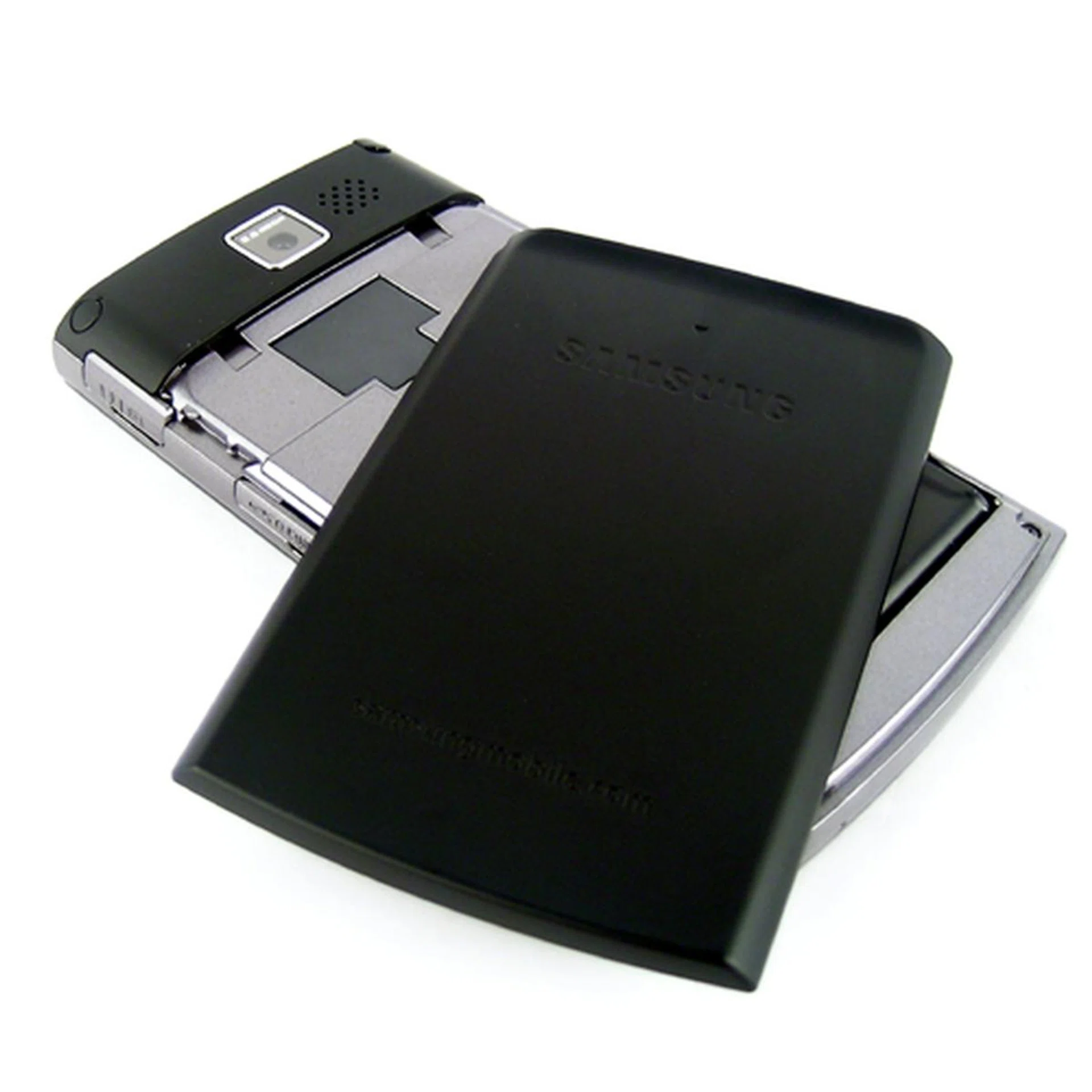
Located at the back is the 2-megapixel camera without flash. The battery casing of the i780 has a plastic feel to it, and requires some tender handling. SIM card and battery insertion is of no difficulty here.
Of Mice and QWERTY Keyboards
As mentioned earlier, the Samsung i780 comes with a 37-key QWERTY keyboard and we found its tactile feel to be pleasantly good, thanks in part to the dimensionality of the raised keys. The real deal though, is the dual-mode touchpad as we found the mouse navigation to be exceedingly easy to use, simply because the sensitivity of the touchpad is top-notch and precise. The touchpad is also a button in itself, thus allowing you to move the mouse cursor to your desired program and selecting the application with a simple swipe and press. Alternatively, there's also an option to switch the touchpad to a four-way navigational pad. Basically, the controls are similar to what you get with a trackball navigation (Blackberry Pearl's trackball comes to mind here) without the trackball. Honestly speaking, we preferred the mouse navigation not only for its innovativeness, but also the ease of usage.
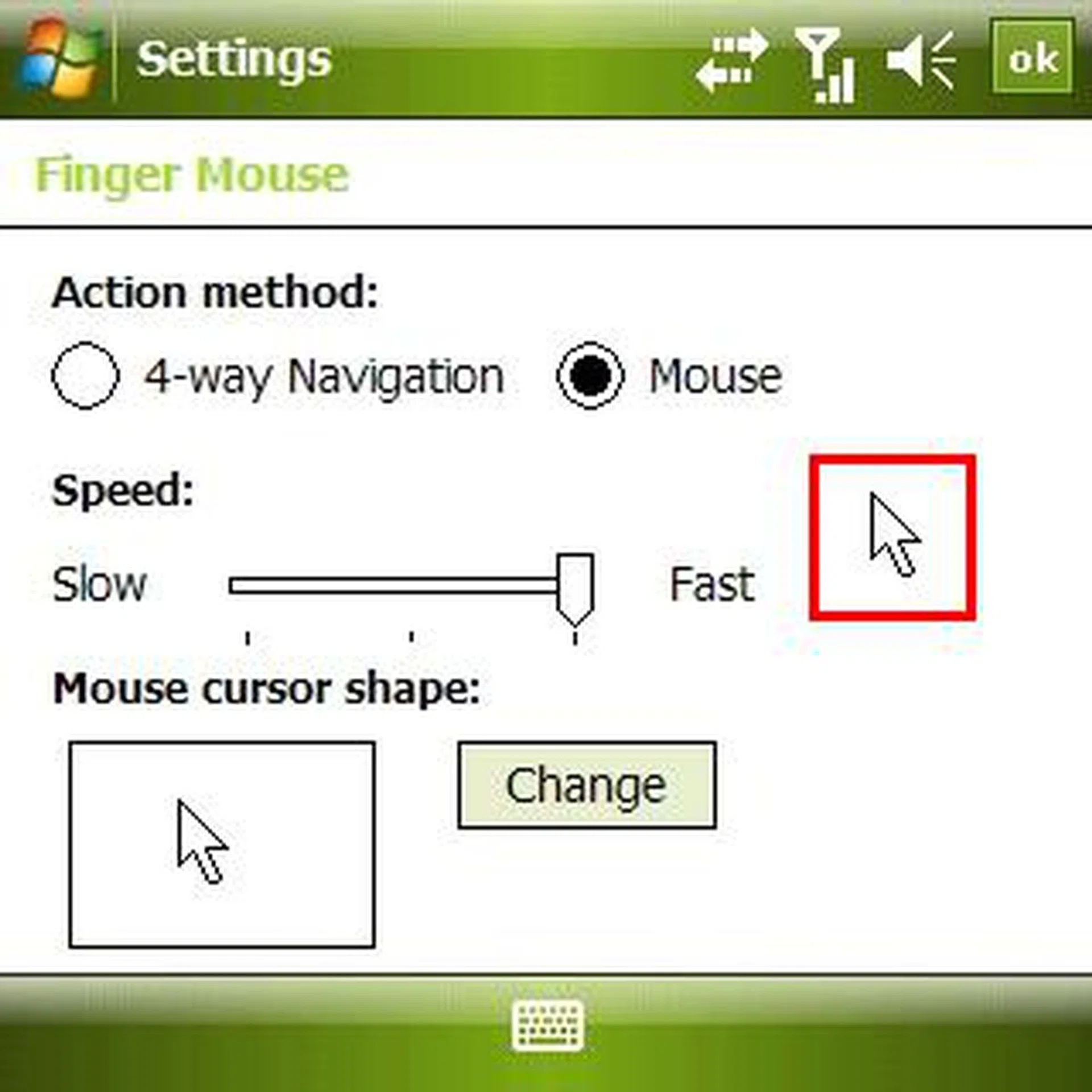
Go to Settings and select the System tab, followed by Mouse Pointer, and you'll be able to switch the navigation mode of the touchpad. Notice the mouse pointer highlighted in red, which is used for navigational purposes.
In a market flooded with multiple iterations of Windows Mobile enabled devices, Samsung adopts the trend to include a suite of applications to enhance the Windows Mobile experience. This is essentially a wise move as there's only so much that Samsung can do in the race to deliver a device that's more powerful and stronger than its competitors. Delving into the software realm, Samsung adds a few propriety applications to the i780 and we were impressed with the additions that they've introduced.
A pleasant surprise awaited us on the Today screen, spruced up with a little application known as Today Plus. Essentially, Today Plus adds four specific categories that houses common applications for easy access. On the Connection tab, you get Phone, Messages, Bluetooth and Wireless, followed by often used programs in the Favorite tab. The Contacts tab is pretty self-explanatory and finally, you get the Settings tab which gives you access to the Running Memory and various other settings. The importance of the Today Plus application is evident in the fact that you'll get a much cleaner and less cluttered Today screen, with all the necessary applications that you need in a tabbed format.
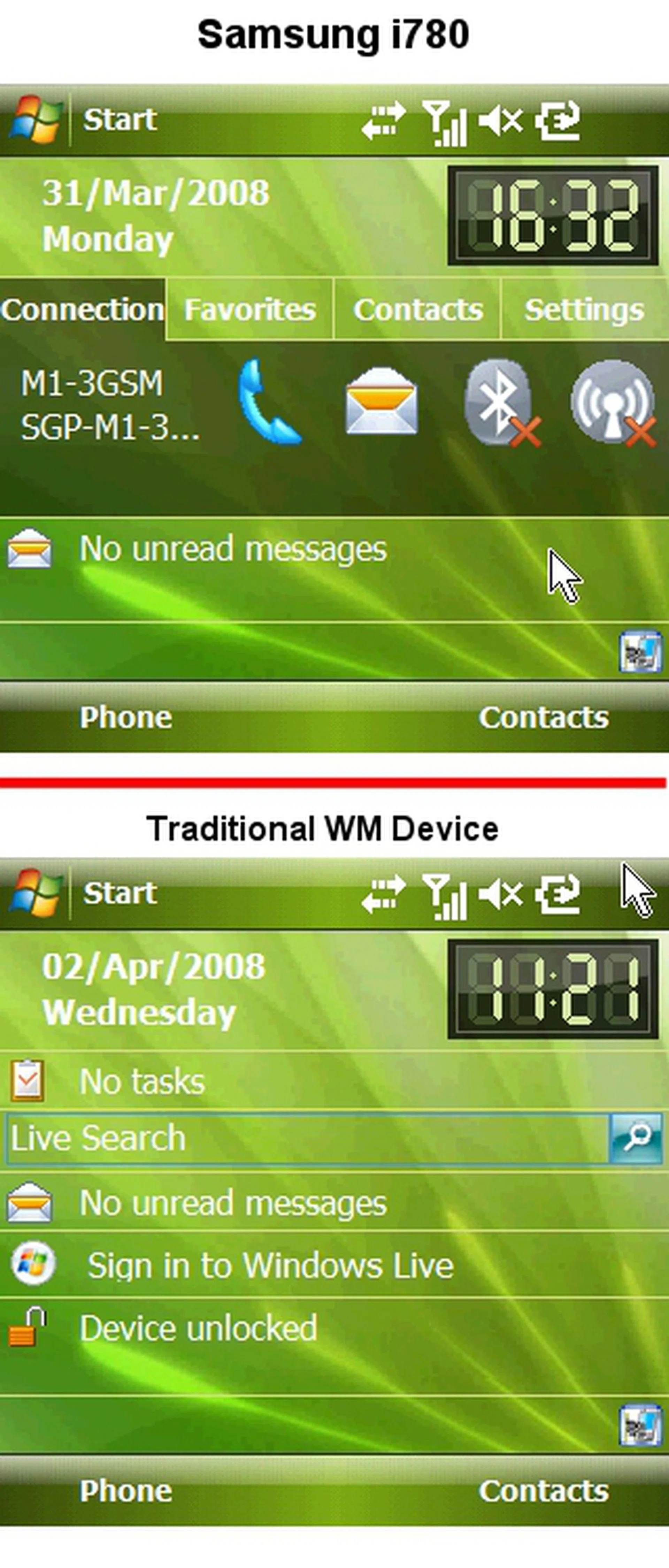
From top: i780 with Today Plus, and a normal Windows Mobile screen. Arranging multiple applications for easy access with a tabbed format definitely makes the navigational experience much smoother.
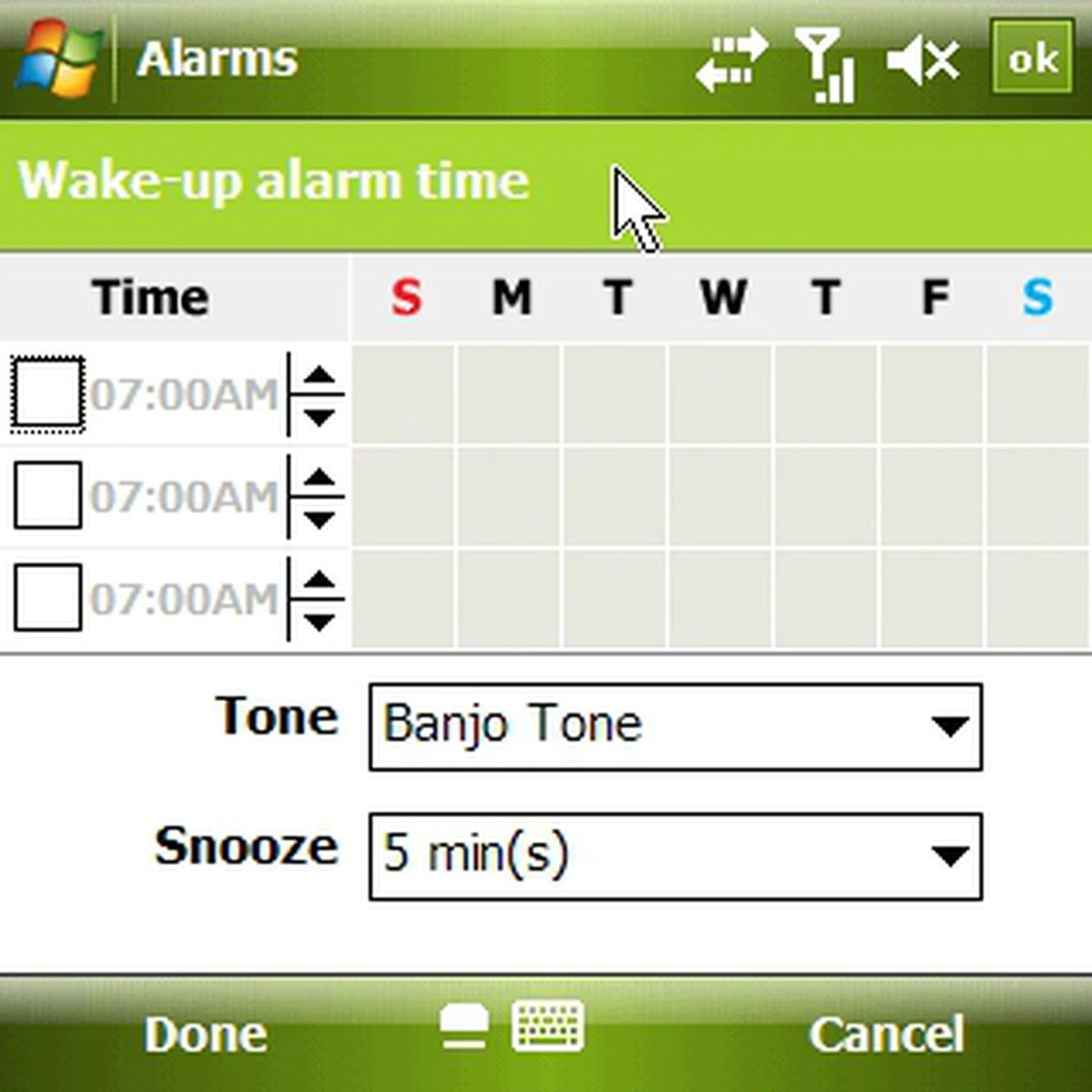
Samsung improves upon the bundled Alarm application with a new interface.
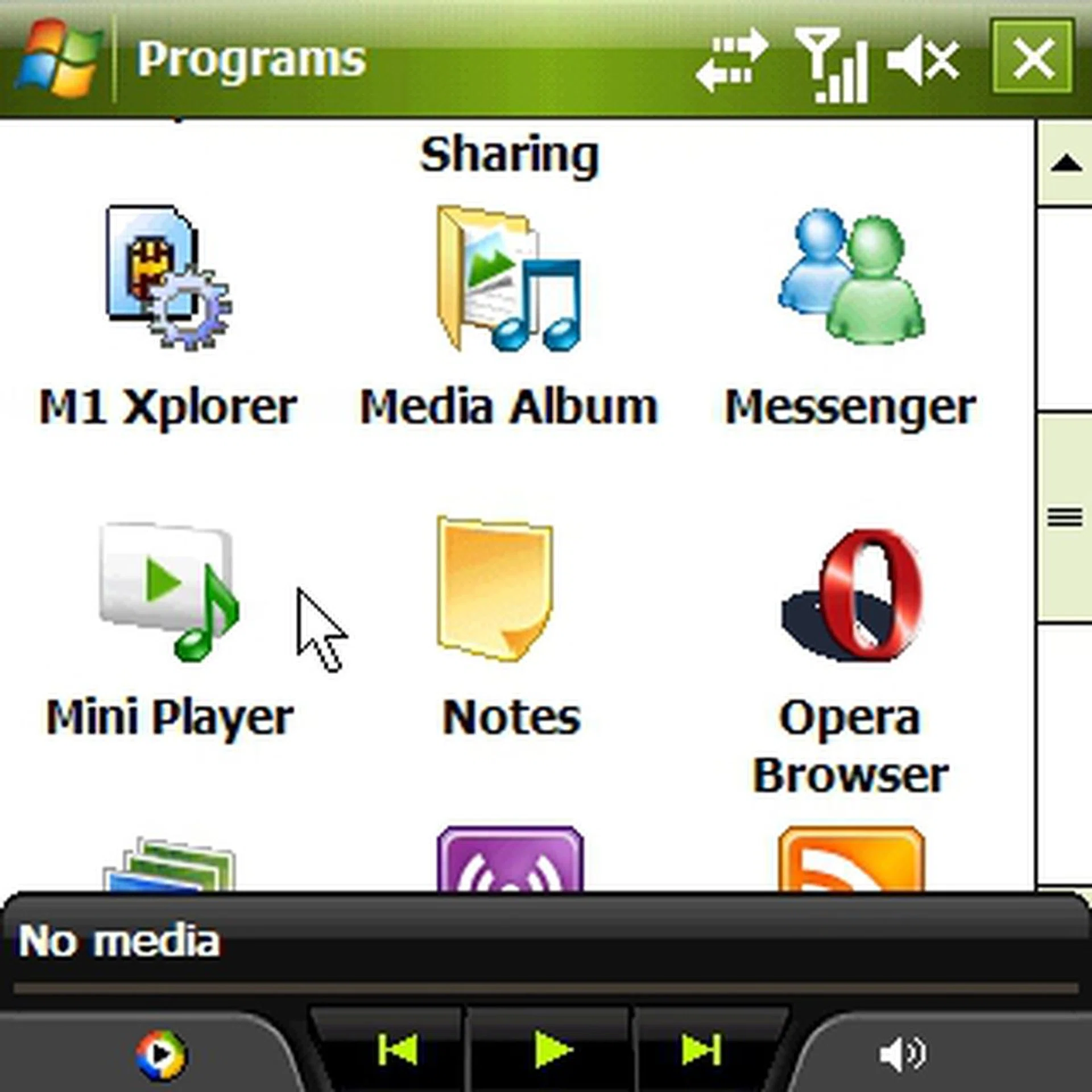
Mini Player, a nifty little application from Samsung's design palette, is a little pop-up control that allows you to have direct access to your multimedia files whilst you are multi-tasking on another application.
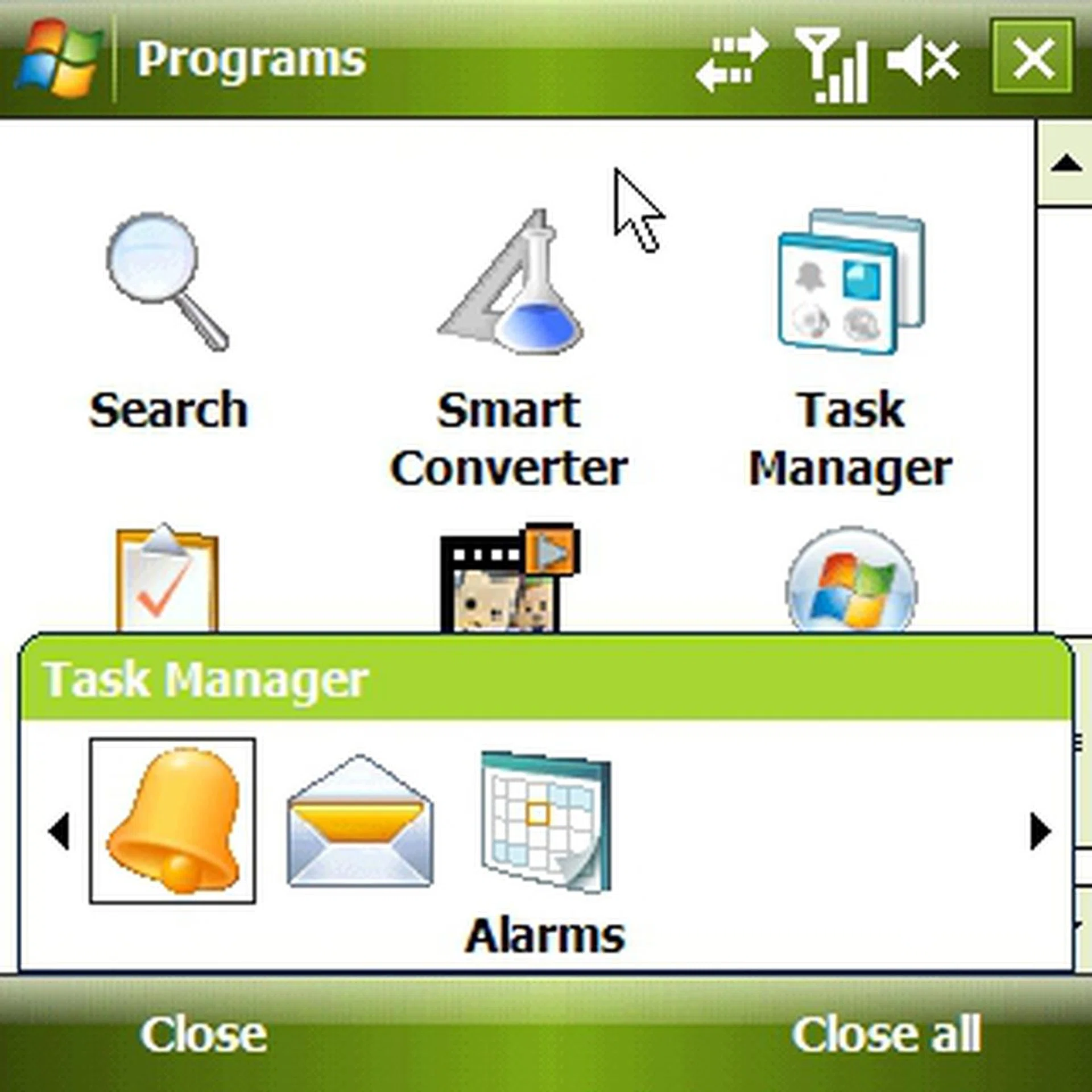
Assign a softkey to the Task Manager, and you will have direct access to your running programs, giving you the ease to terminate any programs for faster processing speed.
Ready, Set, Function!
Photo Functionality
First and foremost, the Samsung i780 is meant to be a Windows Mobile device, thus the inclusion of a 2-megapixel camera with a secondary VGA camera is more for convergence sake than anything else. However, we did a quick field test of the camera's capabilities and found ourselves wanting more out of the i780's imaging quality. Noise level was significantly high on the i780, and the lack of both autofocus and flash support would limit the i780's capability in various situations. Nonetheless, if you are using the camera for the purpose of, say, getting a snapshot of a name card or a quick reference, the camera can prove to be useful.

Outdoor shots utilizing Auto White Balance on the i780 produced decent images, though we expect the imaging quality to suffer a slight dip for indoors and night shots. With the absence of an autofocus function, steady hands would be a pre-requisite for good shots.
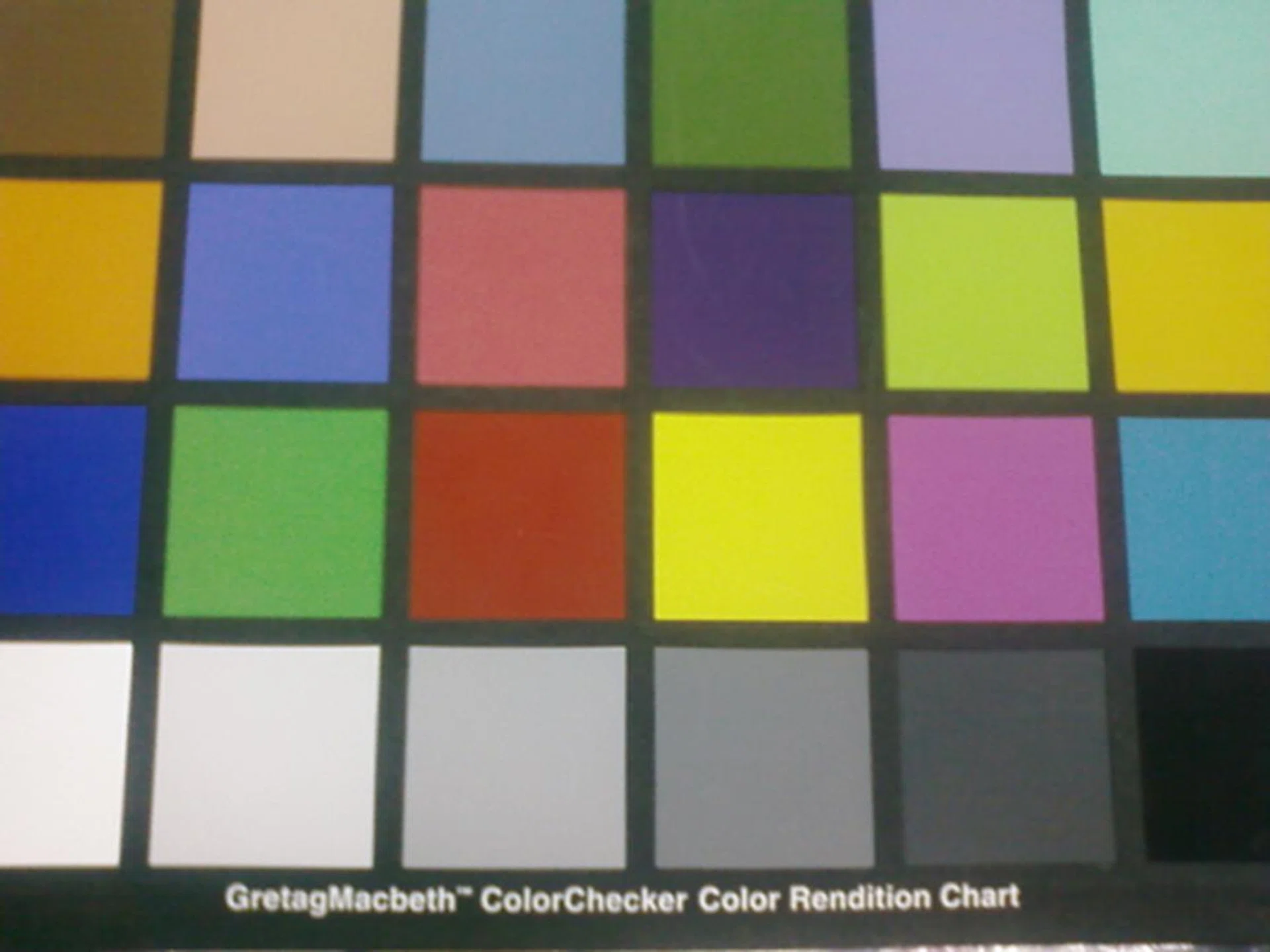
Colors were neither prominent nor contrasting on the i780's camera. In short, the camera is probably useful for general imaging purposes and won't be in the same league as dedicated camera phones.
Connectivity & Usability
Connectivity options such as Wi-Fi 802.11b/g, USB2.0, Bluetooth 2.0 with A2DP, HSDPA and finally A-GPS are synonymous to high-end Windows Mobile devices such as the HTC TyTN II or the ASUS P750. With many of these connectivity options being standard connections that don't vary much, we focused on the A-GPS functionality of the Samsung i780. Our review unit came bundled with a 1GB microSD card that was pre-loaded with the GPS software NavFone. Once we got ourselves out in the open air, our first thought was to activate the GPS system, which got a satellite lock in a manner of seconds, close to what the HTC Touch Cruise performed. However, GPS software are aplenty, and if the NavFone software isn't your cup of tea, there's always MapKing or Google Maps for GPS navigation.
Furthermore, the i780 held strong for a day and slightly more with a full charge. This is based on having both its Wi-Fi and Bluetooth functions enabled, as well as moderate usage of text messaging and cellular calls.
A True Test to the Core
Diving deeper into the Samsung i780's functionality, we put it through a series of tests using SPB Benchmark . In particular, we matched the i780's performance with those of the i-mate 8502 and the HTC Cruise, with the following results to show.
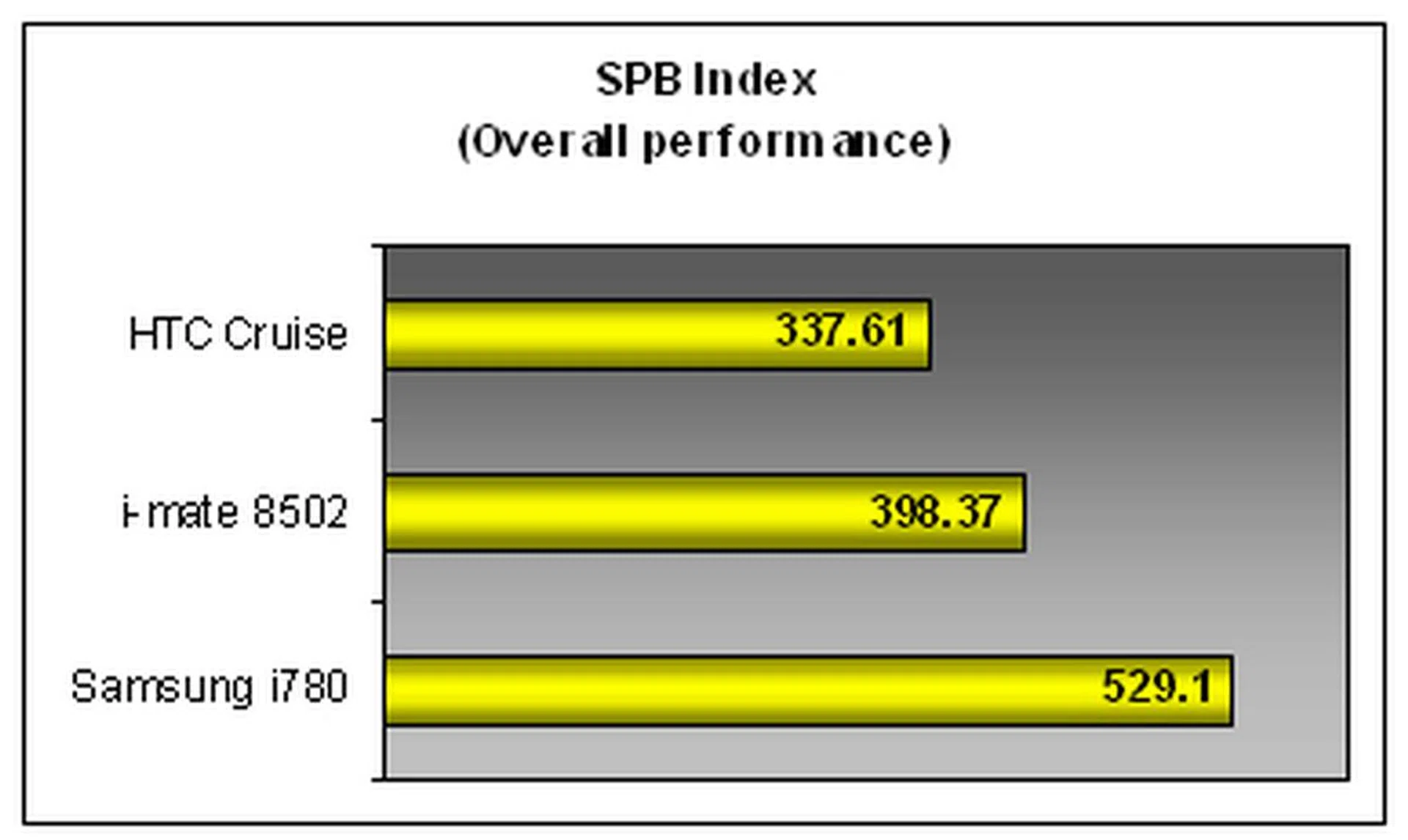
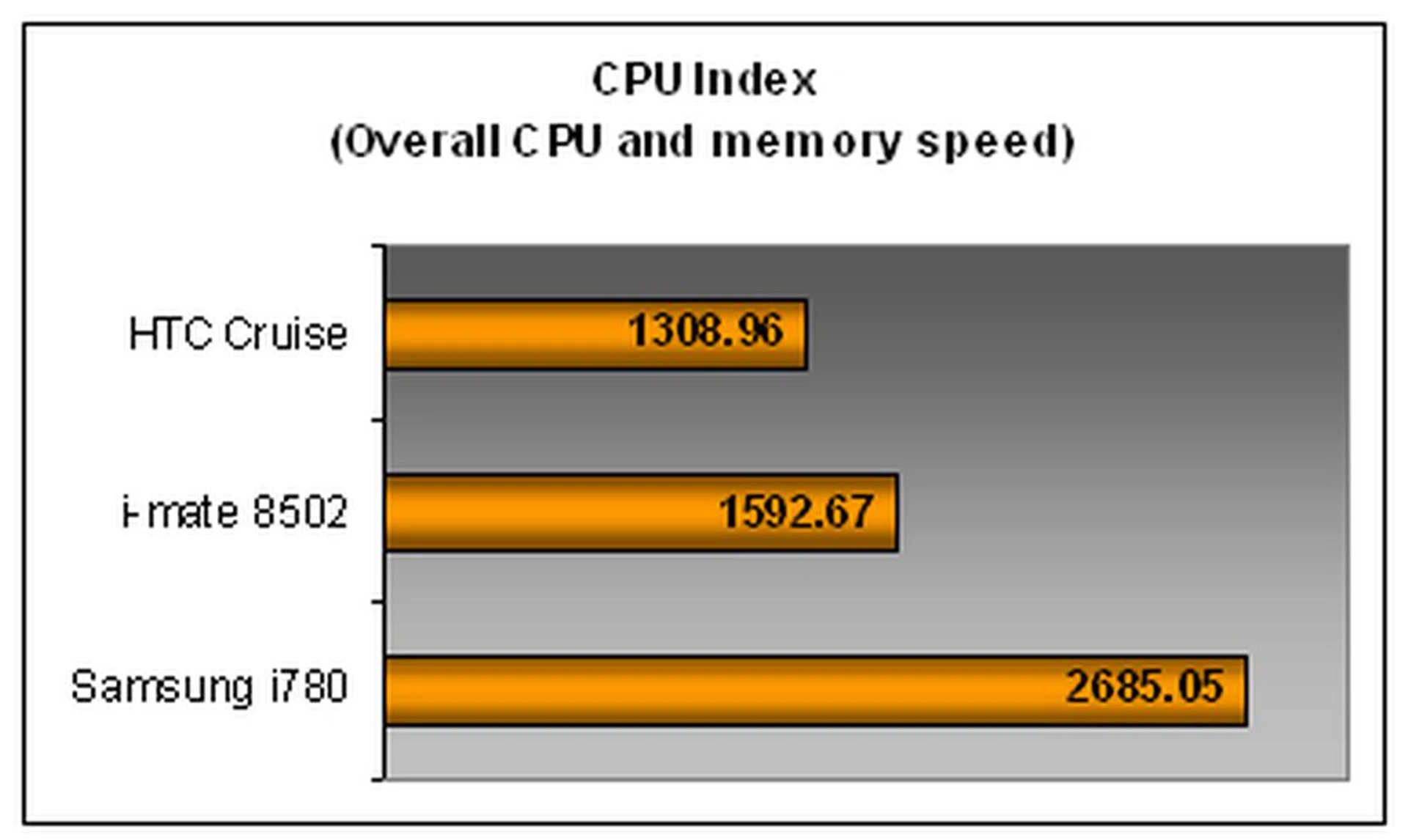
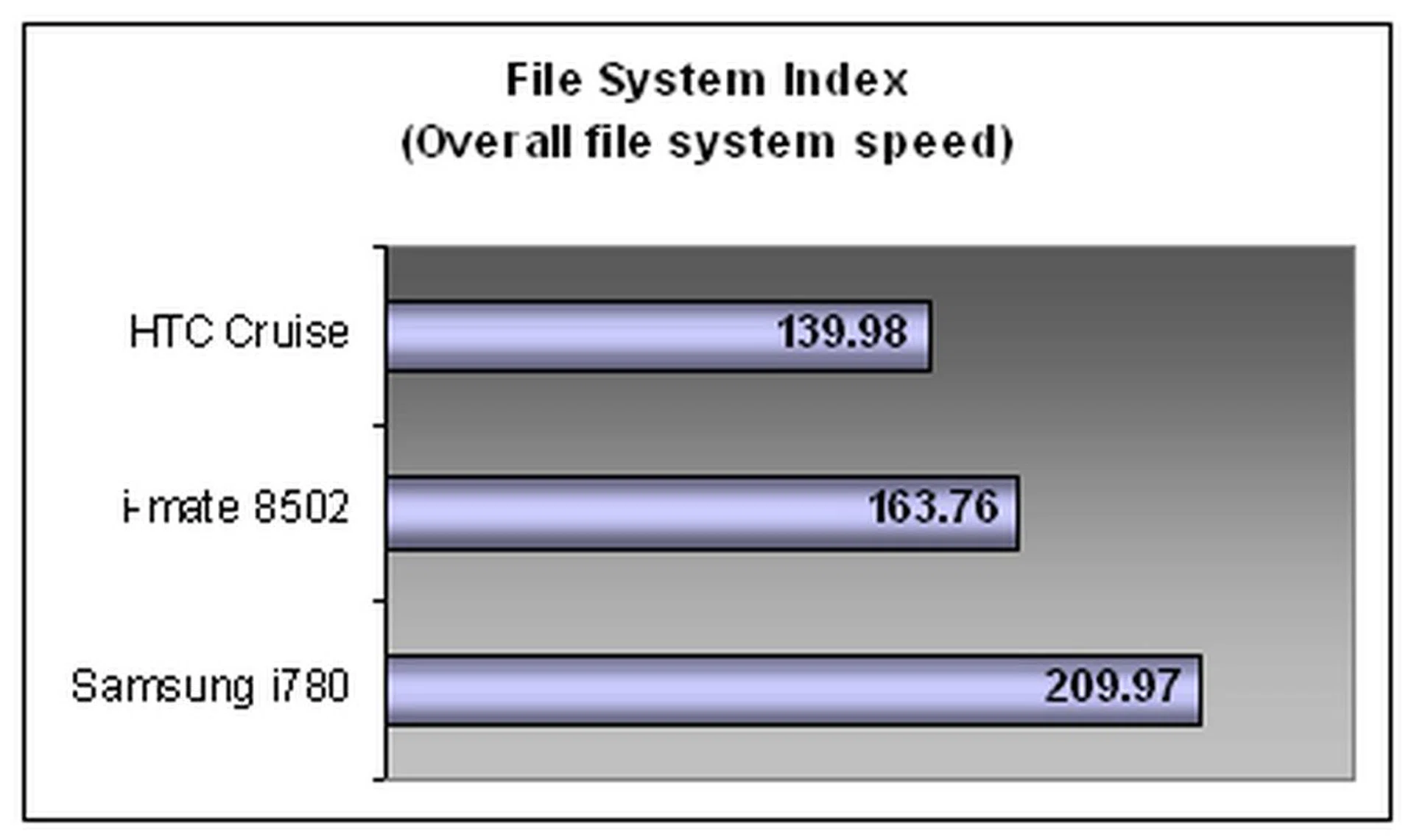
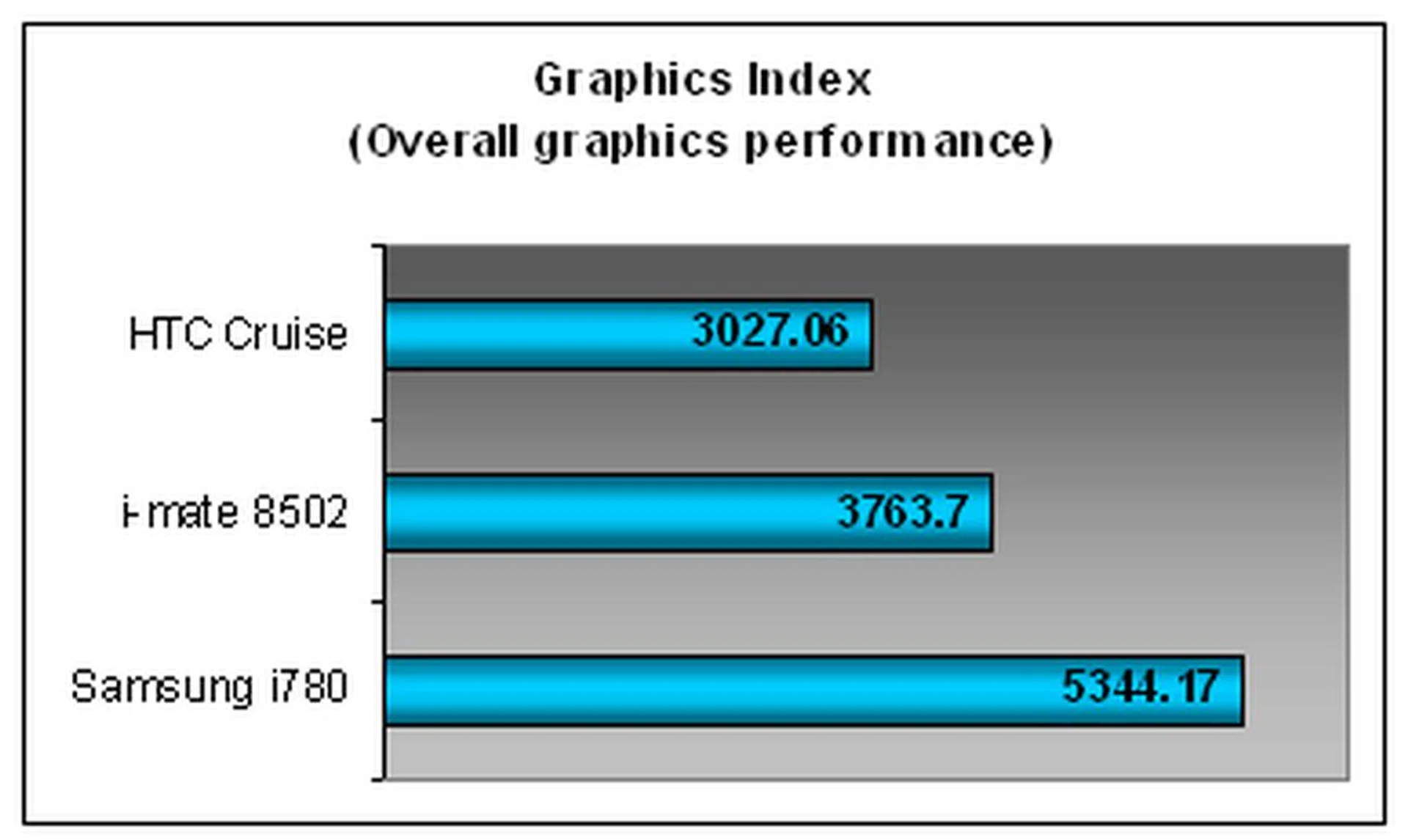
From the graphs charted, it's evident that the i780 is the clear winner in all categories, which can be attributed to its high powered Marvell PXA310 624MHz that garnered an exceptionally high score under the CPU index. To ascertain the nature of its graphics index, we tested a video running at 23 frames per second and found the video playback to be of decent quality, though there were some frames dropped during fast moving scenes.
Conclusion
In short, what we found on the Samsung i780 was a pretty impressive display of competence but it is still not perfect. From our time with the smartphone and our detailed testing phase, we've laid out both the thumbs up and down pointers for the Samsung i780 and they are as follows:-
Thumbs Up
- Marvell PXA310 624MHz processor, one of the fastest processors on a Windows Mobile device to date.
- Unique dual-mode touchpad for mouse-like navigation and doubles up as 4-way navigational pad.
- 37-key QWERTY keyboard with decent tactile quality
- Built-in GPS with A-GPS support.
- Innovative propriety applications such as Today Plus and Mini Player that enhances the Windows Mobile interface.
- Strong connectivity options with HSDPA, Wi-Fi and Bluetooth 2.0 supporting A2DP.
- Large 2.55-inch, 320 x 320 pixels TFT touchscreen display.
- 2-megapixel camera
Thumbs Down
- Lack of support for third-party applications that run on resolutions other than 320 x 320 pixels.
- Absence of LED flash and autofocus camera functionality.
- QWERTY keyboard compromised in width, posing difficulty to above average-sized fingers.
- Camera quality is adequate for basic needs only
Beyond all the bells and whistles on the Samsung i780, we know the next piece of information will definitely seal the deal for most consumers, and that, is the competitive retail pricing of S$828 - bundled with a 1GB microSD card pre-loaded with its NavFone GPS software and a second battery with a standalone charger for your drained battery. Supported with a myriad of functionalities that includes Wi-Fi, HSDPA, Bluetooth 2.0 and GPS on top of its innovative add-ons to the Windows Mobile interface and a dual mode touchpad that creates a new trend of navigation, we can confidently say that the Samsung i780 would be a much sought after device in the coming months.
Our articles may contain affiliate links. If you buy through these links, we may earn a small commission.