
Motorola Milestone - Second Chance
The Motorola Milestone, also known as the Droid, represents a fresh start and a second chance for Motorola to impress and influence the smartphone market. We explain why, in our full review of this Android 2.1 powered device.

A (Re)Newed Chapter
Motorola has seen some tough times in the mobile phone scene over the last two years. The sleek, slim and swanky series of mobile devices that it churned out, had its moment, and soon became the bane of the company for sticking to an old routine over the years. By 2009, Motorola devices were few in numbers, drowning in a sea of devices that proved to be stronger, faster and more innovative. In short, Motorola was on the brink of losing its foothold in the mobile phone market, and facing the reality of being ousted out of it totally.
Yet, with the right strategy and partners, the company managed to put itself back on the map. By moving into the Google Android scene, Motorola was given a brand new slate to work on its mobile strategies. Open-source, ample customization options and most of all, an ever-growing developer community to tap on, these are just some of the advantages of the Android platform. Putting the plan into action, both companies worked together and delivered an Android 2.0 device by the end of 2009 - the Motorola Droid, otherwise known as the Motorola Milestone in this part of Asia.
The Milestone bears great significance for both Motorola and its competition. As we see more options available for the discerning consumer, Motorola's Milestone has to set itself apart from the rest and prove its worth in the torrent of choices out there. To put things into perspective, we present some of our findings that you should take note of if you're looking towards an Android device as your next mobile phone.
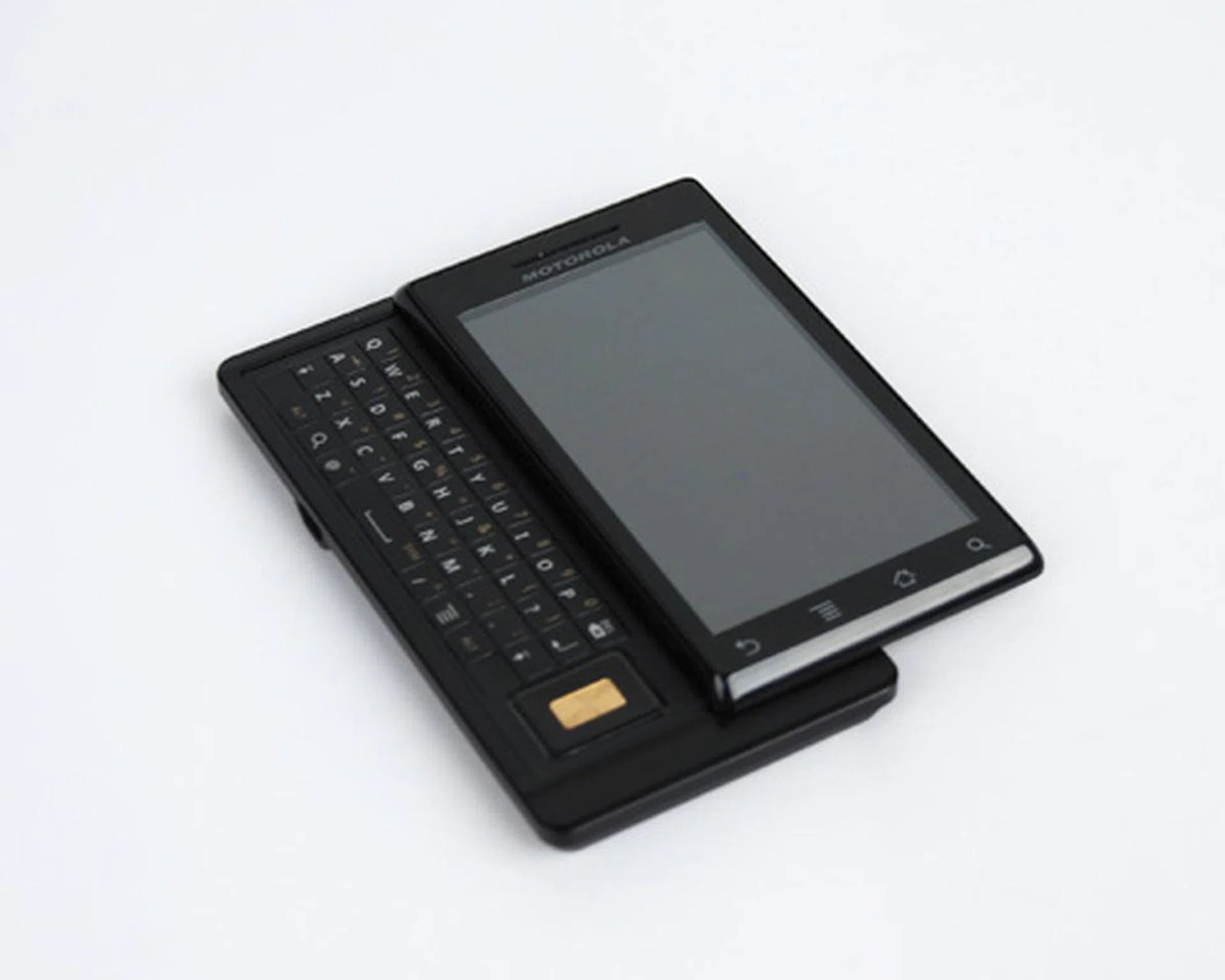
Motorola Milestone
A Test of Metal
What sets the Milestone apart from other Android devices out there isn't just the preloaded OS (which we'll get into later). The minute we held the Milestone in our hands, one thought came to mind - heavy. And that's very true when we look at its specified weight of 165g, which is relatively higher than we expected for a device of its size. Though the Milestone is pretty hefty, it's also one of the slimmest Android devices with a physical QWERTY keyboard, measuring in at just 13.7mm thin. But considering that the Milestone has more visible metal than plastic materials, which by the way is not only cool to the touch, but also looks just as seductively sophisticated, we can understand the trade-off for the additional weight.
Now that's not to say there aren't downsides to the Milestone's design aspect. Firstly, sliding the display to reveal the QWERTY keyboard will require some considerable finger strength. Due to its thin display, there were times when we found our fingers slipping as we tried to slide the display to reveal the QWERTY keyboard. Nonetheless, thanks to the firm slider mechanism, the Milestone didn't feel flimsy with its display slid out, which can't be said for most devices utilizing the slider form factor.
In a bid to keep its thin profile, the keys were flat and we were facing some mild difficulty in getting our text messages coherent at one go. Like the earlier launched Motorola Dext, the straight-on arrangement of the keys tends to throw us off balance if we attempt to type without paying attention to the keys by sight. With up to ten standard messages typed out, we had typos for two out of ten messages, and an average typing speed of up to 30 seconds per sentence.
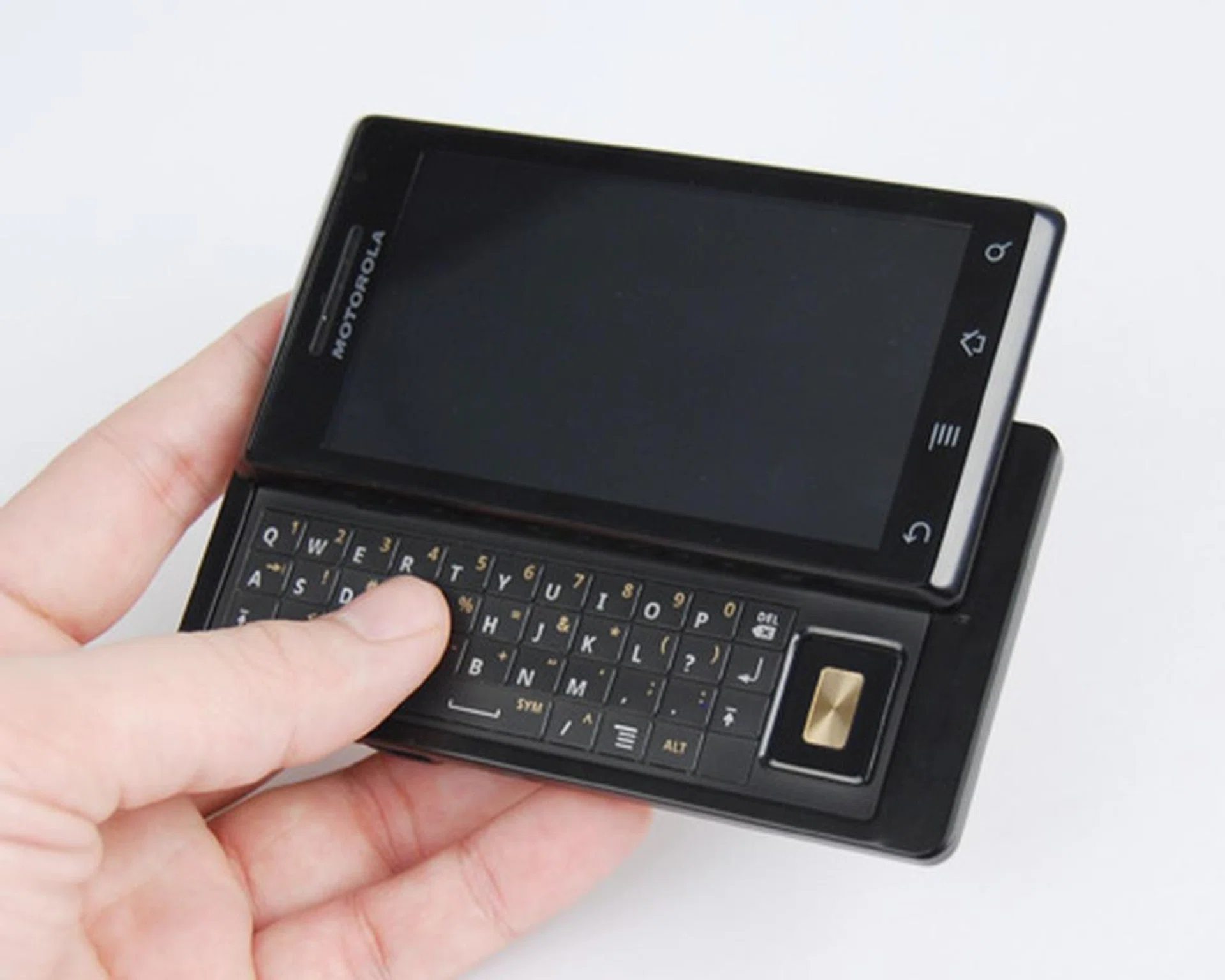
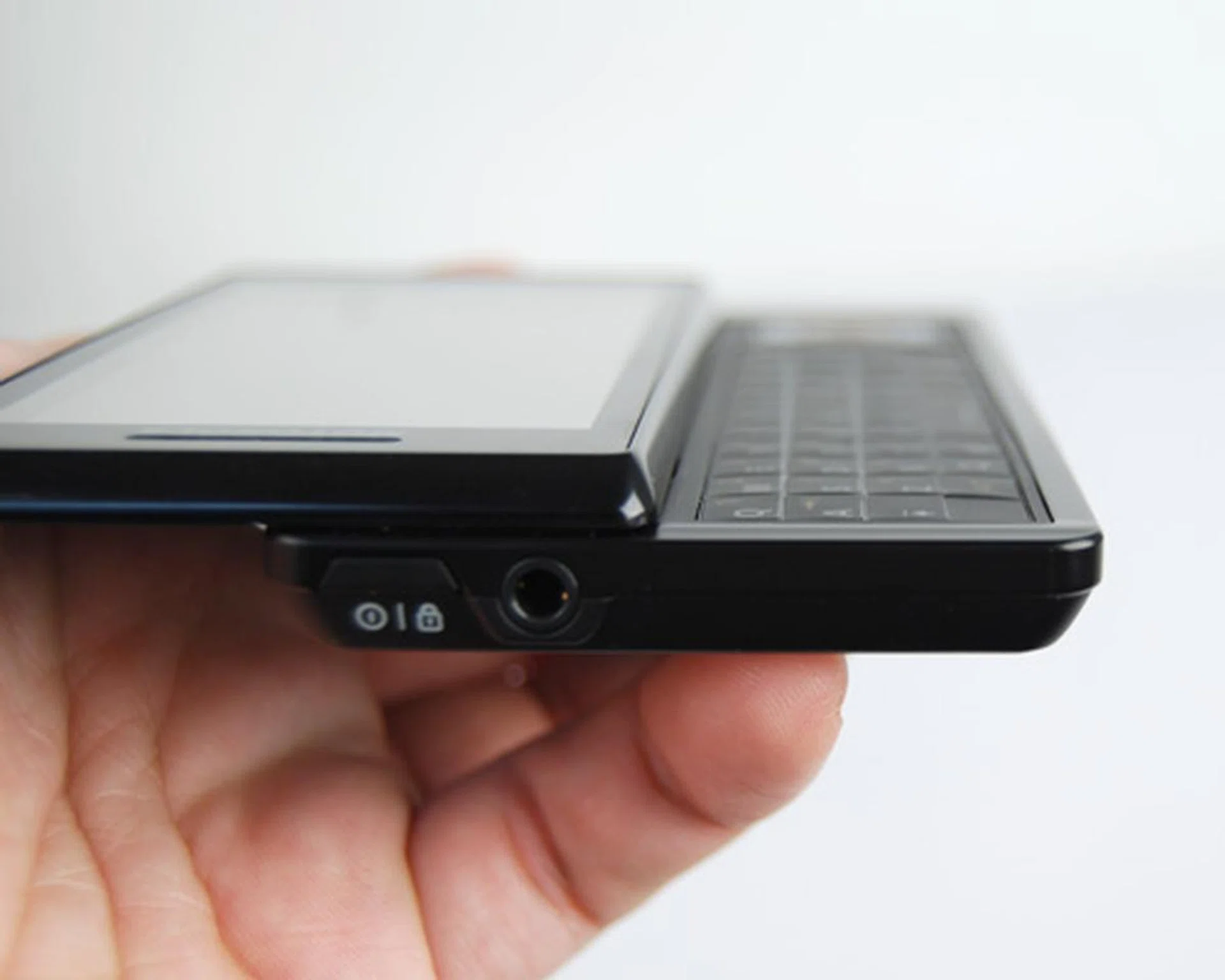
The Milestone has one of the thinnest profiles we've seen on an Android device with a QWERTY keyboard.
But in doing so, you'll notice that the keys are flat out even, which did reduce our typing speeds.
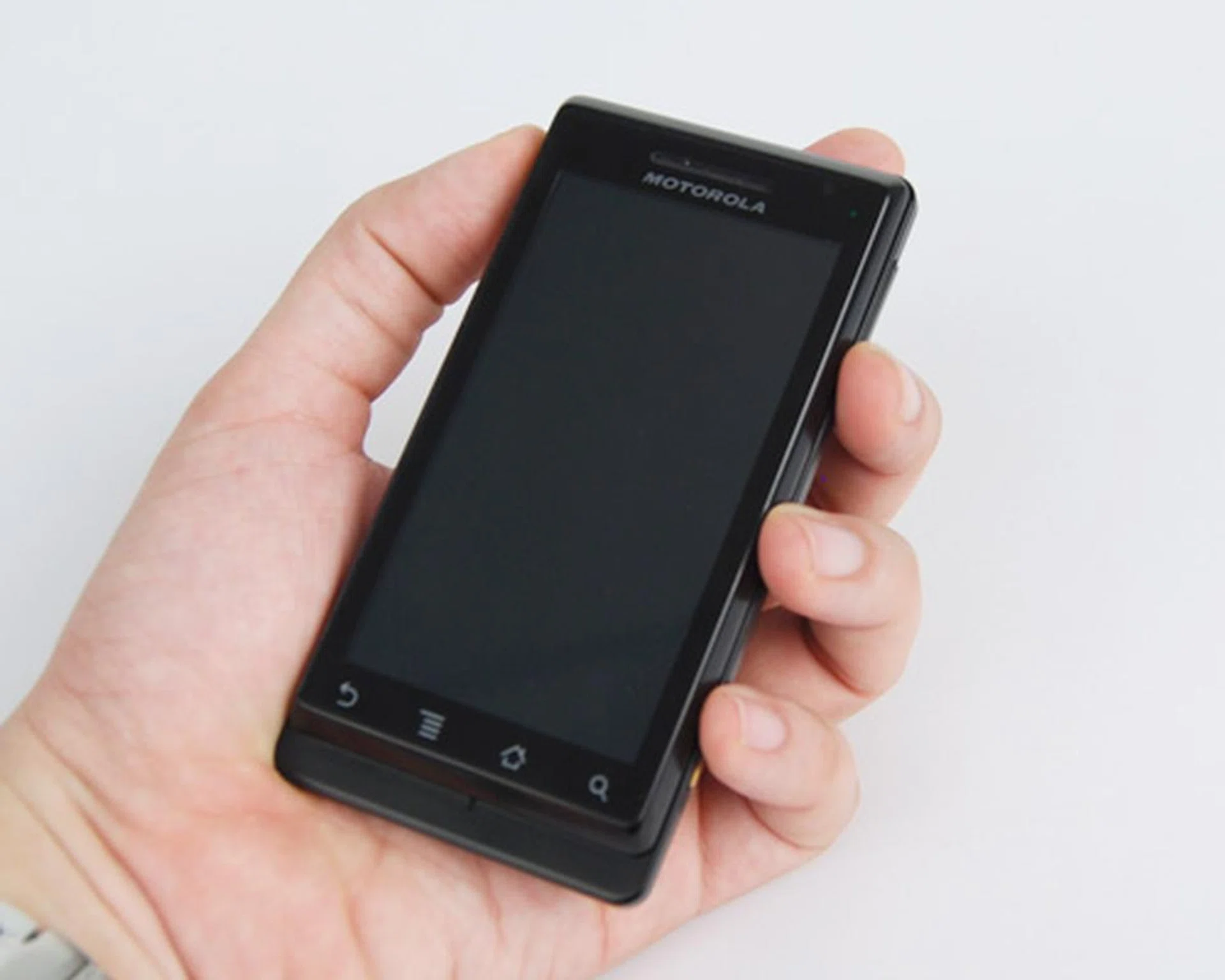
While it might not look like it, the Milestone does add quite a bit of weight to your inventory, with its components packed into a dense and compact form factor.
Despite the odd combination of a thin and yet heavy form factor, the Milestone managed to feel just right in our hands. Like most recent devices, the Milestone brings in minimal physical buttons for the full touch experience. The standard Power button is located at the top right corner, which can prove to be a challenge to access with it being flushed to the body. The Volume and Camera buttons won't have that issue, though it does feel stiff as we depressed them. The front panel houses four touch sensitive keys for the usual Back, Menu, Home and Search button that's a staple on Android devices. Thankfully, the right amount of sensitivity was applied to the four touch-based navigation 'buttons' and the 3.7-inch capacitive touchscreen.
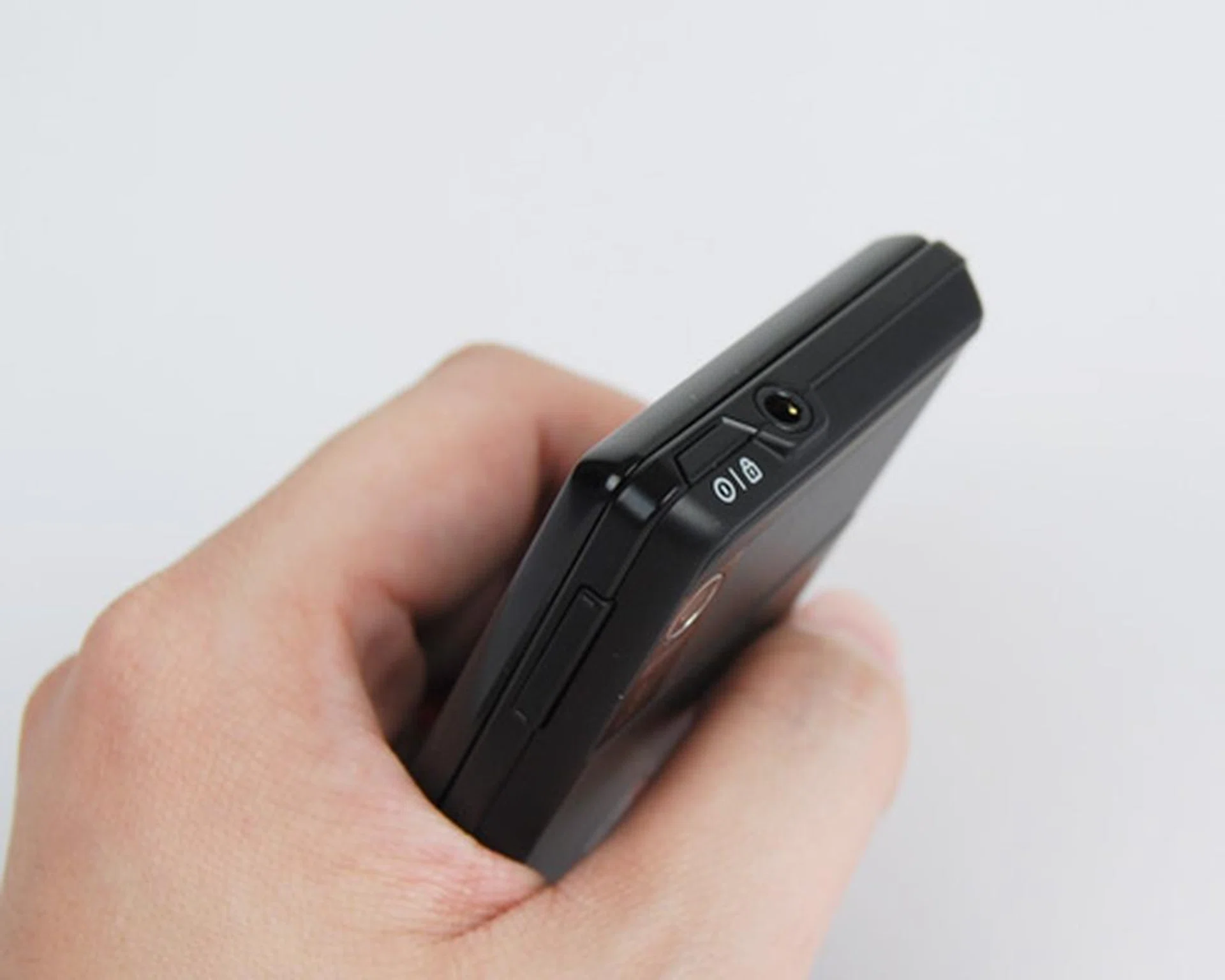
A 3.5mm audio port, besides the fully flushed Power button.
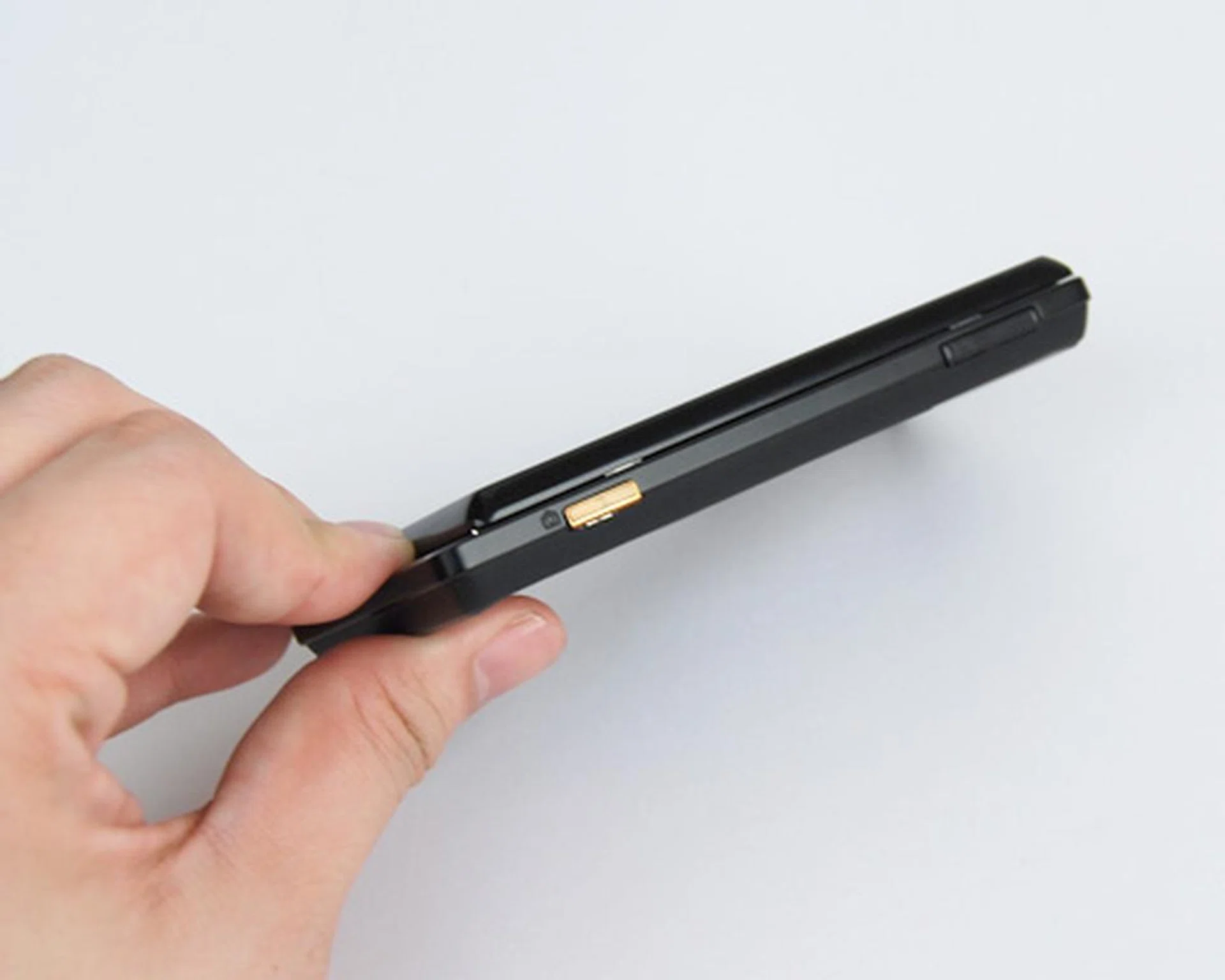
The only other physical buttons are the Volume and Camera buttons.
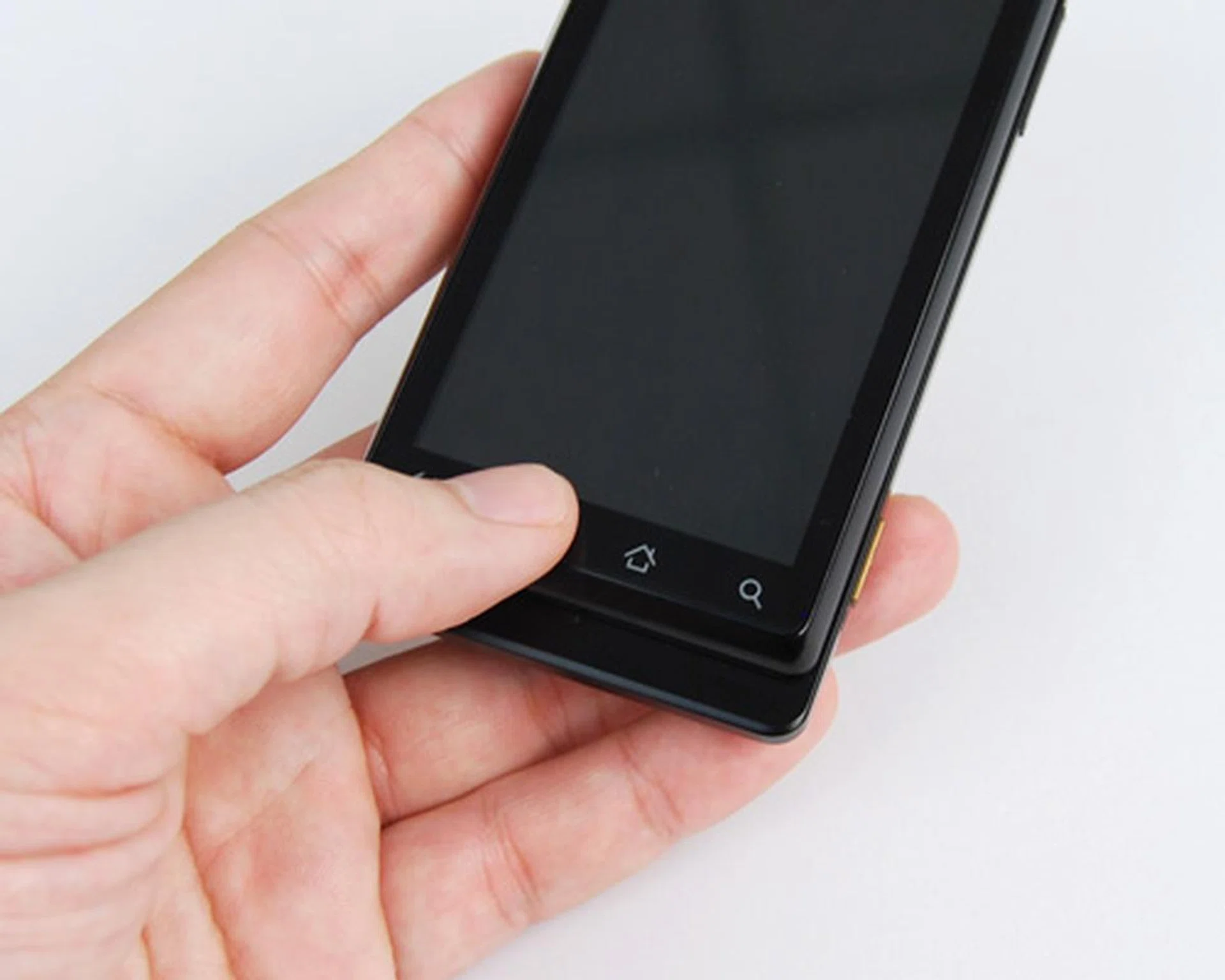
A touch panel for your Back, Menu, Home and Search functions.
There are some oddities in design with the Milestone. The screen ends off abruptly at the bottom and leaves some unused space which could have been utilized for more screen real estate. Nonetheless, right behind the said unused space, we noticed the speaker, and right above that is the battery cover that opens with a slide. No prodding or prying is required, thus saving us from some agony in accessing the battery beneath. Unfortunately, hot swapping of the microSD card will not be possible, seeing as one needs to remove that battery to access it and the SIM card.
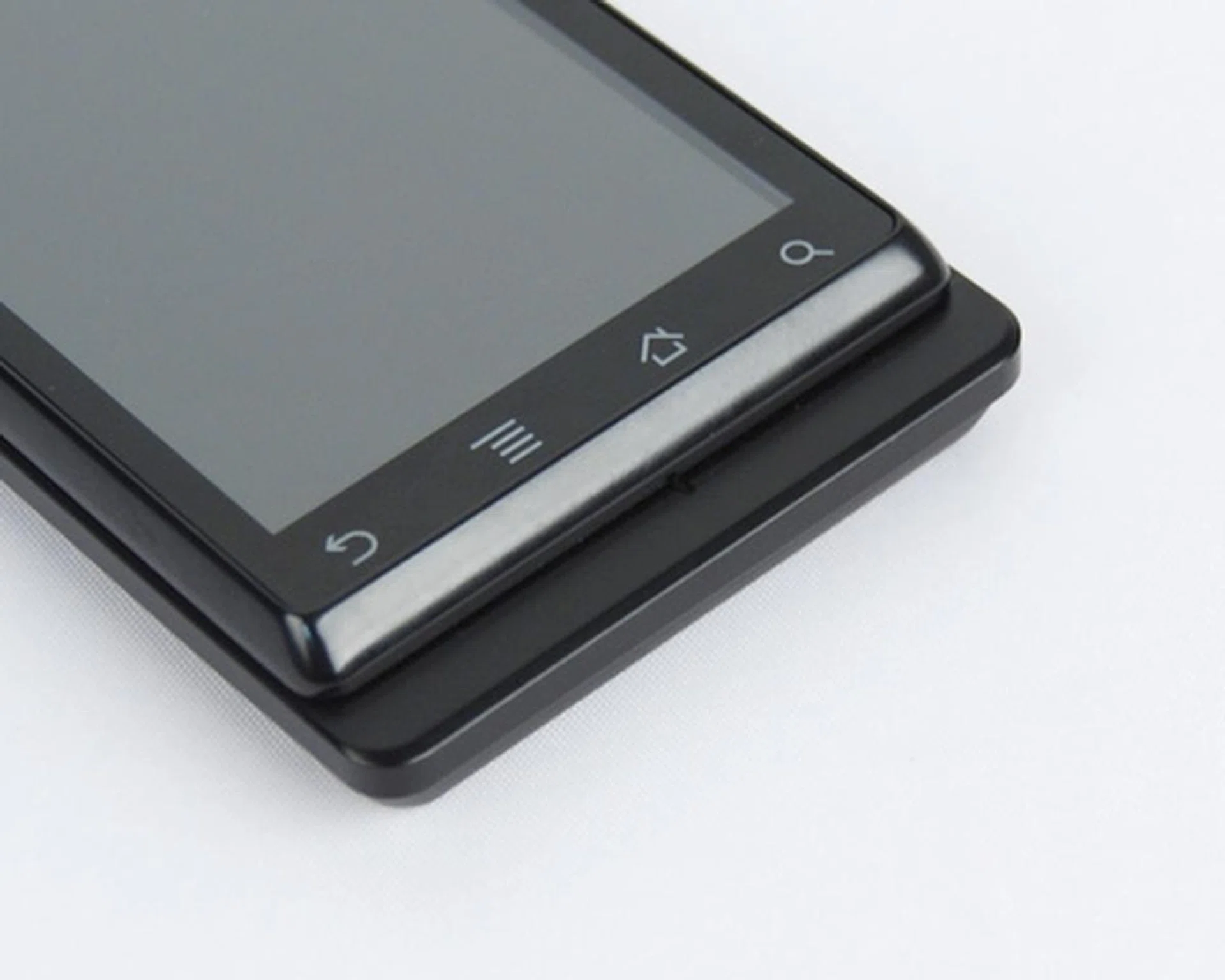
What we would have preferred is a larger screen, which could have used the wasted space as highlighted here.
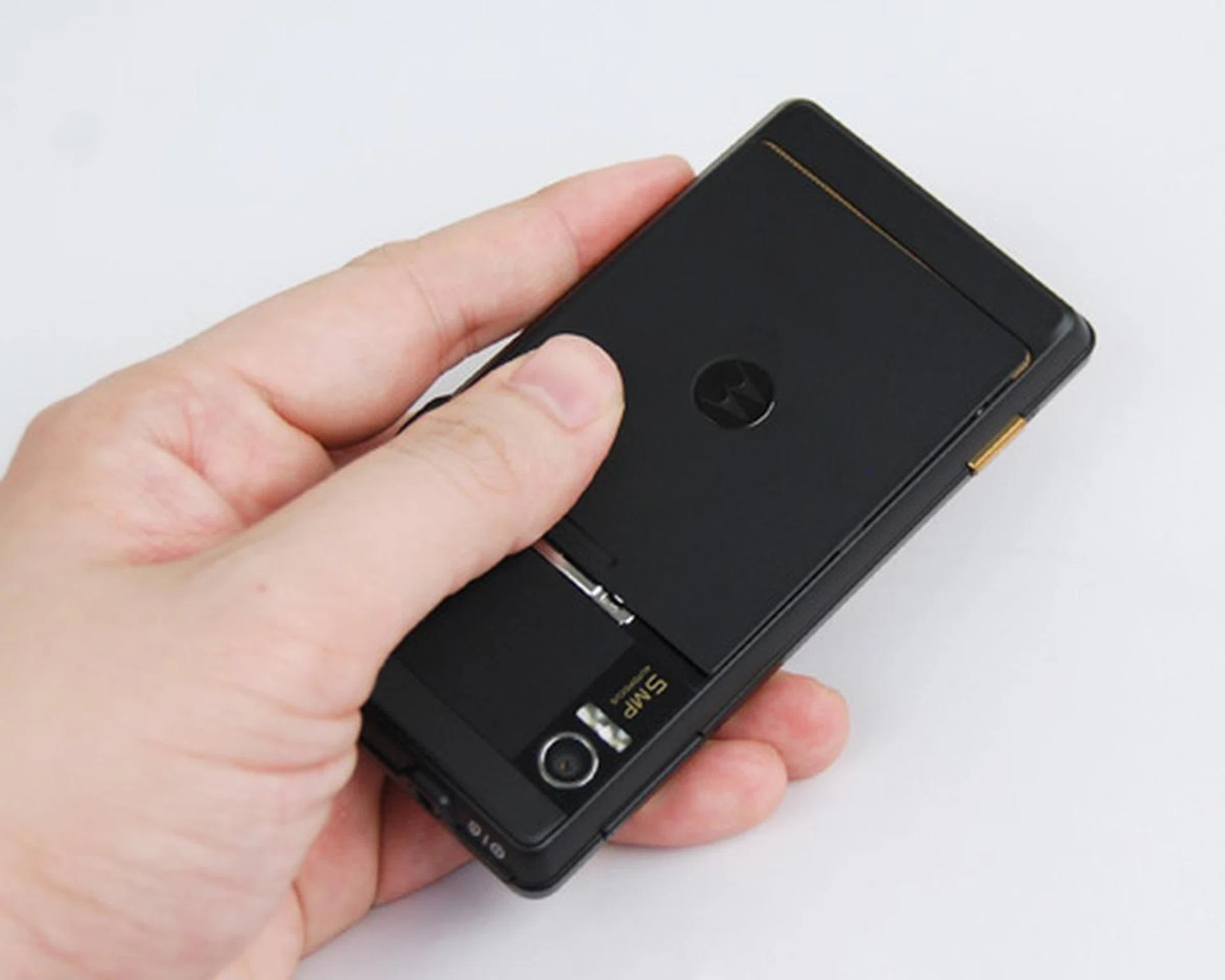
With a full metallic body, you'll see less fingerprints on the Milestone, besides its touchscreen.
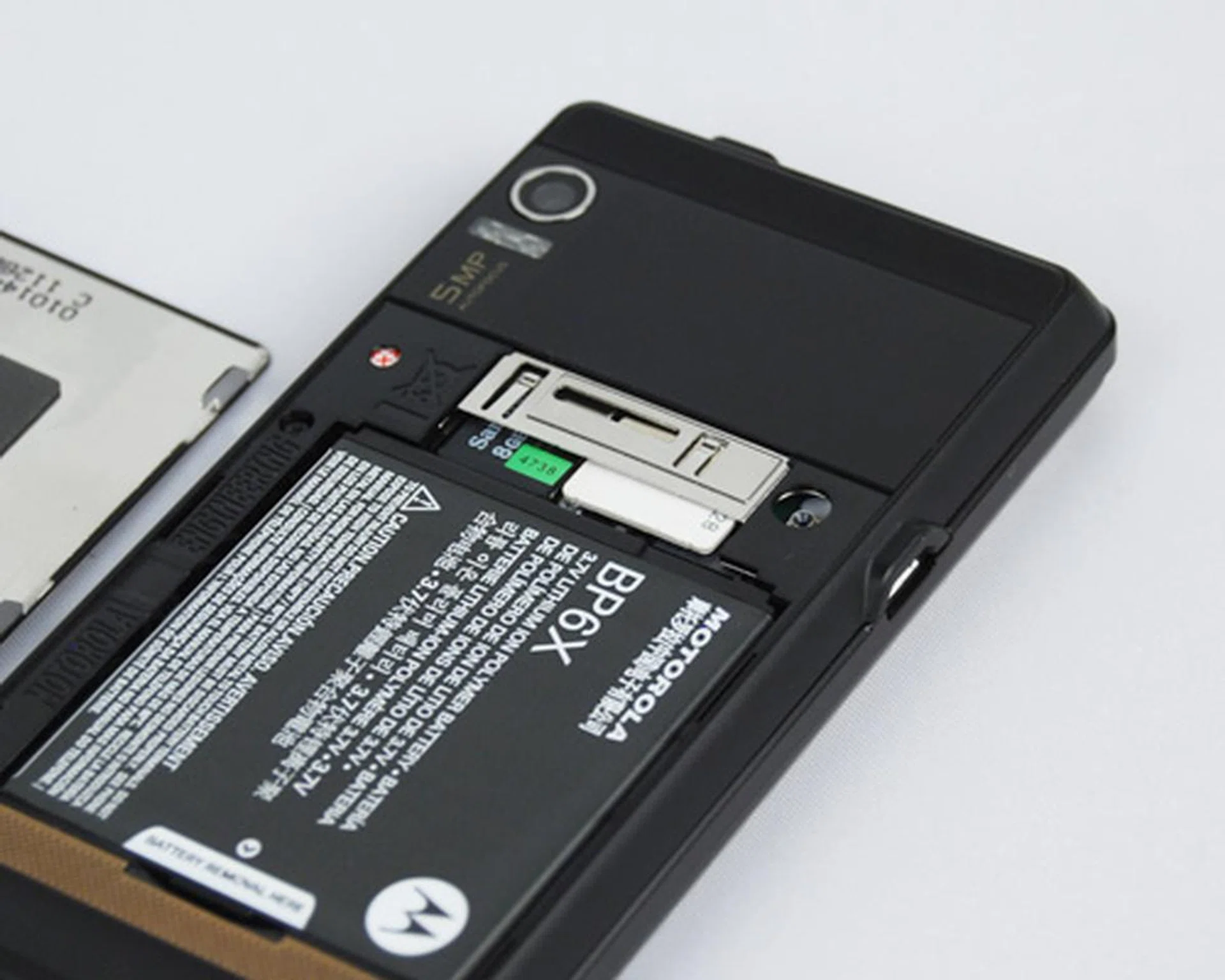
Underneath, we have the battery, which has to be removed to either insert or remove both the microSD and SIM card.
The Milestone opts for a microUSB port for data and power charging. And if you do wish to keep your Milestone tucked in snuggly, there's the Motorola Milestone Multimedia Station dock. Plug the dock into your PC via USB, plonk the Milestone onto the dock, and you'll be charging and syncing data between the Milestone and your PC. The benefits of the dock isn't just to keep your table neat and keeping your Milestone charged up, as we'll share on the next page.
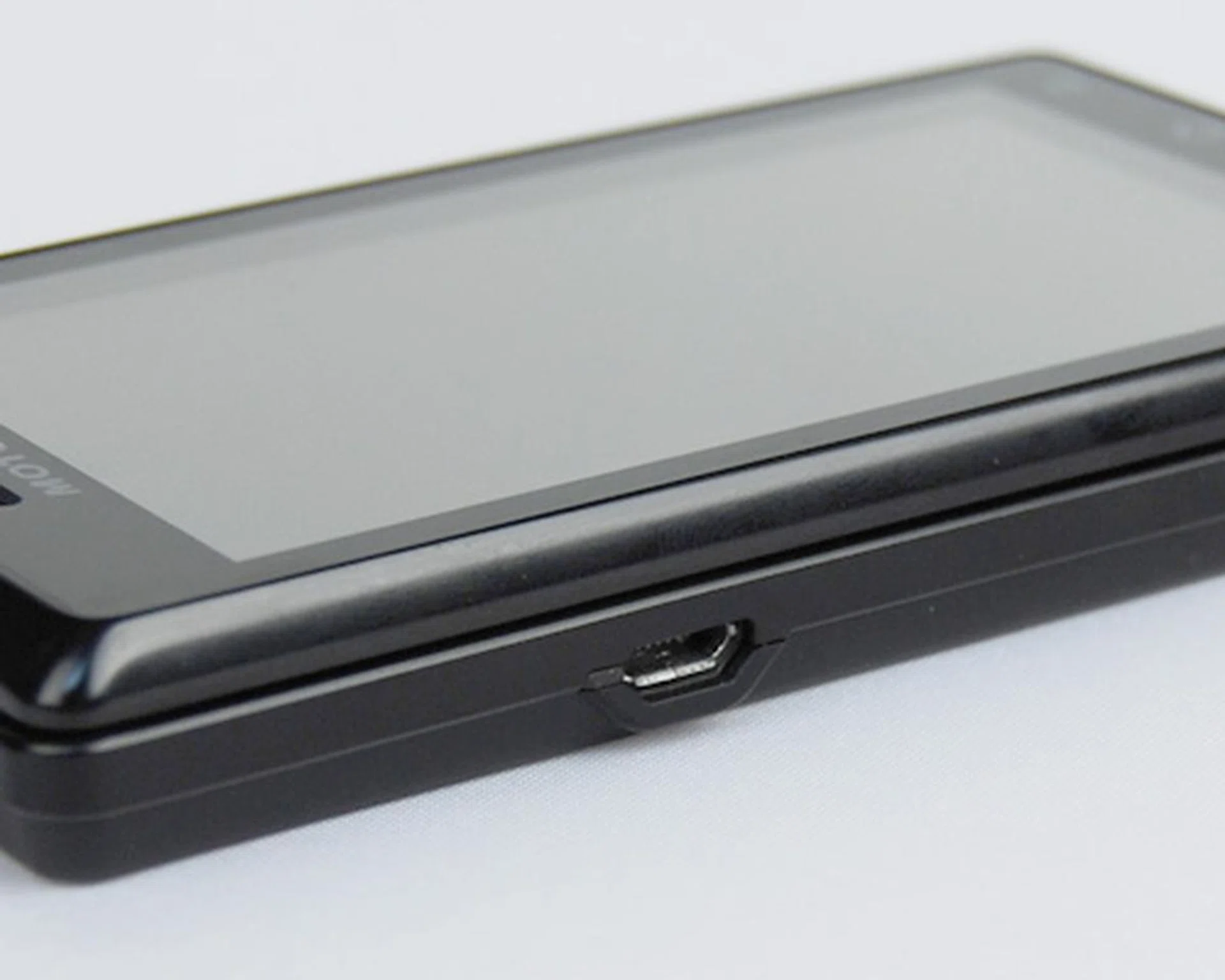
The Milestone utilizes a microUSB port, and you can choose to plug it straight into a PC...
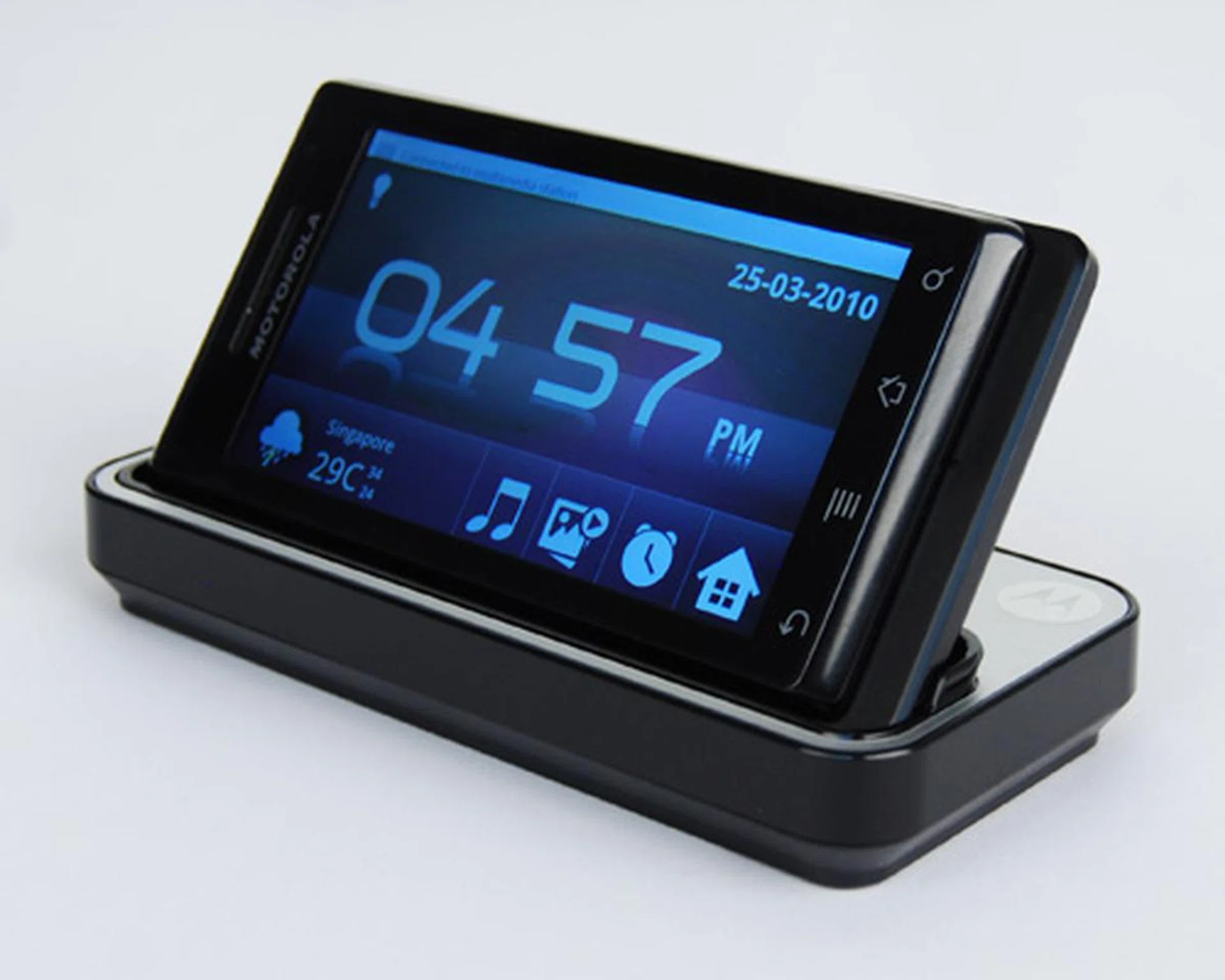
...or hook it up to the Multimedia Station dock, connecting it to your PC to charge and perform data synchronization.
To Two-Point-One, and Beyond
As we've mentioned, the dock is not just for aesthetic purposes. With the Milestone connected to the dock, the unit automatically switches to a multimedia home screen that brings up a selection of basic features. Up front, a digital clock is present, and a light bulb icon on the top left allows you to tune the brightness of the Milestone accordingly. Just below the digital clock, you'll notice a weather widget, followed by shortcuts to the music player, media slide show, alarm clock and finally, a shortcut that brings you back to the Android home screen.
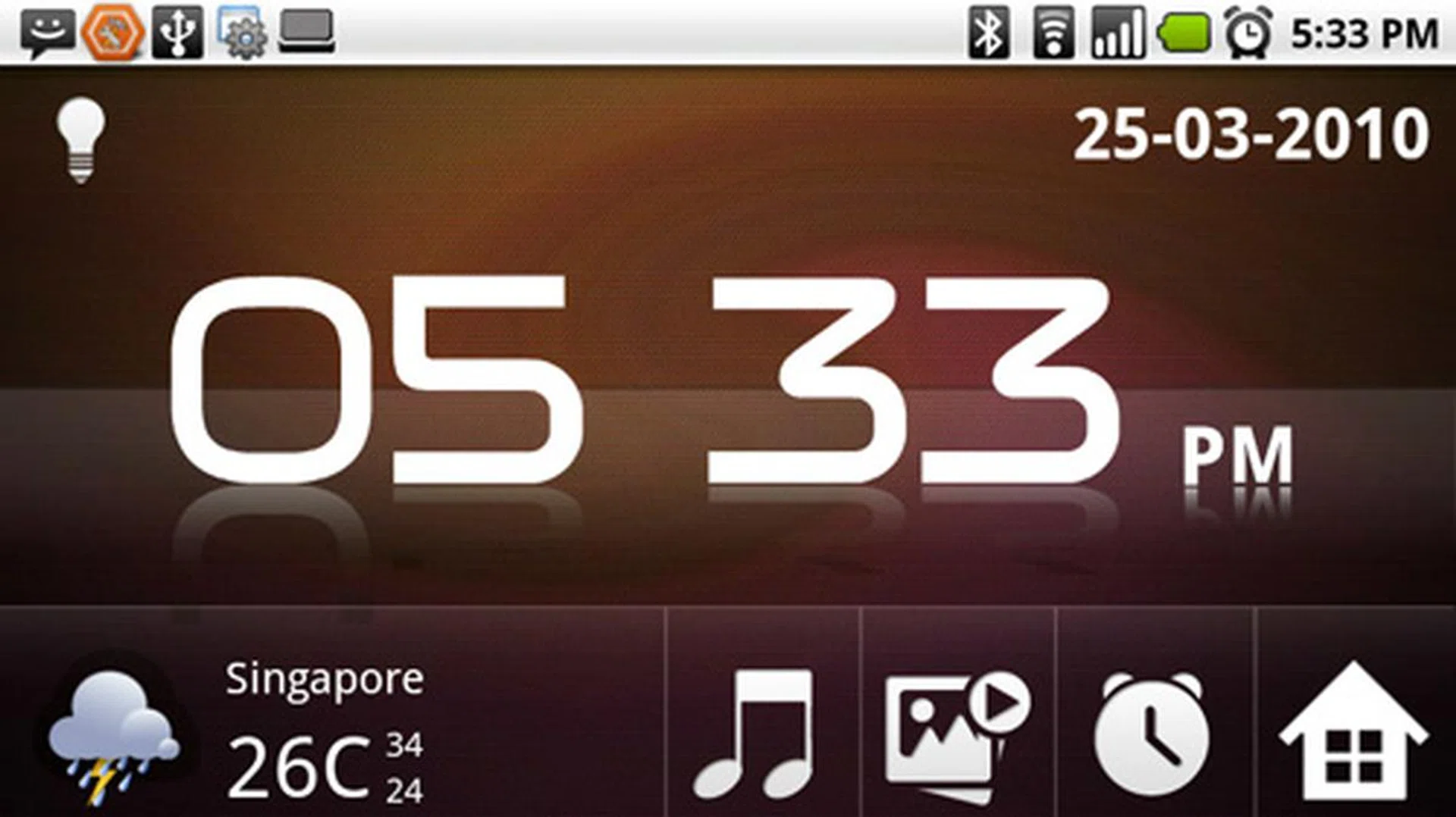
Once docked, the multimedia home screen is automatically launched with access to basic features of the device.
Typically, the usual Android devices out there present the option to either mount or leave the device charging when you connect it to the PC via USB. The Milestone adds more options to this connection option, namely Portal & Tools, Windows Media Sync, Memory Card Access and Charge Only. To put the obvious ones aside, choosing Memory Card Access allows you to read and write on the bundled 8GB microSD card within the Milestone. If you wish to access your music, images or videos within your microSD card from the Milestone, you might want to skip this option.
Both the Portal & Tools and Windows Media Sync are a unique feature found on the Milestone. The former activates a phone manager known as Moto Phone Portal that allows you to read and reply to incoming SMS, add, import or export your contacts, organize your photos and tweak the Milestone via ringtones, wallpaper and even adding bookmarks or checking through your browsing history. Having this control panel is especially useful when all you need to do is reply to an incoming message. There are two ways to activate the Portal & Tools connection - through the aforementioned USB connection or via Wi-Fi. Do note that if you connect via Wi-Fi, it'll be a huge power drain and you won't have access to your microSD content via your PC, as opposed to USB connection which charges the Milestone and shows up on your PC's file manager. Regardless, both connection methods will require you to fire up your web browser to access the Moto Phone Portal. While Google Chrome also works, we noticed some alignment issues, so it would be best to stick to either Microsoft Internet Explorer or Mozilla Firefox for the best experience.
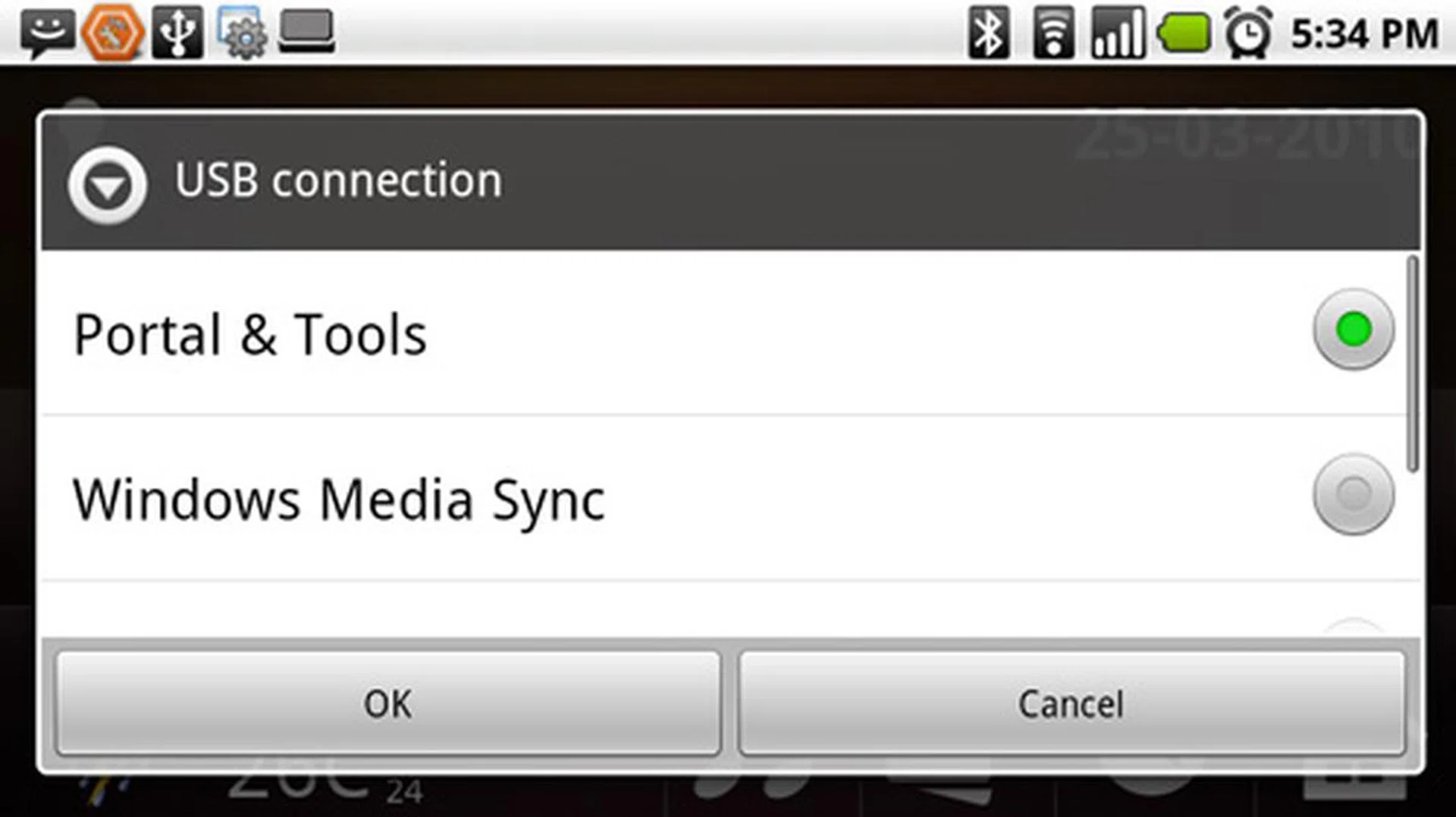
The Portal & Tools connection will require a web browser for it to work, though you won't need an active internet connection on your PC. Stick to either Internet Explorer or Firefox if you wish to avoid alignment issues.
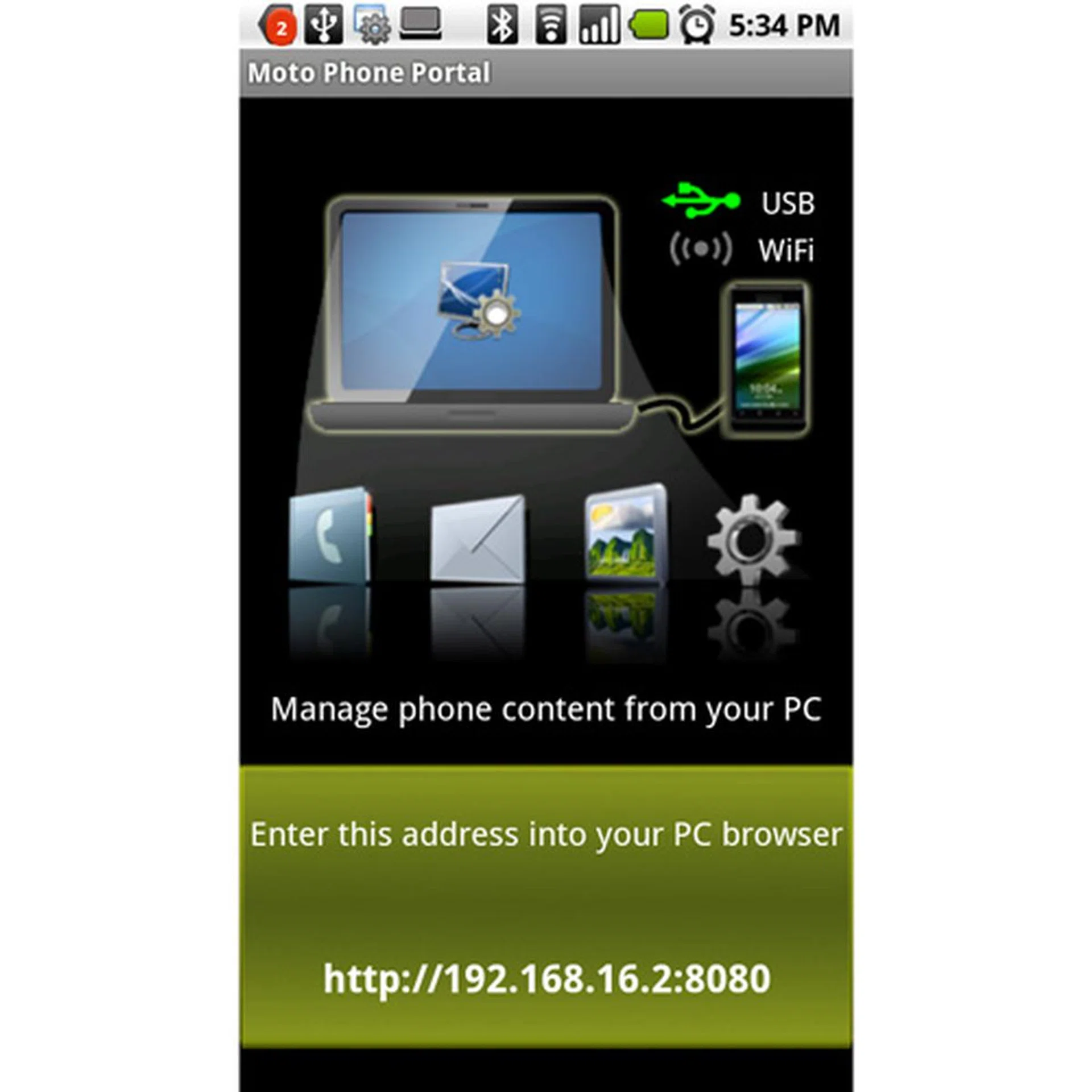
Unlike the USB option which automatically loads the web browser, the Wi-Fi method requires you to enter the address manually into the web browser to activate it.
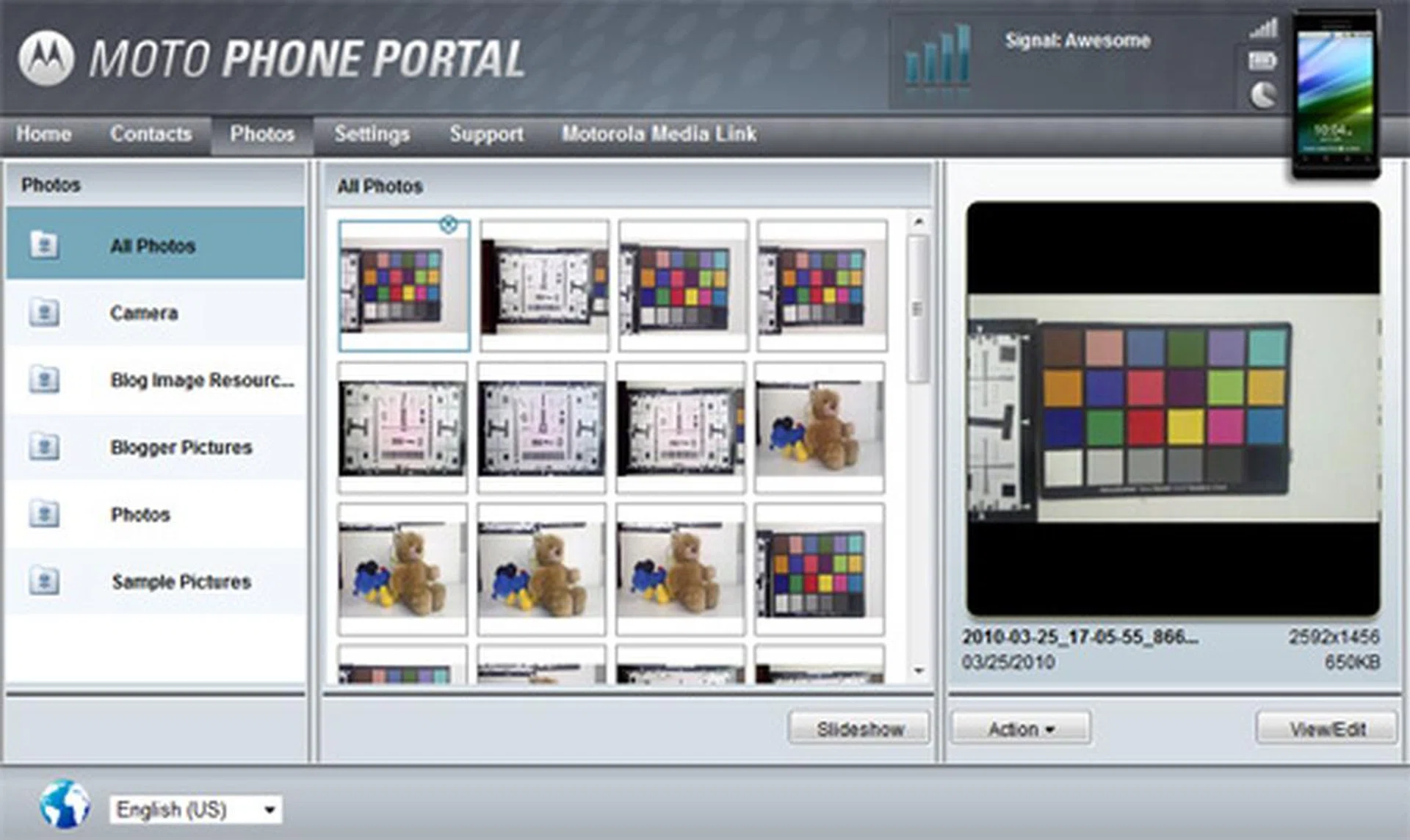
Reply to SMS easily via the Moto Phone Portal, or organize your images and download it into your PC if you don't have a microUSB cable available.
Windows Media Sync, as the name implies, synchronizes your PC's media via Windows Media Player. Though there are third party apps such as The Missing Sync and Double Twist for such purposes, the Milestone provides a ready solution to synchronize your media from the PC to the phone at no extra cost. We do like the implementation and inclusion of this feature, for the pure simple reason that it doesn't take any extra effort to search for an app that does the same job.
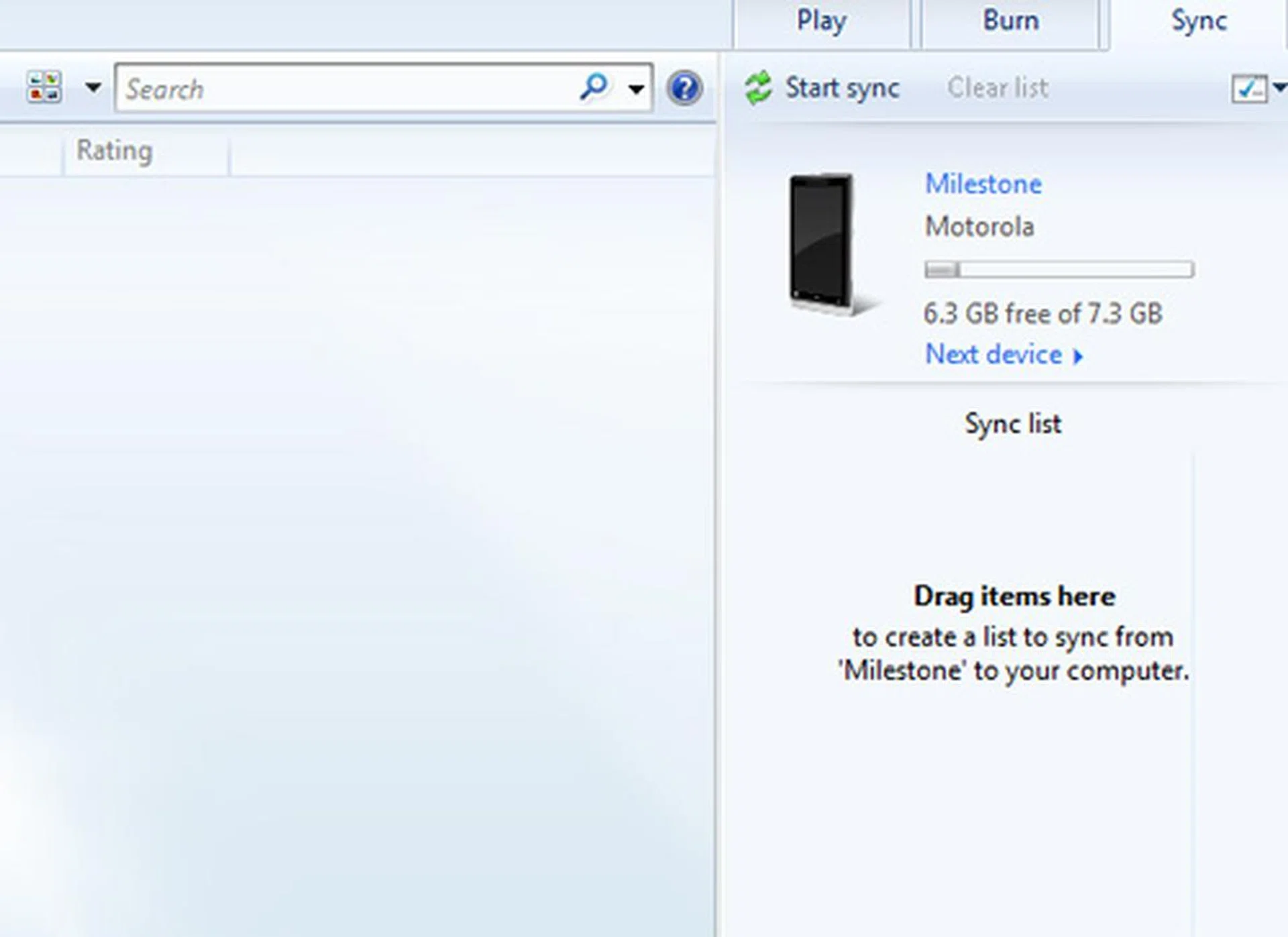
Under the Windows Media Sync connection, the Milestone will show up as a device in Windows Media Player and allows you to do a two-way media sync with the PC and device.
Besides all the added features that Motorola included, there are a few questions that came to mind. Firstly, the Motoblur service that was seen on the earlier Dext and upcoming Motorola devices on Android 1.6 isn't found on the Milestone. While Motorola hasn't exactly confirmed if Motoblur will be available on the Milestone, what one can speculate is that Motoblur is still in the works to attain compatibility status with the Milestone's updated Android firmware. And if you've been lamenting over the long wait for the Milestone, we can say that it's worth it, for the Milestone is loaded not with Android 2.0, but Android 2.1, putting it on par with Google's home-bred Nexus One. Live wallpapers are also included, though we noticed an absence of the Nexus live wallpaper that's exclusive to the Nexus One. And here's the official word - the Milestone does have multi-touch available, with the pinch and zoom gestures found in the web browser and media gallery.
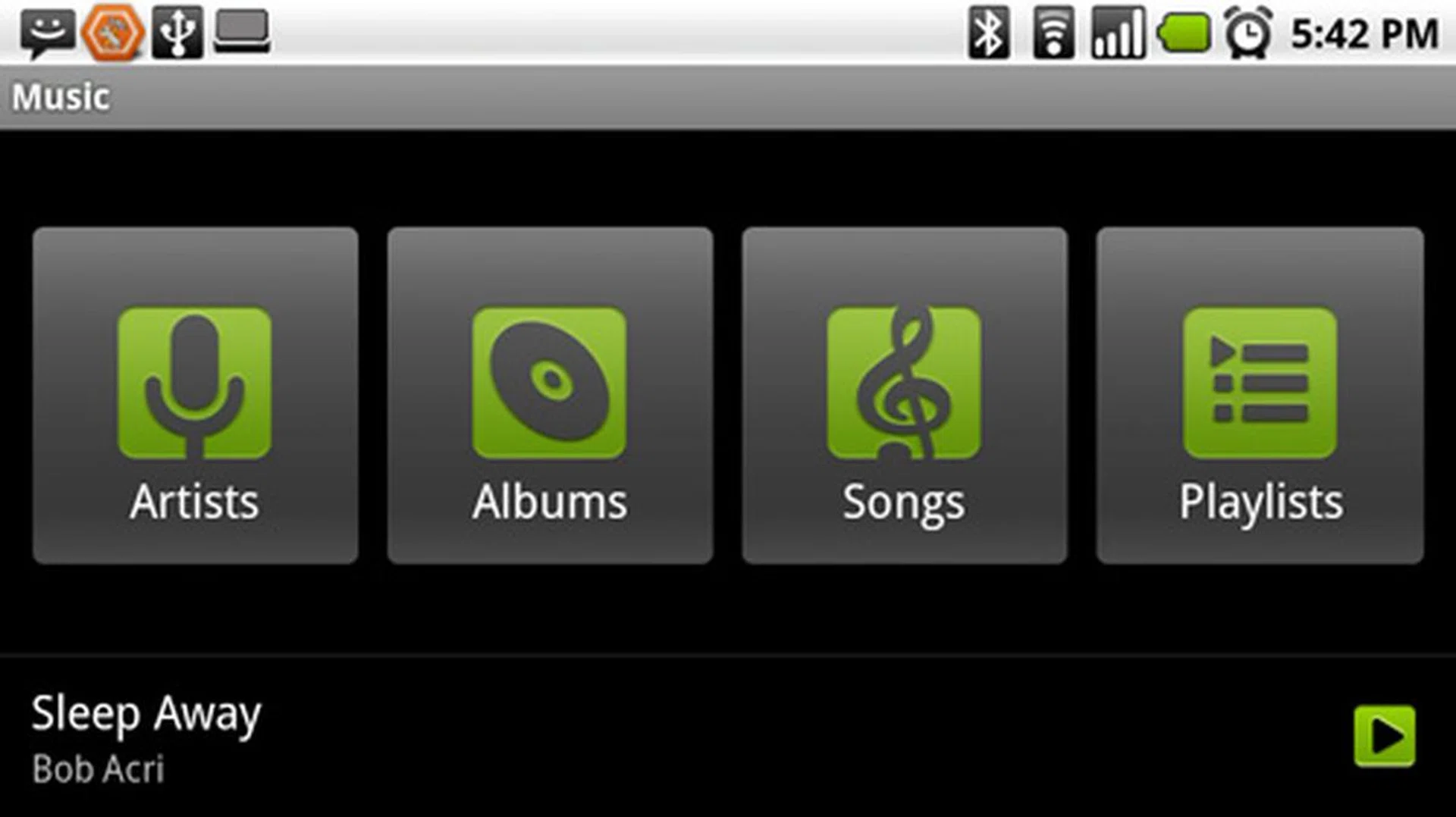
The Music Player retains the same interface as previous Android versions, but you do get a revamp of sorts...
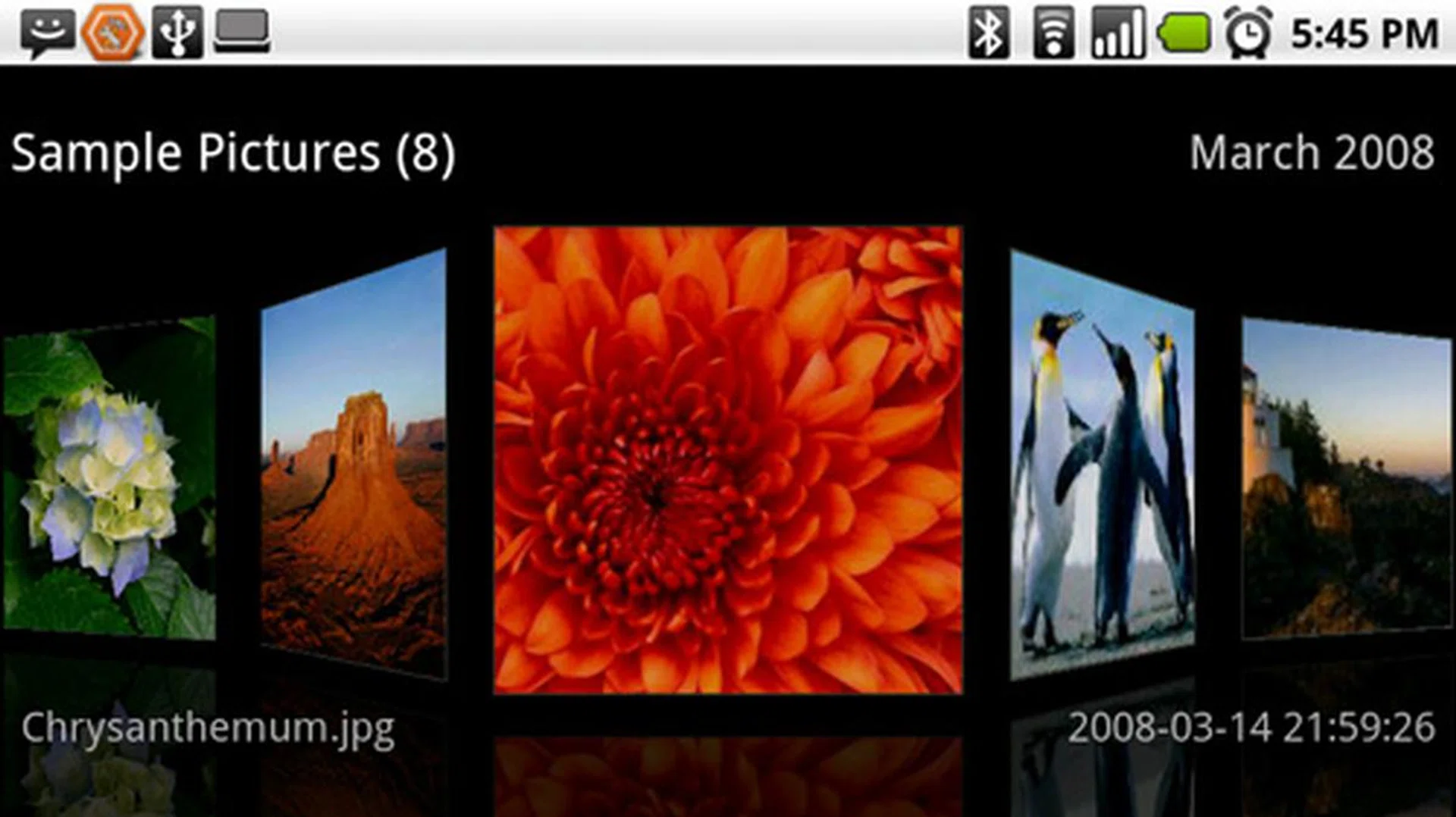
...when you rotate it to landscape orientation. The same layout is also seen for its media gallery and web browser bookmarks.
Our earlier Nexus One review made some mention of the Car Home navigation, which is also seen on the Milestone. And we lamented about the absence of Google Maps Navigation, which could have made the Nexus One complete. The Milestone does have a solution of sorts with its Motonav application. Depending on your purchasing point, units will be preloaded with maps and come with a 60-day trial period for turn-by-turn navigation. In our case, we spotted maps for Malaysia, Singapore, Thailand and Indonesia within. Motonav isn't exactly a smooth going experience with slow map rendering speeds, but it does give future Milestone owners an option to utilize the Car Home interface. On a typical day, you can expect the Milestone's GPS to take up to almost a minute to attain a satellite lock before you start up Motonav to navigate.
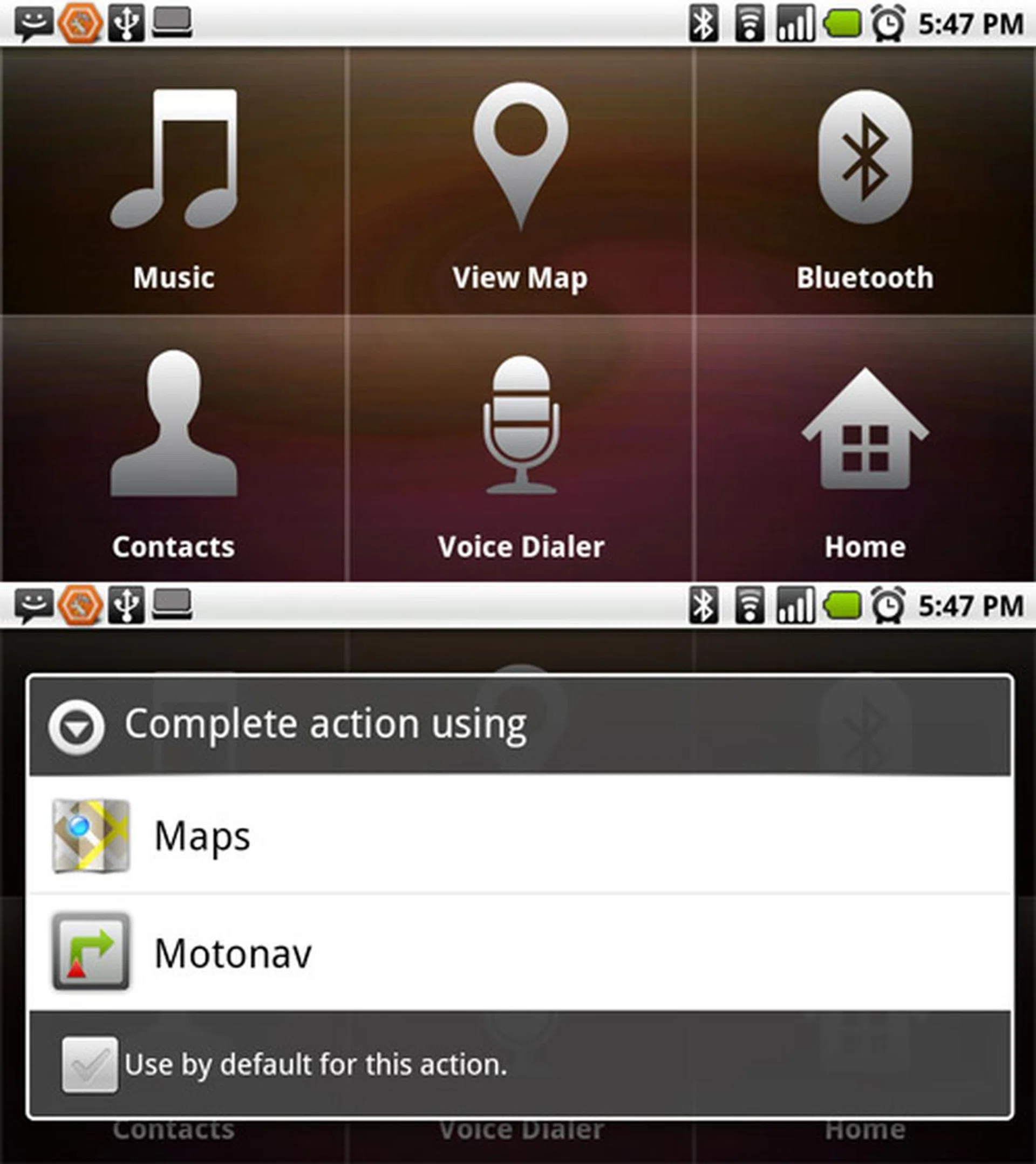
You can access Motonav via the Moto Car Home interface, and plan your route accordingly.
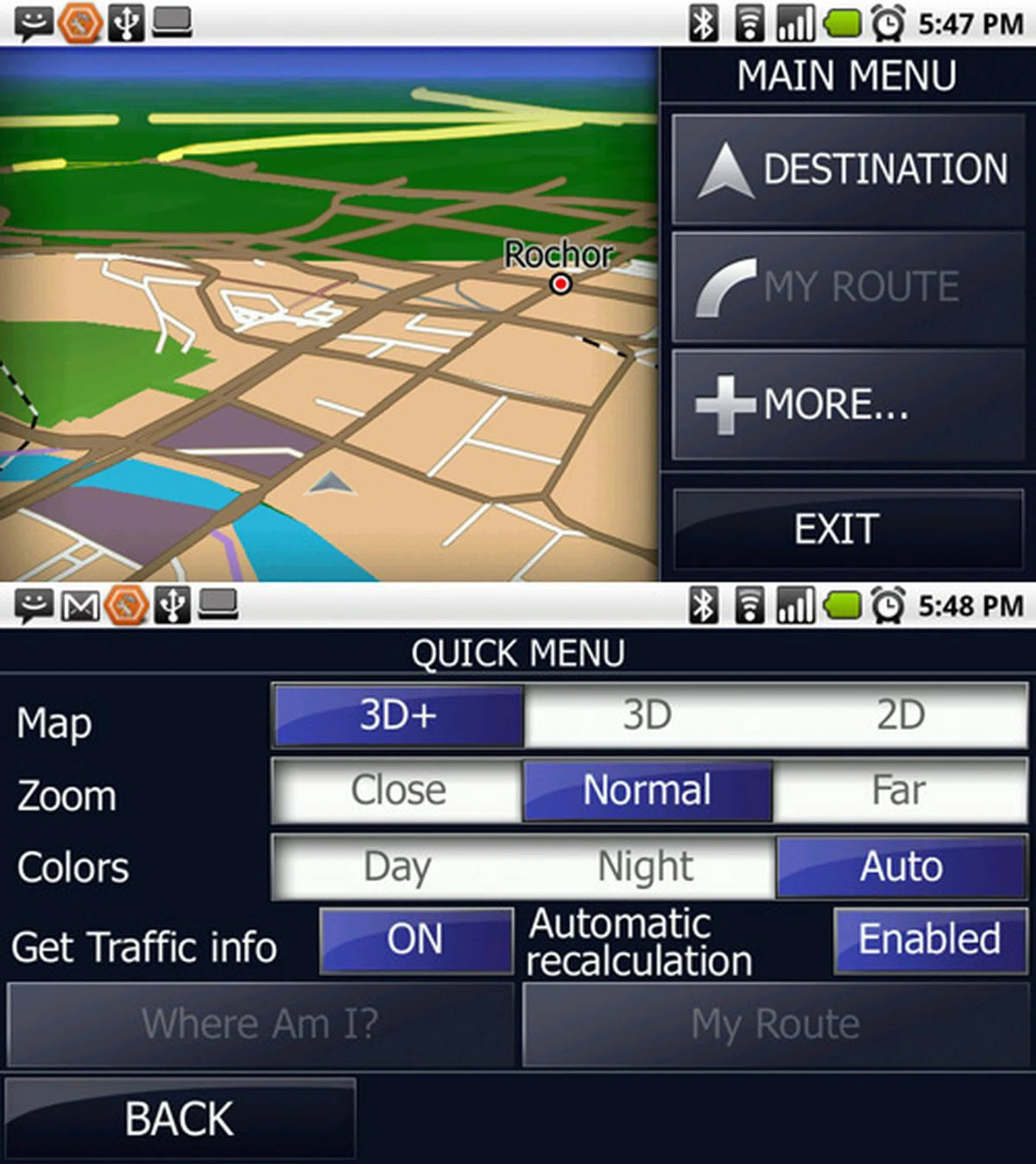
Choose between 2D, 3D or 3D+ maps from the Motonav, though we stayed with the 2D map to have better map rendering speeds.
Power of a Droid
What can one expect from the Milestone? To put things into perspective, let us review some of its main specifications. For sure, the Milestone's 550MHz processor won't have the raw power of the 1GHz processors found on the Nexus One or the upcoming HTC Desire. But that doesn't exactly put it at a disadvantage, seeing as the user experience was smooth and lag free for the most part.
There isn't much to say with the user interface, seeing as how it is mostly similar to what we've experienced on the Nexus One. The 3.7-inch screen was sufficient for us to enjoy videos with a resolution of 854 x 480 pixels. Skipped frames were not discernible, though its colors aren't as rich after our experience with AMOLED screens from the Nexus One or even Samsung's Super AMOLED on the Samsung Wave. Still, we were not too disappointed with the video quality, and thought better of its audio playback. Our only grouse would be the lackluster interface for its music playback, and the numerous clicks required to search for a specific song.
What could give the Milestone a slight advantage is the inclusion of a dual-LED flash accompanying the 5-megapixel sensor. Images taken were processed quite swiftly, taking slightly more than 1 second to autofocus and approximately 3 seconds to process the image. We put the device through our resolution and color tests under a strong incandescent light to test its white balance rectification.
What could give the Milestone a slight advantage is the inclusion of a dual-LED flash accompanying the 5-megapixel sensor. Images were taken and processed quite swiftly, taking slightly more than 1 second to autofocus and approximately 3 seconds to process the image. We put the device through our resolution and color tests under a strong incandescent light to test its white balance rectification.


The resolution chart gave us some decent results, with readings of approximately 600 on the vertical and horizontal lines. Colors were well balanced across all hues as seen on the color chart, but we did notice images to be slightly white washed under the strong lighting. This white balance overcompensation will only happen rarely under strong incandescent lighting, and shouldn't create too much of an issue for your daily photography needs. Detail levels are considerably good for a mobile phone camera, as seen in the shots. Noise level isn't too obvious, but you might experience a higher amount with night shots.
With a wider variety of Android devices available to date, we compare the power efficiency across more devices. The Acer Liquid, Google Nexus One and HTC Hero are chosen for its near similarity to the Milestone's specifications with regards to its battery capacity, display size, resolution and its processor power.
Specifications/Device | Motorola Milestone | Acer Liquid | Google Nexus One | HTC Hero |
Connectivity |
|
|
|
|
Dimensions |
|
|
|
|
Weight |
|
|
|
|
Screen size |
|
|
|
|
Battery |
|
|
|
|
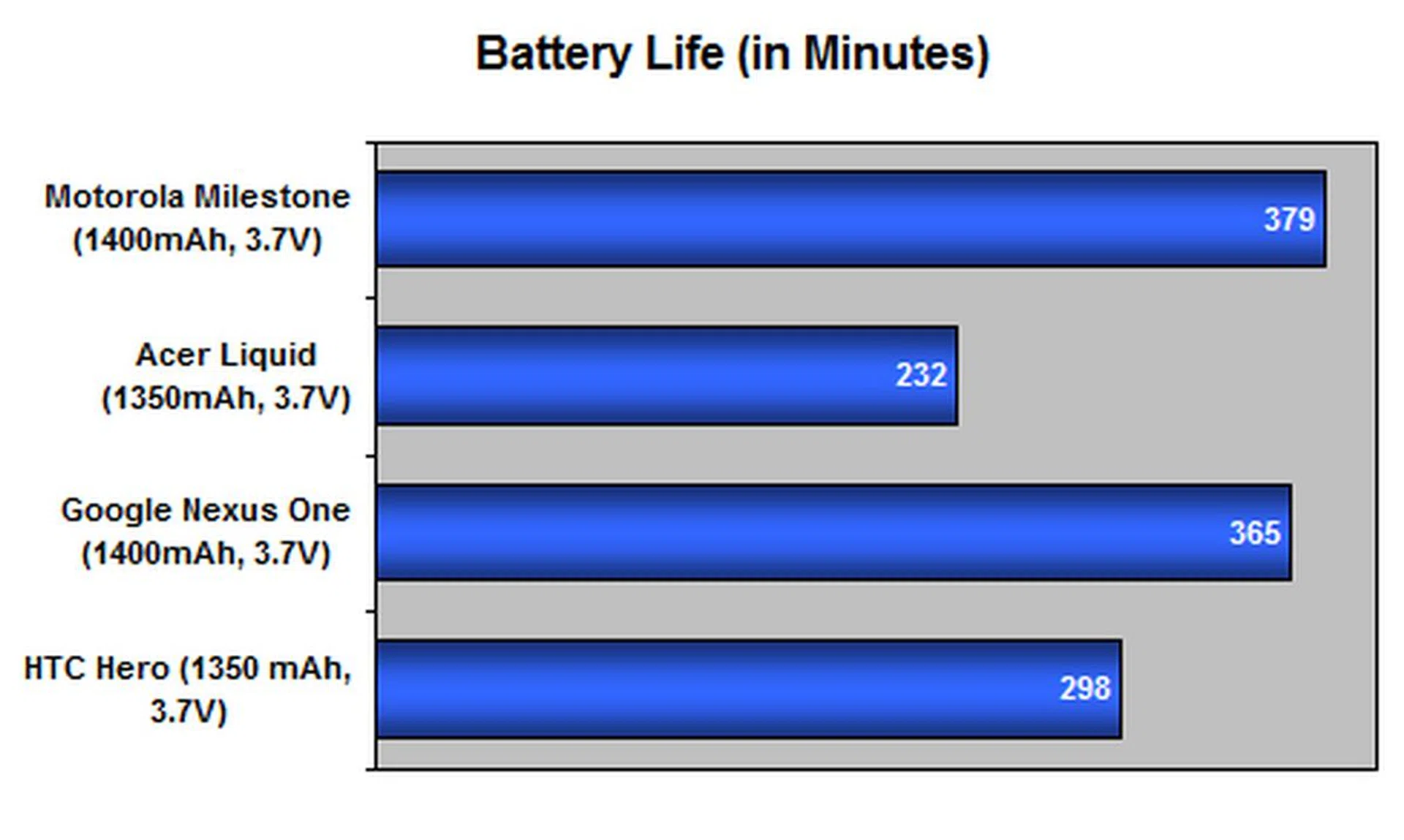
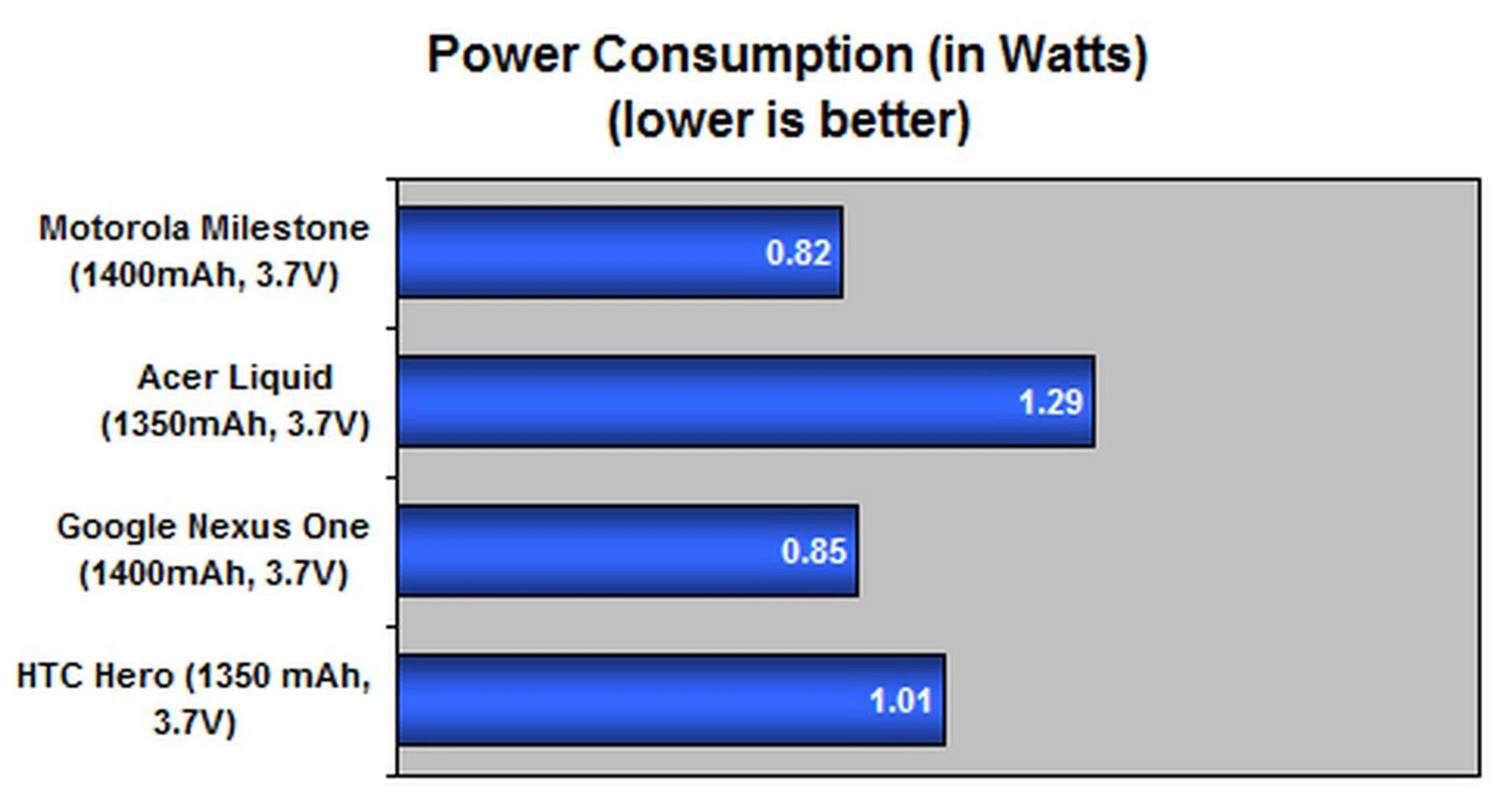
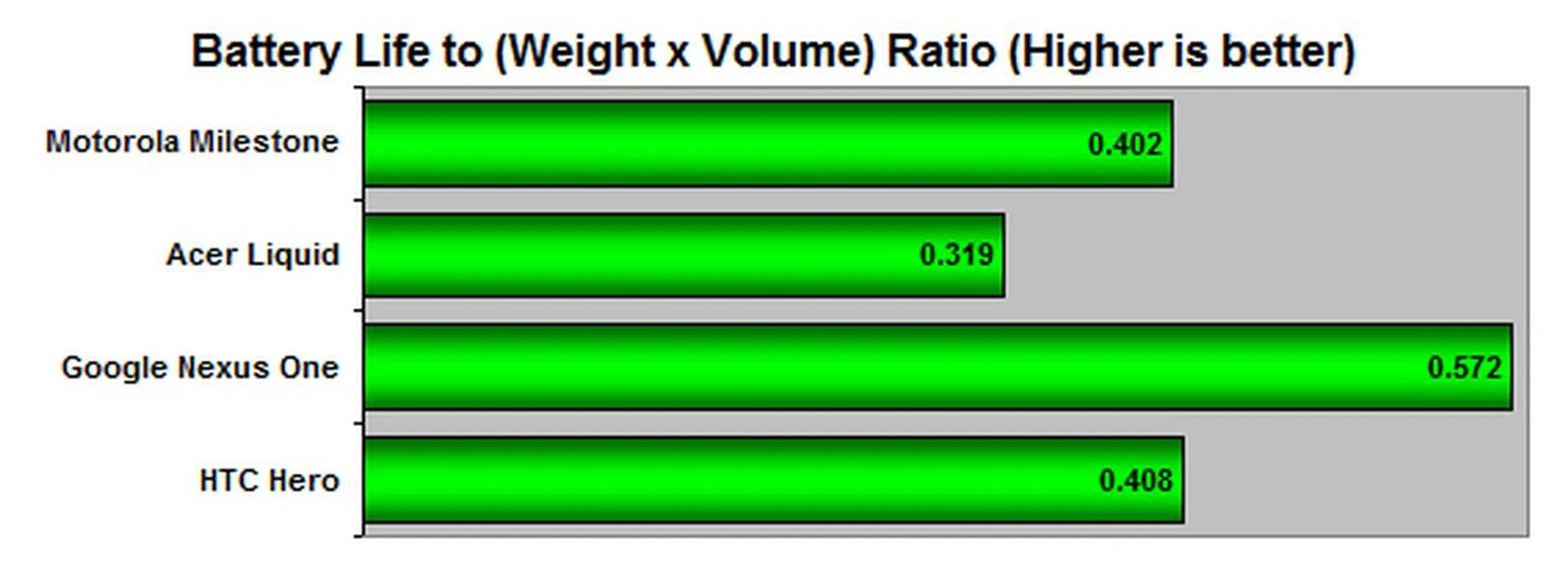
It's pretty hard to trounce the Nexus One's power efficiency numbers, seeing that it has a lengthy battery uptime that goes well with its slim form factor. Good news for Motorola, for it seems the Milestone managed to up the ante with a slightly longer battery life. Earlier, we mentioned the Milestone's unique combination of being a dense yet thin device. Couple this with the numbers we gathered from the battery test, and you'll notice the Milestone's Portability index to be lower than the Nexus One. Though both do share similar dimensions, the added weight puts it at a slight disadvantage, even with a longer lifespan than the Nexus One. Needless to say, the Milestone's impressive uptime gave both the Acer Liquid, HTC Hero and most other Android devices a run for their money in the battery test segment. But take into consideration the following points - the Milestone is using a more manageable processor speed, which should achieve better results for the same battery capacity. On a single charge, the Milestone functioned for an entire day and made it to the following morning with just a trickle of battery left.
Milestone Achieved
There's much to be said about the Motorola Milestone. Its debut as the Droid in the US was a sign of things to come from Motorola, especially so in the Android scene. To say the least, the Droid was as important to Motorola for its revival as it is to Google in the propagation of the Android platform. A few months down the road, the Droid which received several overseas accolades, is now finally landing on our shores as the Milestone.
A quick glance at the Milestone gives one a clear indication of where it's coming from. Upholding Motorola's traditional wafer-like design, the Milestone definitely gets lots of brownie points from us for including a physical QWERTY keyboard and managing to keep the device relatively easy to handle. Yet, the trade-off comes at a slower typing speed thanks to the same thing that made the Milestone that thin - flat keys. The other oddity that might hit you real quick is the stiffness of the slider, and the weight even for its compact form factor. But for all that, you get a device that is a notch above all others that look less attractive with mass-produced, plastic materials.
To say the Milestone is a top-of-the-line mobile device would be sort of an exaggeration. In a mere few months since its initial appearance, we saw alternatives from Google's Nexus One to Acer's Liquid that came in earlier than the aforementioned Motorola device, with even better hardware. But we aren't discounting the Milestone's true value of being the first to sport Android 2.0, and now, the updated Android 2.1 OS. Thanks to that, you'll find a much smoother user experience on this Android device. Beyond the multi-touch inclusion, Motorola has also made it a point to include practical features. This includes the Multimedia Station dock that acts as a holder, charger and connector to your PC. Connection-wise, you also get Windows Media Sync to tally your music and videos between both platforms, and a Moto Phone Portal which acts as a phone manager to organize your SMS, contacts and bookmarks. The Motonav app that provides with you a 60 day turn-by-turn navigation trial is also another nice touch, at least until Google introduces its own turn-by-turn navigation into the region (if it does).
But through it all, it's the performance that's still under scrutiny. With the Milestone's 550MHz processor, we found it sufficient to keep operation seamlessly fluid. Thankfully, the Milestone's 3.7-inch screen is a great candidate for the smooth video playback, not to mention its audio capability is not too shabby either. The Milestone's 5-megapixel camera has one of the better performances in bringing out colors and details amongst similarly designed Android devices. Factor in the dual-LED flash, and the Milestone seems to bring with it an all-rounded, long-lasting experience as we've seen with its battery test results.
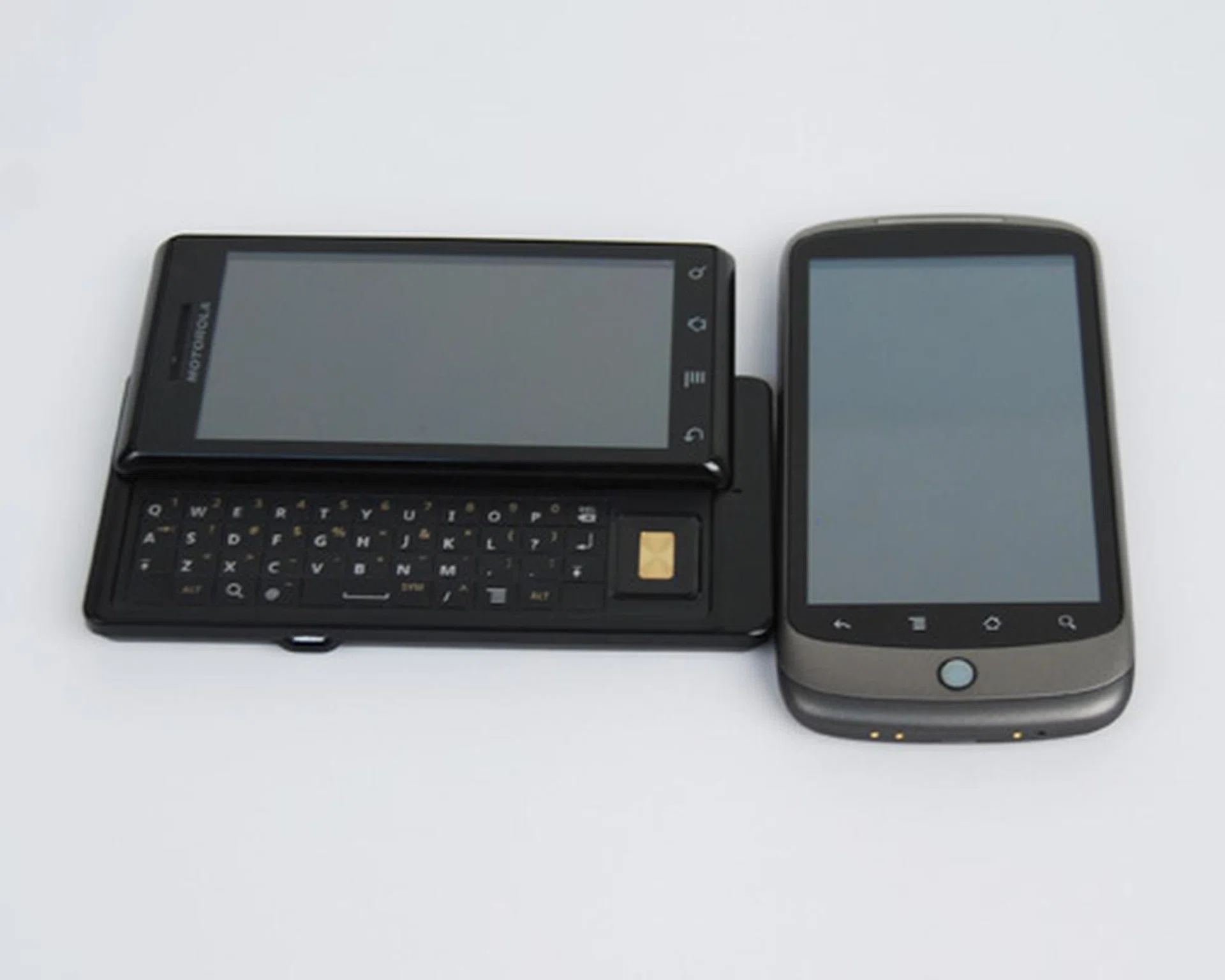
While other manufacturers are still playing catch-up, the Milestone will share the benefits of Android 2.1 with the Google Nexus One. With an exclusive tie-up to Starhub, you can expect the Milestone to be within an affordable price range, and with it, all the features you'll need in a smartphone.
While the Droid in the States costs US$599, which roughly translates to S$840, the good news is that the local launcg pricing without a phone plan is pegged at S$888. Note however that the Milestone is exclusively tied to Starhub and its authorized retail partners. And with the telco tie-up, one can expect the Milestone to be given a healthy price subsidy with a 2-year contract signed under it. And just before publishing this article, we received news that it's surprisingly affordable as the Milestone is priced from $0 to $198 with a 2-year contract. So with all that we've commented and coupling it with a great price point, we conclude that the Motorola Milestone will stand proud with the Google Nexus One and the upcoming HTC Desire as one of the few highly sought after Android devices for this year. Lastly before we end off, the fancy dock will be free for the first 1000 customers, and priced at S$88 thereafter.
Update as of 1st April 2010: We've just received word from StarHub that our earlier mention of the free docks is no longer applicable. The dock is still priced separately at S$88.
Our articles may contain affiliate links. If you buy through these links, we may earn a small commission.