
HTC Touch Diamond
The HTC Touch Diamond represents a new era of touch technology with its innovative TouchFlo 3D and an all improved Windows Mobile 6.1 operating system. Join us as we unveil the latest member of the Touch family, right here at www.hardwarezone.com!

A Cut Above the Rest
It was not so long ago when Windows Mobile enthusiasts got a little treat from HTC with the introduction of the HTC Touch, the first of many Touch series devices that have reached our shores in the past few months. More importantly, HTC's innovative TouchFlo technology has brought a wave of change, bringing an improved and intuitive experience to the user that's a step closer to our natural perception of touch.
Taking its Touch family to the fourth iteration, HTC recently unveiled its latest Windows Mobile device, the HTC Touch Diamond (as covered in our previous preview ), which scored quite a few positive hits on both the lifestyle and technological front. With a few new tricks up its sleeve, the Diamond sees the debut of an updated Windows Mobile 6.1 while continuing to innovate with an improved TouchFlo 3D interface. In fact, we found ourselves with a rather familiar itch: the desire to own a spanking new device at the expense of our wallets. Of course, if that thought does not deter you, join us as we present the Diamond in all its sparkling glory in the upcoming pages.
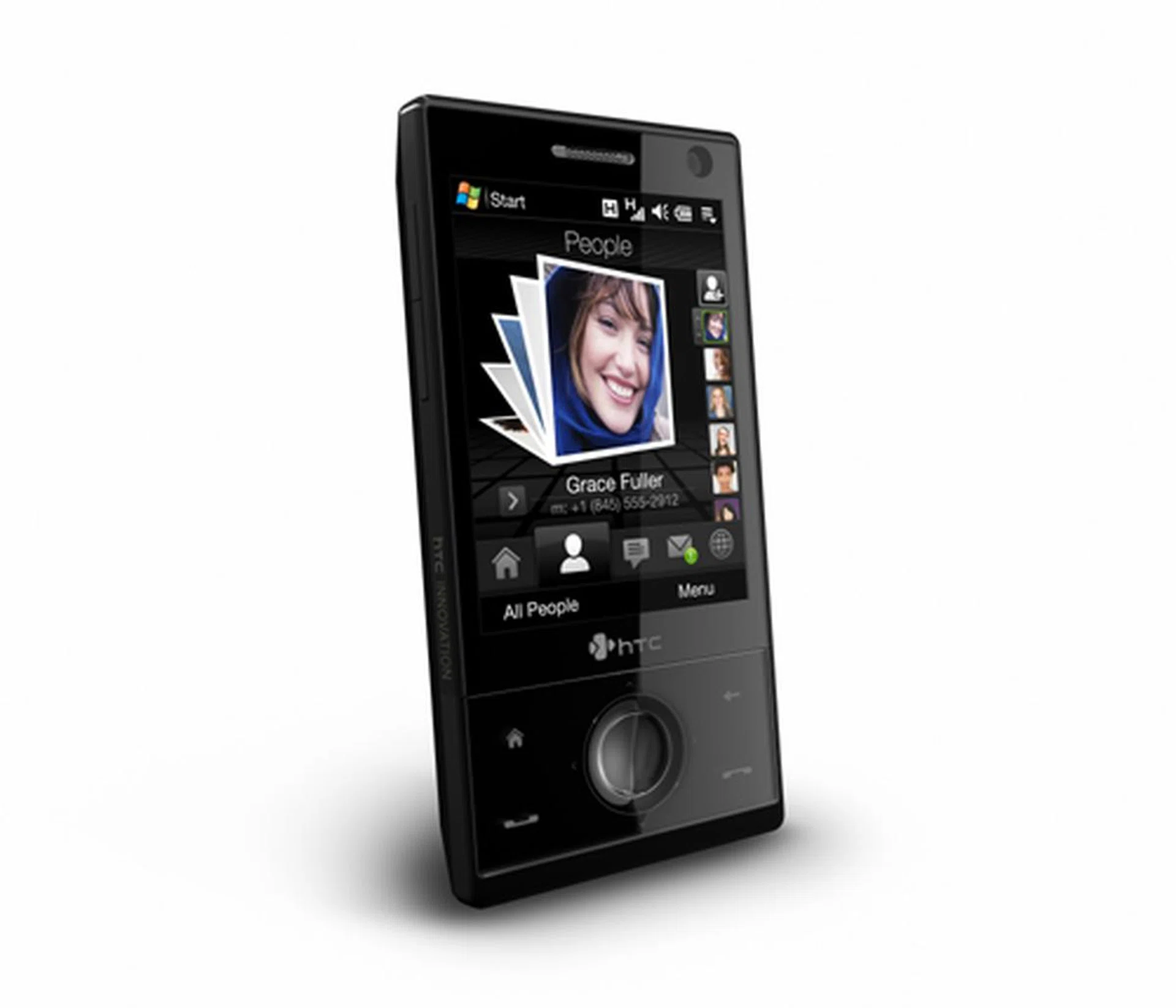
HTC Touch Diamond
The Multi-Faceted Experience
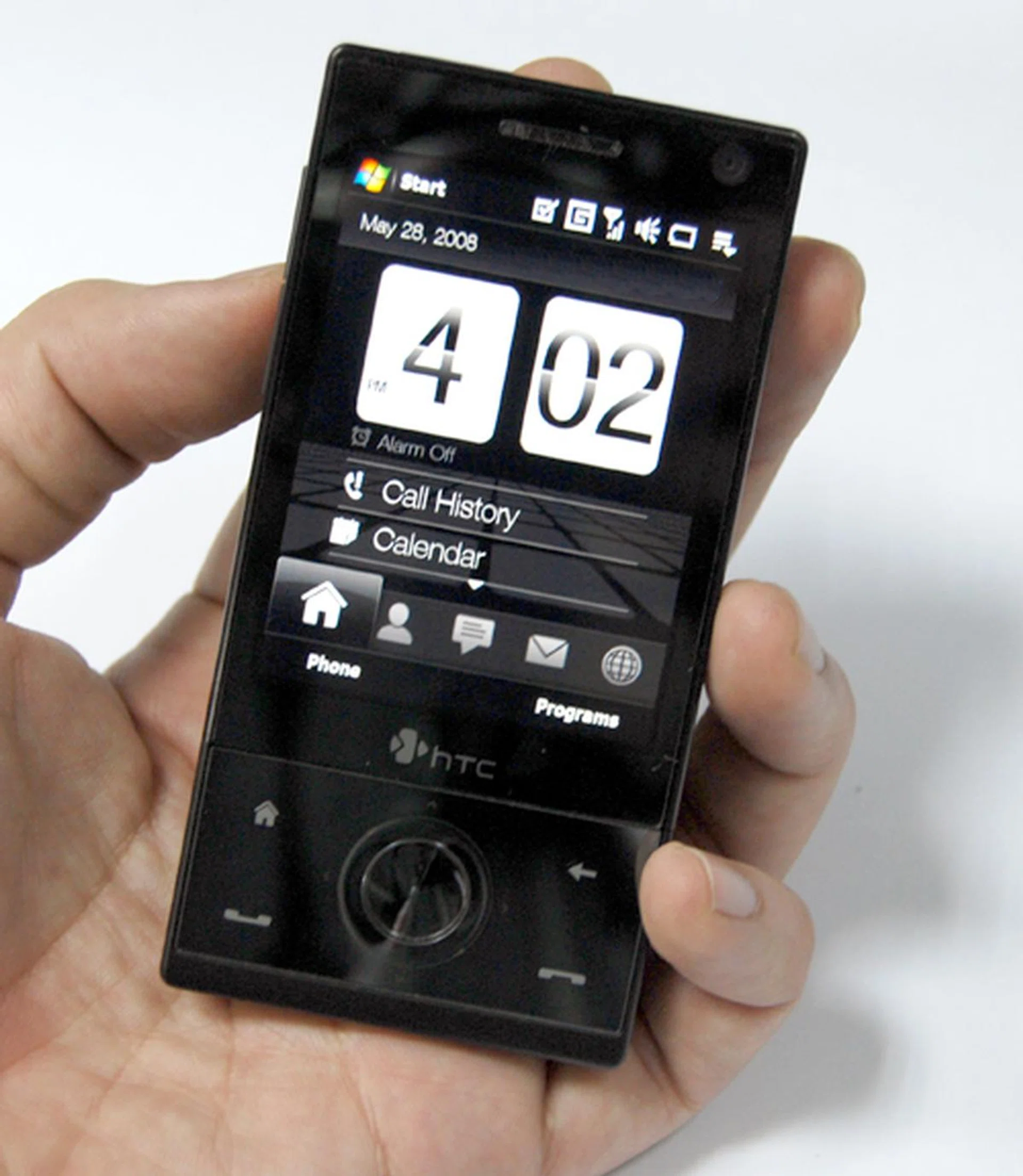
The Diamond, small as it may be, scores big on the aesthetic scale. If the Diamond moniker has set you thinking of the device as a bling item, you'll be sorely mistaken. Weight-wise, the Diamond does not disappoint at a petite 110g, complemented by similarly demure dimensions (102 x 51 x 11.35mm).
The smooth glossy black bodice that accompanies its simple yet sleek candy bar form factor gives the Diamond the sophistication one associates with a certain carbon based trinket that's usually touted as "a girl's best friend". Unfortunately, the Diamond suffers the same fate as most other devices with a glossy surface, i.e. fingerprint smudges as you slide through the various features on it.
Buttons are scarcely visible on the Diamond, thus giving a fluid feel overall. On the main navigation panel, you have the standard Call and End buttons, placed right below the Home and Back buttons. While the five-way navigation pad remains on the Diamond, it also gains an upgrade as a touch-sensitive panel that allows you to utilize it like a scroll-wheel akin to what was presented on the HTC Touch Cruise, minus the obvious bulk. One upping its previous Touch iteration, the Diamond comes with a 3.2-megapixel camera located at the top center of the prism back, with the usual volume buttons on the left profile.
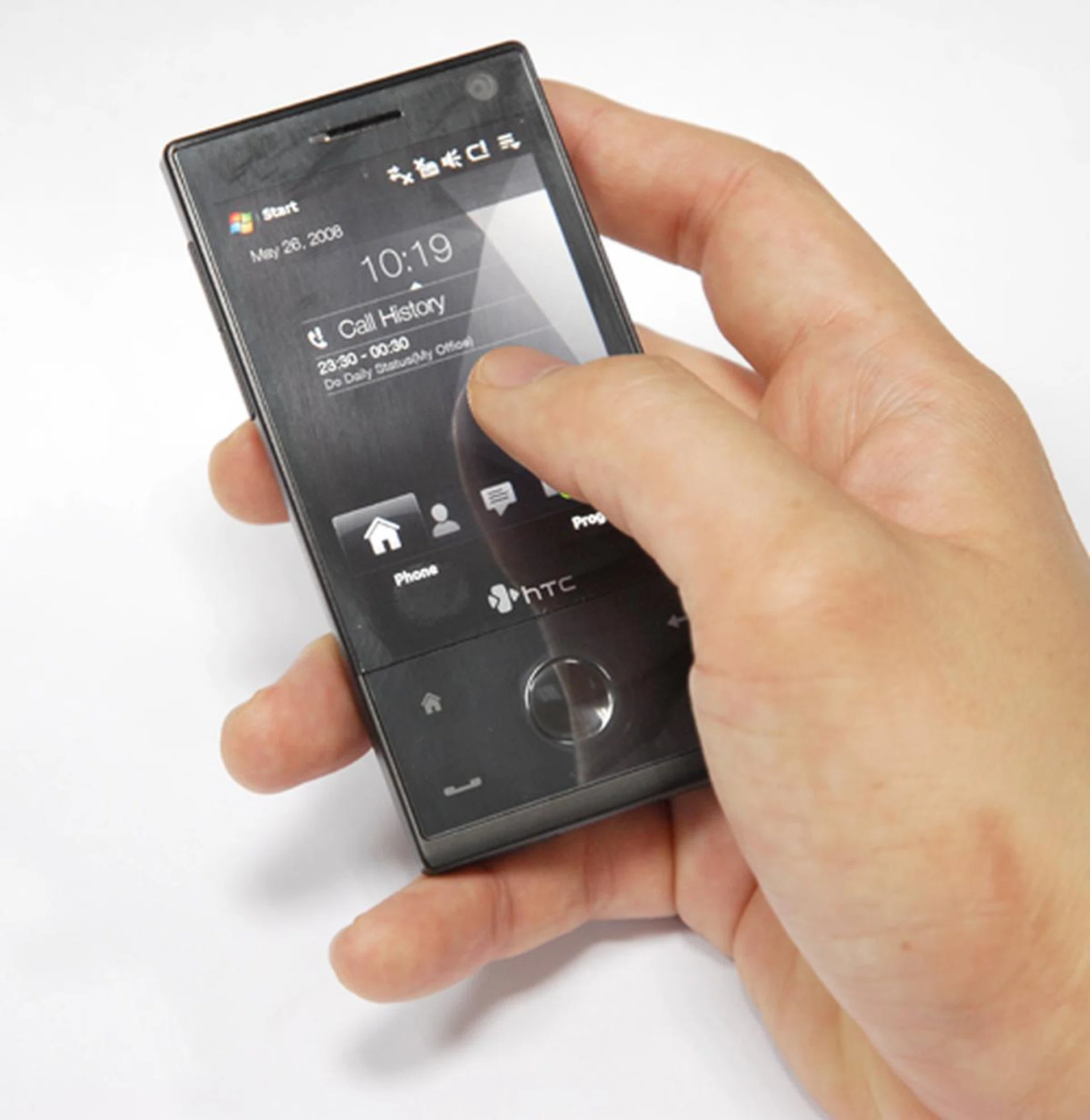
As apparent, the Diamond is amazingly light and petite for a Windows Mobile device. Delicate looking on our mannish hands, imagine the perfect fit it would be in the dainty palms of a female tech enthusiast.
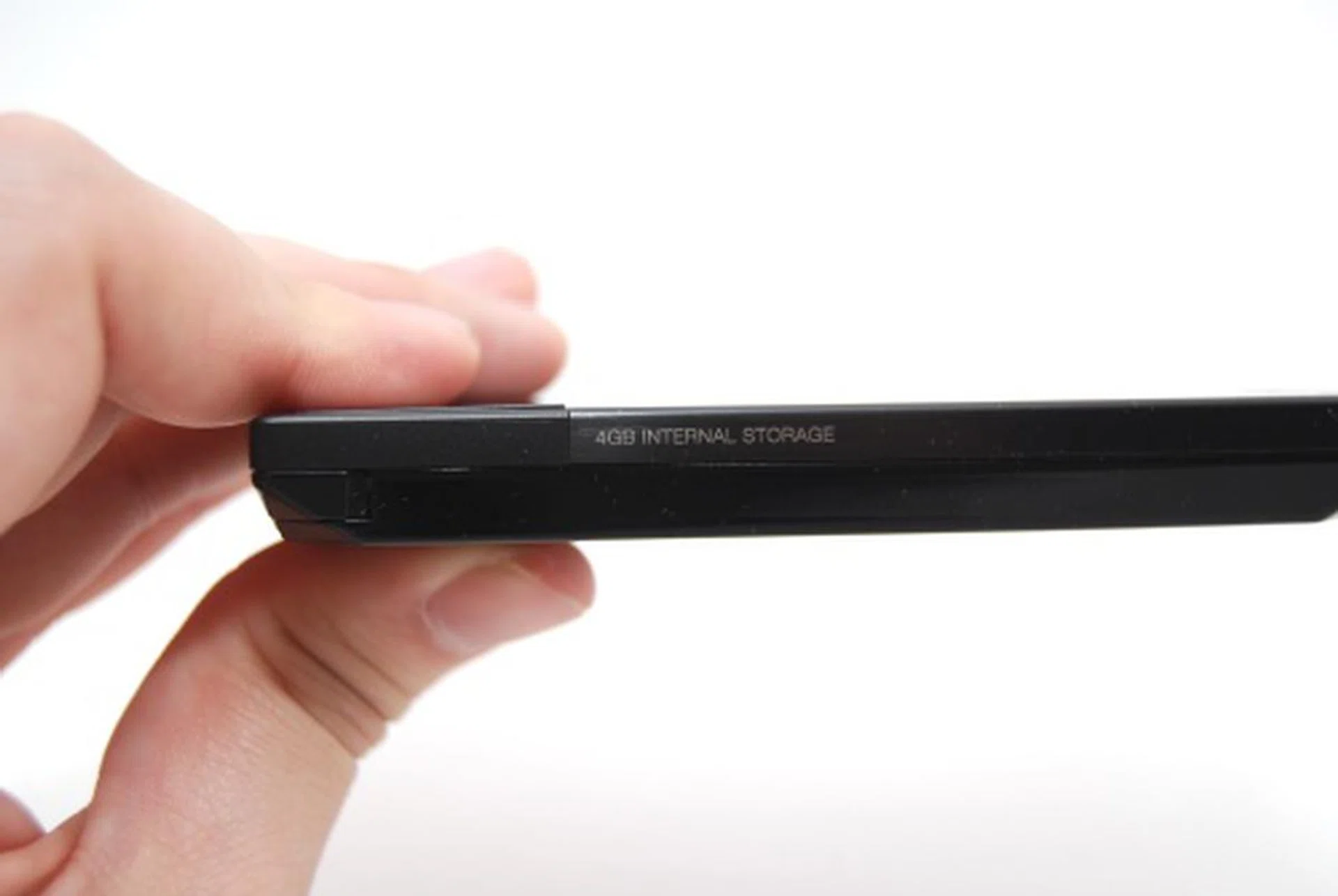
Proving once more its slender profile, we are looking at one of the slimmest Windows Mobile devices to date, measuring 11.35mm with nigh little buttons protruding along its edges.

Sticking to its standard procedure, the Diamond follows suit with an all-purpose USB slot that encompasses data, audio and power connection at the foot of the device.
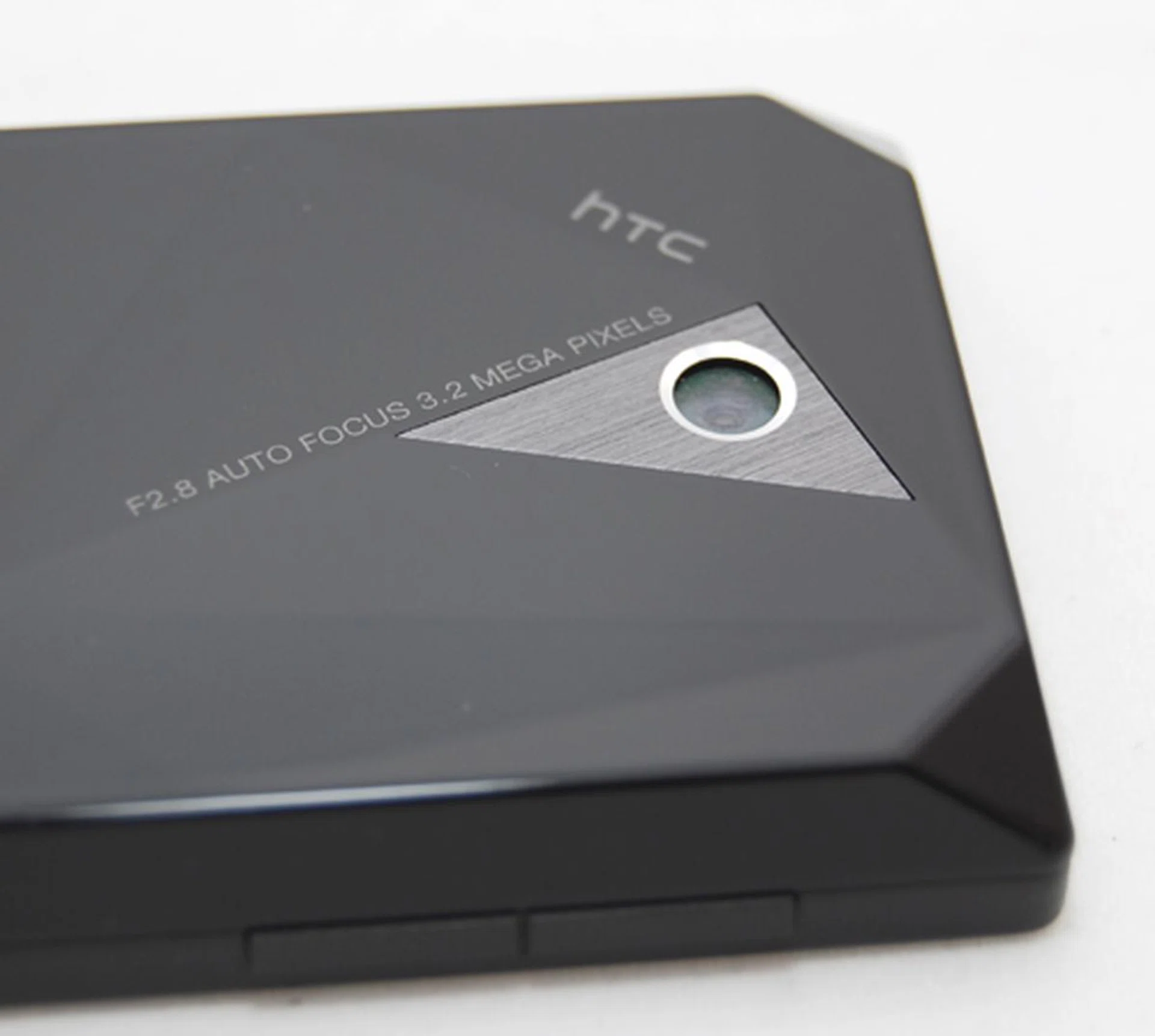
With a 3.2-megapixel camera located right smack at the back center, the prism-like facets are the reasons for the Diamond moniker.
In short, what you have on the Diamond is an absolutely flushed surface, with the touch-sensitive panel opening up new navigational alternatives as we'll explore later on. Of course, dullness is not advocated here, and thus, right behind the Diamond is a multi-faceted design that reminds one of the , giving the Diamond's naming convention a whole lot of sense.
Flo to the Third Dimension
While aesthetic considerations remain a priority in the design of consumer devices like the Diamond, there's also the inner beauty to consider. And HTC has done a splendid job with the introduction of its latest touch technology interface, the TouchFlo 3D. As we awoke the Diamond from its standby mode, we were greeted with an all-black interface with shades of gray and white interspersed within. Unlike the standard Windows Mobile 6.1 Today screen with a single screen approach for multiple functions, HTC's TouchFlo 3D organizes the most commonly used programs and features on the device and aligns them accordingly at the base of the screen.
Navigation on the TouchFlo 3D has been optimized for single-handed touch and swipe. To switch to the next tab, what one needs to do is to either swipe towards the left or the right for the adjacent tab, or alternatively, to hold and scroll the bottom scrolling navigation pane, moving across multiple tabs to reach the desired category. In our tests, the scrolling motion was smooth and more importantly, responsive to the touch. This isn't really of much surprise to us as the Diamond does come with impressive specifications, including a Qualcomm 528MHz processor coupled with 192MB of RAM.
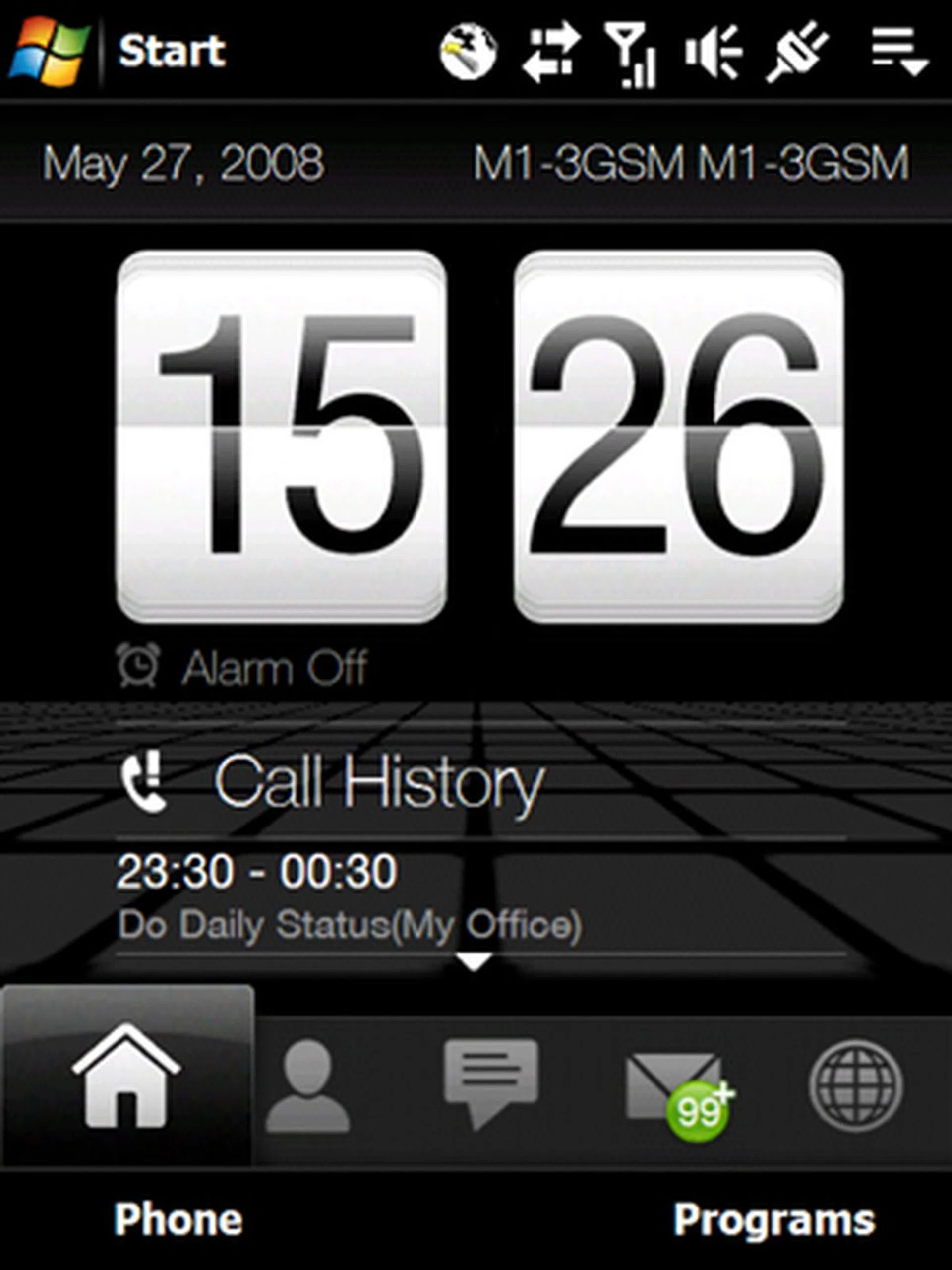
The Today tab displays information that should matter to your daily life, such as the time, calendar and call history. Messages are separated into a different tab, which makes it all the more easier for heavy text users to view their messages on-the-fly without going into a long list of messages within the Windows Mobile Messaging section.
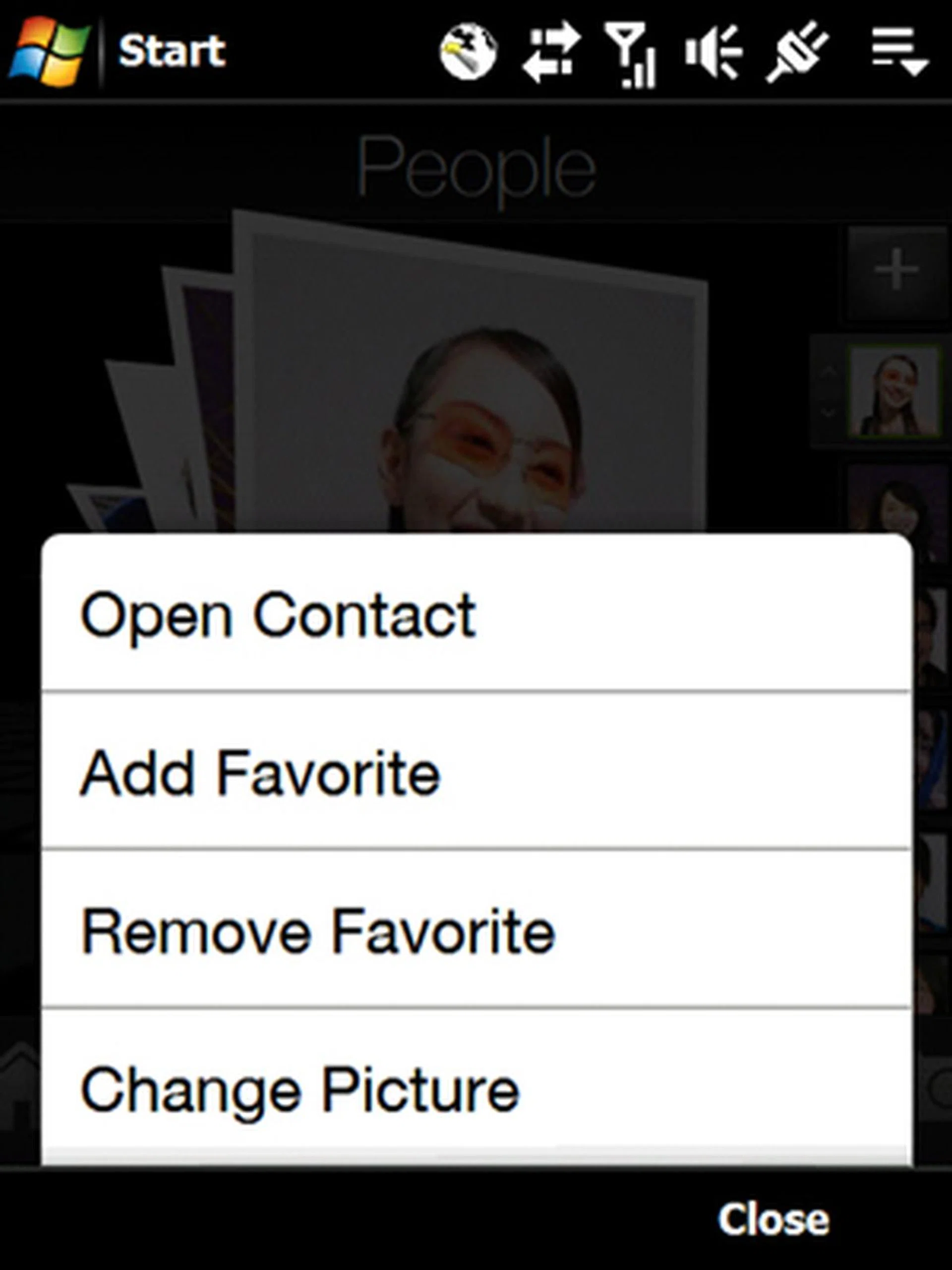
On the Contact page, besides the roller style contact display that can be scrolled through with either an upwards or downwards swipe, additional options are also accessible should you wish to edit the selected Contact.
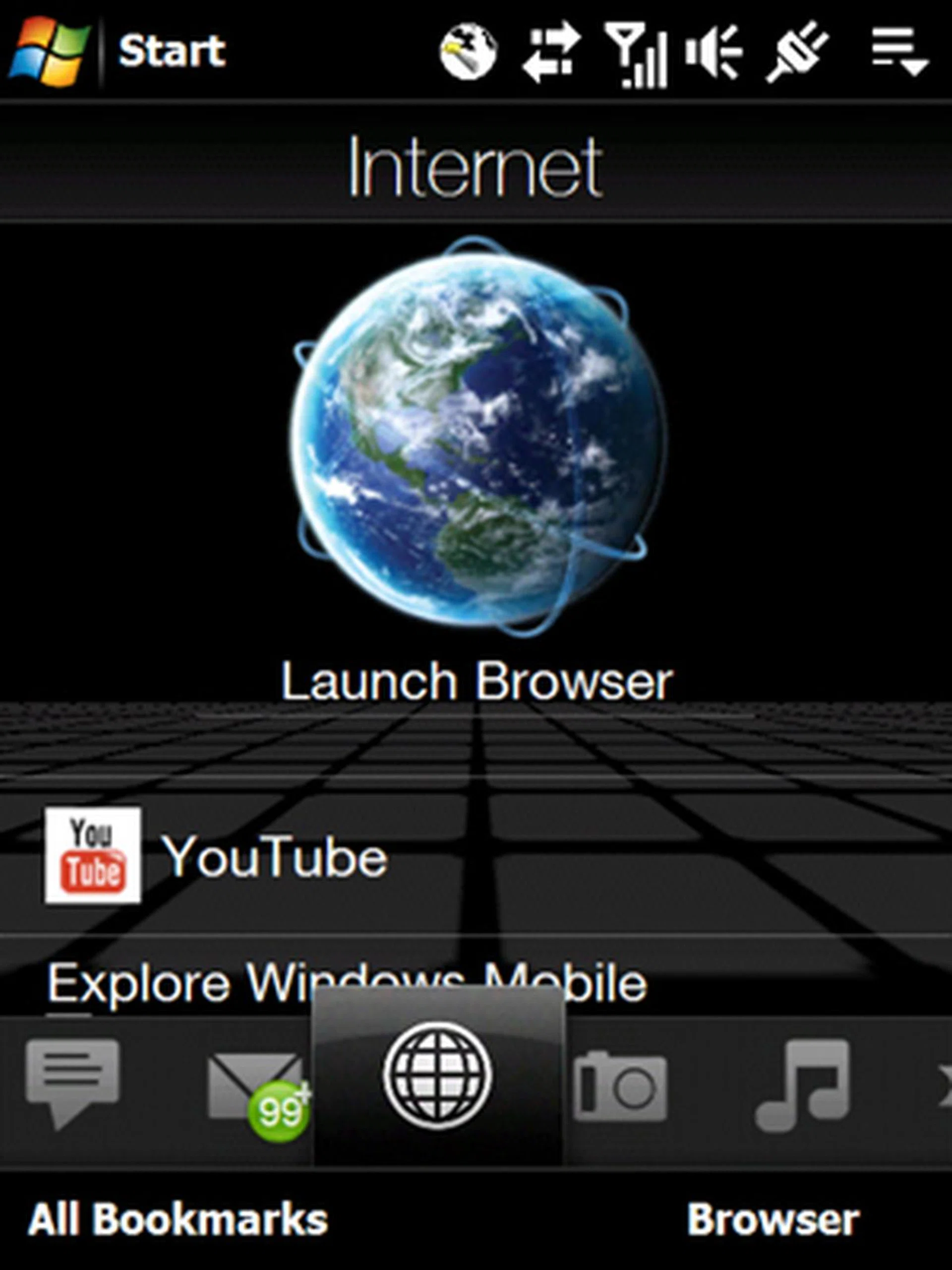
When it comes to the mobile internet, HTC has a winning formula. First up, instead of the usual Internet Explorer, the Diamond utilizes Opera as its web browser of choice, and more importantly, includes dedicated applications that bring you to popular video streaming sites such as YouTube. In essence, one can easily view videos right off the bat without the need of a convoluted web browser.
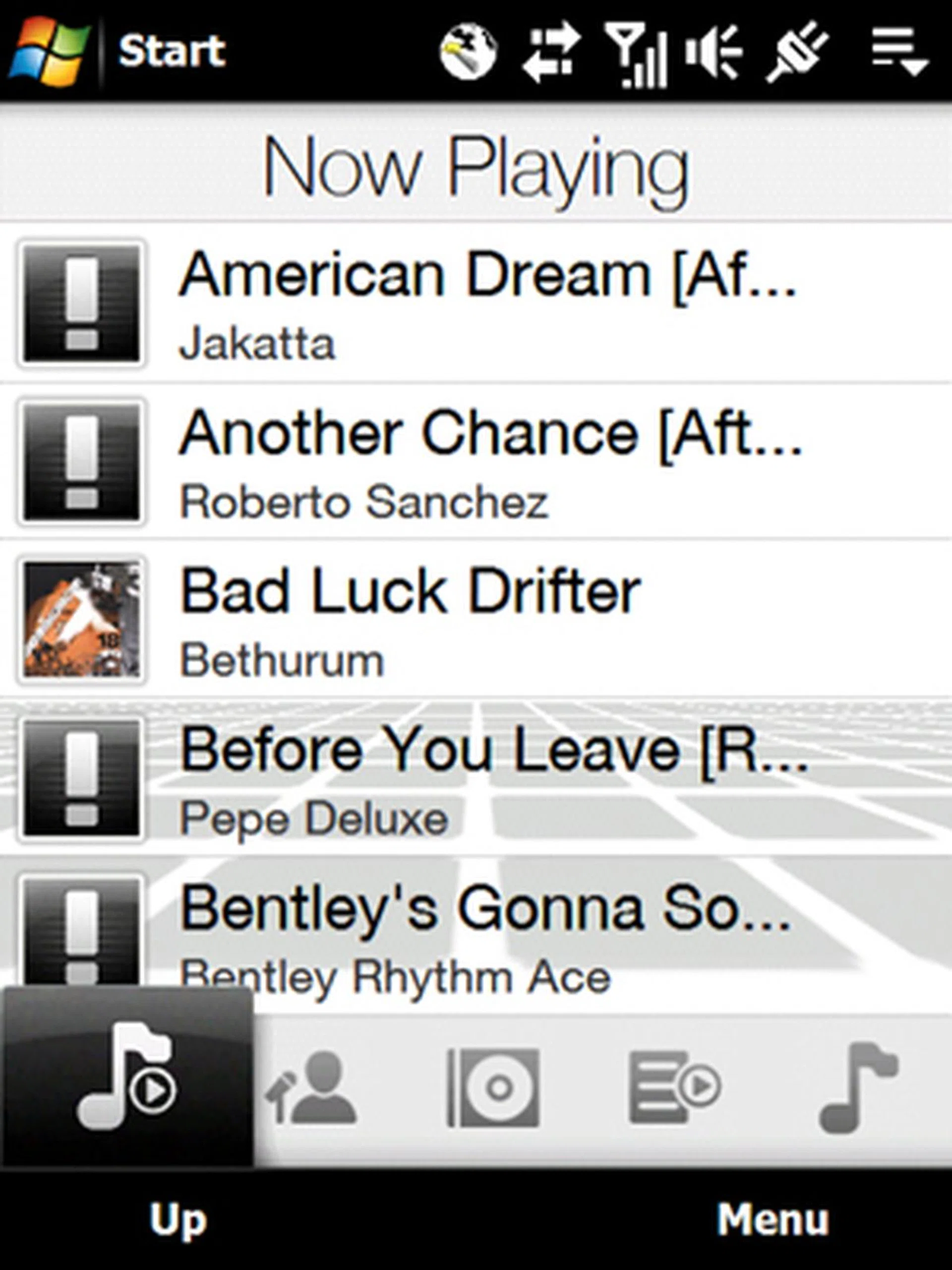
For multimedia lovers, you can also play your tracks from the TouchFlo 3D's interface. As of now, we haven't really left the TouchFlo 3D interface, which is a testament to how this interface effectively covers all ground, ranging from calendars, messaging, contacts, to multimedia options such as music, pictures and movies.
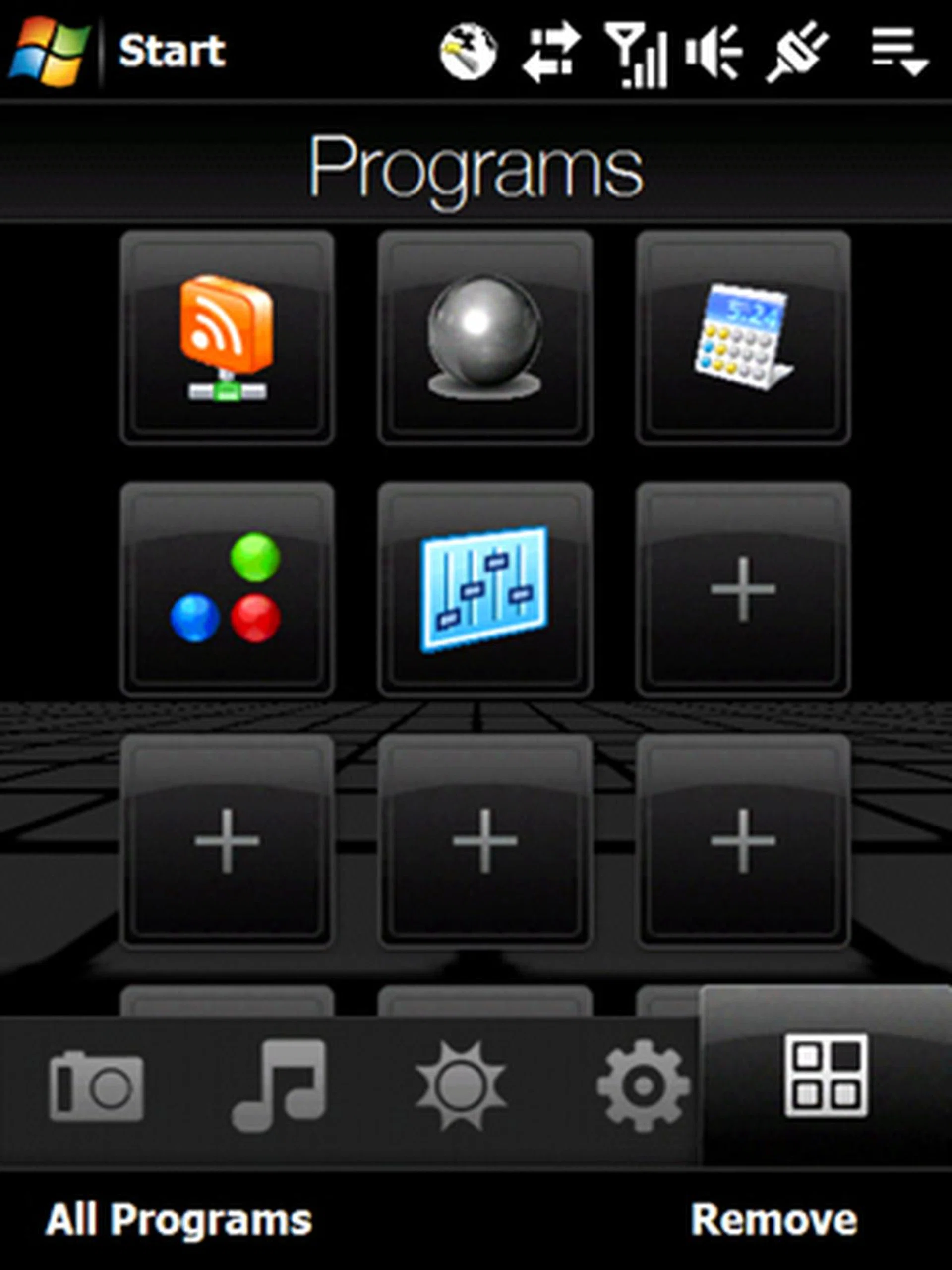
Customization also plays a major role within the TouchFlo 3D, where you can easily assign programs or features that are often utilized onto the Programs tab and thus easily accessible with a single touch. Though such shortcuts to favorite programs are not exactly new, it is still much desired for devices, especially when they are loaded with such a plethora of applications.
Diamonds for Cutting-Edge Features
Numerous bells and whistles are bundled onto the Diamond, for the simple reason of enhancing the user interface. With the addition of an accelerometer within the Diamond, options are aplenty for motion dependent applications. This is not exactly new as we have seen plenty of devices with an integrated accelerometer, and another sign that the accelerometer-within-a-device trend is definitely picking up steam (new and upcoming devices equipped with this feature include the Samsung Omnia and LG KF750).
The inclusion of an accelerometer on the Diamond enables a number of cool features, such as automatic rotation for picture viewing, and the ability to set the phone to silent mode just by flipping the phone over just as a call comes in during the midst of a meeting.
Despite the touch interface, a certain degree of stylus navigation remains, and thus the Diamond is still equipped with a stylus that's held at the bottom right profile of the device. As we've mentioned, HTC has not spared on the extras, and for the stylus, you are able to secure it within the holder thanks to a magnetic switch within. This magnetically-secure stylus holder can even act as a secondary power trigger that brings your device out of its standby mode when removed. Taking the stylus out in the middle of a call will also activate the Diamond's note taking mode, allowing you to type through the discussion.
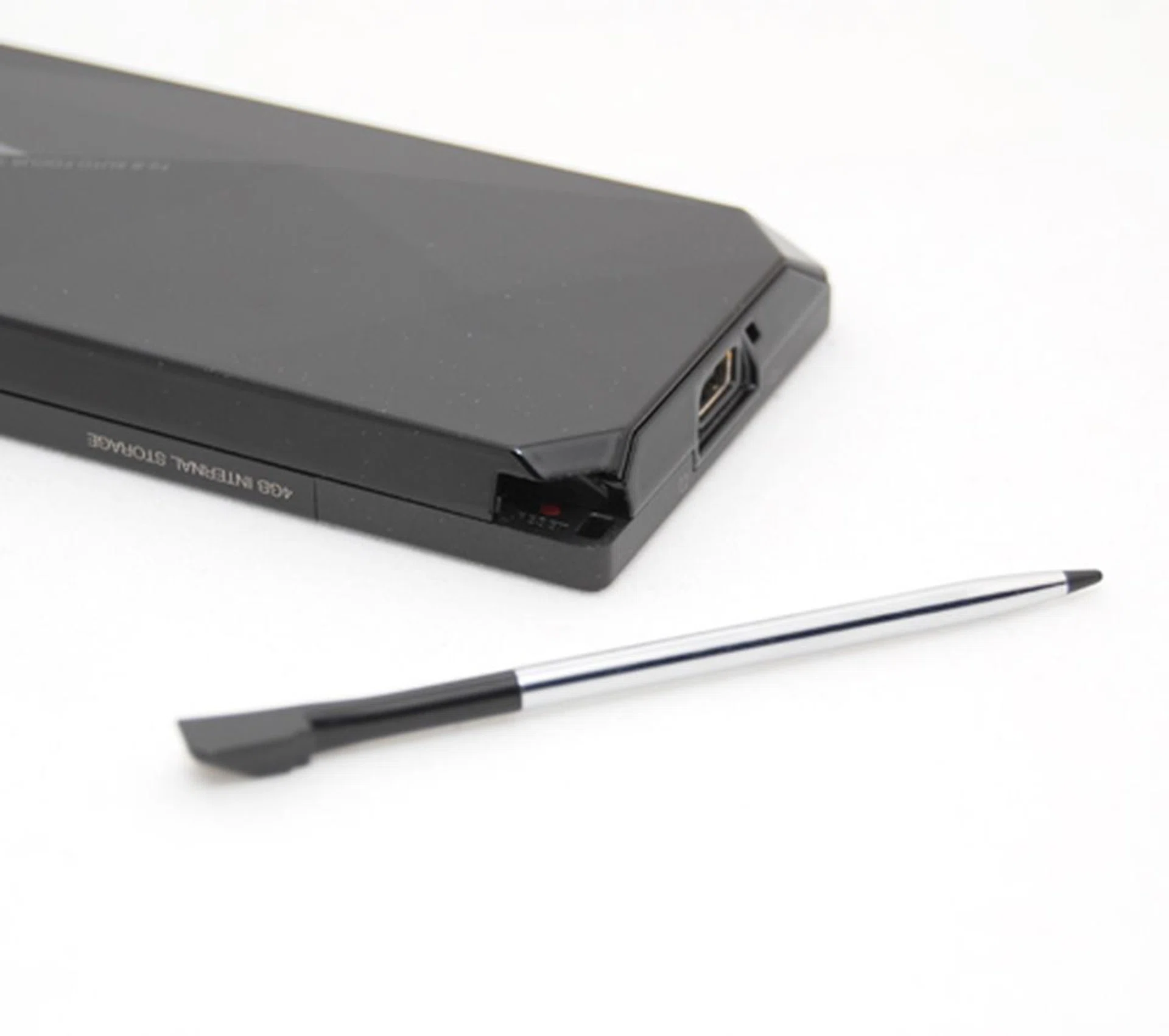
Stylus users are still in luck, with the inclusion of the nominal stylus at the bottom right of the Diamond locked securely with an internal magnet. Additionally, removal of the stylus will also awaken the Diamond from its standby mode and activates its note taking mode during phone calls.
As mentioned earlier, the Diamond comes with a 3.2-megapixel camera with auto-focus, but unfortunately, lacks the necessary flash for night shots. But the real confusion during your photo-taking moments is the absence of the camera button. This is not a design flaw, but a rather ingenious move on HTC's part.
By utilizing the navigation pad's touch sensitivity, the main Enter button also acts as the camera button. Instead of the usual half-pressed method to allow your camera to auto-focus onto the subject image, all you need to do is to allow your thumb to have a light contact with the main button, which will suffice as the auto-focus trigger, and of course, you'll have to press the Enter button to capture the shot. On the downside, with the absence of a dedicated camera button, you'll be required to activate the camera via the Photos and Video tab on the TouchFlo 3D interface.
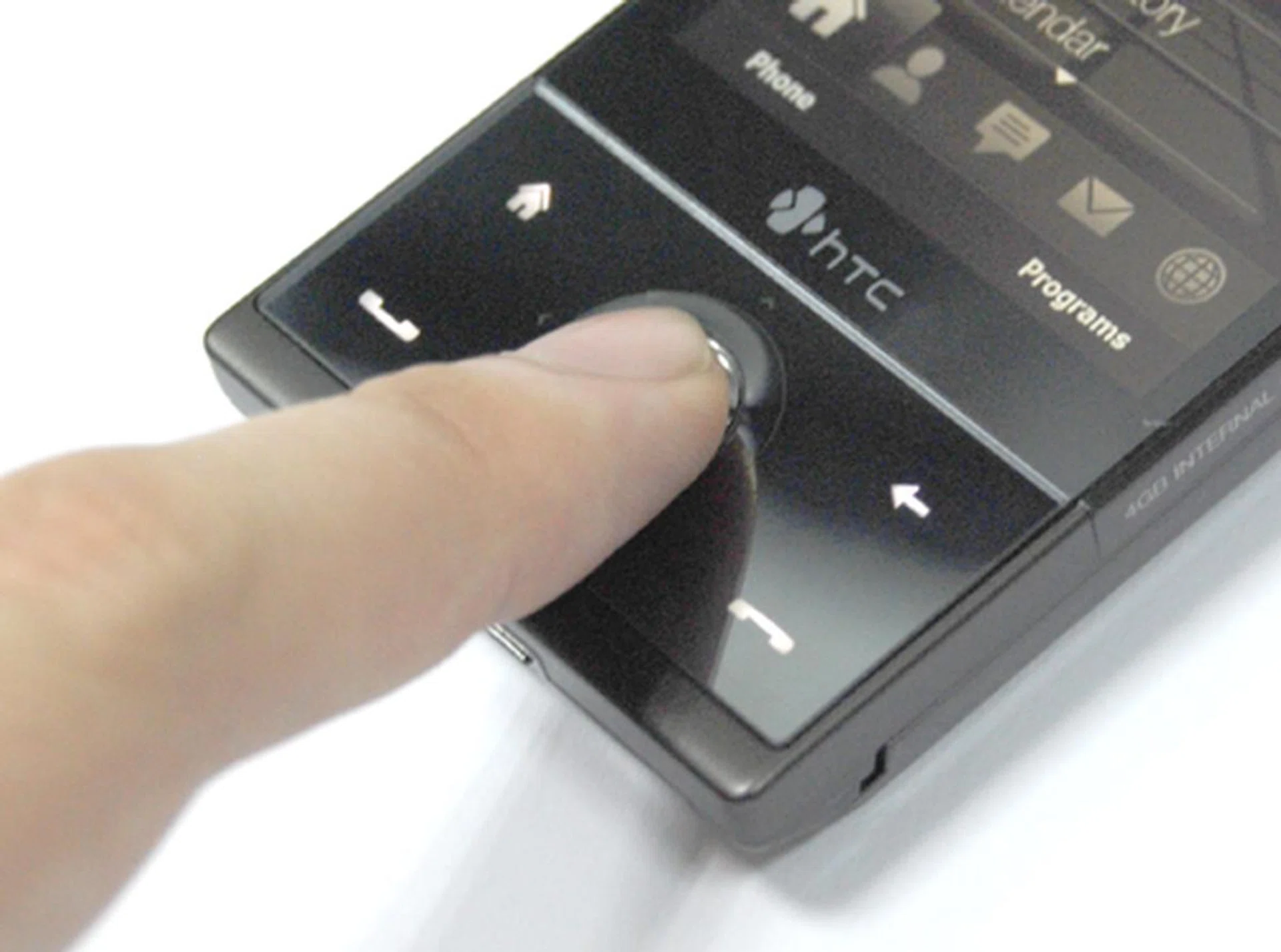
Bid farewell to half-pressed buttons for auto-focus purposes, as the touch sensitive panel detects the presence of the finger, reacts accordingly and activates the camera's auto-focus automatically.
The Diamond runs on a Qualcomm 528Mhz processor, and hence application speed wasn't much of an issue, especially with the 192MB RAM and 256MB ROM that comes with it. Furthermore, the Diamond is a huge multimedia storehouse with an internal memory capacity of 4GB. Memory expandability will not be part of the package though and frankly, won't be an issue given that you have 4GB worth of internal memory to burn through with your multimedia files.
Wireless connectivity options on the Diamond should satisfy even the most demanding consumer, ranging from the basic Wi-Fi connection to speedy HSDPA which supports speeds of up to 7.2Mbps. As usual, Bluetooth has not been forgotten on this high-ended device, and the Diamond does come with an integrated GPS chip and is A-GPS ready, giving you faster access to satellite locations with the aid of your data connection.
Then there is the matter of web surfing on the Diamond. Earlier on, we said that HTC has chosen Opera as its web browser. But with HTC, mobile internet is more than just connecting you to the world wide web. The user experience sees another innovative leap with your web browsing experience, as now you'll be viewing the web content on a fit-to-page scale. Touching a specific text area will allow you to zoom in and render the text such that you won't be required to constantly scroll to the left or right to read through the text.
With a whole range of functions and features packed onto this little device, the cause for concern here is the amount of time one gets to enjoy such features. We're talking about battery life of course. To be honest, we were also quite concerned with the 900mAh battery that comes with the Diamond. As expected, if one were a heavy user of the various connectivity and cellular functions, the Diamond won't last more than a day. This is definitely unavoidable due to the petite nature of the Diamond, and in our opinion, is a small price to pay for the form factor.
Sparkly and Shiny
The HTC Touch Diamond has already created a sensation in the past few weeks, what with the veil of secrecy just before its May inaugural launch in London. We did manage to get a sneak preview of this gem earlier on and had expected a huge hype over this device. Appearances do matter, and especially so in the current market where the Diamond takes the crown as a Windows Mobile device that's small in stature, while possessing a style that's hard to replicate. But more importantly, HTC clearly believes that user interface is king, and the move to introduce an innovative and intuitive TouchFlo 3D that allows you to use your innate sense of touch was indeed a wise one.
Despite certain shortcomings such as a short battery life, and the usual fingerprint magnet that most glossy phones are, the Touch Diamond appears to be popular with the masses. This was apparent at the earlier PC Show 2008 where major telcos such as StarHub and SingTel were offering the Diamond at prices that were so attractive, that demand was exceeding supply.
In fact, this month of June is a time of change, with the introduction of permanent number portability that has gotten the three providers here going all out to provide the best bargains for the consumer for once. For the record, the Diamond is released at an introductory recommended retail price of S$1098, but you should expect a more competitive pricing if you are making your purchase with a telco.
While the Diamond has made a big impact in the month of June with its appearance, there will be more to look forward in the coming months, so do check back regularly when we update you on more devices such as the Samsung Omnia and many other Windows Mobile devices coming your way in the second half of 2008!
Our articles may contain affiliate links. If you buy through these links, we may earn a small commission.