
HTC Touch 3G - Leveling Up
First the TouchFlo interface on the HTC Touch. Then the TouchFlo 3D on HTC Diamond. Now, we take a look at the latest evolution of the TouchFlo interface, making its debut on another addition to the HTC Touch family of Windows Mobile devices: the HTC Touch 3G.

A Year in Commemoration
It has been a good year for HTC. Making the bold move to the consumer frontlines, the Taiwan-based technological company has managed to capture the attention and possibly the hearts of many with the introduction of its Touch series of Windows Mobile devices.
When HTC introduced the HTC Touch in June 2007, its TouchFlo interface was the highlight of the month, or possibly the year. In a sense, it was the definitive Windows Mobile device, one that brought the OS to a wider consumer market and spurred the early adoption of Windows Mobile. Of course, with more than a year gone, we have seen these early adopters evolving and growing into users who have familiarized themselves with the interface and the genre, and unavoidably, the question of why the HTC Touch was introduced as just a 2.5G device pops up.
HTC's newest member in the Touch family, the HTC Touch 3G is the answer for critics. So go ahead, click the next page if you've satisfied yourself with the first peek and the specification list of the HTC Touch 3G.
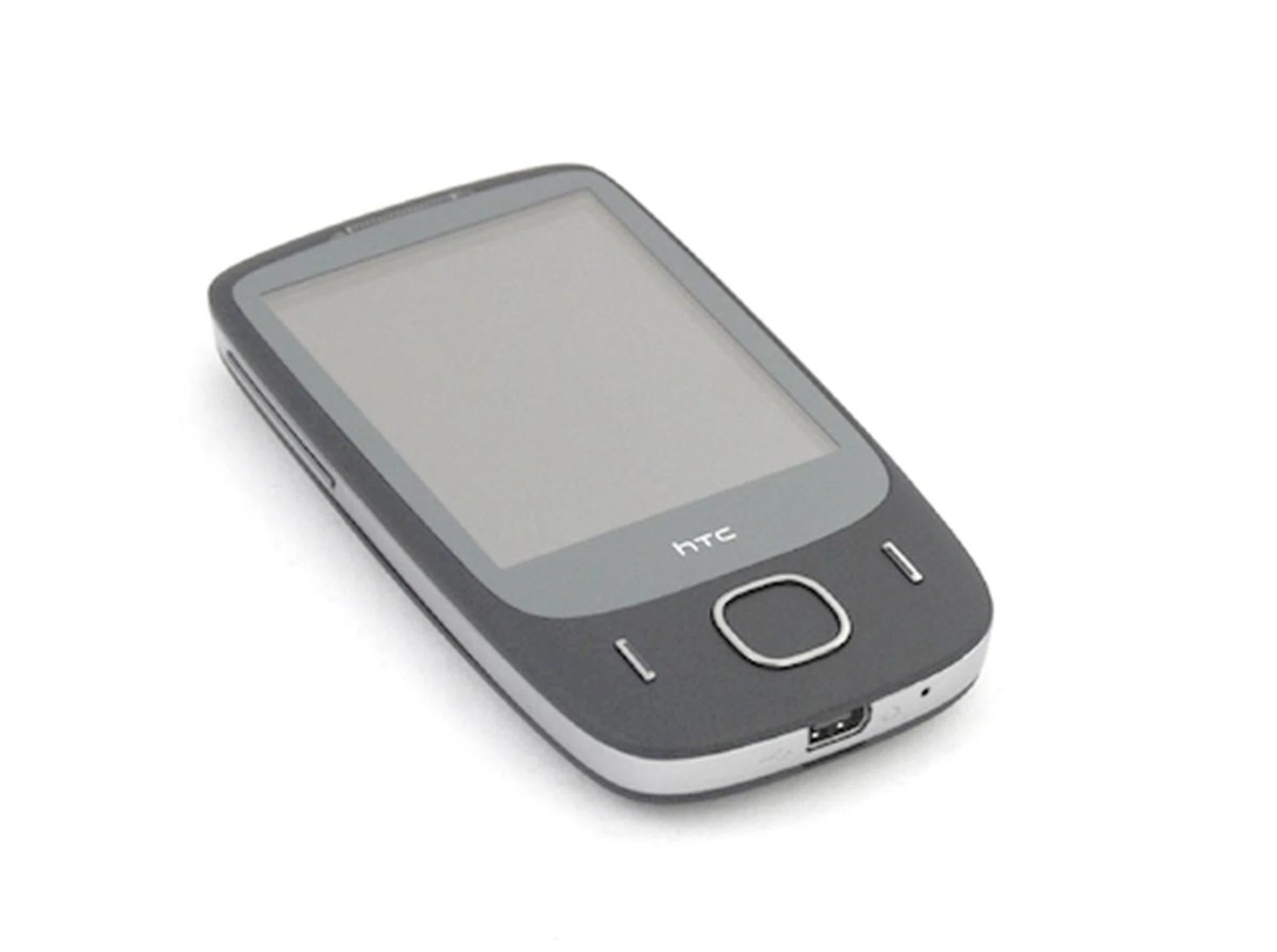
HTC Touch 3G
Slim Pickings
As expected of an updated iteration to a successful device, the Touch 3G gets a slight design update in a few areas. First, the Touch 3G sports less girth with its width at 53.6mm, which is a substantial amount shaved off the 58mm on the original Touch. According to HTC, the Touch 3G was conceptualized with a trapezoid outline that's supposedly more ergonomic for smoother one-finger swiping. We definitely agree with this, and this was further enhanced by the smooth flow we experience from the updated TouchFlo interface, which we'll discuss in the Feature and Performance page.
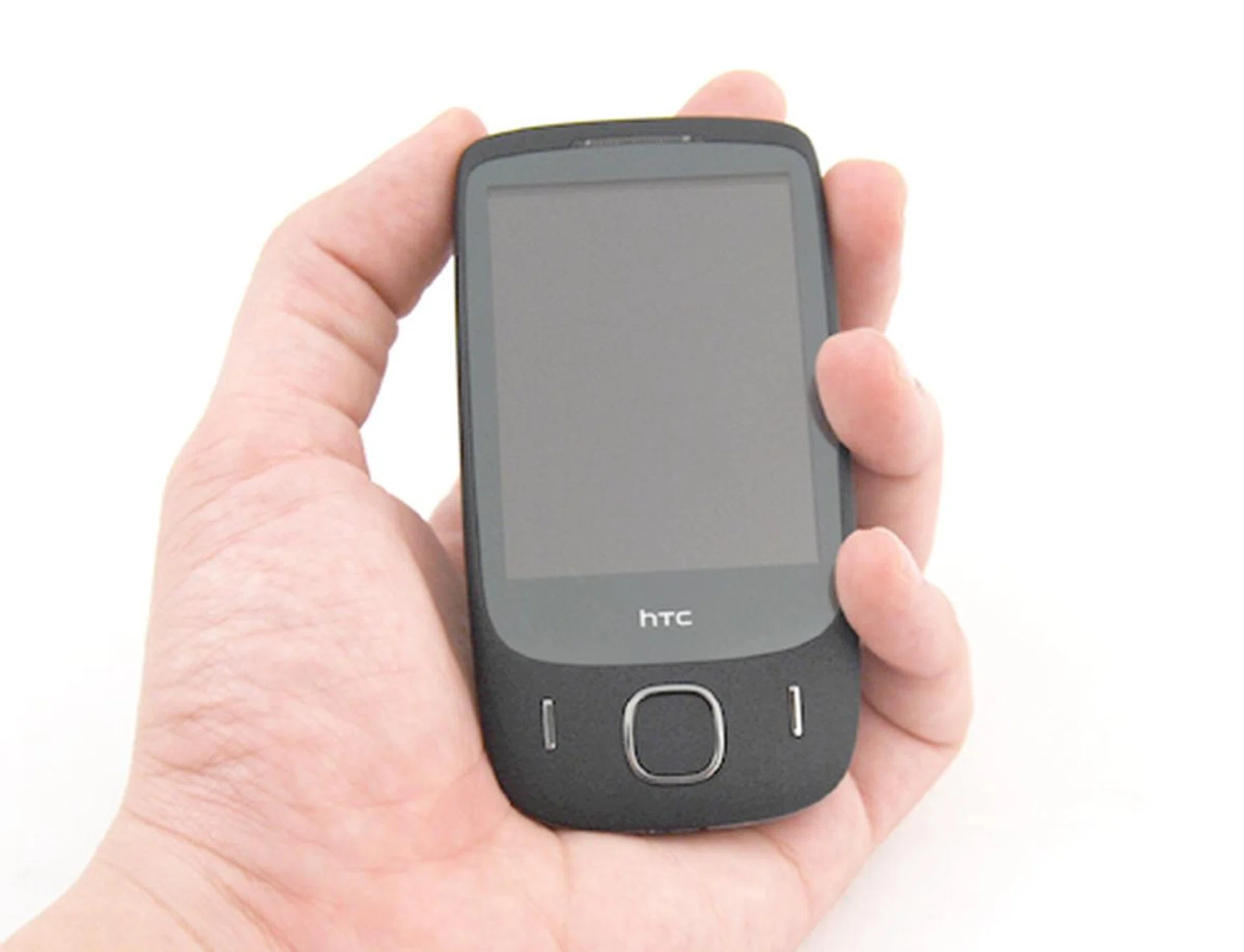
The Touch 3G felt easy and fitted snuggly in our hands. A single finger/thumb swipe is all you need to navigate through its TouchFlo interface.
Though the Touch 3G, as its name implies, will go heavy on its touch navigation, the standard five-way navigation pad is still present and armed with both the Call and End buttons at its side. What gave us a bit of a surprise is the design of these buttons, which are more of a thin strip of plastic than an actual button.
Normally, we don't have a good impression of such thin stripped buttons, but fortunately the Touch 3G's navigation buttons passed our scrutiny. The Call and End buttons were raised prominently, and we were able to press it without any difficulty. Its five way navigation pad was easy to move through various menus without resorting to the touch screen.
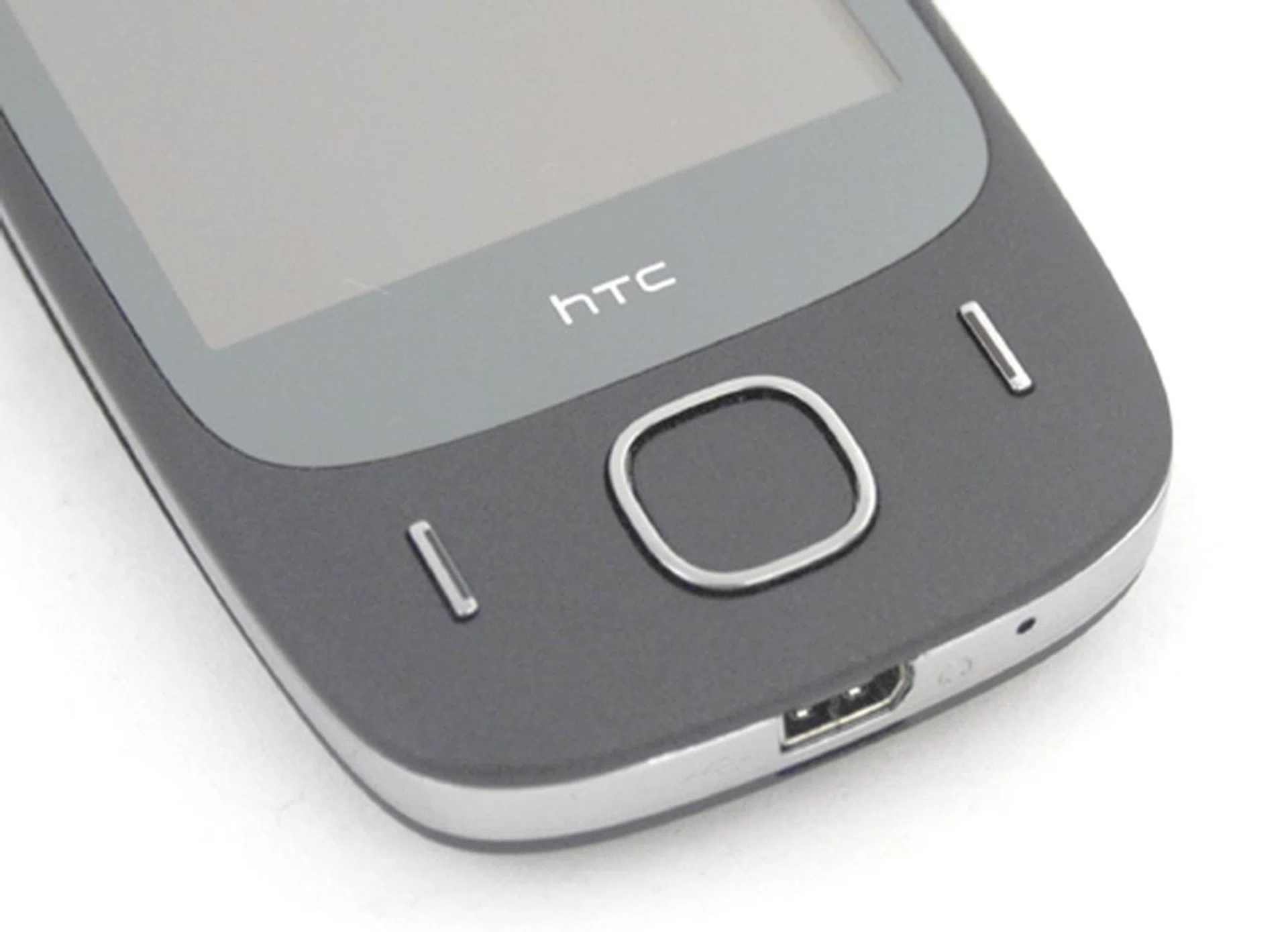
You would think that the thin buttons and five-way navigation pad will be an issue, but we actually managed to get a good tactile feel out of it.
The Volume and Power buttons, however, were something of an oddity. Whilst both access buttons were raised at approximately the same height, we realized that the Power button was too flushed for the index finger to press easily. Similarly, the Volume buttons at its left profile had the same issue.
We pondered upon this, and realized that both the Power and Volume buttons utilize the same material as the surrounding chassis. As such, with no differentiating feel like what we saw with the five-way navigation pad and the Call/End buttons, you'll probably be hitting the wrong areas and thus have to grope along the sides for the buttons.
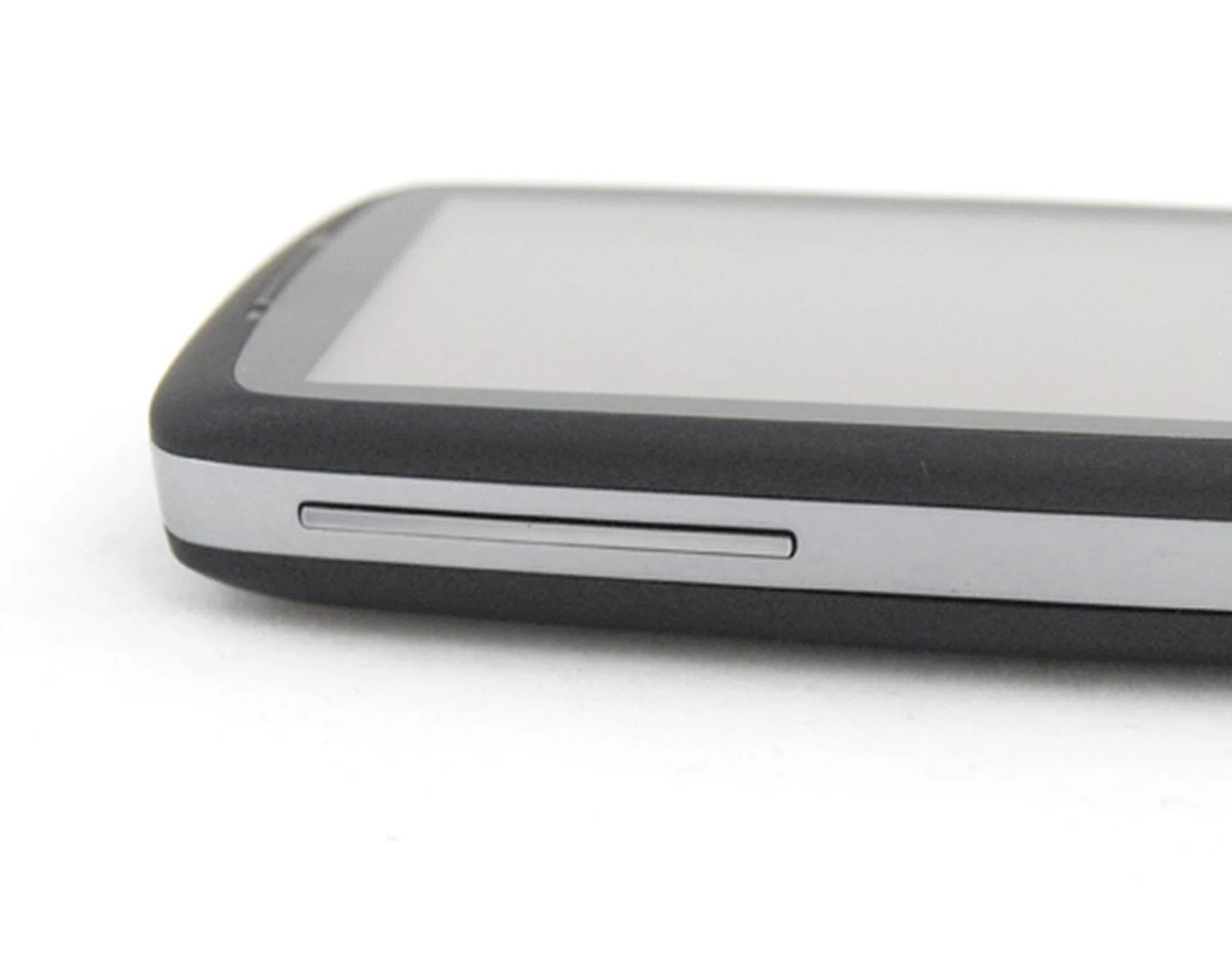
The Volume buttons on the side is not as easily accessible as there's no differentiating material to located the buttons easily.
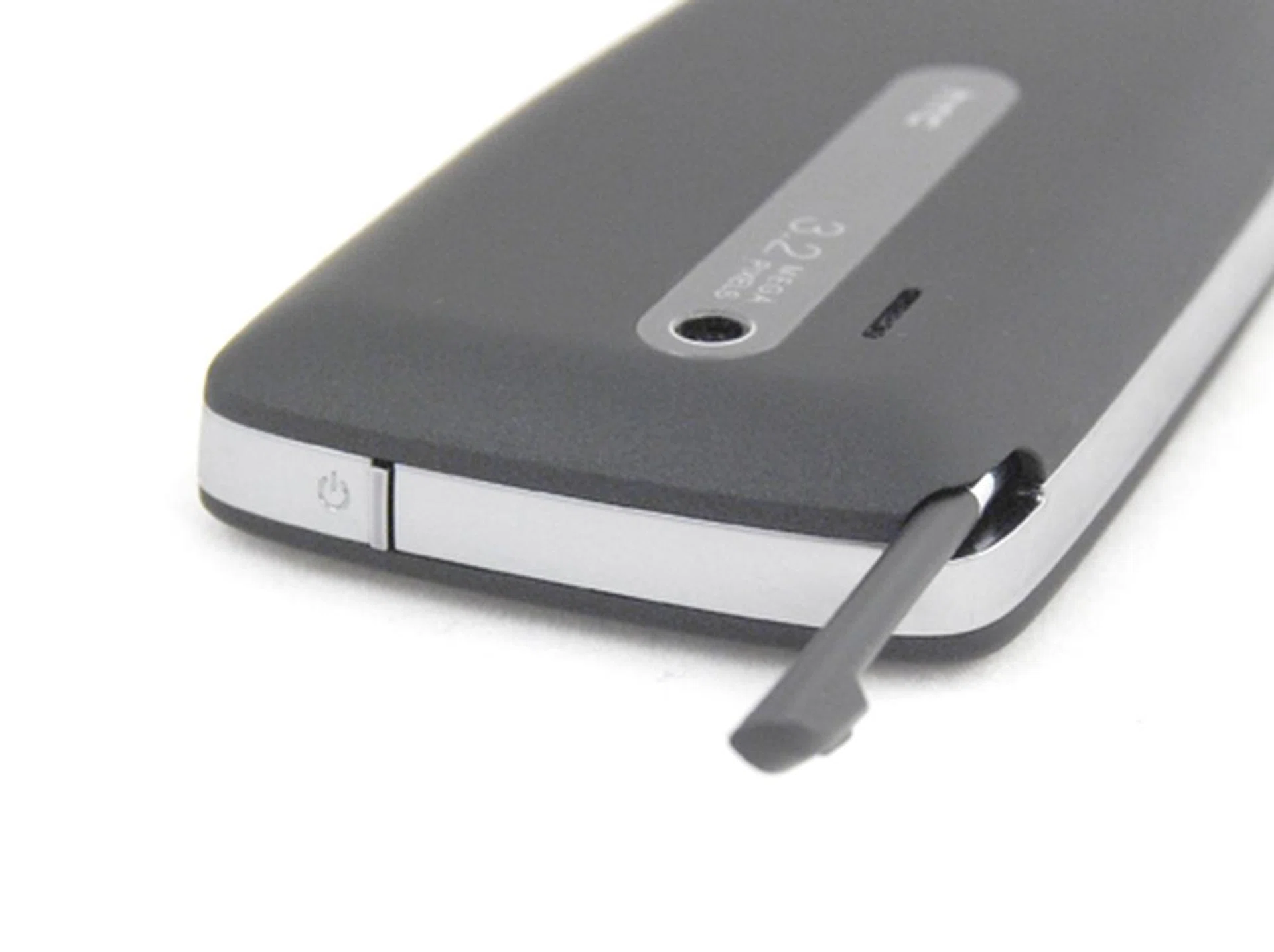
This was also the case for the Power button. Though not flushed with the crown of the device, it was not exactly easy to push the button to put the device on standby or awaken it. The stylus takes a retro approach and is located at the top right hand corner of the device.
Windows Mobile devices are, after all, designed for PC synchronization and the Touch 3G follows the trend of having a mini-USB port utilized for all aspects of data, audio and power connectivity. As such, you'll have minimal fuss with connecting cables for the Touch 3G, with the USB port located at the bottom of the device.
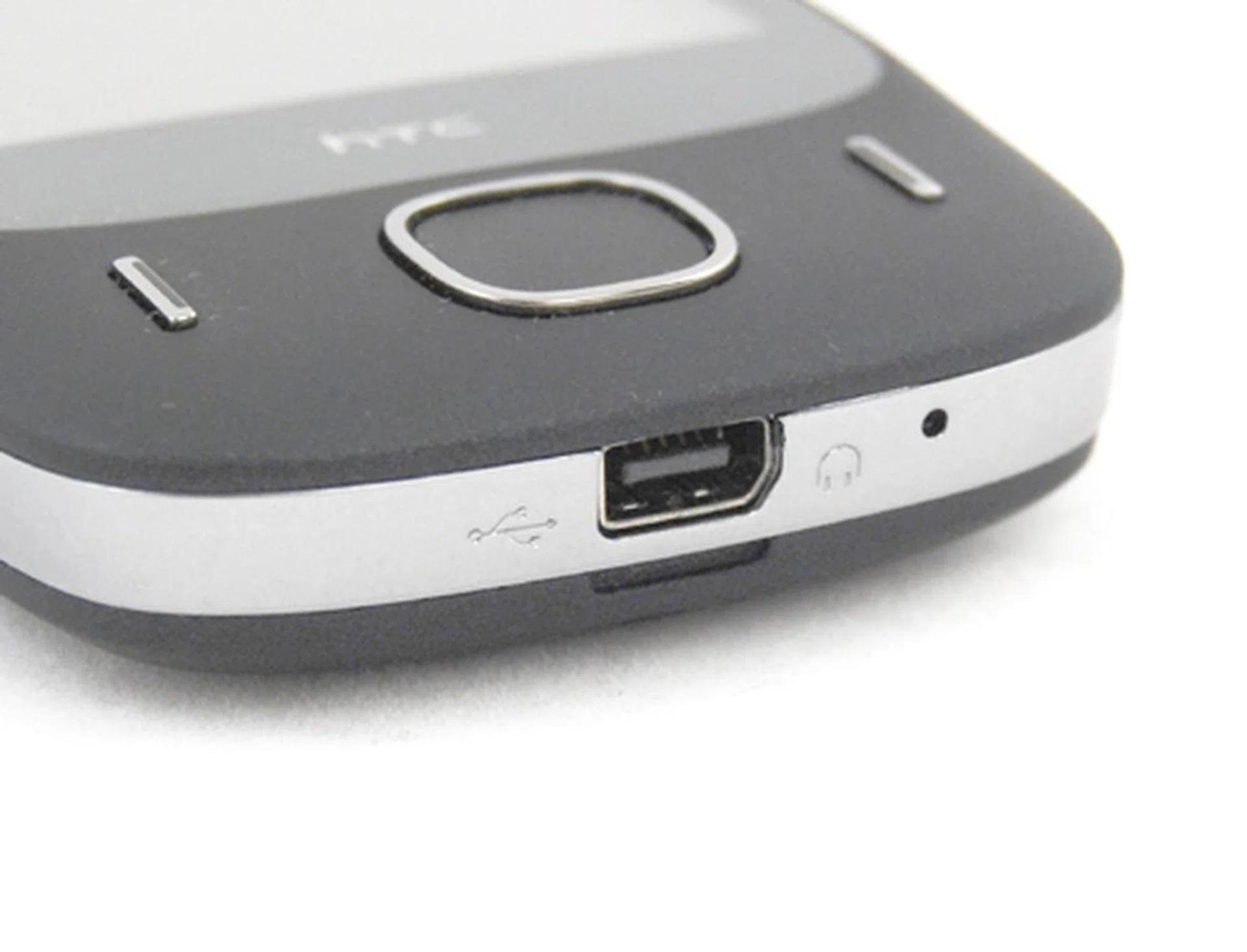
The mini-USB got a thumbs-up from us for the ease of connectivity to the PC for ActiveSync purposes. As with most HTC devices, this will be the universal port for data, audio and power connectivity.
The downsides to an otherwise simple yet aesthetically pleasing Touch 3G are all found at the rear of the device. First on the list: the battery cover. Deviating from its usual push and slide method to remove the battery cover, we had to actually pry it open. As we removed the battery cover by hooking our fingers into the bottom groove to pry the cover open, we can't help but wonder how much abuse the cover is able to take before the catches at the side snaps from the pressure.
Secondly, for times when you get too ambitious with the application loading and push the Touch 3G to the point of it crashing, the soft reset button is actually located underneath the battery casing, right on top of the microSD slot too. The purpose of the soft reset button is to allow one to have easy access to restart your device without removing your battery, which is kind of defeated since you'll be staring at the battery within easy reach during the process of reaching the soft reset button.
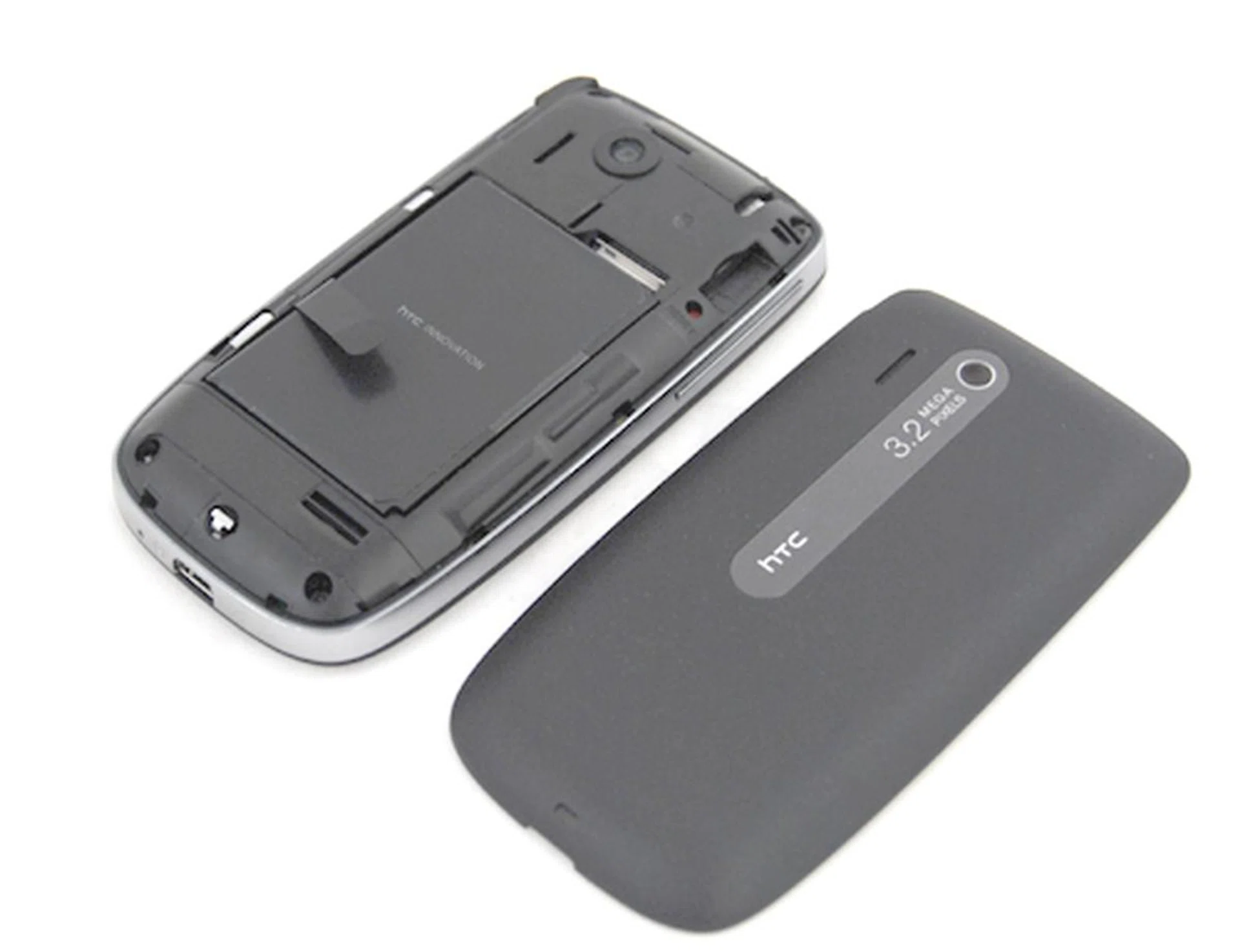
Prying the battery casing open was not an easy task, and is quite worrying since you might snap and break the catches anytime. The Touch 3G also comes with a 3.2-megapixel camera, but lacks autofocus and LED flash.
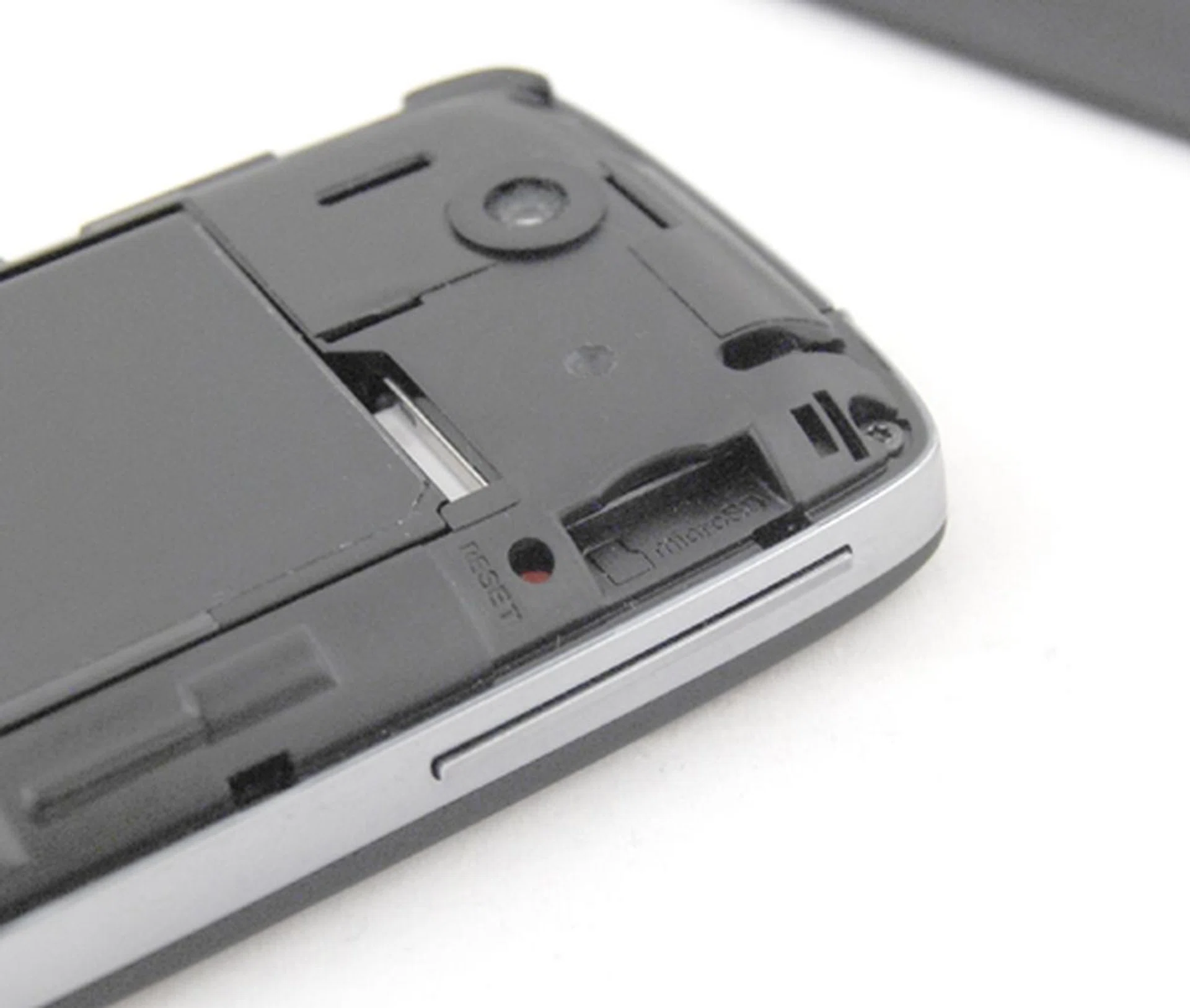
The soft reset button is located below the battery cover, which makes it not as easily accessible as its earlier siblings. As usual, the SIM card slot is located below the battery, whilst the microSD card is slightly more accessible next to the Reset button.
Two-Dimensional Flow
The Touch 3G is packed with a bucket load of features that'll easily impress even the man on the street. But before we move to that, let's take a look at the updated version of its TouchFlo interface. Most of us might recognize the TouchFlo interface on the Touch 3G as similar to the earlier TouchFlo 3D first seen on the Touch Diamond.
But do not mistake what you see on the Touch 3G to be the exact replica of that which is found on both the Touch Diamond and Touch Pro. Whilst the official stance from HTC is that this is considered the next generation TouchFlo interface, we'd like to call it the TouchFlo 2D, mainly for the fact that it won't have the nifty graphic features such as the weather effects seen on the TouchFlo 3D.
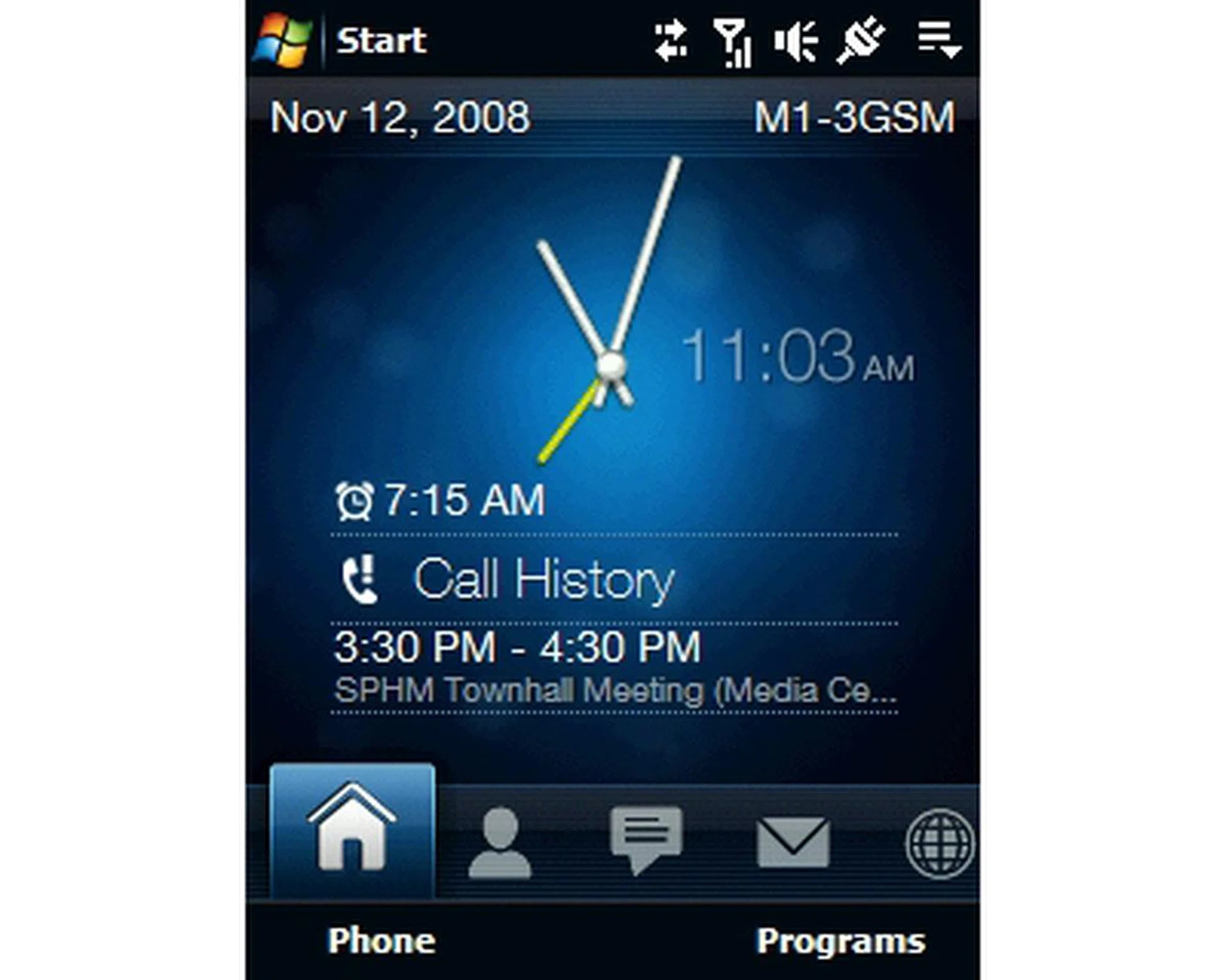
The updated TouchFlo interface sports a similar look to the TouchFlo 3D interface seen on the Touch Diamond and Touch Pro, but there are some minute differences.
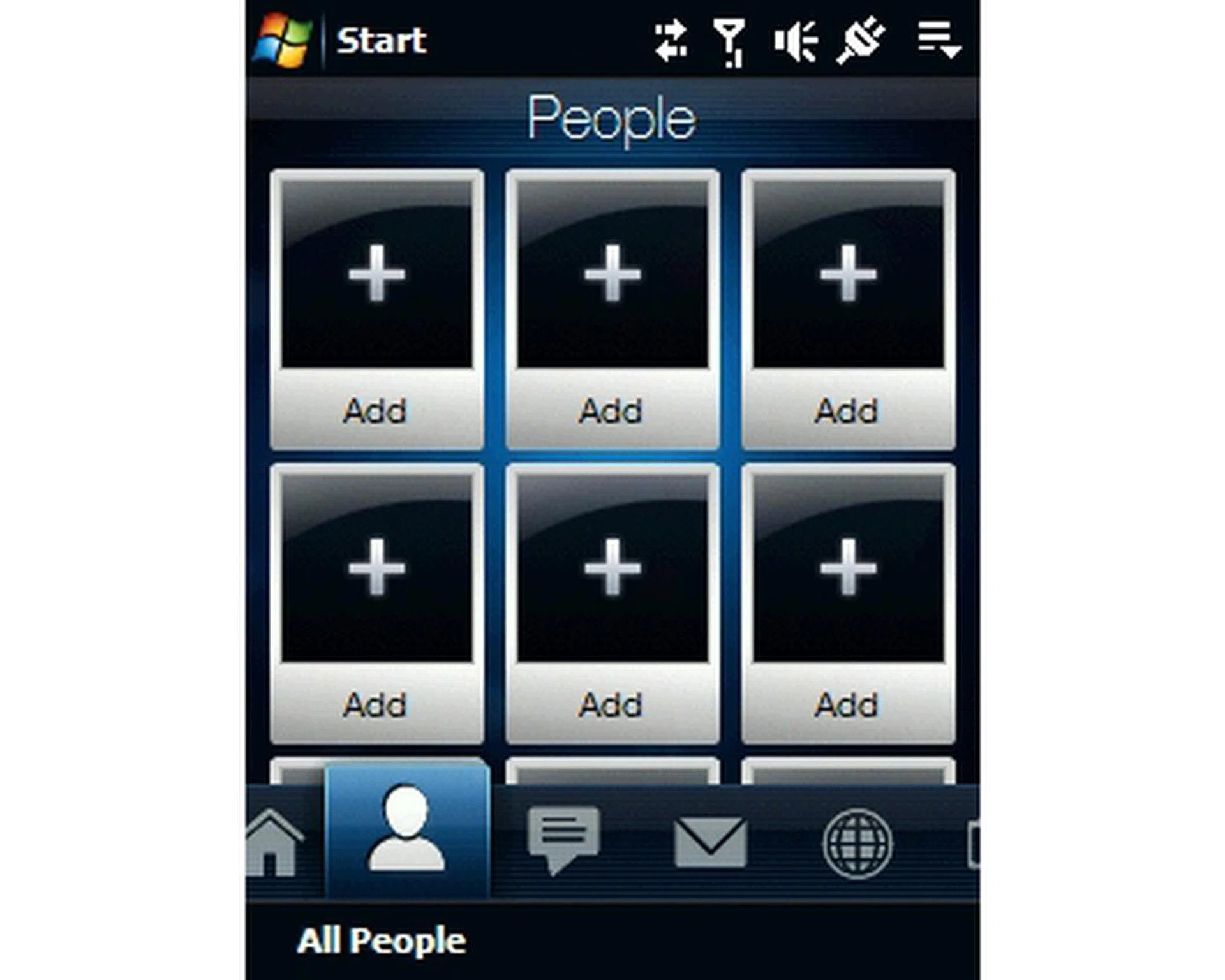
The People tab won't have the name card roller effect. This is actually beneficial for the Touch 3G, since less memory is dedicated to the 3D effects and gives you a speedier navigation experience.
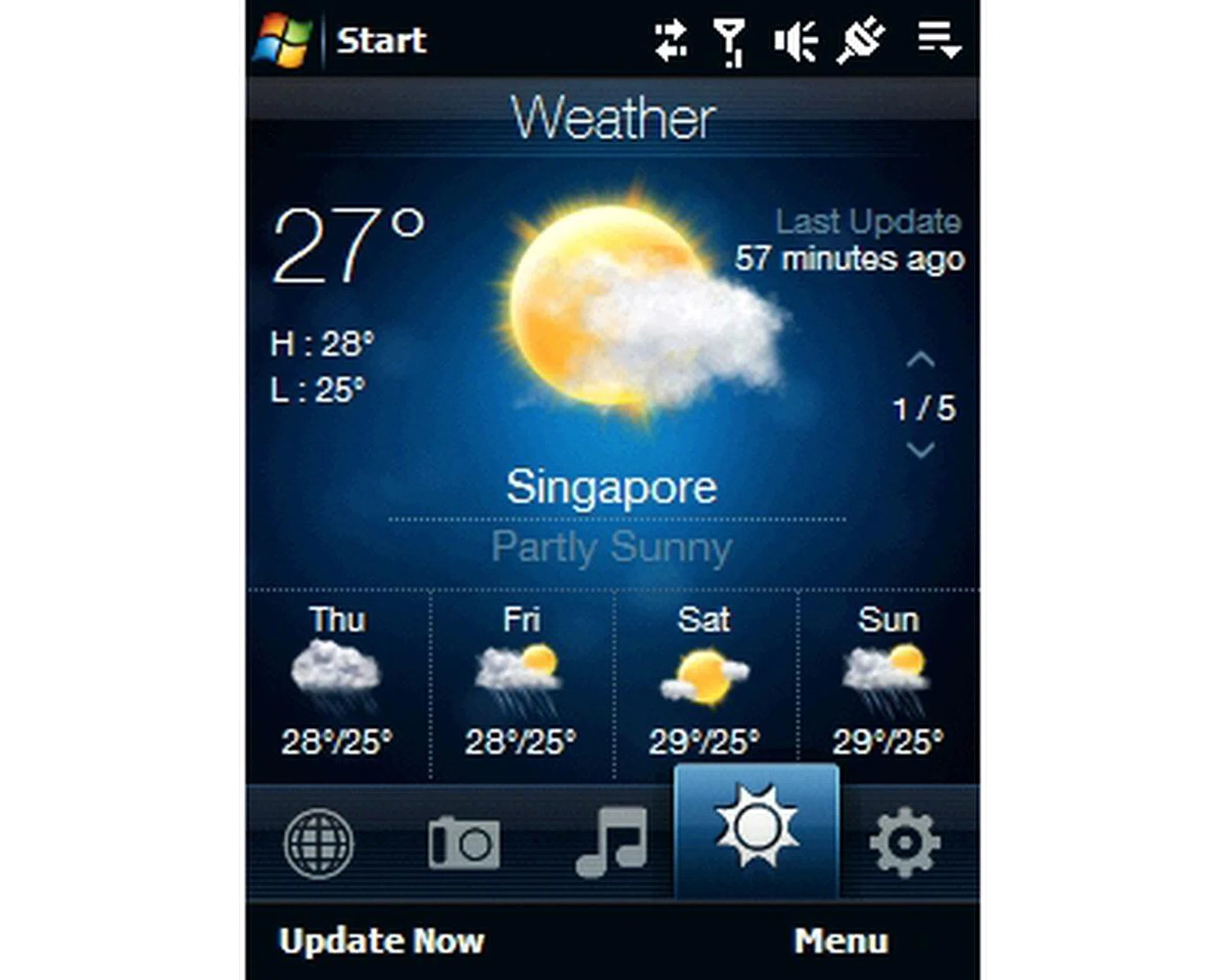
Similarly, you won't have the motion intensive graphics on the Weather tab, but this new interface is more than sufficient for your daily weather checks.
Though named with the 3G label, the Touch 3G is also a 3.5G device, which translates to being able to utilize the HSDPA cellular data network. You might wish to be thriftier and rely more on its Wi-Fi connectivity, but in our opinion, HSDPA is the way to go. Besides, in recent months, we've seen the growing popularity and demand for the HSDPA network pushing data plan prices from the various service providers down to a generally affordable level.
From the earlier specification list, you might have noticed that the Touch 3G also comes with GPS capabilities and is made even swifter with the bundled QuickGPS application. With the features as listed, we can safely say that the Touch 3G is pretty impressive for a mid-range device with its Wi-Fi, HSDPA, Bluetooth 2.0 and GPS functions.
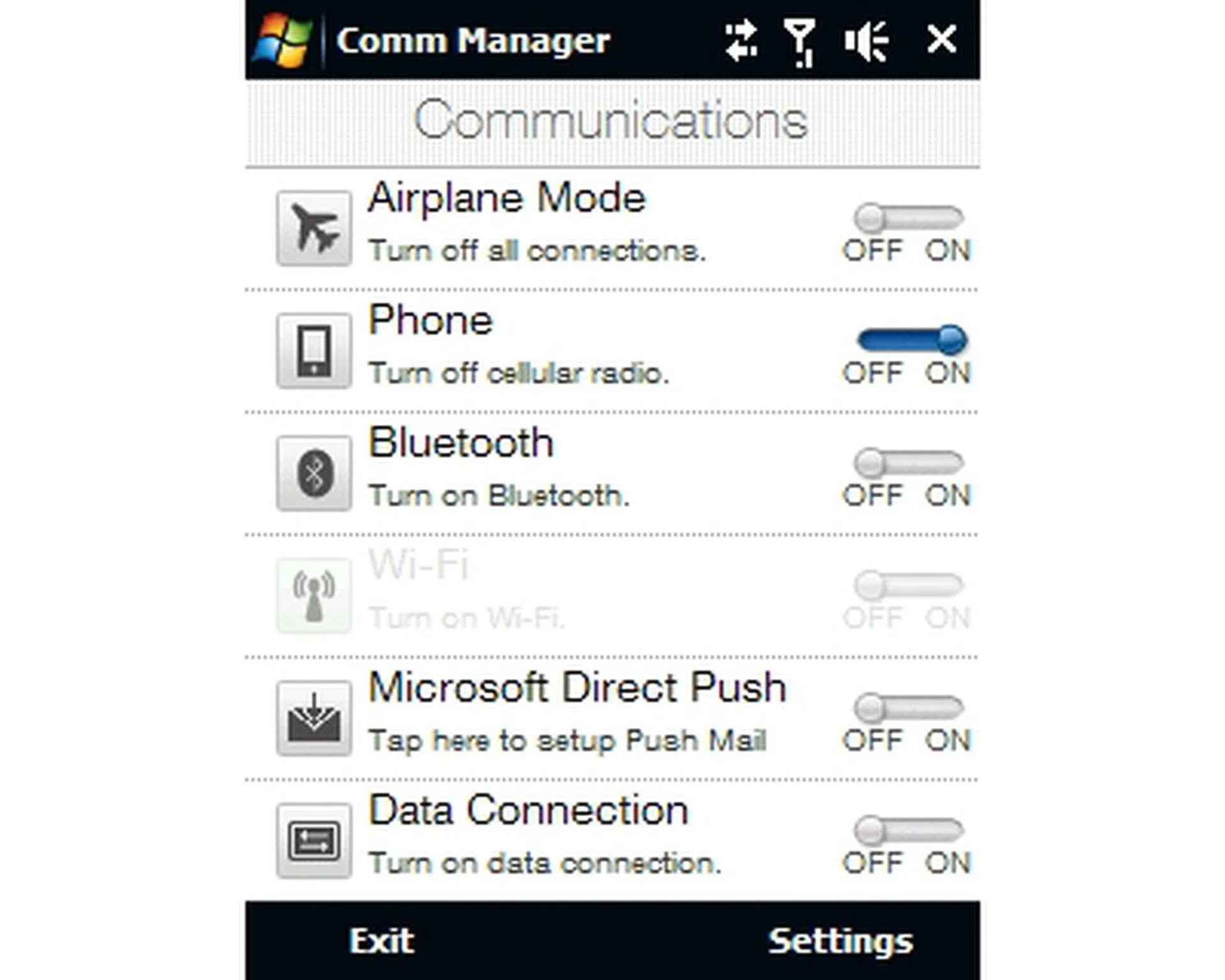
Like most other devices, the Comm Manager gives you easy and direct access to the Touch 3G's myriad of wireless connectivity which includes Bluetooth, Wi-Fi and HSDPA.
Fast Swiper
As usual, we pushed the test device to its limits in a few areas, namely its battery performance, memory handling with multiple applications, and took a look at its multimedia aspect. To get a better gauge of how the Touch 3G performs, we compared its battery life against two other devices that comes close to its performance and features: the HTC Touch Diamond and the ASUS P552w. Here's a look at each device's specifications that relates to the battery life before we take a more detailed look at its battery performance.
Specifications/Device | HTC Touch 3G | ASUS P552w | HTC Touch Diamond |
Processor |
|
|
|
Memory |
|
|
|
Connectivity |
|
|
|
Dimensions |
|
|
|
Weight |
|
|
|
Screen size |
|
|
|
Battery |
|
|
|
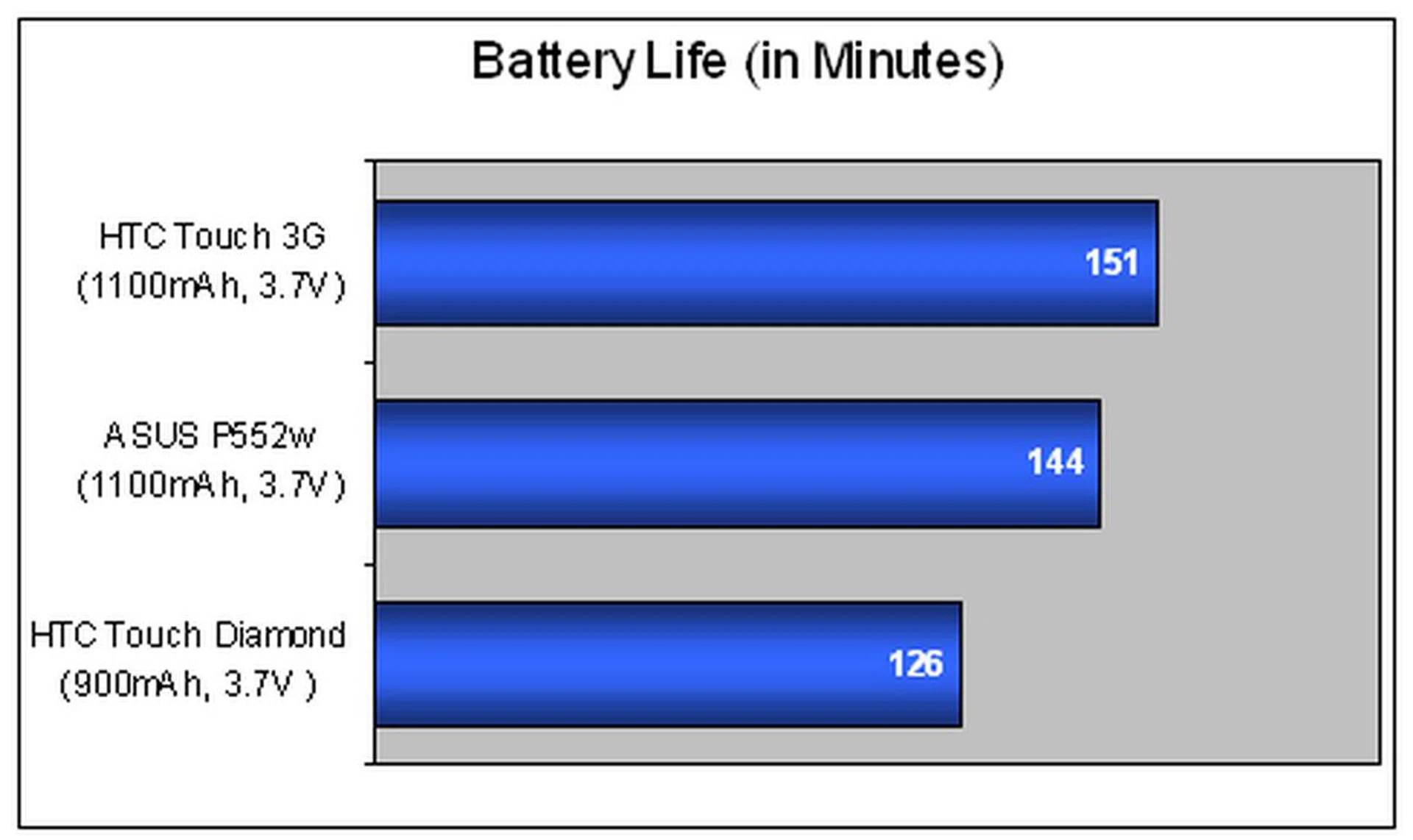
The results as seen from the chart above should give you a clear idea of how both the Touch 3G and the P552w fared with its 1100mAh battery against the Diamond's smaller capacity battery rated at 900mAh. Clearly, the Touch 3G is the winner in the battery life department due to the more power hungry 624MHz processor utilized on the P552w whereas the Diamond is churning out less juice with its lower battery capacity.
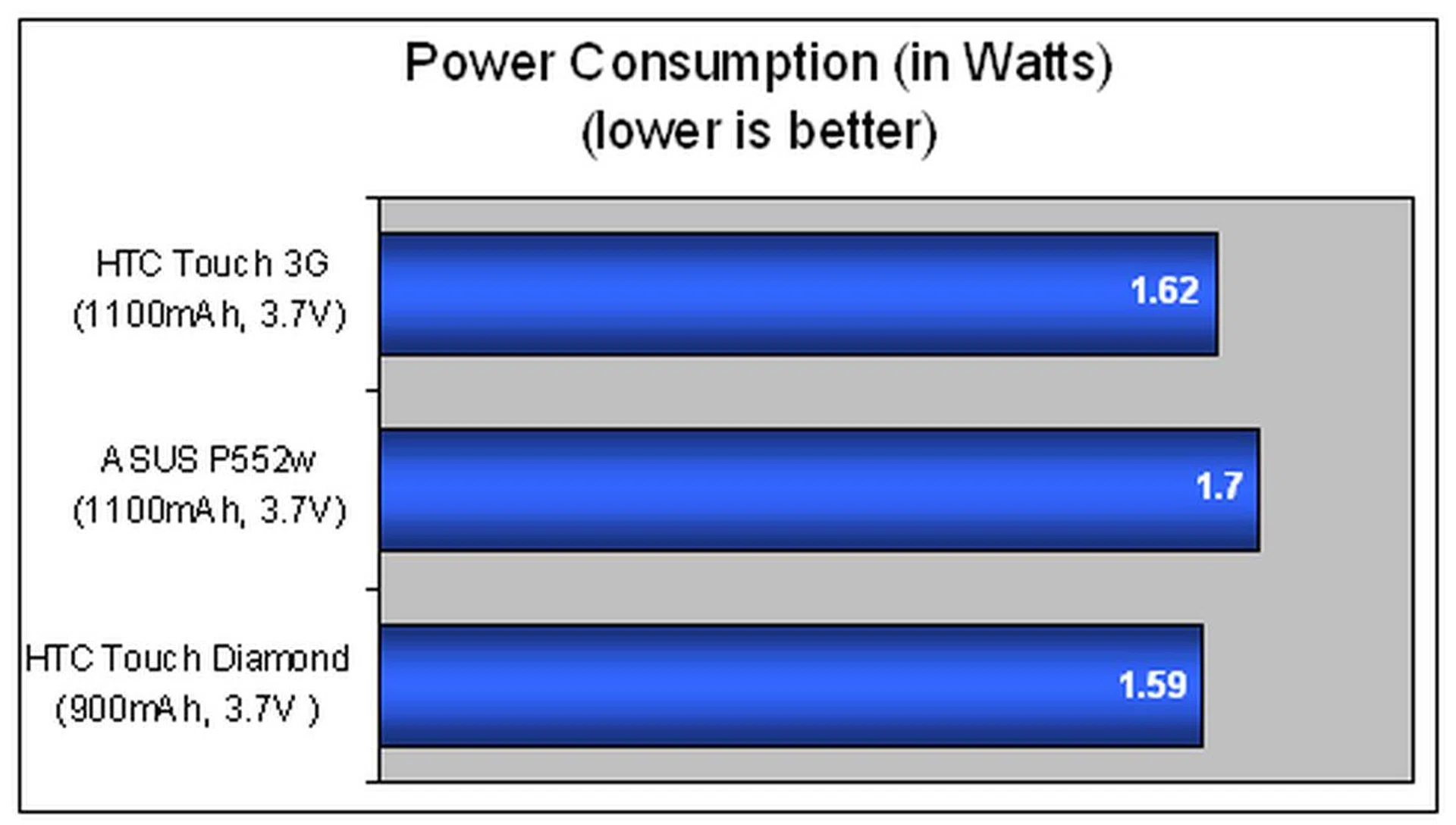
Our results from the power consumption tests threw up no surprises either. With both the P552w and Touch 3G sporting similar battery capacities and specifications, it's no surprise that the P552w's power consumption is slightly higher due to the 624MHz processor utilized that drains more power than usual. Surprisingly, the Diamond managed to score better in the power consumption results than both other devices.
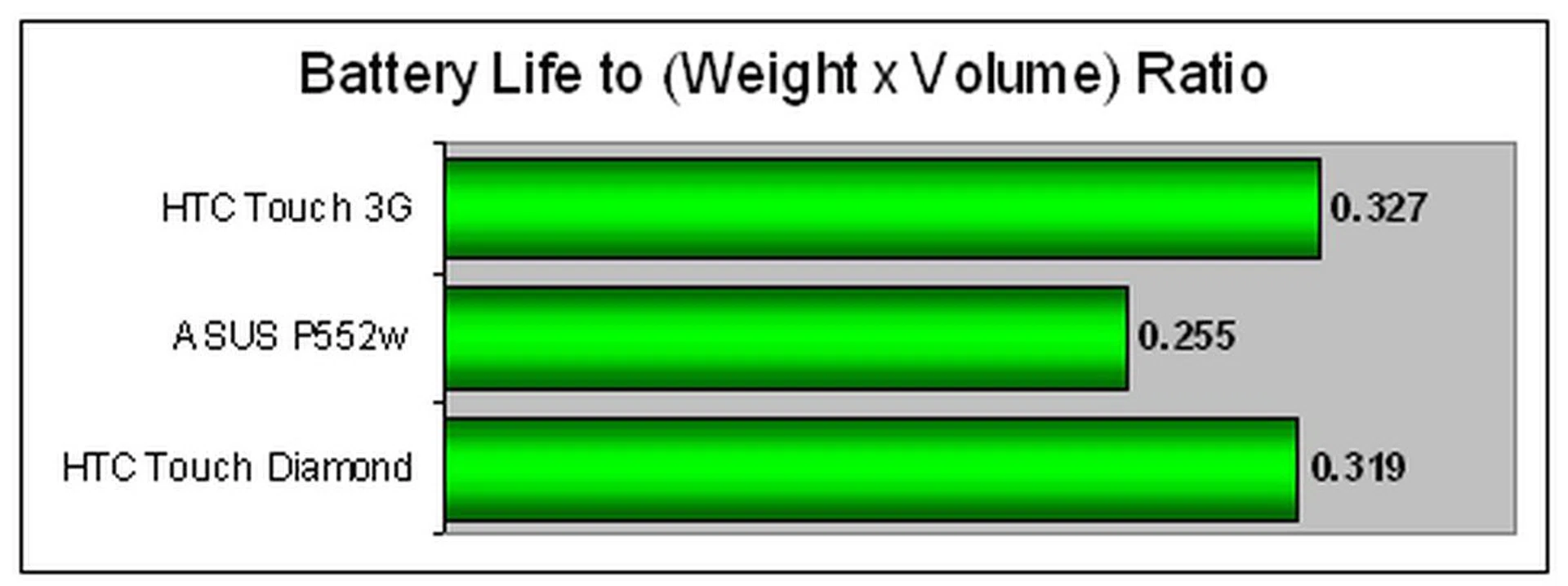
At a glance, it would seem as though the Diamond would be the more portable option amongst all three devices. Our portability index, however, gave us a different conclusion. Even with its thinner dimensions, the Diamond's lower power delivery affected its power efficiency for a device of its size. One must remember that when we analyze the portability index, we also consider the mileage of the device based on the power consumption too. The Touch 3G's victory was in fact contributed by its power efficiency.
Focusing once more on the Touch 3G, we went ballistic with it and applied numerous applications simultaneously. This included the full suite of Office Mobile, Wi-Fi, and Bluetooth being activated whilst we surfed the net using the bundled Opera web browser on the Touch 3G with Google Maps activated. With 192MB of RAM for utilization, we noticed that there's still more than 50% of memory available for further applications to be loaded. Furthermore, there was no discernible slowing down of the TouchFlo interface, unlike the Touch Diamond and Touch Pro's more memory intensive TouchFlo 3D.
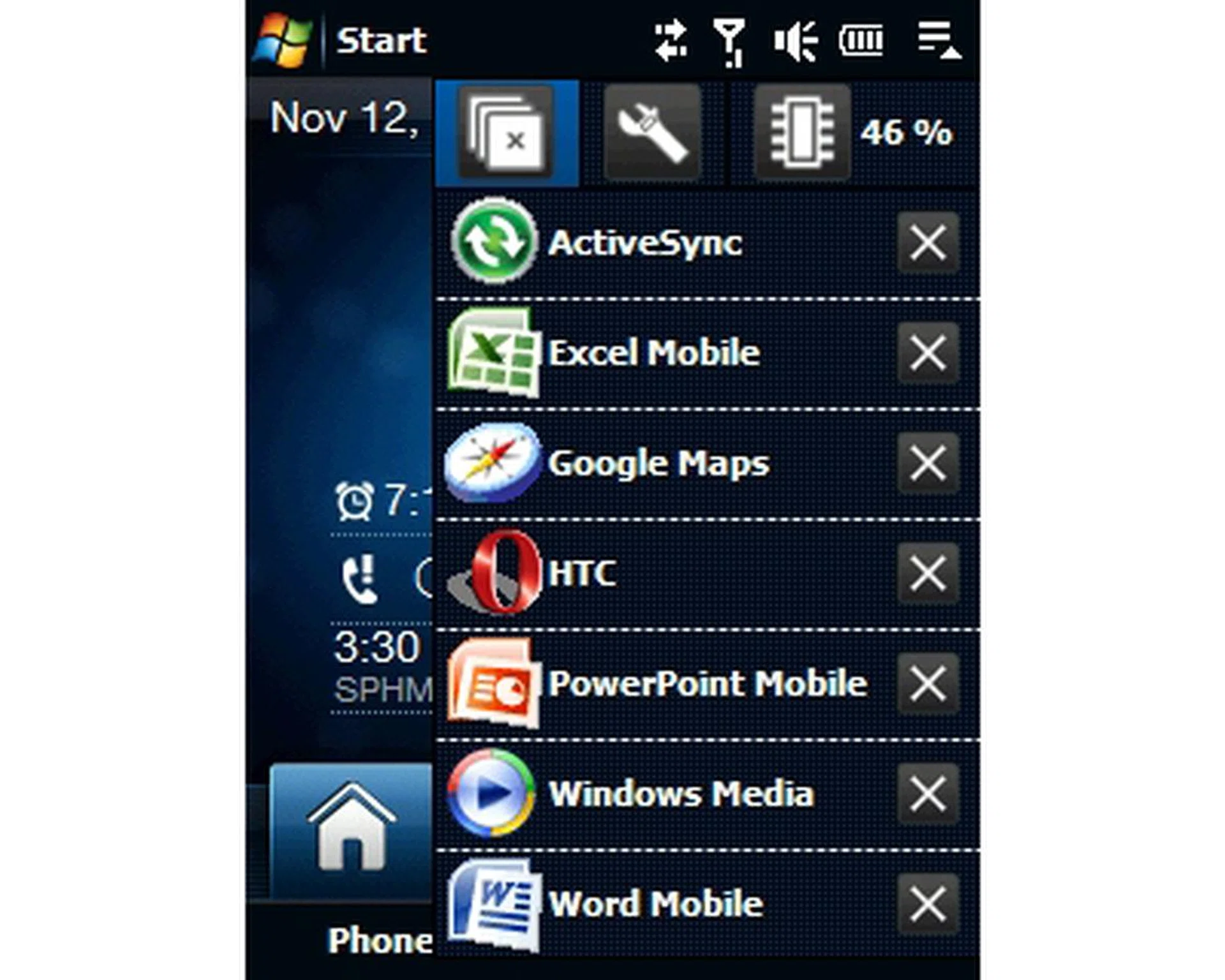
Memory management on the Touch 3G is pretty good. However, do not go overboard and actually overload it with multiple applications, be sure of what you'll need and keep its application handling to the minimum.
Turning towards its GPS feature, we tested out the satellite lock time on Google Maps once more using the bundled QuickGPS program. It definitely contributed to the swift one and a half minute satellite lock, though as usual, weather conditions like an overcast sky will increase the time taken.
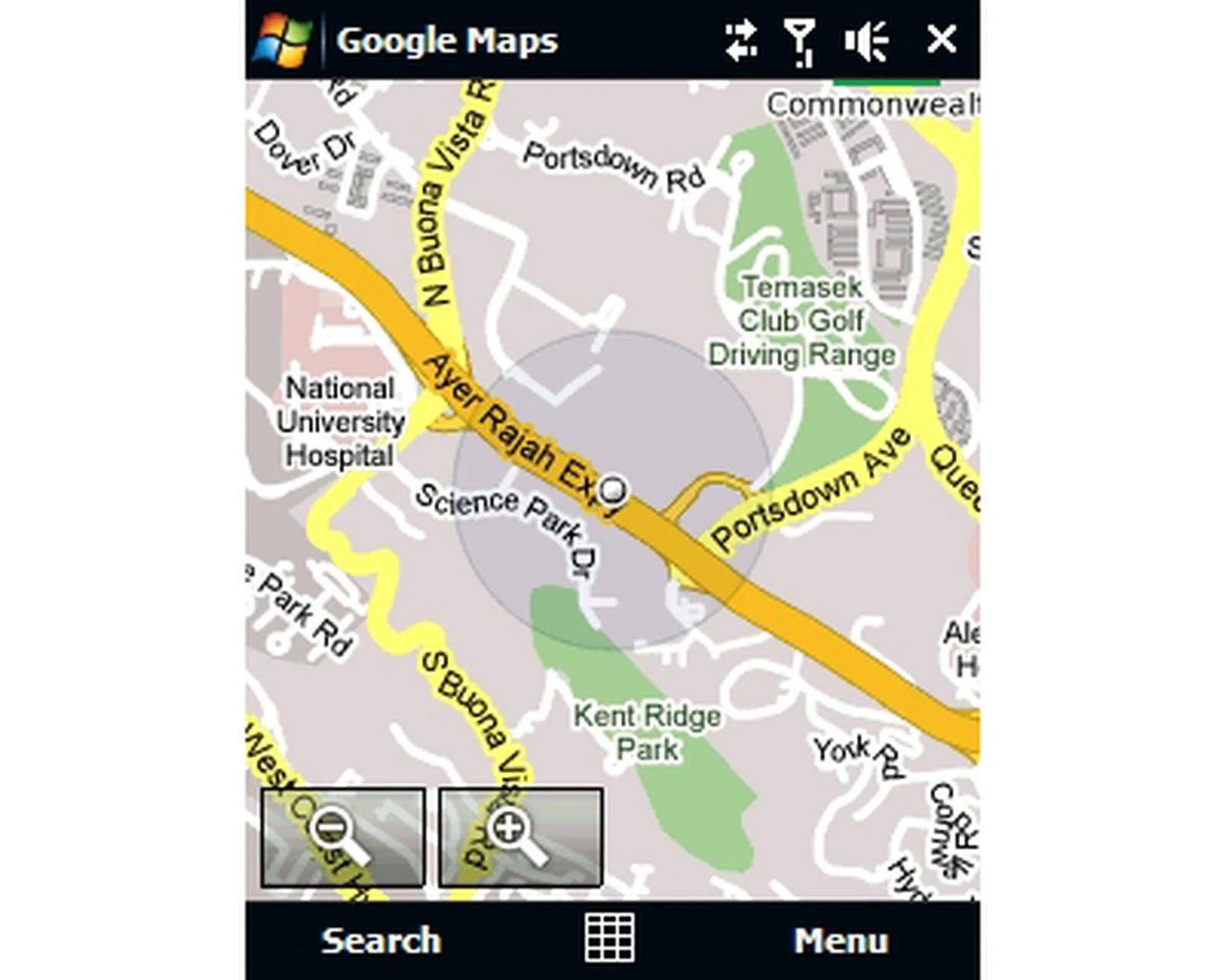
GPS satellite lock time was moderately good, and is made all the more faster with the bundled QuickGPS program within the Touch 3G that downloads satellite location data for faster lock.
For the record, the Touch 3G is not the all-in-one device. It has the necessary features for simple audio and video playback, but don't expect any stellar audio fidelity on the Touch 3G. Its 2.8-inch QVGA screen and screen brightness was adequate for strong sunlight glare even when we set the backlight to auto-adjust.
Imaging functions on the Touch 3G is confined to an upgraded CMOS sensor at 3.2-megapixels. However, the lack of an auto-focus and LED flash contributed to the Touch 3G's fall from grace as a device that does it all. Furthermore, though video calls are not that popular, they are still part and parcel of a 3G capable device. Here, the Touch 3G has the same issue as the good old iPhone: an absent secondary camera on the front for video calling.
Touching Down on a 2D Plane
In just a short few years, we've seen Windows Mobile devices moving out from a niche market with its dedicated fans and high price points, to a mainstream one where it meets the demand of the consumers with its features and affordable pricing. The HTC Touch was aptly introduced for the consumer in mind, but it was not all that it could have been for the power user.
In response to this, the HTC Touch 3G, with a speedier processor, pumped up memory and added 3.5G network support has managed to fill the gaps left by its elder sibling. Officially speaking, the Touch 3G is not the direct successor to the Touch, especially so since there's a new ROM for the HTC Touch that includes an update to the Windows Mobile 6.1 platform and the next generation TouchFlo interface as seen on the Touch 3G.
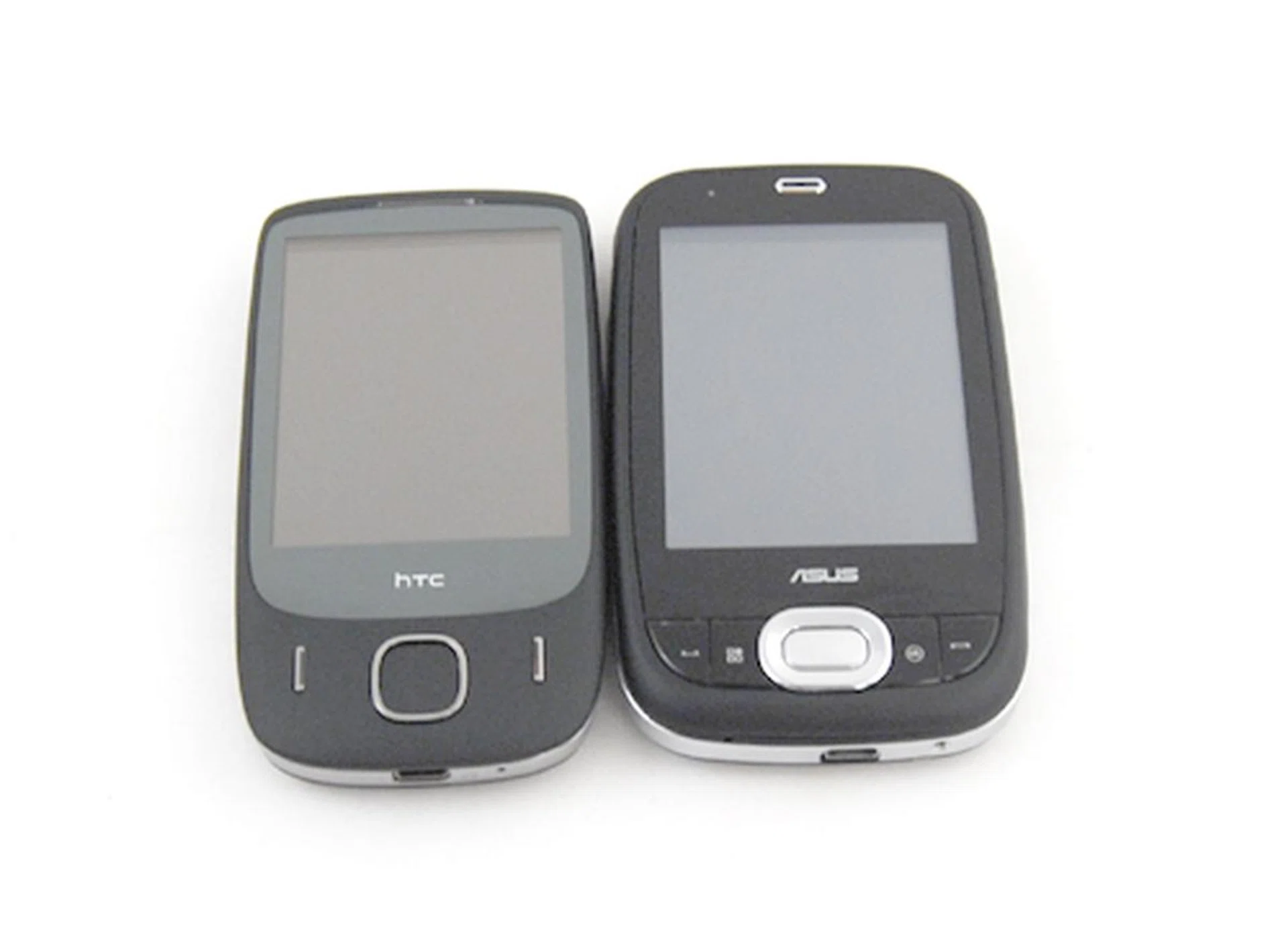
A close match to the Touch 3G (and a cheaper alternative at S$668) is the ASUS P552w, but if you are a stoic HTC supporter and got yourself used to the TouchFlo interface, the choice is obvious.
Whilst the Touch 3G doesn't sport the VGA screen that's now widely popular amongst devices such as the HTC Touch Diamond and Touch Pro, or Sony Ericsson's Xperia X1, you should consider other factors besides the crisp sharp display resolutions. Think of the Qualcomm 528MHz processor. Feel the speed at which you can swipe through various important features such as your Messages, Browser (Opera's bundled with the Touch 3G, by the way) and many other oft-used functions. If you aren't seeking a device with top-notch entertainment delivery, and yet gets the work done easily and swiftly with a small form factor, the S$798 HTC Touch 3G could just be the one for you.
Our articles may contain affiliate links. If you buy through these links, we may earn a small commission.