
HP Pavilion dv2 - Neo Goes on a Diet
While ultraportable notebooks have long been pegged at the expensive end of the price range, thus a barrier for most mainstream consumer's wallet, HP's Pavilion dv2 looks to buck the trend with an affordable 12.1-inch ultraportable notebook. Interested? Read on for the details.

Thin is In
If last year was the year of the mini-notebooks, then this year (well, so far) seems to be the year of the cheap ultralight and ultrathin notebooks. While you may expect to find that some of these ultraportables are basically reusing the same hardware (the Intel Atom processor and chipset) found on the mini-notebooks, there are of course notebooks that don't actually venture down this same route. Some may use a slightly more expensive Intel Core 2 Duo/Solo ULV processor, or some may end up doing what HP has just done with the HP Pavilion dv2 - use AMD's Neo processors instead.
Now, HP has never shied from using AMD on their consumer and business grade mobile notebooks, so you'll find that the HP Pavilion dv2 is no exception. In fact, it's the only notebook currently around to be using the (which uses the Athlon Neo processors), so there are a lot of expectations. While obviously, it's no AMD Bobcat yet, as a stopgap measure however, the Yukon platform is expected to perform much better than the Intel Atom which we intend to find out in this review of the dv2.
Before we go straight into the more performance orientated pages however, let's take a step back with some pretty pictures and the specifications:-
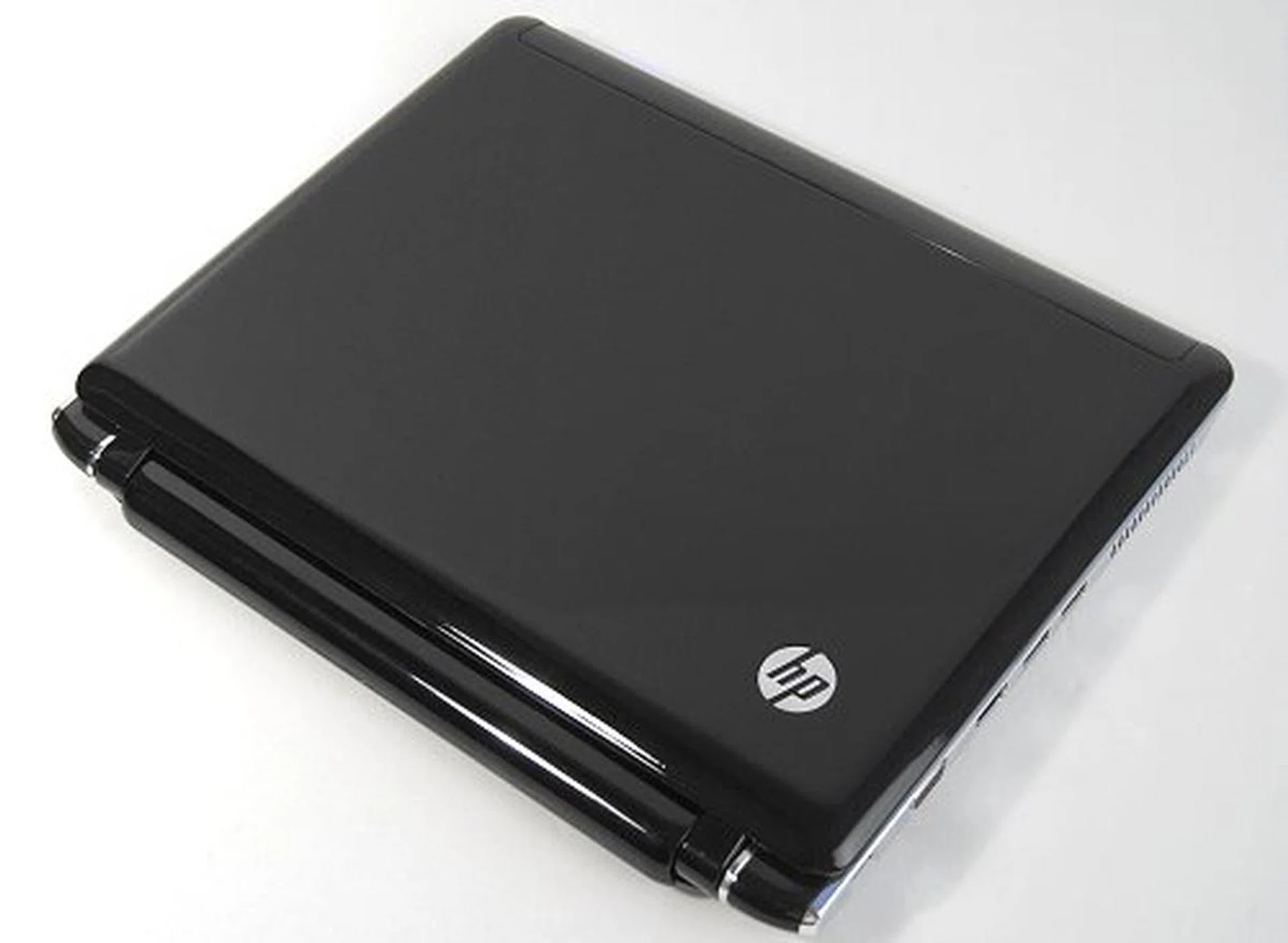
The HP Pavilion dv2, all shiny and ready for our fingerprints!
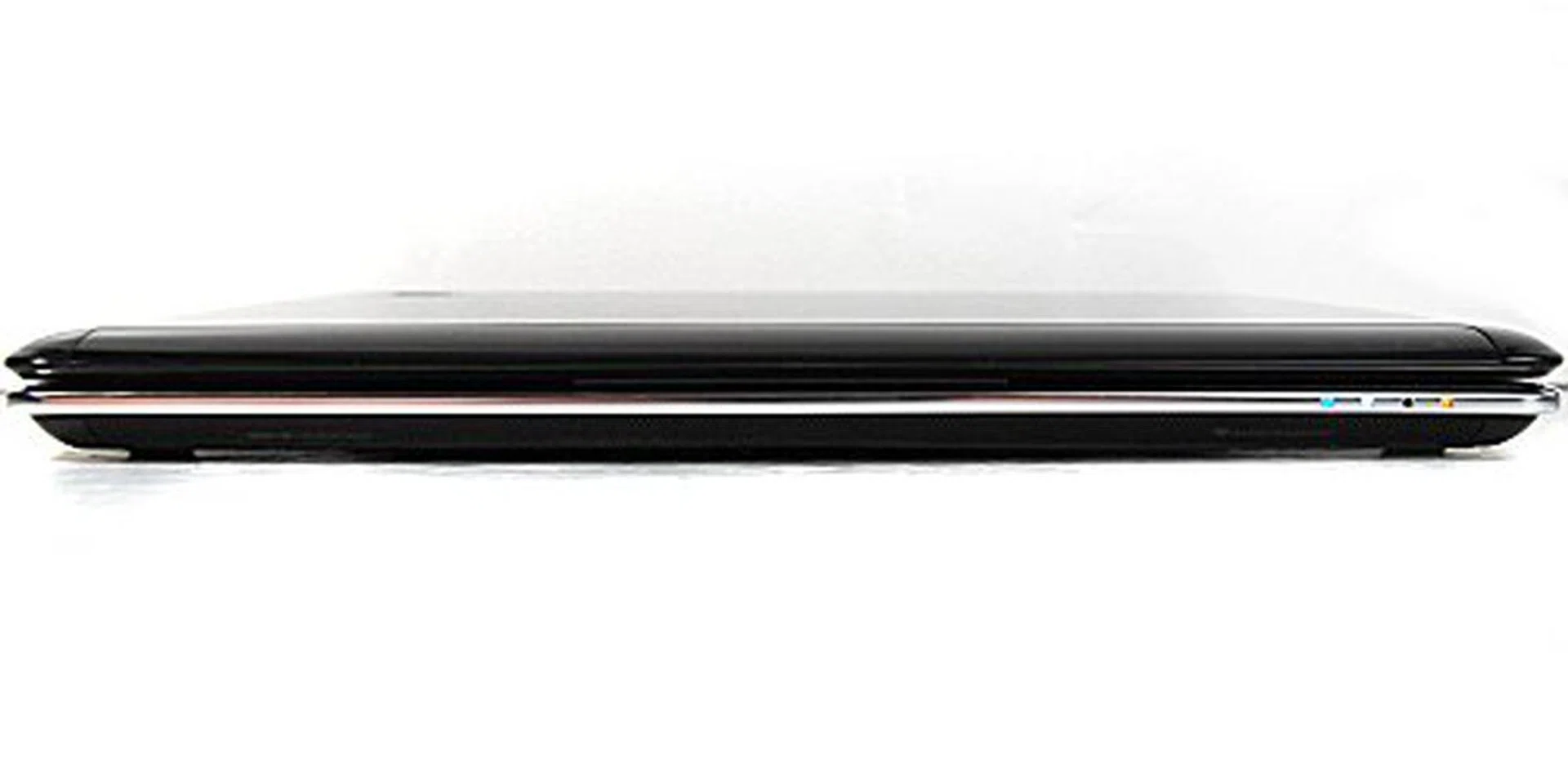
The front uses a beveled edge to simulate the appearance of thinness, while also concealing the stereo Altec Lansing speakers.
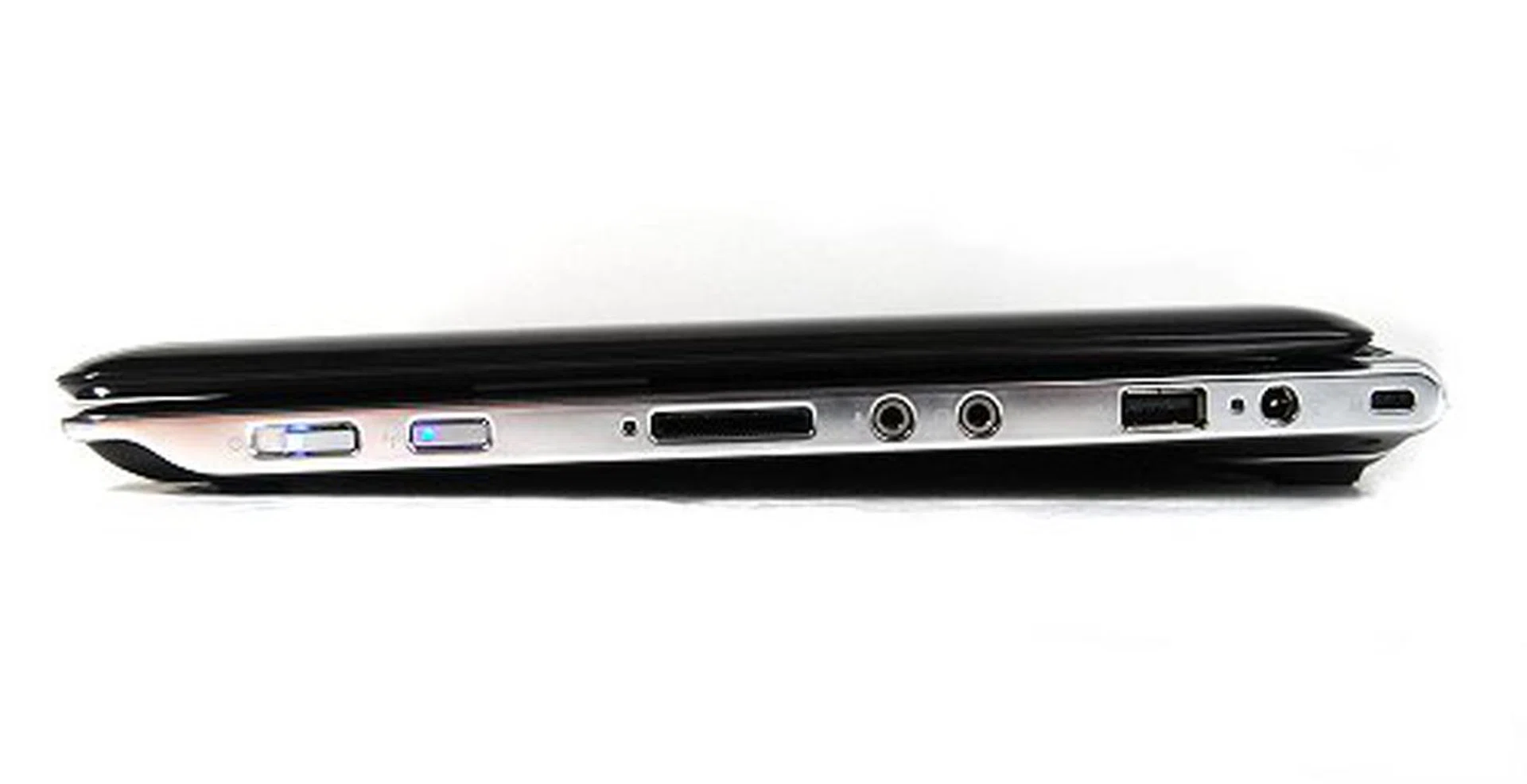
The right profile is slim yet packed with enough space for the power switch, WiFi switch, 4-in-1 card reader, audio jacks, USB 2.0 port and the power jack.
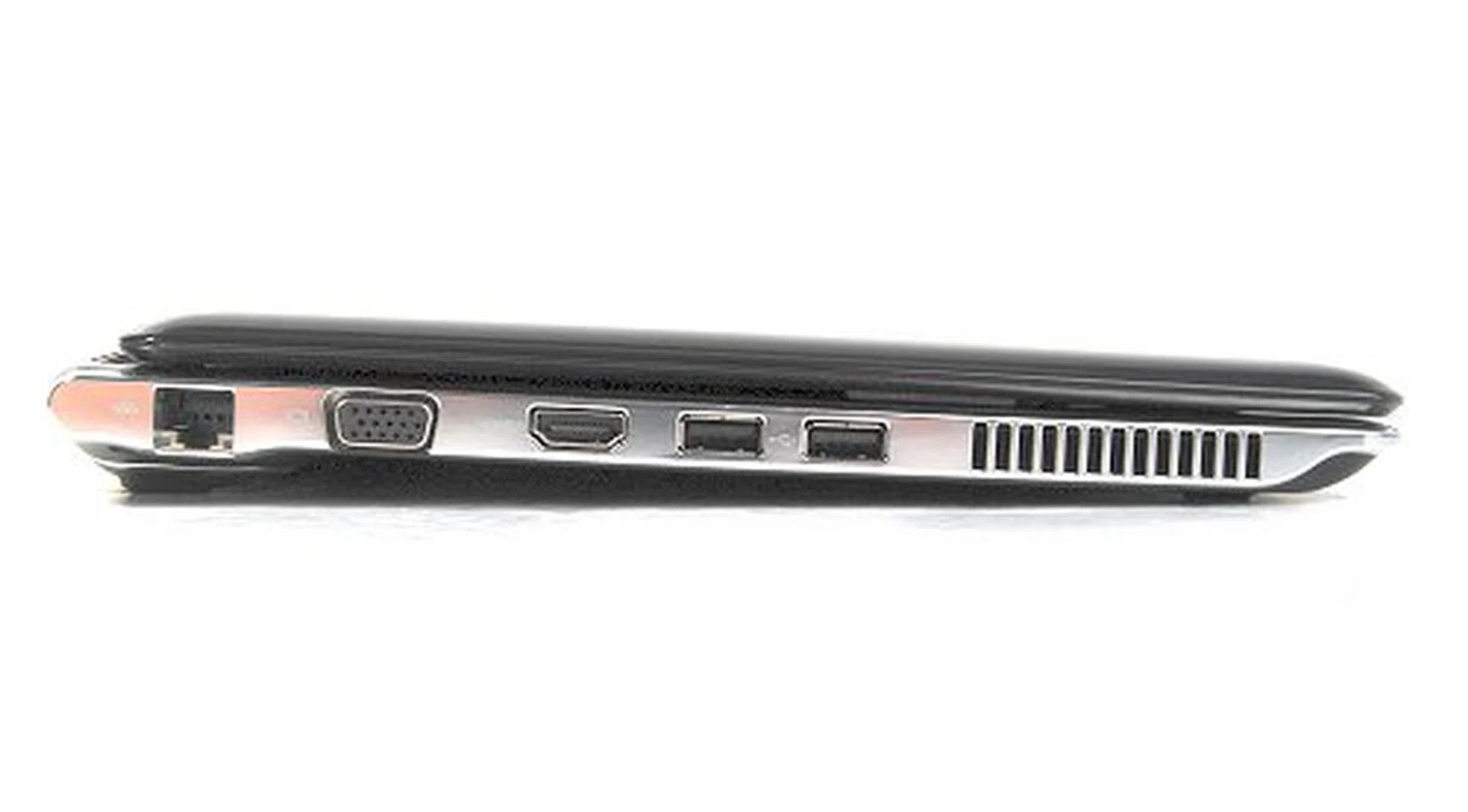
The left side is where the bulk of your ports are located and feature two USB 2.0 ports, HDMI out, analog video out and the LAN port.
Reflective Impressions
Like the current pretty HP Pavilion designs for their notebooks, the dv2 follows a familiar design pattern that wins points from us. Its lightweight outer magnesium-alloy surface is definitely gorgeous with shiny looking surfaces, rounded edges, and a clean design. That said, the dv2 shares a familiar problem that all the newer Pavilion designs face - the shiny and pretty surfaces are fingerprint magnets. These smudges end up marring the looks of the pretty notebook quite badly and quite fast as well.
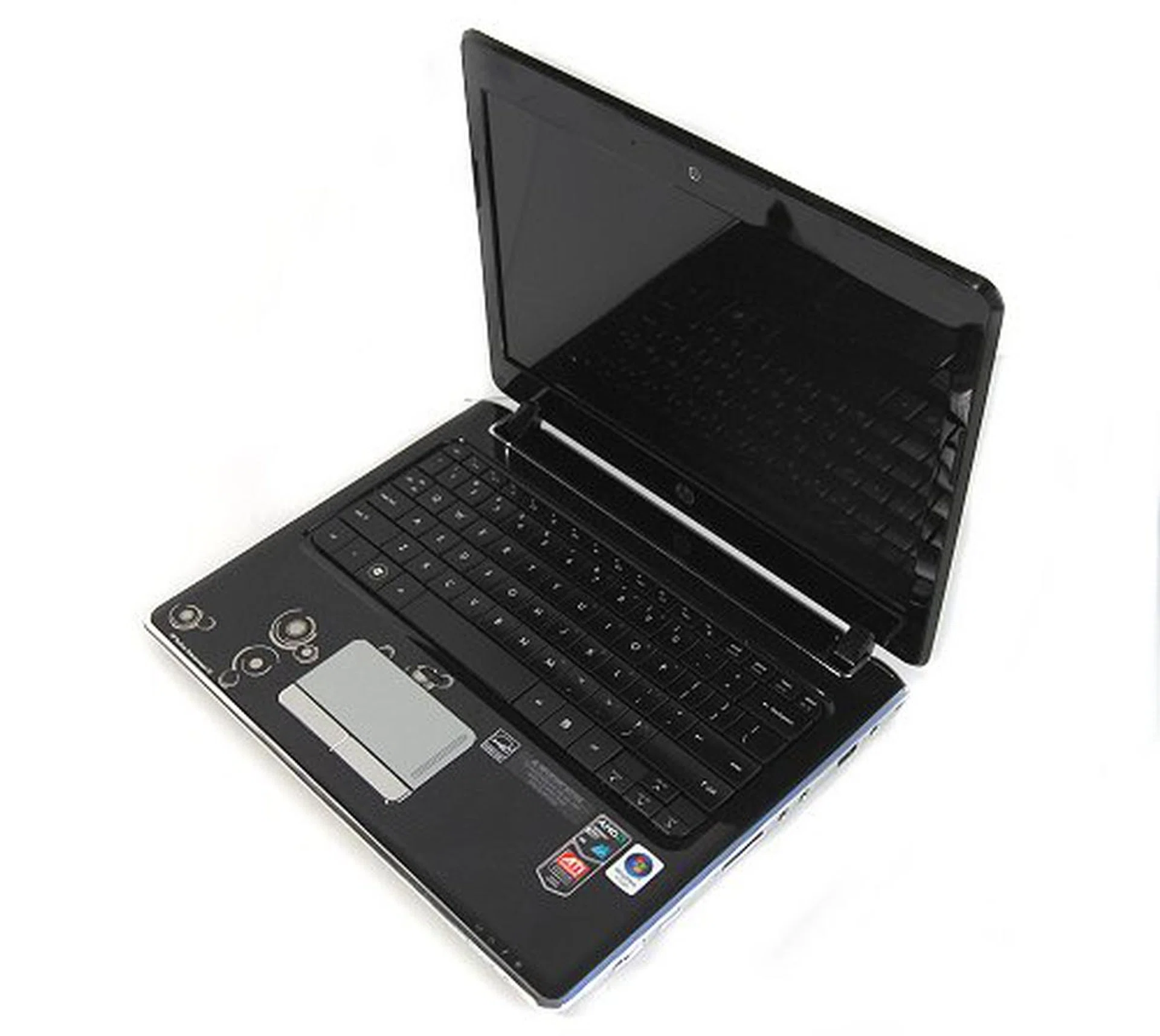
The insides reveal a very clean and neat layout, with just the keyboard and the large trackpad on the base.
All is not lost however, as the keyboard is really the saving grace for the dv2 as far as appearances and usability are concerned. Going with a non-glossy black surface on the keyboard means that you won't find your fingerprint smudging after you type for awhile. The scalloped keyboard design also feels naturally comfortable to type on and flex was almost non existent. The keys themselves are large enough that you would smile with glee upon using and the layout too was pretty easy to get used to. Important keys are easily accessible and don't require additional function keys to press.

The keyboard was really good to type on and had minimal flex. Note the slightly scalloped keys in our picture.
The trackpad is something of a love hate situation for us - we don't really like the feel of its shiny metallic fingerprint friendly surface but the trackpad was responsive to the touch with big accessible buttons that was easy to click with. There's also a trackpad lock for accidental swipes with your palm while you're doing some heavy duty typing, which is always a good thing to have.
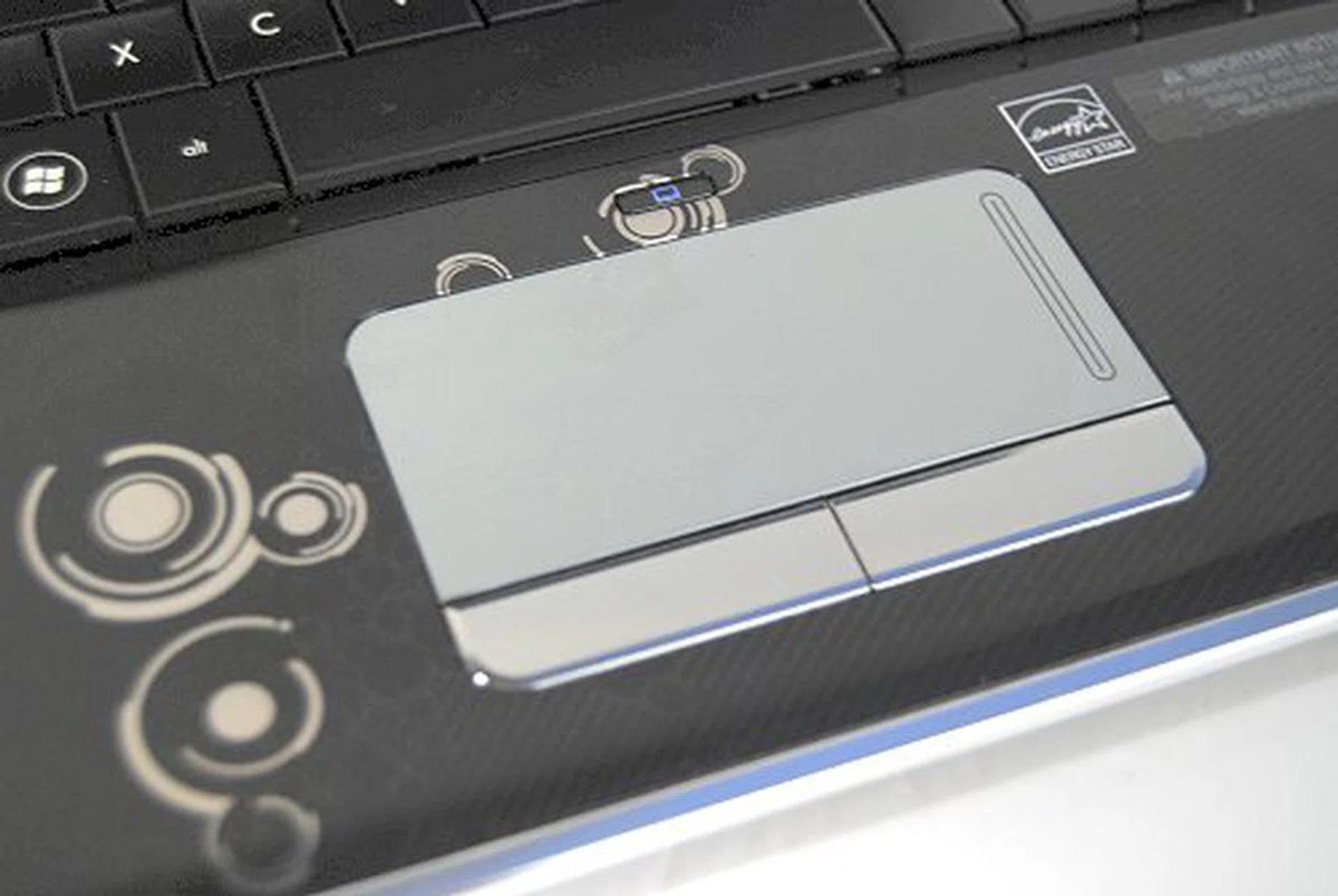
The trackpad is a love or hate affair, so we'll leave it to you. For the record, we don't really like it that much, but you may end up liking it.
The screen was fine, though the thick bezels on the top and bottom give rise to an illusion of the screen being more of the 4:3 ratio variety. It did give a hint though that HP may have larger screen versions with the same housing, but that's for another article on another day. We did whip out our ruler just to check, but yes it's a widescreen 16:10 ratio screen that sports a native 1280 x 800 pixels resolution. Audio quality in general was fine thanks to the stereo Altec Lansing speakers located on the underside of the front edge. While it's no boom box, the dv2 does a credible job of carrying the acoustic elements clearly.
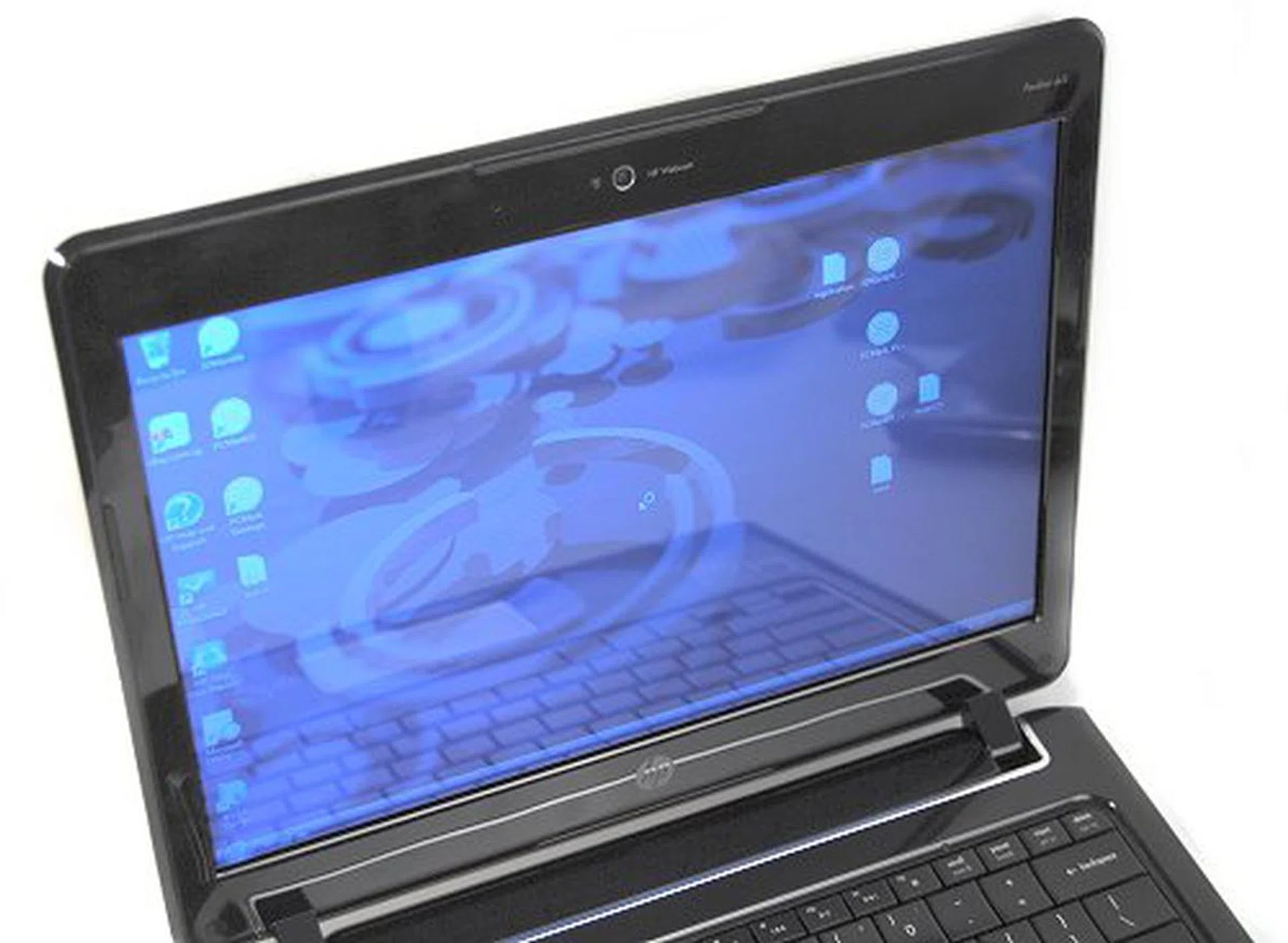
The reflective screen was bright and clear, but the bezel around the screen gave rise to the impression that it was a 4:3 screen and not a 16:10 screen.
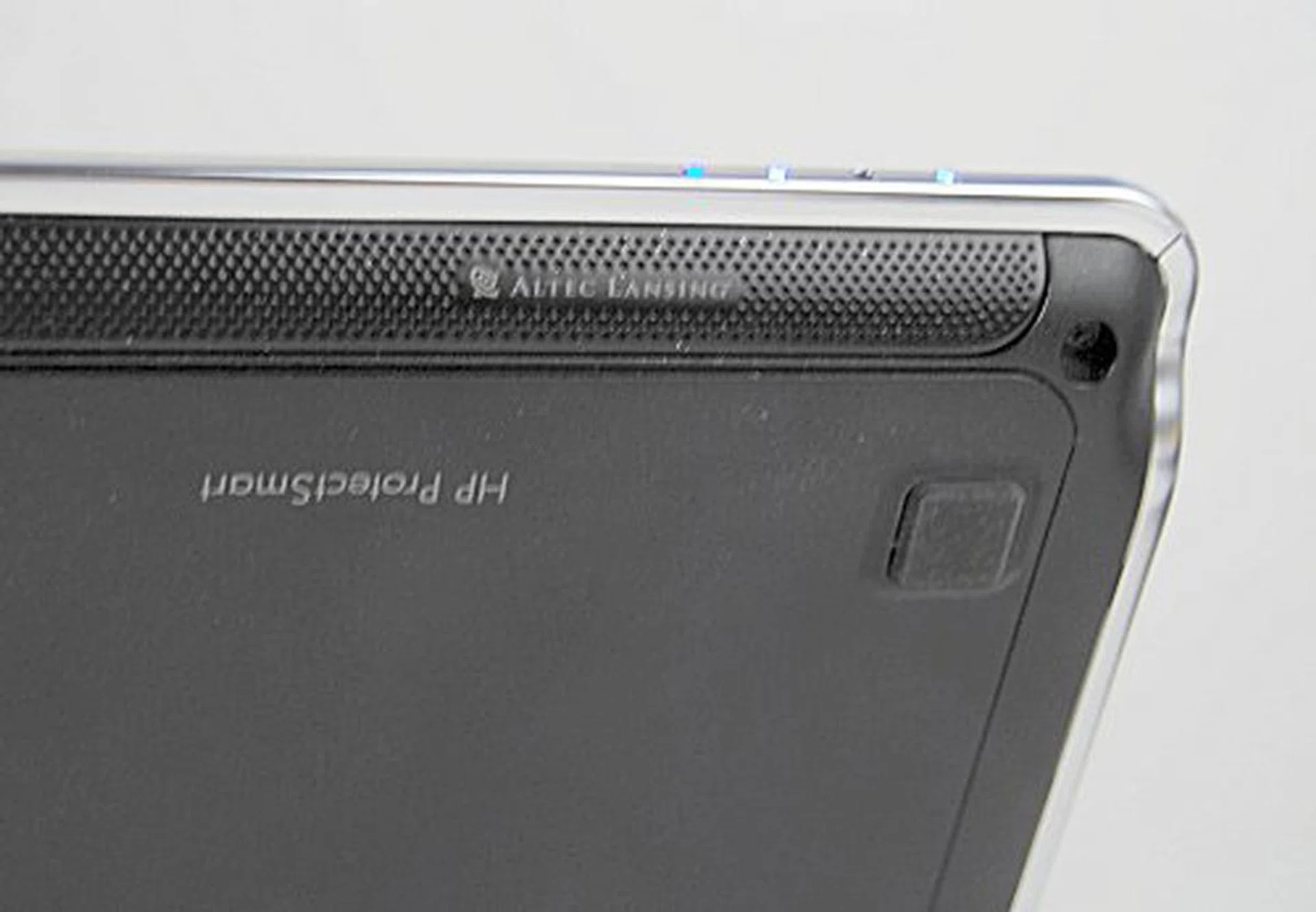
The Altec Lansing speakers are located at the underside of the front bezel and provide a decent but none too fantastic output.
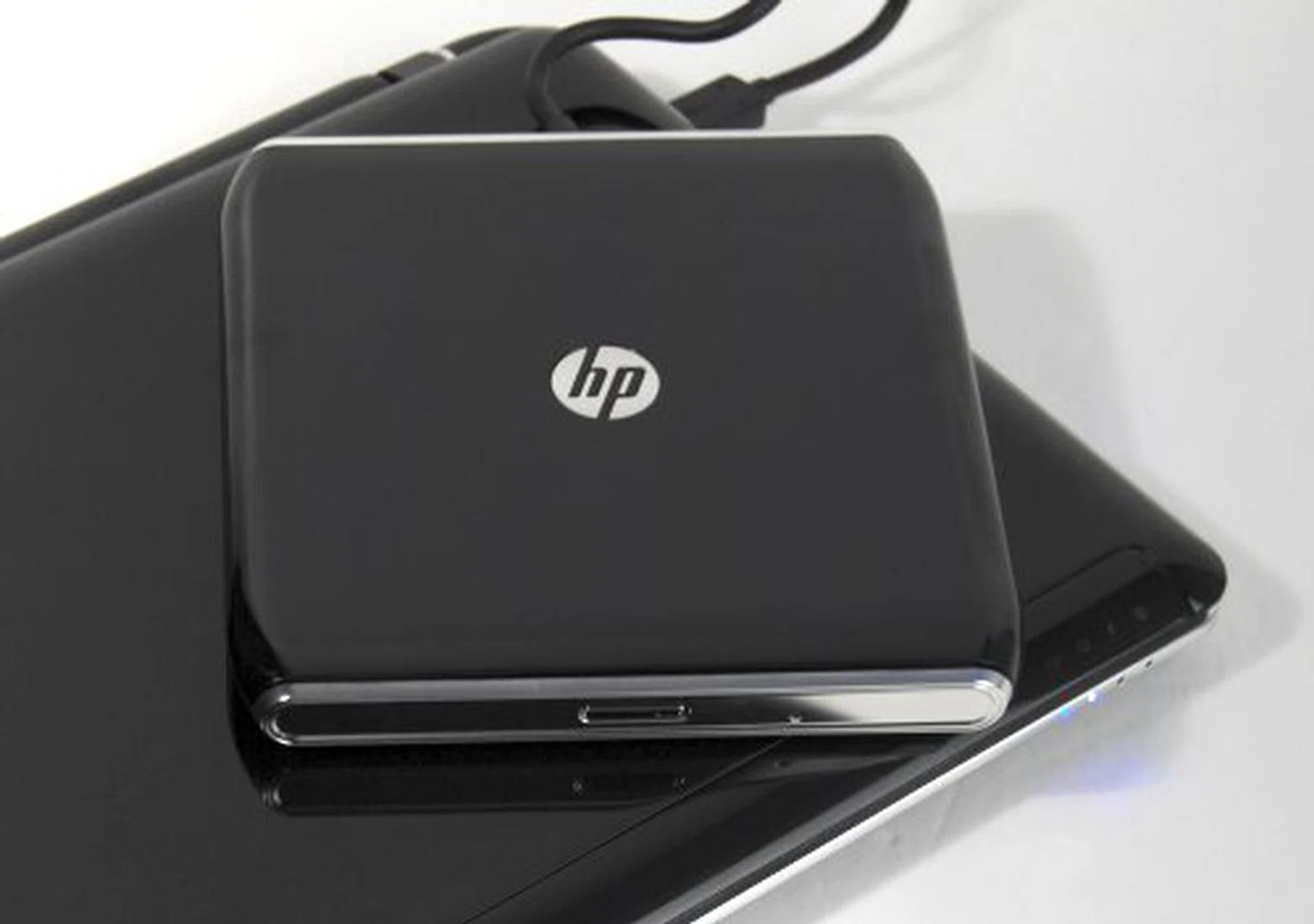
The notebook also comes with a USB powered LightScribe SuperMulti 8x DVD drive since it doesn't have one integrated in the chassis.
Not Intel Inside
As the first notebook to use AMD's Yukon platform, the HP Pavilion dv2 sports an AMD Athlon Neo MV-40 1.6GHz single core processor, which is essentially a chip that uses the older Athlon 64 (K8) architecture and has a 15 watts TDP. This thermal design power specification may seem much more compared to the Intel Atom mobile processors which have a 0.4~2.4 watts TDP, but we're guessing performance here will be much better. Whether or not it does better then the more expensive Intel Core 2 Duo ULVs remains to be seen over on our performance benchmarking page. Moving on, the dv2 has 2GB DDR2 RAM, a 320GB 5400RPM HDD and a discrete ATI Mobility Radeon HD 3410 graphics core. The Radeon HD 3410 should give the dv2 an edge when it comes to more graphically demanding functions such as light gaming or watching high-definition movies.
As for upgrading the notebook, well, you'll find that HP has made it easy to mess around with the dv2, the back panels open up to reveal access to the HDD, RAM and wireless card. Not that you'll need to, given it's more than adequate specs, but it's always nice to know that you can.
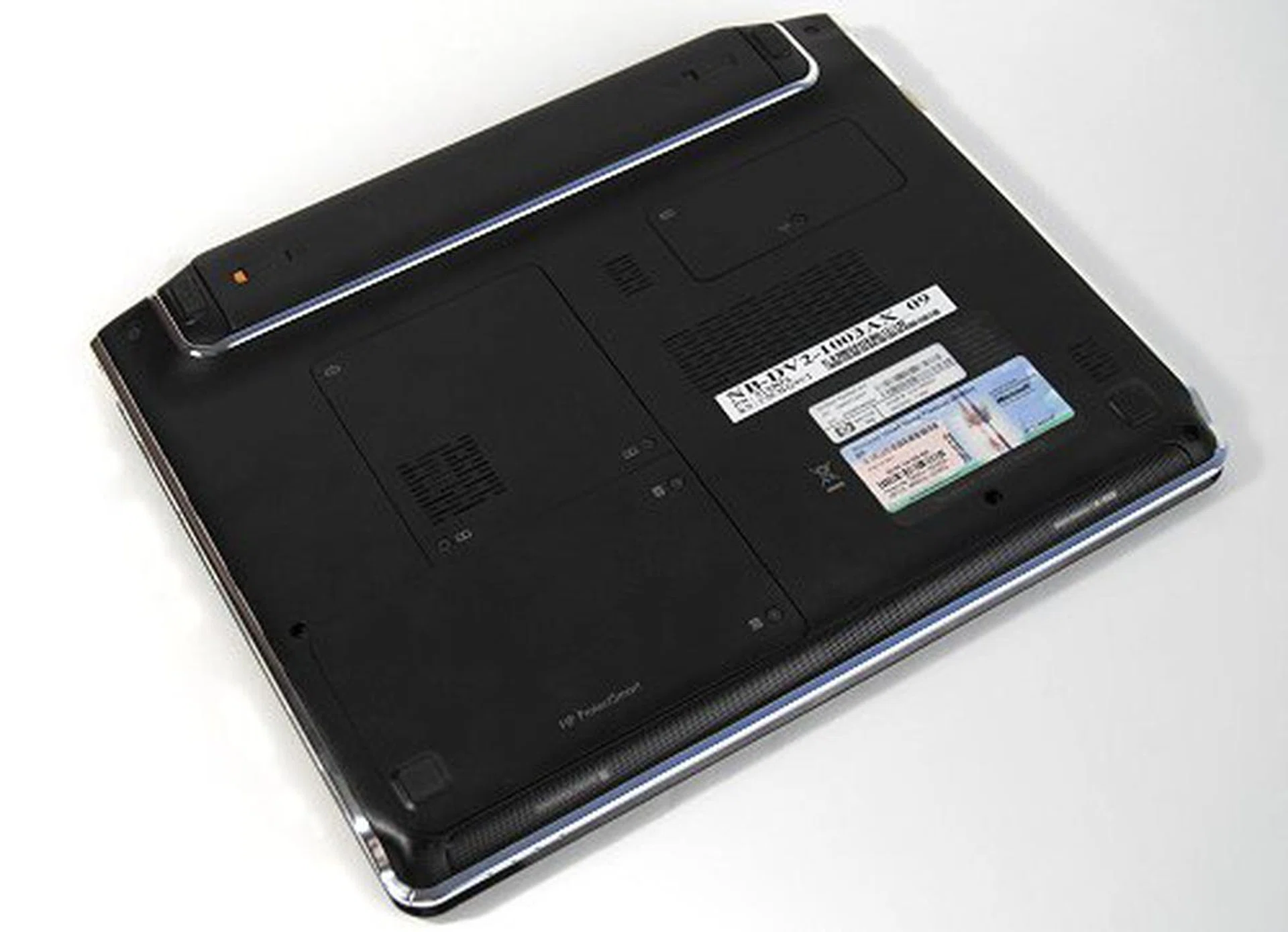
The back of the unit has easily removable compartments for upgrading.
Test Comparisons
We'll be using the following notebooks in the table for comparisons to find out how the HP Pavilion dv2 fares. They may not be the perfect direct comparisons, but that's how the notebook scene is with each model unique in its own way. Thus we've gathered the best possible match in this article with an Atom-based mini-notebook, an Intel Core 2 Duo ultraportable and an AMD Puma platform notebook.
Specifications/ Notebook | HP Pavilion dv2 | Toshiba Portege R600 | Gigabyte M912 | Acer Aspire 5530G |
Processor | AMD Athlon Neo-MV40 (1.6GHz) with 512KB L2 cache | Intel Core 2 Duo processor ULV SU 9400 (1.40GHz) with 3MB L2 cache | Intel Atom N270 (1.6GHz) with 512KB L2 cache | AMD Turion X2 RM-70 (2GHz ) Processor with 1MB L2 cache |
Chipset | AMD M690G | Intel GS45 | Intel 945GSE | AMD M780G |
Memory | 1 x 2GB DDR2 | 3GB DDR2 | 1 x 1GB DDR2 | 1 x 1GB DDR2 1 x 2GB DDR2 |
HDD | 1 x320GB SATA - 5400RPM | 128GB SSD | 1 x 120GB HDD - 5400RPM | 1 x320GB SATA - 5400RPM |
Video | ATI Mobility Radeon HD 3410 | Intel GMA 4500HD | Intel GMA950 | ATI Mobility Radeon HD 3470 Hybrid CrossFire |
Battery Life and Portability Index
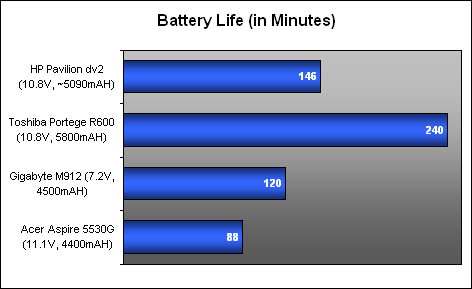
Since the dv2 doesn't really have a built-in optical drive, we proceeded to loop a Quicktime video on the HDD instead. The results? Well, with its 6-cell battery, the HP Pavilion dv2 lasted around 146 minutes, almost hitting 2.5 hours. While the default model comes with a 3-cell battery, our review unit came with the extended 6-cell battery. Do keep a careful watch in retail as they would be selling both versions that could make up for the price differences of the same dv2 model.
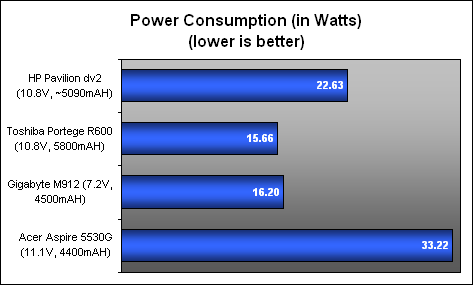
Purely concentrating on the results, this is far better than the Acer AMD Puma platform based machine, though it doesn't really hold up well against a true ultraportable notebook and it barely beat the Gigabyte M912 mini-notebook. Power consumption figures further reveal that the dv2 power consumption was expectedly much higher than the Intel machines, though it definitely performed much better against the AMD Puma platform based notebook, the Acer Aspire 5530G.
Lastly, our Portability Index figures showed that the dv2 was decent enough with a score of 0.714, though definitely not into the stratosphere of ultraportable status. Then again, it isn't priced as expensive as a traditional ultraportable anyway. This does make some sense - the dv2 is way cheaper compared to a normal ultraportable, but it will still last you for a reasonable while on the road. Does it perform reasonably to boot for its price? That's up on the next page.

Performance Benchmarking
Specifications/ Notebook | HP Pavilion dv2 | Toshiba Portege R600 | Gigabyte M912 | Acer Aspire 5530G |
Processor | AMD Athlon Neo-MV40 (1.6GHz) with 512KB L2 cache | Intel Core 2 Duo processor ULV SU 9400 (1.40GHz) with 3MB L2 cache | Intel Atom N270 (1.6GHz) with 512KB L2 cache | AMD Turion X2 RM-70 (2GHz ) Processor with 1MB L2 cache |
Chipset | AMD M690G | Intel GS45 | Intel 945GSE | AMD M780G |
Memory | 1 x 2GB DDR2 | 3GB DDR2 | 1 x 1GB DDR2 | 1 x 1GB DDR2 1 x 2GB DDR2 |
HDD | 1 x320GB SATA - 5400RPM | 128GB SSD | 1 x 120GB HDD - 5400RPM | 1 x320GB SATA - 5400RPM |
Video | ATI Mobility Radeon HD 3410 | Intel GMA 4500HD | Intel GMA950 | ATI Mobility Radeon HD 3470 Hybrid CrossFire |
On the performance side of things, you'll be pleased to note that the HP Pavilion dv2 does pretty well against an Intel Atom based machines, but not too well against an Intel Core 2 Duo ULV equipped notebook. We've also thrown in the results from an AMD Puma machine (Acer Aspire 5530G) to help give a better idea of where the dv2 actually stands. While performance on the whole in PCMark and PCMark Vantage was decent - it still has quite a way to go before even matching up with the more expensive Intel ULV processors. To be completely fair though, they aren't quite in the same price category but we'll be keeping an eye out for the 'cheaper' ULV processors that Intel says will be coming quite soon. Take note though, Toshiba's use of an SSD drive contributed to its outstanding hard drive performance.
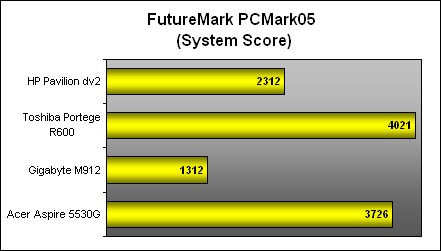
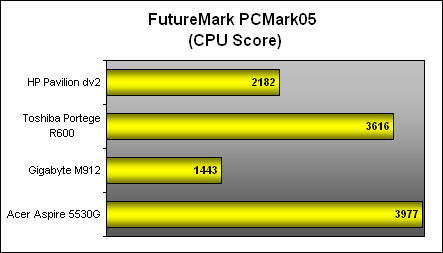
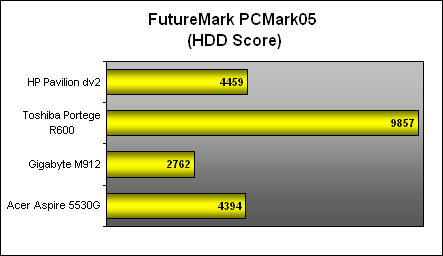

On the gaming and 3D side of things, you'll note that the dv2 excels much better against the Gigabyte M912 and Toshiba Portege R600 thanks to its decent discrete graphics. This will allow for some light gaming, but only at very modest game quality settings. This really isn't the system you're looking for gaming purposes.

Slightly Thin and Shiny
HP's Pavilion dv2 does have a lot going for it - it's a none too shabby machine that delivers much better performance than the Intel Atom based machines; but this is to be expected from its specs, of course. Our tests have shown that while it's nowhere near the Intel Core 2 Duo ULV processor based machines in terms of performance and power consumption, the AMD Neo MV-40 processor still manages fine on its own. AMD is trying to fill a niche that it has identified - a low cost ultrathin notebook platform - and it does that decently well with the help of HP. Given the choice of getting an Intel Atom based ultrathin notebook or an AMD Neo based ultrathin - well, the choice is obvious; provided that the notebook has decent battery power to boot like the dv2. This is because the Yukon platform does consume more power than the Intel equivalent platforms.
Since we're on the subject of power and battery life, we had hoped that the dv2 coupled with a 6-cell battery would do exceedingly well in delivering an optimal battery performance. While 2 hours 26 minutes is nothing to sneeze at, it's not really sufficient to make us change our minds about the somewhat less than expected battery life from the dv2 even when using an extended battery. It may be a thin notebook, but it's nowhere near as portable as a machine that's using Intel's ULV processors as shown in our portability index.
While we didn't review the Dell Mini Inspiron 12, our brief hands-on experience with the 12-inch Intel Atom based notebook running on Vista was sluggish and we didn't quite enjoy the experience. Similarly, we also had the same complaints with the Intel Atom based Gigabyte M912 mini-notebook that was running Vista. On the other hand, the HP Pavilion dv2 ran reasonably well with no discernible slow downs that should please the more picky folks. However, this is just with normal day to day use and you should expect performance limitations with heavy productivity and multi-tasking usage, similar to the Intel Atom based machines.
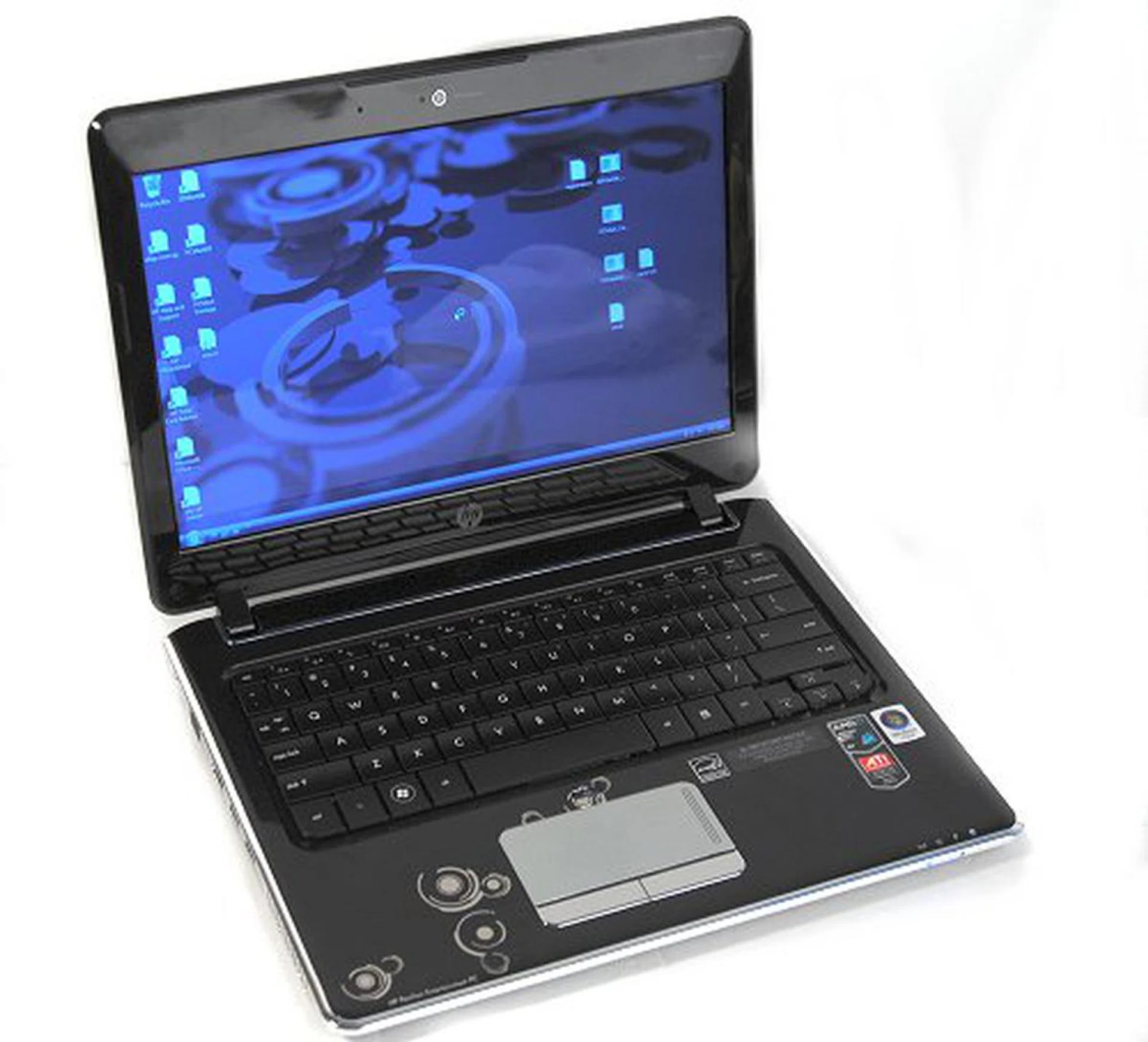
While the HP Pavilion dv2 does have some flaws, it's still a pretty looking and decent performing notebook that gives consumers a cheap choice in the ultraportable/ultrathin market.
Lastly, while we could find no fault with the overall design and build of the dv2, we're still slightly irritated with the glossy surfaces that do nothing but turn the pretty looking machine into a smudge magnet. Otherwise, you'll find yourself in love with its pretty design, good looks and solid build. Price wise, the dv2 will set you back at a price of S$1299. Definitely expensive compared to an Intel Atom based mini-notebook and considering that more powerful regular but bulkier machines are available for the same price range. It is however definitely much more affordable than what you would expect from a 'similar sized' Intel ULV based machine, and is really the key point for you to consider if you're thinking of getting this notebook.
Our articles may contain affiliate links. If you buy through these links, we may earn a small commission.