
BlackBerry Storm2 - For a Rainy Day
Departing from its usual QWERTY-based devices, Research in Motion launches its second touchscreen BlackBerry device, the BlackBerry Storm2. With its predecessor being marked down significantly, we put the new Storm2 under close observation and present our findings in this review.

The Second Coming
When it comes to product introduction, Research in Motion (RIM) has always taken on a modest approach. Over the last two years, two significant BlackBerry devices have been introduced, namely the and its successor, the . But departing from the usually trodden path, the company has progressed beyond its QWERTY keyboard association with the unveiling of its first touchscreen device, the .
The Storm, however, was a step too soon for RIM. Plagued with problems related to its usability and its SurePress feature, the Storm, for the lack of a better word, wasn't that much of a storm as it is a drizzle on our expectations. Learning from one's mistake is the mark of a successful product. And that will be duly explored with this full review of the BlackBerry Storm2 9520.
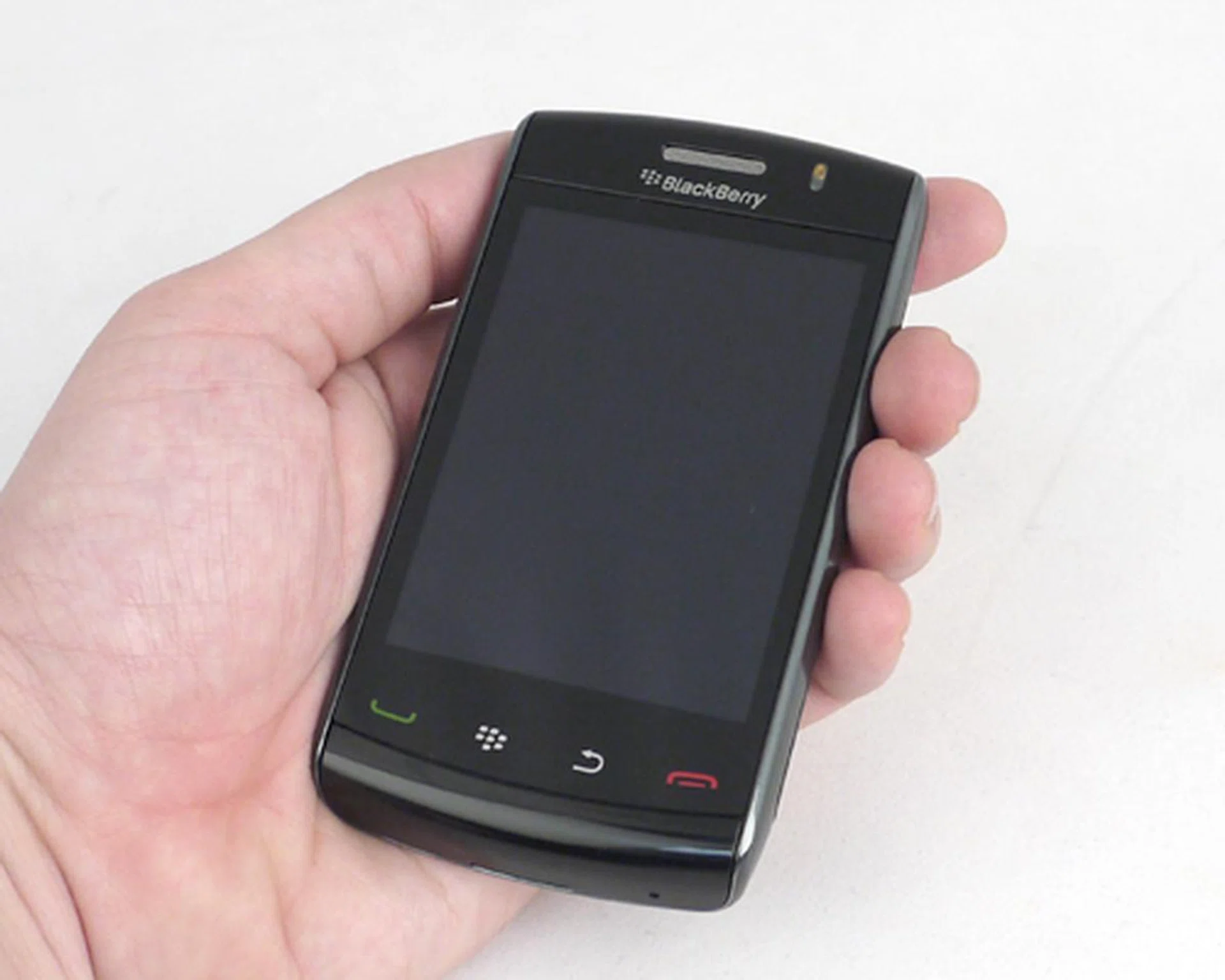
BlackBerry Storm2 9520
Honey, I Did Not Shrink the BlackBerry
Unlike the BlackBerry Bold 9700 that was reviewed just a while back, the Storm2 retains the exact same dimensions as its predecessor. This includes the same 3.25-inch screen at 360 x 480 pixel resolution, with not many changes on the aesthetics of the device either. The Storm2 now tips the scales a tad further, weighing at 160g instead of the previous 155g. While the additional five grams isn't that much of a difference, you have to remember that the original Storm was quite hefty to begin with.
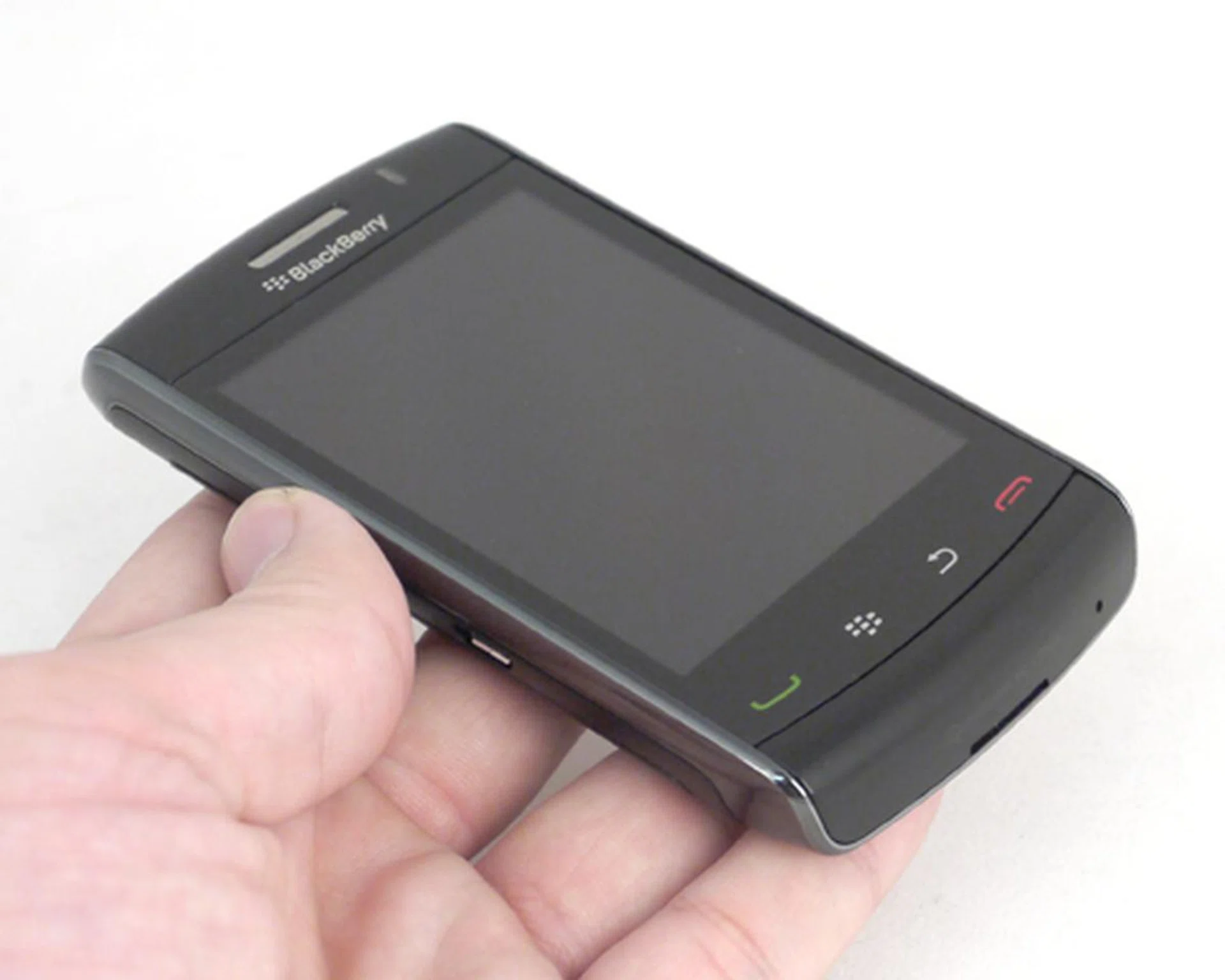
Same old Storm2, but with a slightly heavier profile for some added features. If you aren't too observant, you might mistake the Storm2 for its predecessor.
Handling the Storm2 won't be as easy, compared to its lighter non-touchscreen cousins. Though it fits quite snugly into one's pockets, we do feel weighed down by the excessive bulk. On hand, the Storm2 fits just nicely into our palms. Its width does pose some problem with speed typing, requiring us to stretch our thumbs to reach the edge of the screen.
With near similar design aspects on the Storm2, there's not much surprise when it comes to the button layout. Below the screen, we have the usual Call/End buttons flanking the Back and Menu buttons. Elsewhere, most of its other button placements didn't see any shuffling. So for the loyal BlackBerry users, the familiar layout will give you a head start and plunge you straight into the experience.
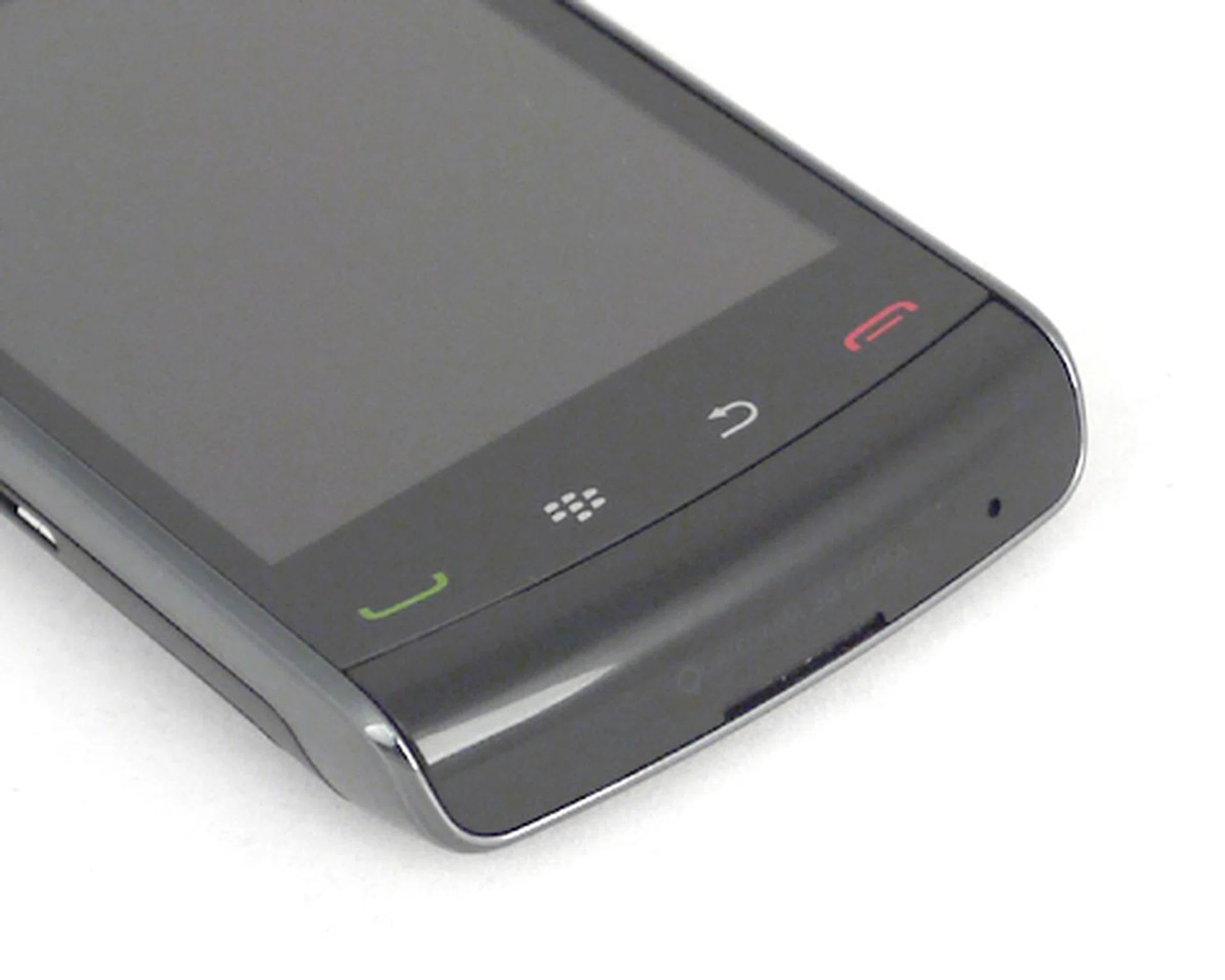
The updated SurePress feature is also translated onto its Call/End, Back and Menu buttons, removing the physical button concept as seen on the Storm.
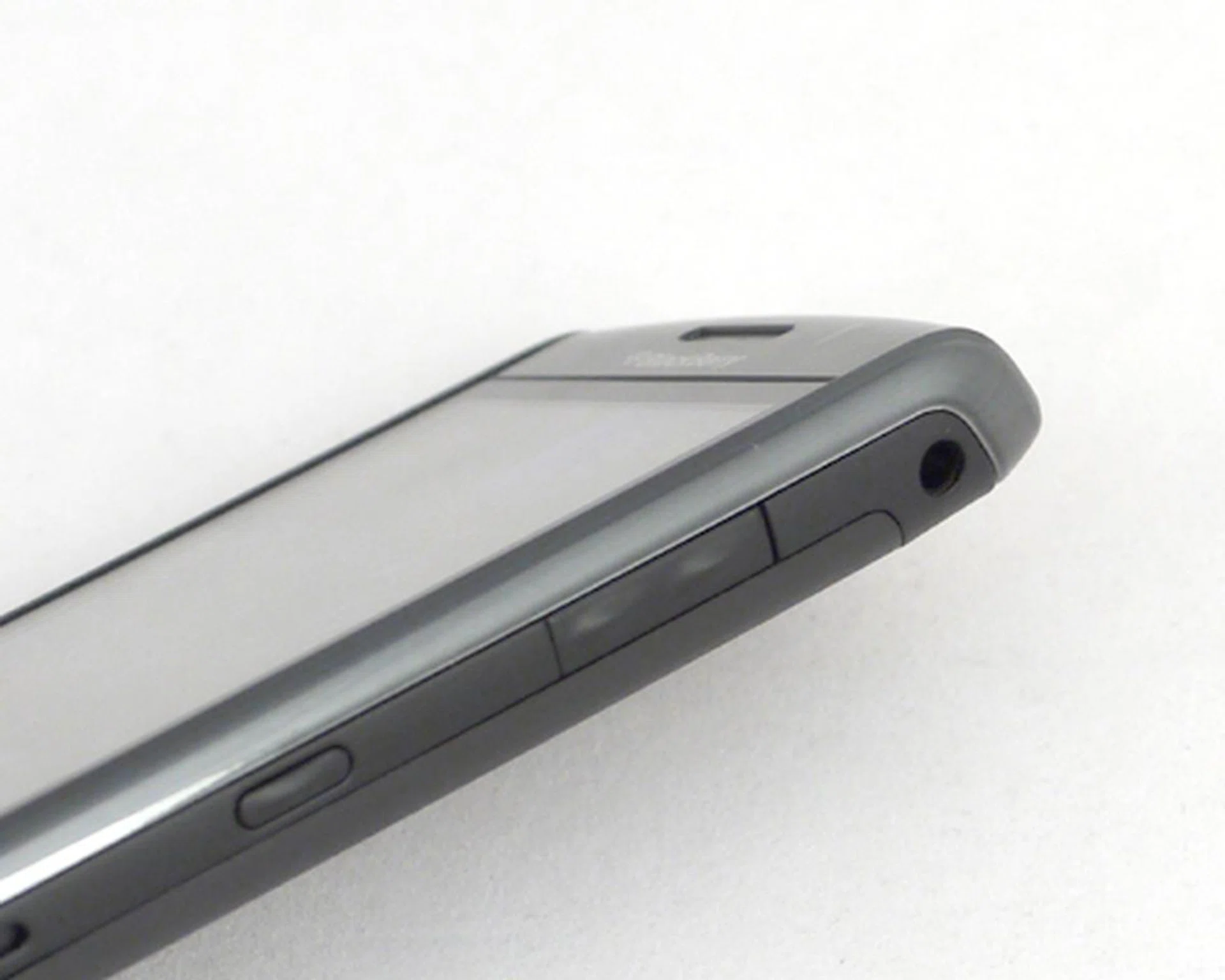
The 3.5mm audio port is now fully flushed with the device's side profile, unlike the Storm's slightly jutted out port. We were hoping for some multimedia buttons as seen on the BlackBerry Curve 8520, but alas, none was found on the Storm2.
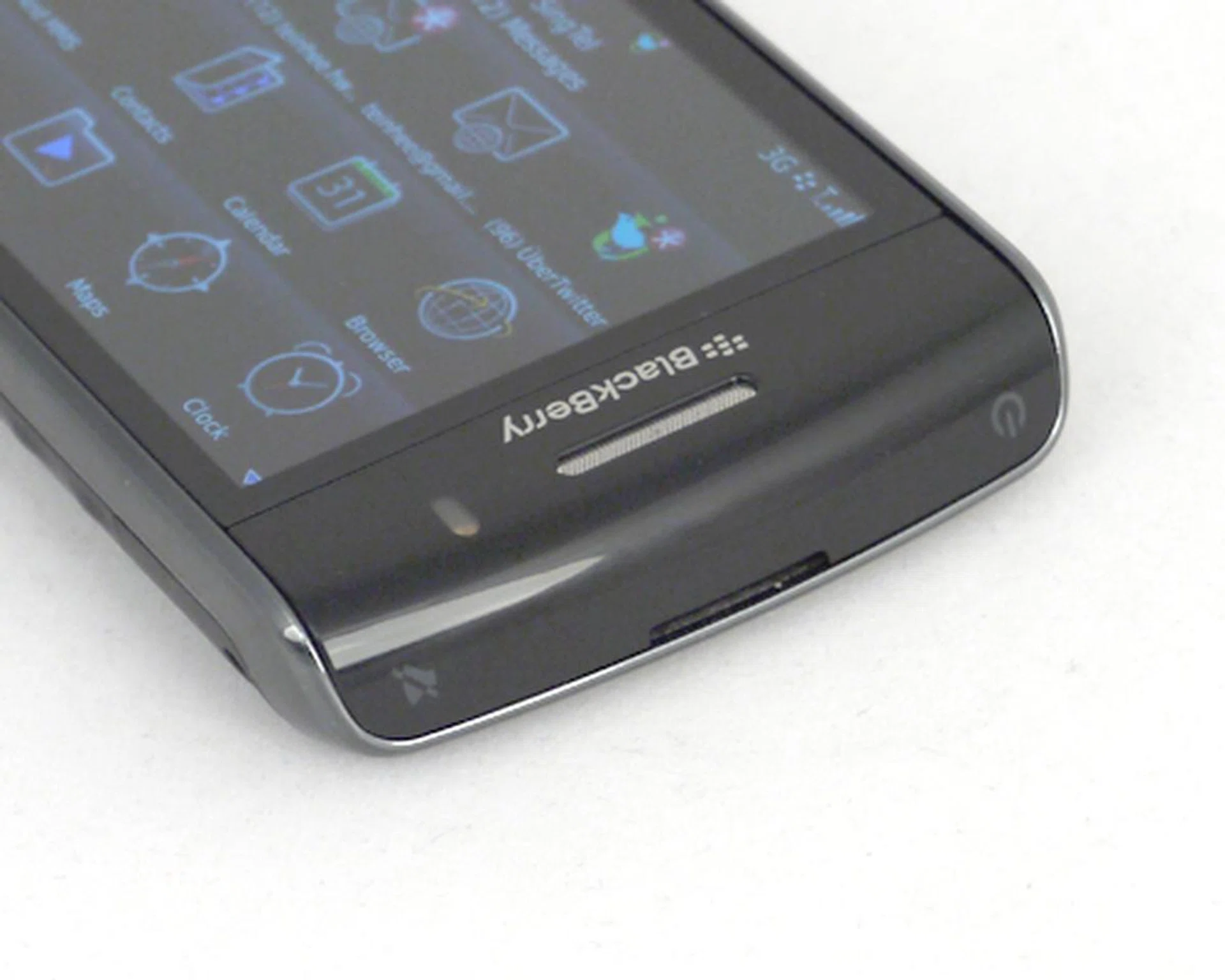
The top of the device is pretty bare with just the Power and Mute buttons.

The microUSB port will be utilized for both data and power charging purposes.
The rear of the device does have some slight aesthetic makeover. The Storm previously had its speakers fixed at the rear, with two little plastic 'feet' to raise the device. While you might not be using the speakers much, having it stuck behind the device with only a small pivot to release the sound while it's lying flat isn't the best design concept. Fortunately, RIM identified this problem and relocated the speakers to the bottom of the device.
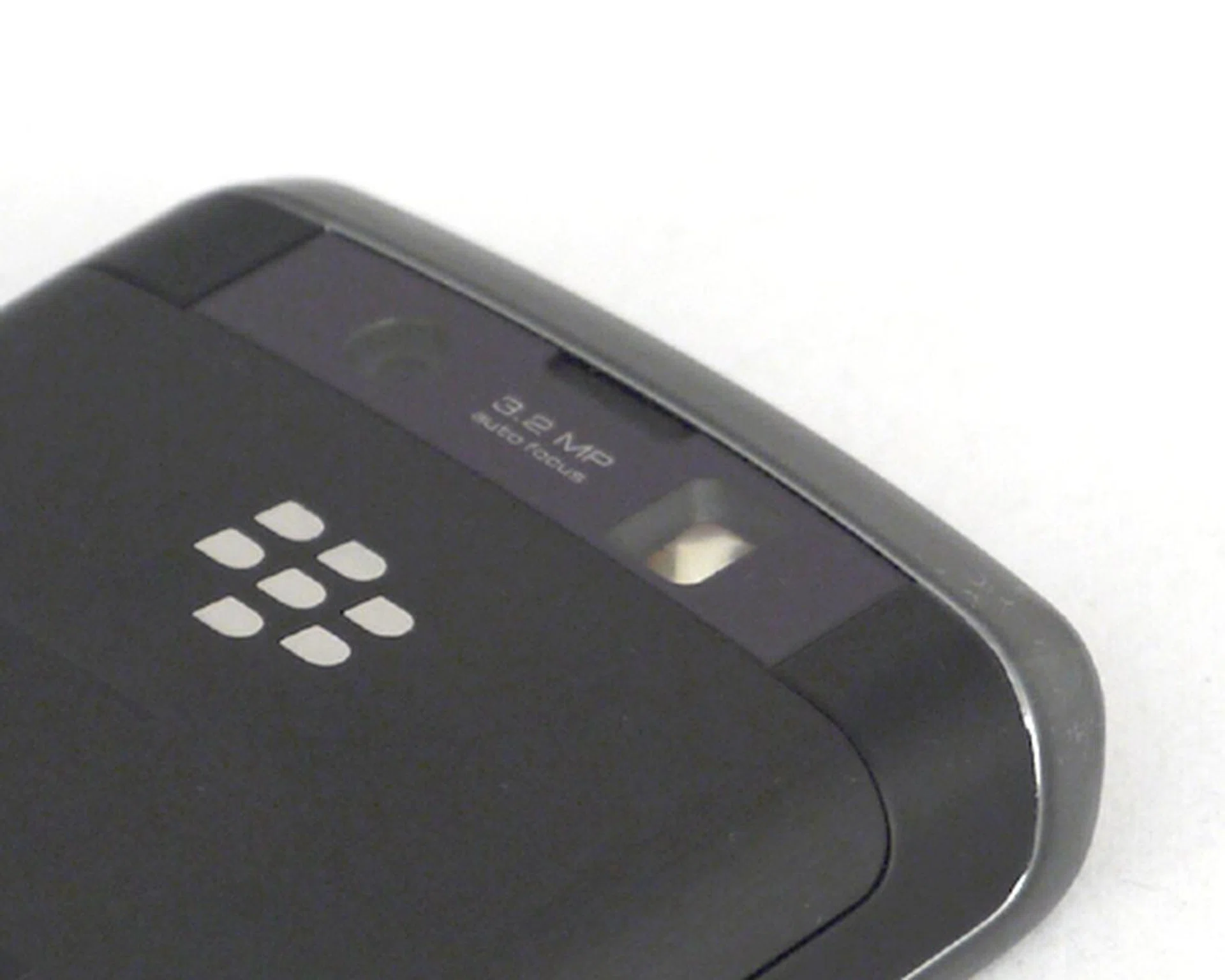
There isn't really a lot of changes on the Storm2, even for its camera which retains the 3.2-megapixel sensor.
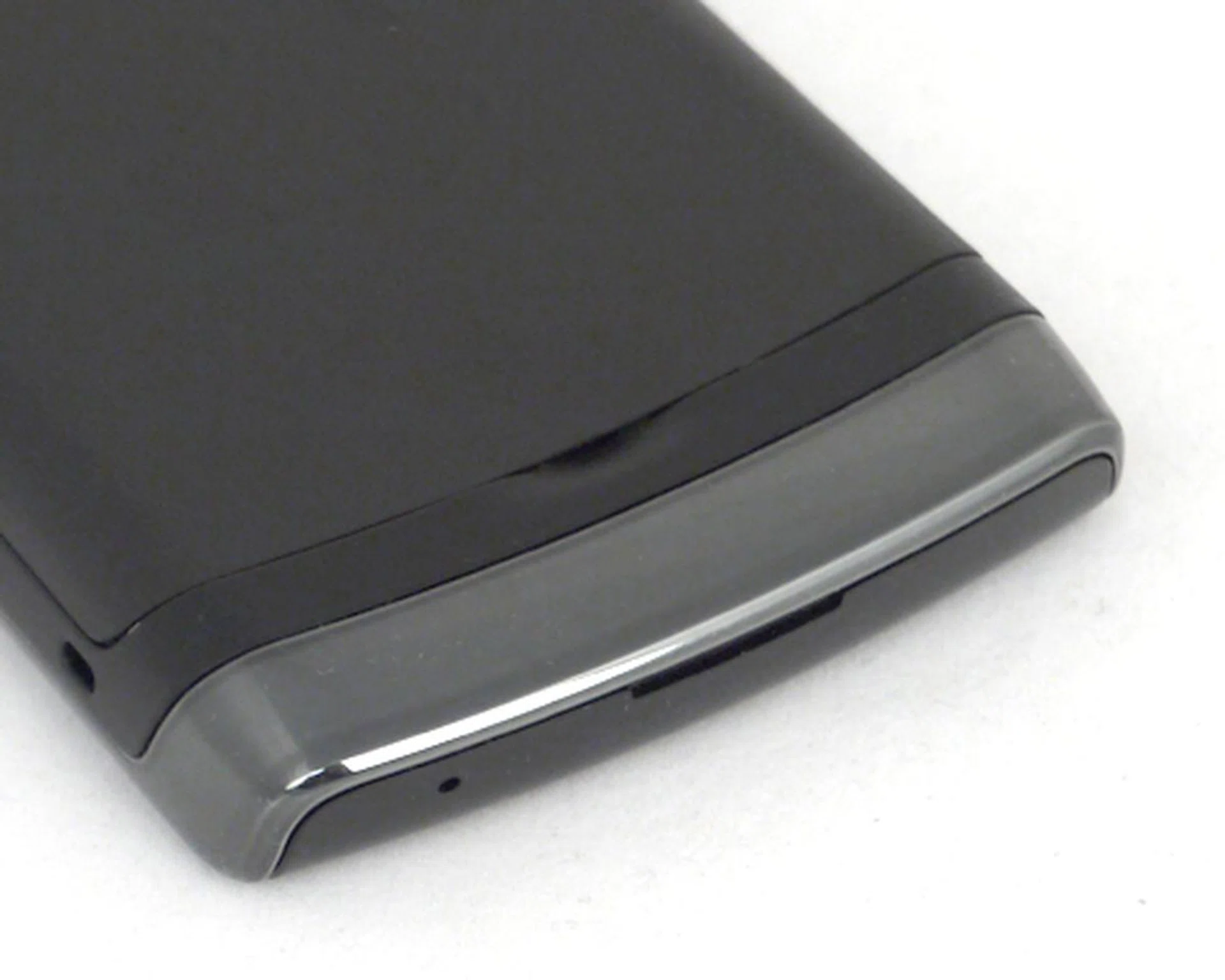
A relocated speaker at the bottom of the device makes music broadcasting easier, though clarity is another issue altogether.
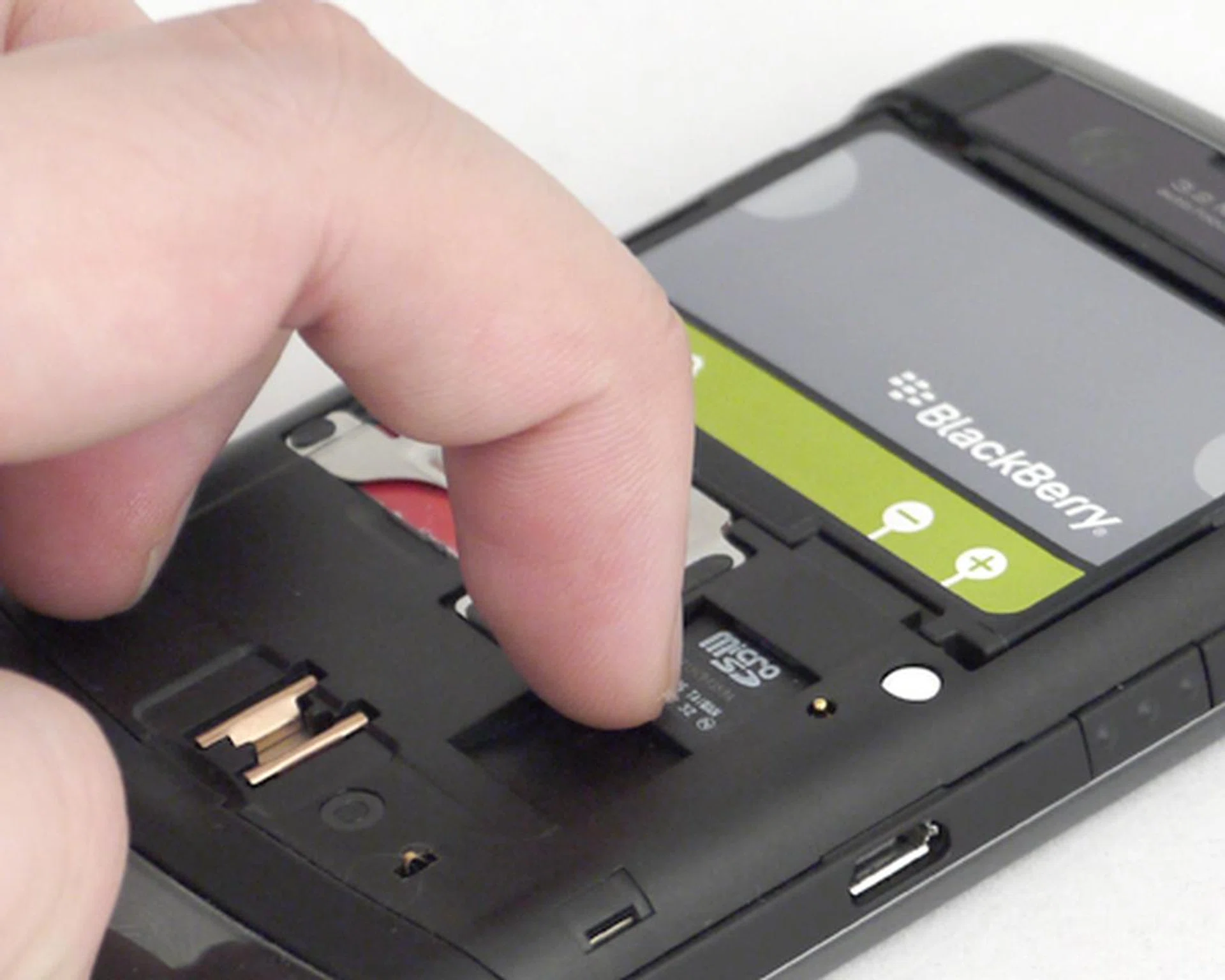
Inserting the microSD card is easy. Removing it, however, would be a task for the nails.
Surely, Not Impressed
The Storm2 doesn't exactly come with a torrent of updates. The SurePress feature from the original Storm is brought over to its successor. There are some slight modifications, one of which is the ability to perform multi-press on the keyboard. On its predecessor, the onus is upon the user to constantly hit the Alt, Symbol or Number button to swap between the different set of keys. With that out of the way, the Storm2's SurePress does come with a slight improvement. Herein lies another double-edged sword - the same two-thumbed operation also saw restrictions in typing. The thumb that holds the Alt key down would effectively restrict access to any surrounding keys due to the key spacing given on the virtual keyboard.
The SurePress feature has also seen some slight improvement from its predecessor in terms of tactile feedback. On the earlier version, inputs along the outer edges of the screen were mostly unregistered, leaving us frustrated. Our typing experience with the Storm2 has shown better and faster inputs along the screen. Better, but not our choice given the amount of mistypes and the slowdown in typing speed to improve upon our typing accuracy.
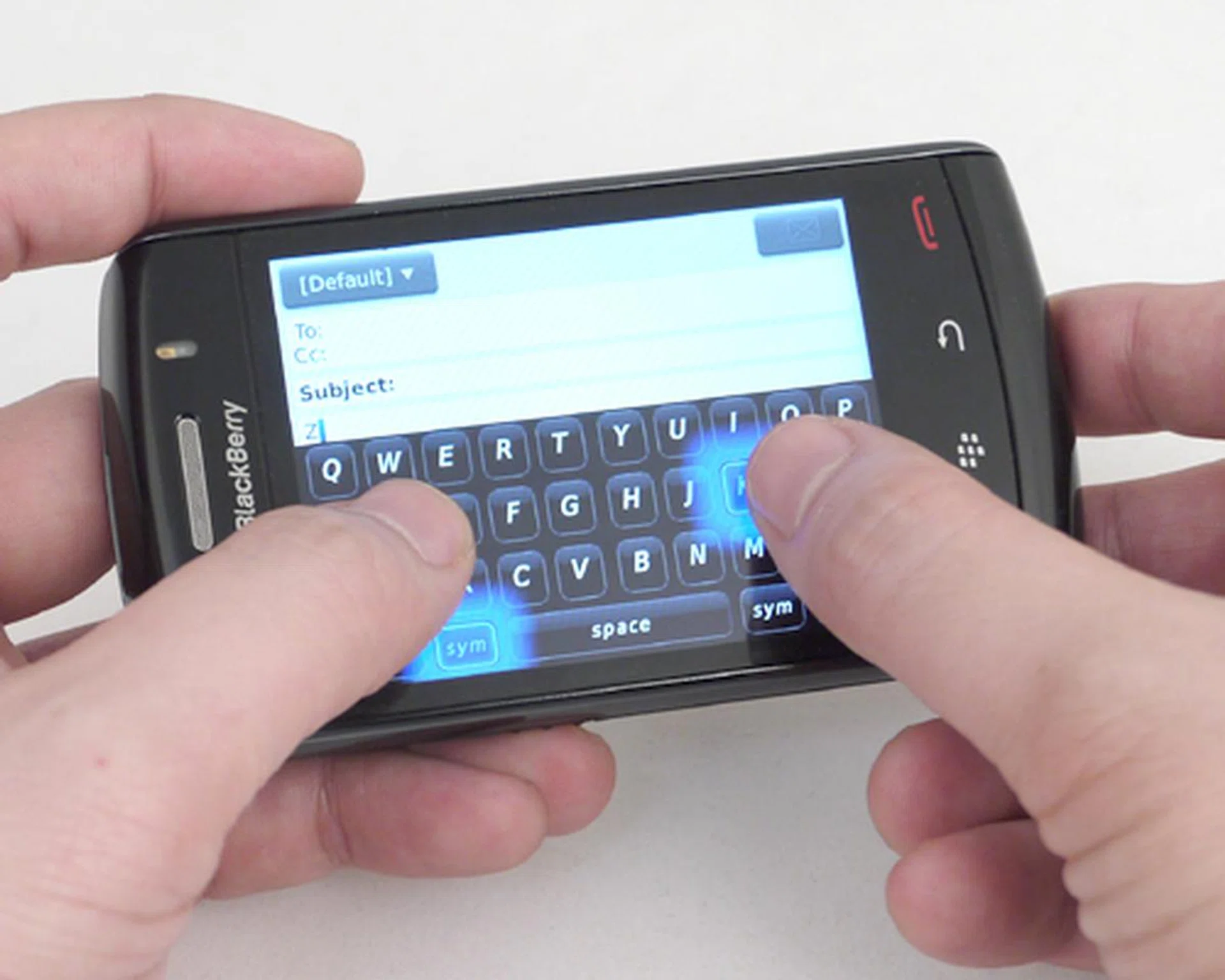
Unlike the Storm, the Storm2 registers two inputs at a time. The problem lies with key spacing, where one thumb would block access to the nearby keys.
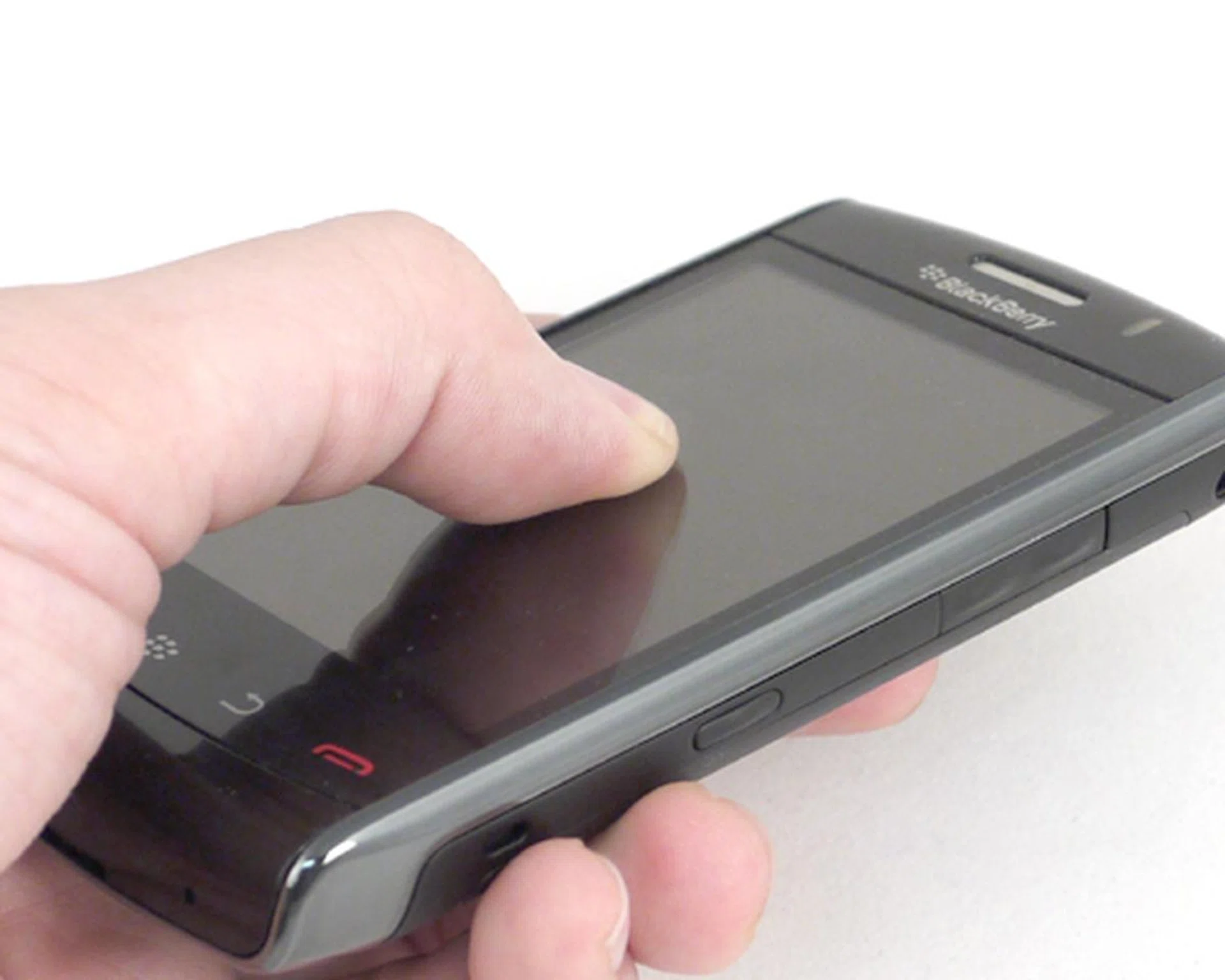
With the device locked or powered down, the screen stays in place, thus eliminating our grouse with its predecessor's flimsy and constantly clickable screen.
Like the BlackBerry Bold 9700, the Storm2 gets a timely update to the latest BlackBerry OS 5.0, which boosts performance within the interface. The most noticeable improvement is the speedier toggling between screen orientations where we now see it swapping from the portrait half-menu to a landscape full-menu in less than a second.
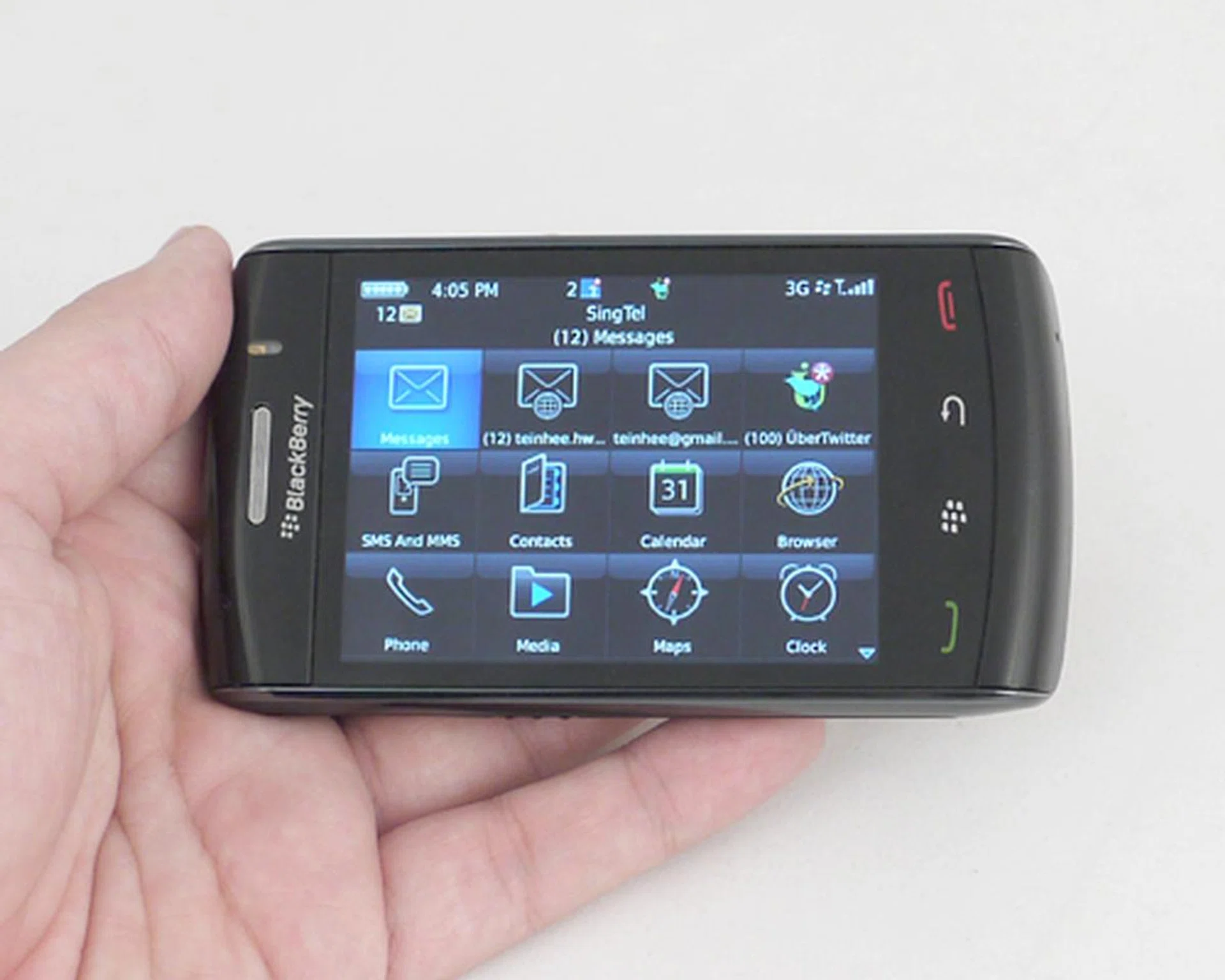
Switching from the portrait half-menu to the landscape full-menu is much faster than the Storm.
Likewise, there aren't a lot of changes on the aesthetics within the menu. What you'll notice is the inclusion of new selections such as the BlackBerry App World, which we covered earlier on in the Bold 9700 review. As of now, apps are still limited in numbers.
As some of you might have noticed, the Storm2 now includes Wi-Fi capability on top of its HSDPA connectivity. The flexibility of switching to a Wi-Fi connection is definitely a welcomed addition, seeing as how you might find yourself overseas with a weaker cellular infrastructure. Focusing on the local context, however, you should find the 3.5G speeds more comfortable and reliable.
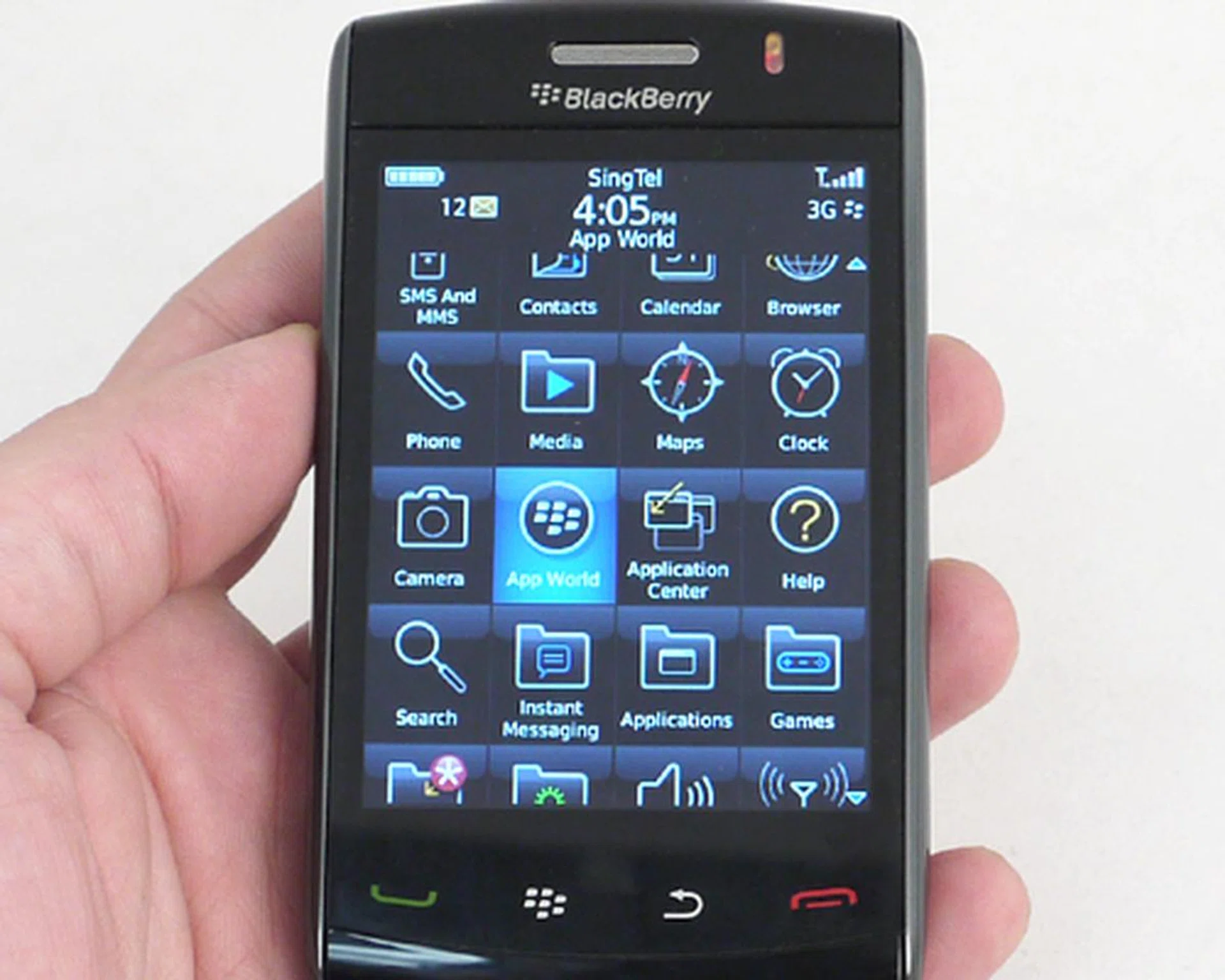
Same old interface, with no major changes other than the additional BlackBerry App World to download apps to enhance your mobile experience.
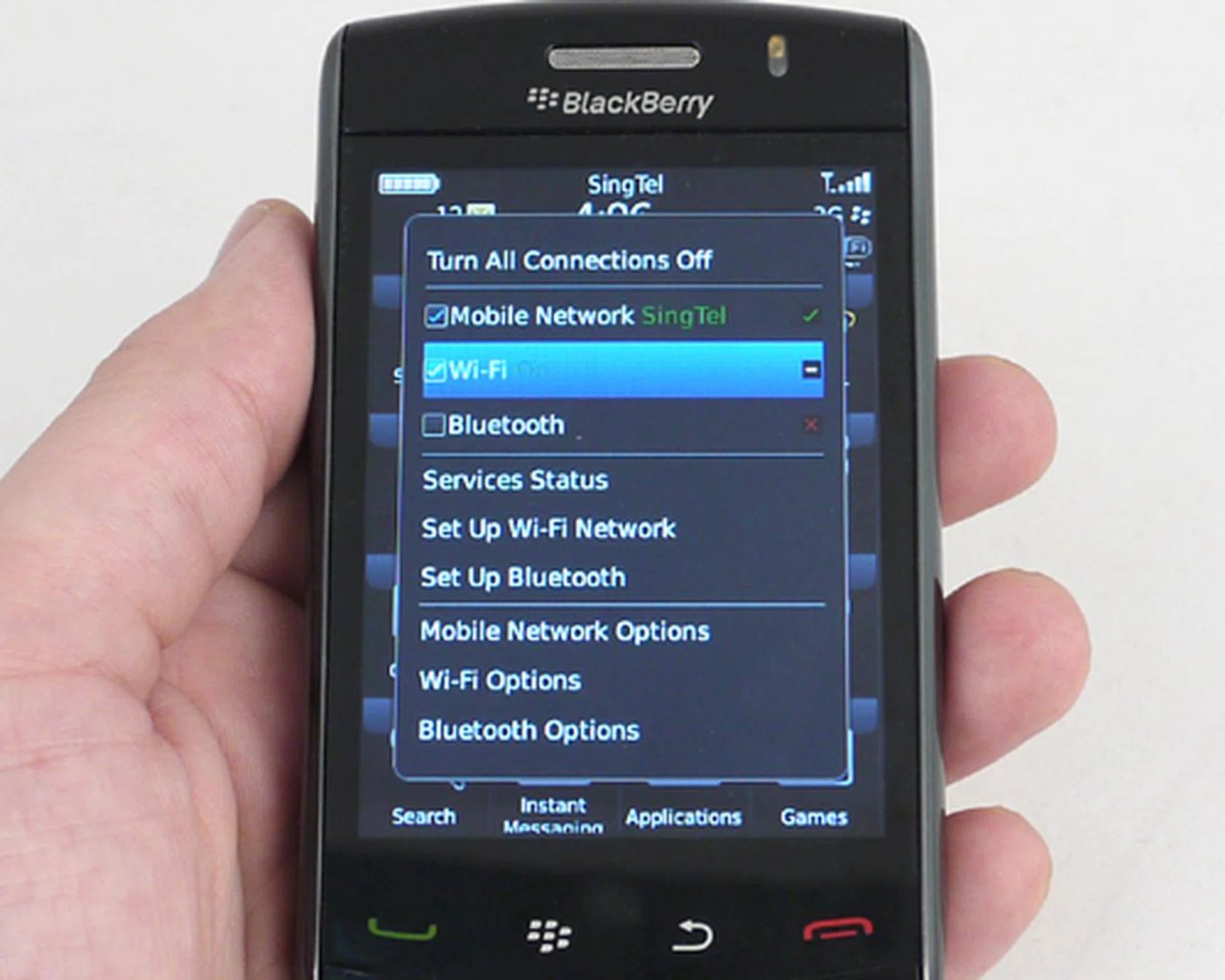
Having the option to utilize Wi-Fi access will be great for locations with less than stellar performances in cellular coverage.
Striving to be the Perfect Storm
Earlier on, we've mentioned the improvements of the SurePress feature, and what you can expect out of it. To put things into perspective, we did some field testing of the Storm2's messaging capabilities. We replied most of our emails being pulled via the BlackBerry Internet Service, and most of the time, we'd opt for the numeric keypad for its larger and more accessible keys. Using the QWERTY virtual keyboard, our typing speed was slower than usual, with a dip in accuracy levels. With the QWERTY and SureType keypads having its keys clustered together, we'd have to recommend the numeric keypad for a better typing experience.
Having a larger and higher resolution screen does help in placing the Storm2 as a decent multimedia device. Sans the lack of dedicated multimedia keys, the Storm2 has the chops as it handled videos with aplomb. Video quality was good, with minimal frame losses for high FPS scenes. Audio quality however isn't as splendid as we had hoped. Bass levels sounded flat and lacked the soul and reproduction of a strong bass track.
Its imaging capability won't be seeing any notable changes, since it sports the same 3.2-megapixel sensor. Likewise, there's not much change in its photo quality. In the case of the Storm2, it's for the better as colors turned out great from the color charts.
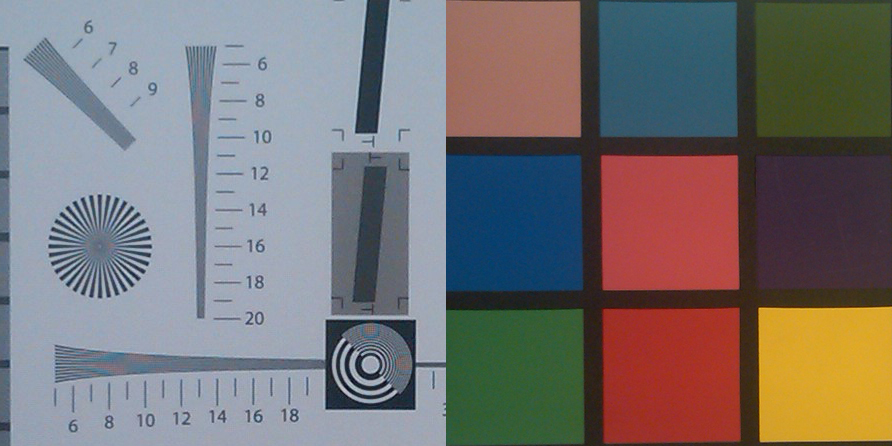

Its white balancing performance is however a mixed bag under harsh incandescent lighting. An inconsistency with some cool and overly warm hues got us confused. Nonetheless, under normal lighting conditions, the camera worked out pretty reasonably. Detail levels are a different matter though. While we didn't note high noise levels, there was a lack of sharpness throughout the captured image.
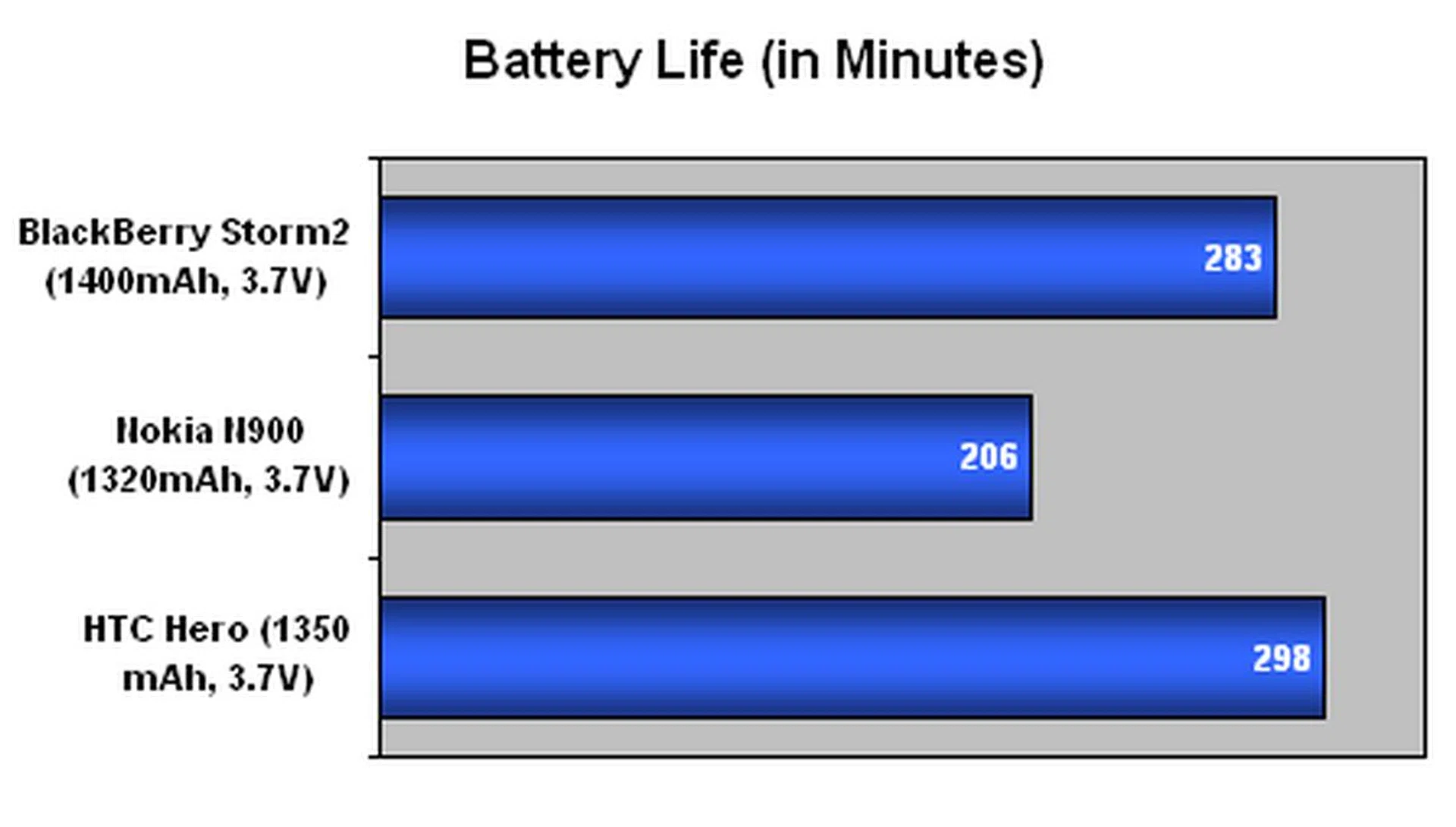
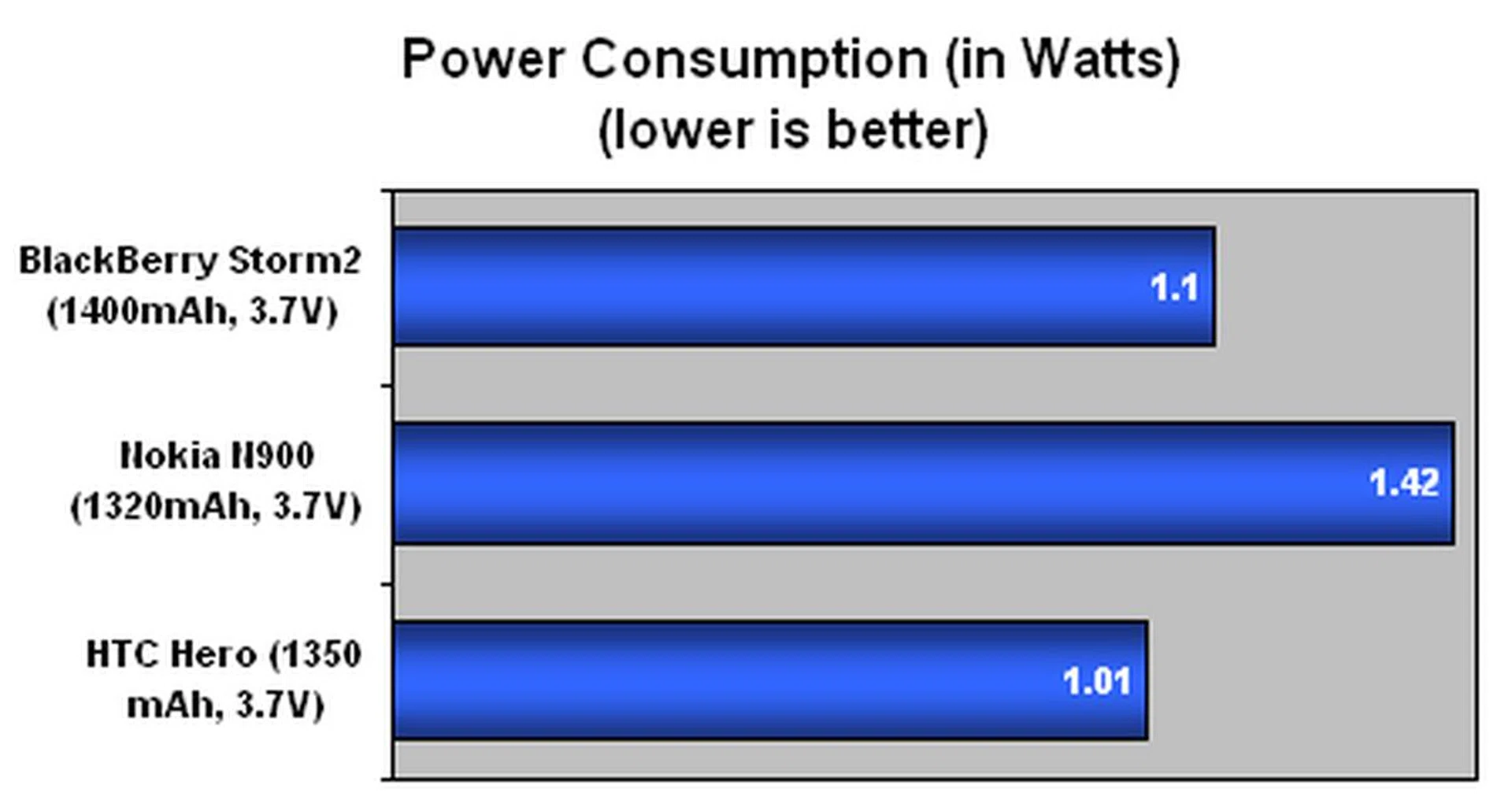
Getting a good battery mileage is still an important factor for almost any mobile device. This is especially so with BlackBerry devices, with constant data being streamed to it via the BlackBerry Internet Service. With either the cellular or Wi-Fi network up, it goes without saying that there's a need for better power efficiency on the Storm2. As usual, our battery test parameters include the following conditions:
- Playing a 240 x 320 resolution video on an endless loop.
- Wi-Fi and Bluetooth active
- Screen brightness at 100%
- 3.5mm headset plugged in with volume at 100%
From our test outcome, we also compared it against devices of similar class or specifications, and the results are as below:
Specifications/Device | BlackBerry Storm2 | Nokia N900 | HTC Hero |
Connectivity |
|
|
|
Dimensions |
|
|
|
Weight |
|
|
|
Screen size |
|
|
|
Battery |
|
|
|

Aftermath of the Storm
So how does the Storm2 fare in the aftermath? For us, we do acknowledge the various improvements implemented on this succeeding model from the original Storm. Its SurePress feature has been enhanced and given better tactile feedback, on top of a multi-press support for a better typing experience. But size it up against the competition, and we found the Storm2 to be lacking in a few aspects. Its touchscreen interface might have seen some polishing but it needs more work for an intuitive experience. For RIM, it's more an issue of tossing traditions aside to truly forgo the physical aspect.
Software updates are always a good thing, and the new BlackBerry OS 5.0 does see some speed upgrades. To be obvious about it, we noticed that the interface felt much smoother and auto-rotation is much faster than it was on the Storm. Beware though, you still get the occasional slowdowns with multiple apps running in the background. This is even more pronounced with the BIS (BlackBerry Internet Service) running non-stop to push mails onto the Storm2.
The Storm2's list of upgrades also includes a Wi-Fi connectivity option, which does complete the package for any smartphone out there. However be cautious and don't overly rely on your Wi-Fi connection because it will drastically reduce your battery mileage when you really need it on long haul trips with no easy access to the power socket. If it's an all-in-one experience that you're aiming for with the Storm2, power efficiency is even more important with videos playing back on its 3.25-inch screen at HVGA resolution. The music experience fell short somewhat, but we think it's still within an acceptable range considering it's a mobile phone above all else.
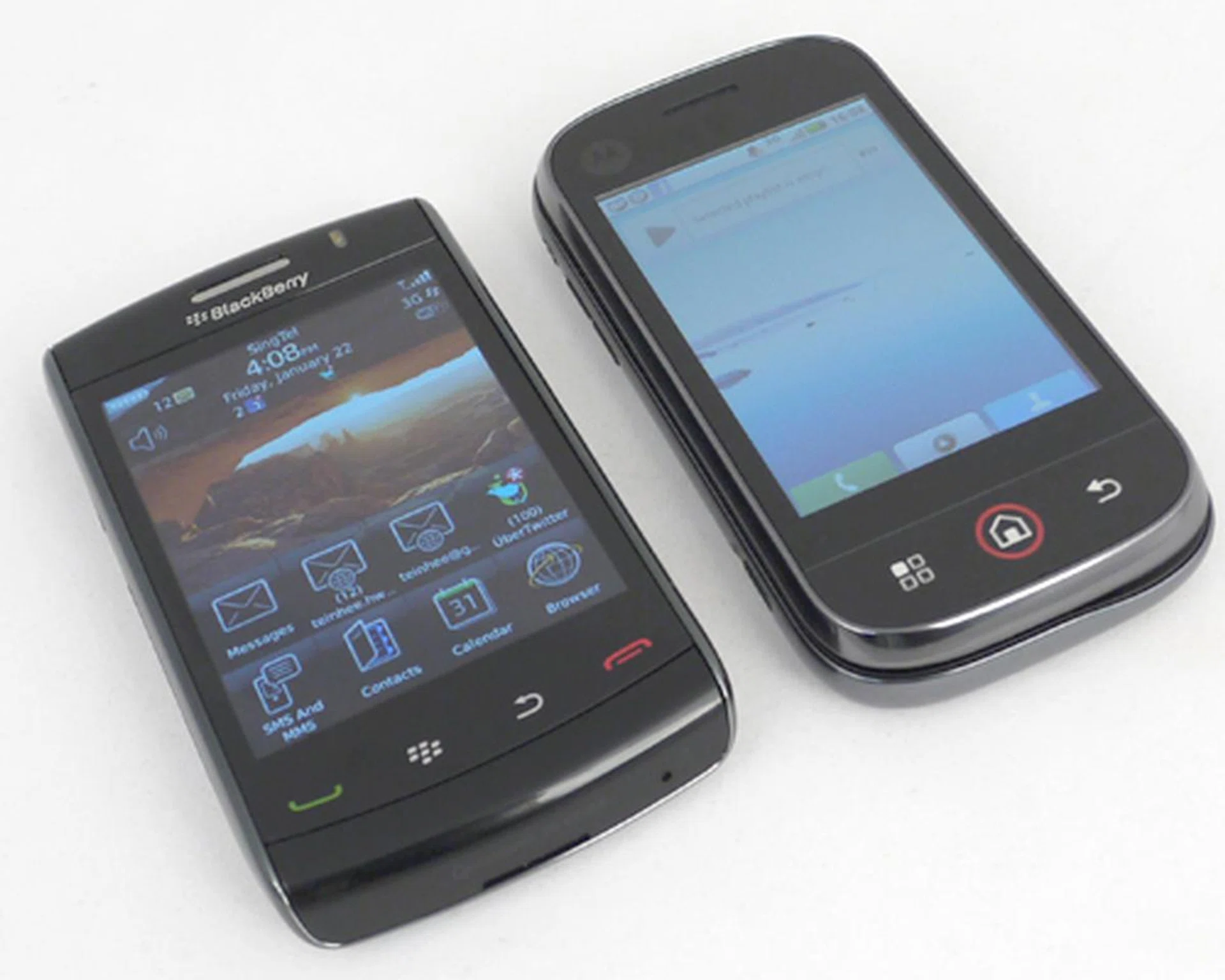
There are just too many touchscreen devices out there for the Storm2 to make a difference, and devices such as the Motorola DEXT covers both the touch and QWERTY experience aptly for flexible usage.
One of the downsides that might affect the Storm2's outlook is the lack of multimedia buttons for easy media playback options. Besides our grouse on what we would have preferred on the device, there's actually no major facelift on the Storm2. You get the same phone profile, but in fact it weighs slightly heavier at 160g, Handling the unit could get tiring, especially so for those with delicate hands.
Though we mentioned there is no major facelift for the Storm2, that's not to say there aren't any changes. The SurePress feature is now extended to the Call/End buttons. Now with the unit powered down or locked, there won't be anymore irritating and unnecessary 'clicks' from pushing against the screen. It's a stark difference from what we were treated on the original BlackBerry Storm.
Despite the diverse range of smartphones available for almost anyone at any price point, there will always be some who can't live without the BlackBerry Internet Service. If you are one those who belong to this group and hope to migrate to touchscreen devices, we would wholeheartedly recommend the Storm2 over the Storm. Obvious reasons aside being that it's the newer of the two, the Storm2 does rectify some of its earlier sibling's shortcomings. But take heed, if typing speed is still your biggest purchasing consideration, stick to RIM's non-touchscreen, QWERTY lineup such as the BlackBerry Bold 9700, or for that matter, its original Bold.
Our articles may contain affiliate links. If you buy through these links, we may earn a small commission.