
Sony Ericsson PlayNow plus - Swift Unlimited Music
Music phones have greatly evolved beyond just handling audio playback. Sony Ericsson's brand new Walkman device, the Sony Ericsson W705, will be the first device featuring the new unlimited music download service, Sony Ericsson PlayNow plus, optimized for your mobile device. Check out our initial thoughts here!
Sony Ericsson PlayNow plus Lands in Singapore
Sony Ericsson users out there might have seen and heard about PlayNow, one of Sony Ericsson's entertainment portal accessible via a Sony Ericsson device. And just a few months back, we were introduced to Sony Ericsson's PlayNow Kiosk that offers affordable DRM free music and movies to consumers when one docks and connects a Sony Ericsson device to the said kiosk. The stage has been set, and through a joint collaboration between SingTel and Sony Ericsson, the unlimited music service dubbed as PlayNow plus will be available to consumers, via the brand new Sony Ericsson W705.
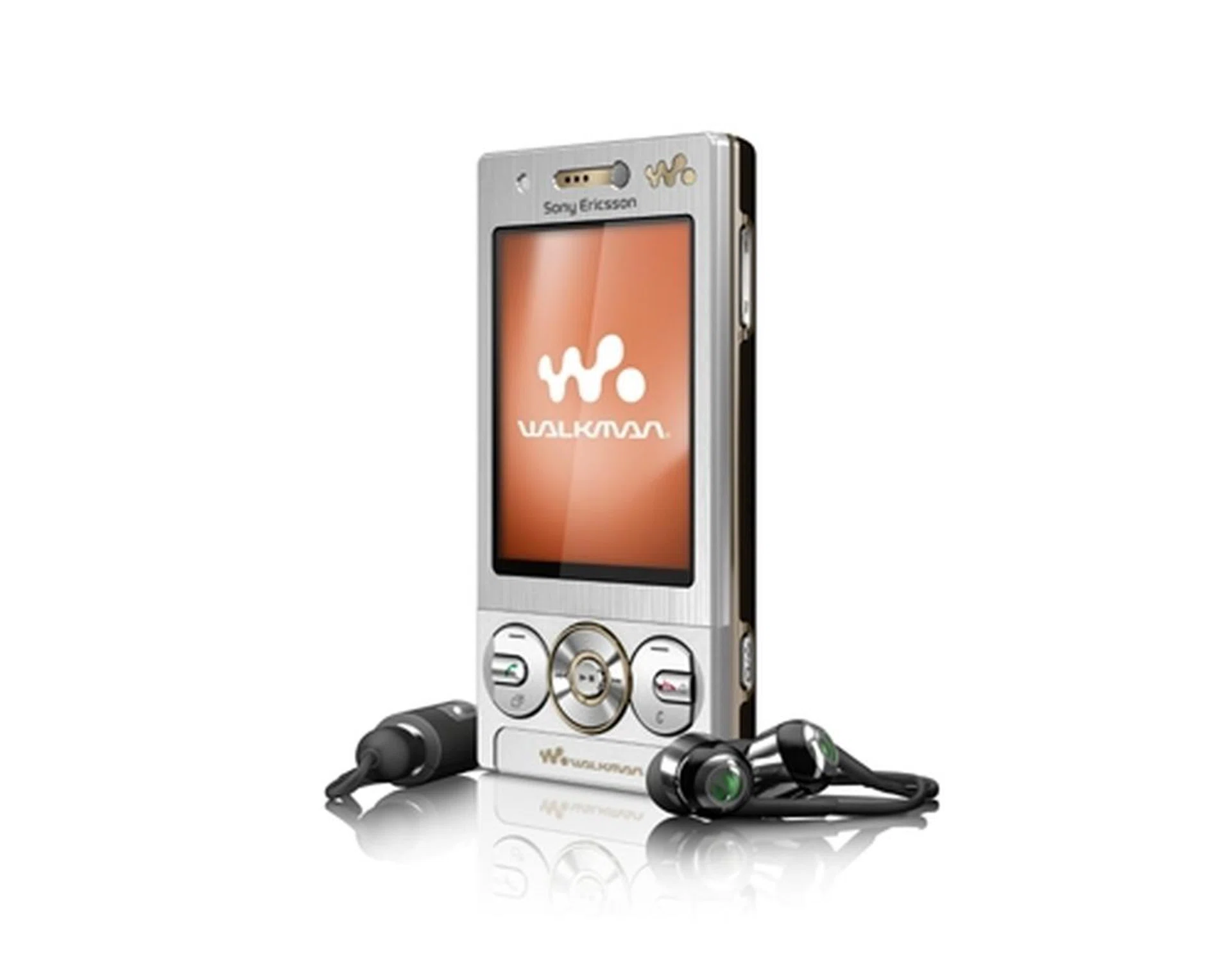
The all new Sony Ericsson W705 was unveiled at the media event held at the SingTel ComCentre, alongside...

...the unlimited music service known as PlayNow plus, which offers speedy downloads of smaller files via the Sony Ericsson W705, or CD-quality tracks on the PlayNow Plus PC client (as shown above).
The PlayNow plus service will be available exclusively to SingTel users who purchase the Sony Ericsson W705. Over a period of 12 months with the PlayNow plus service, you get unlimited music downloads on both your W705 and your PC client. Out of the box, the W705 will also come with 1000 tracks preloaded on it, so you can start grooving to the beat while you search for more songs to download. Other perks offered by Singtel when purchasing their mobile plan and the W705 phone include a 4GB Memory Stick, an additional year of free data usage, 90 days of free MP3 ring tone subscription service and the option to get a Passionate Red color model of the W705 (exclusive to Singtel only).
And, to reward consumers for choosing the PlayNow plus service, you'll be offered 200 DRM-free tracks based on the most often played song on your W705. You saw the word DRM? That's right, digital rights management will apply for songs that are downloaded over the 12 month period.
Traditionally, music phones have been coupled with PC clients to allow side-loading, the act of transferring and synchronizing your music files from your PC to your mobile device, and vice versa. Sony Ericsson took an alternative route and decided to do away with side-loading. We did ponder and enquired on the reason for omitting the side-loading feature, and will be exploring the pros and cons of both the mobile and PC experience in the upcoming pages.
Mobile Quality Music
The focus for PlayNow plus falls upon its mobility nature, i.e. the ease of getting music over-the-air (OTA) in under a minute. Achieving this requires a different approach as what other online music stores are offering in the market, such as Apple's iTunes Store and the Nokia Music Store. And that lies within the encoding nature of the songs within the library. Songs that are downloaded OTA will generally have reduced bitrates (eAAC+, 24kbps) to minimize downloading times. With each track at approximately within the 1MB range, you can download songs at a fraction of the time as compared to 'full quality' tracks. Perchance you are more nitpicky with your audio experience, you can also opt to download songs in near CD quality with the AAC+ format at 48kbps bitrate.
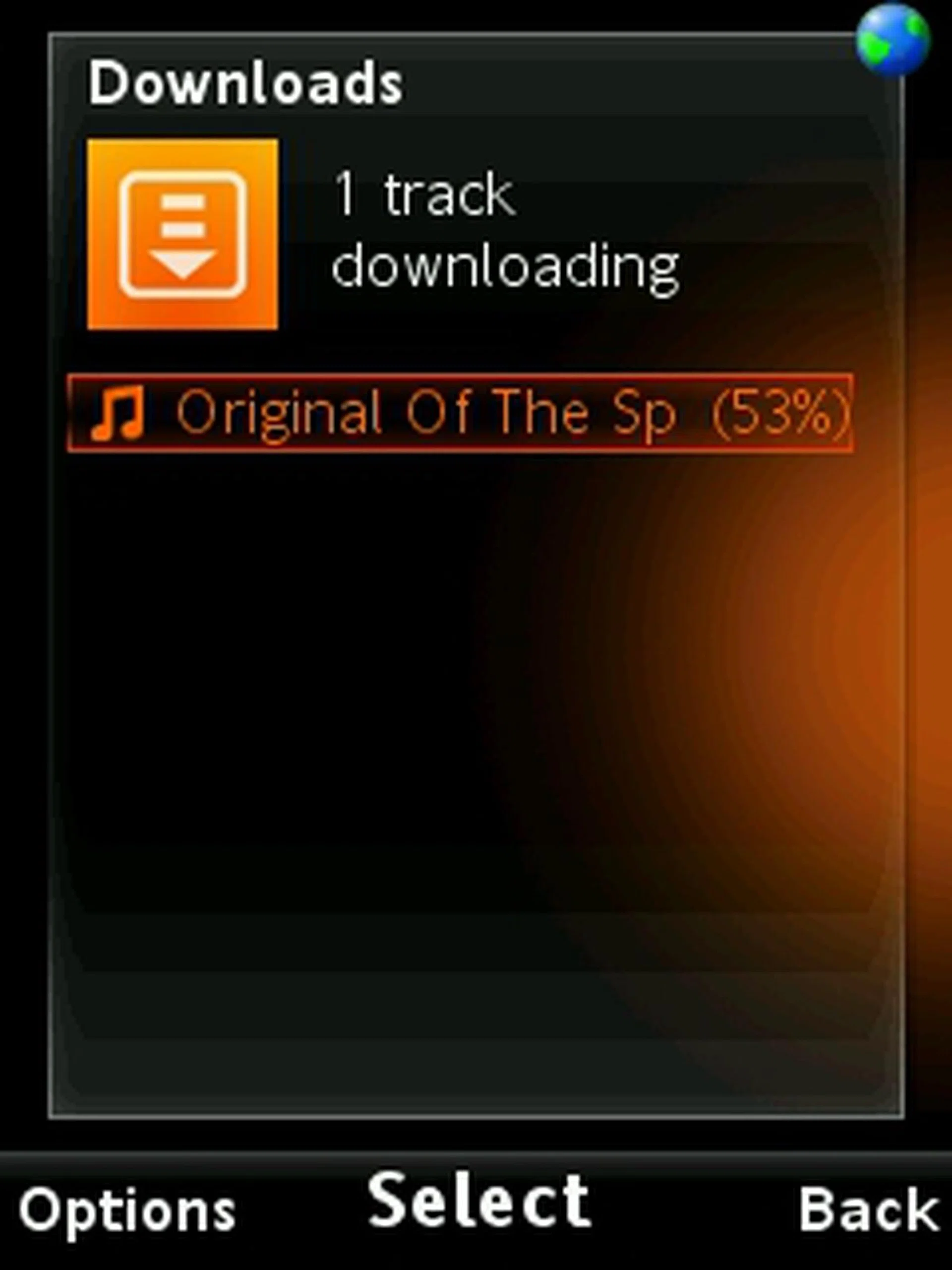
With a lower bitrate encoding and thus resulting in a smaller file size, we managed to download a single track in less than a minute.

Of course, if you require quality over speed, you can choose to download CD quality tracks which'll take a bit more time to complete the download
So what one really needs to know, is the audio quality that comes with these downsized audio clips. We were able to get a feel of the audio quality on the W705 with a downloaded track (using the supplied inner earphones with the phone), and came away feeling pleased with its performance. For the common man on the street, the music experience shouldn't be a letdown, seeing as how it still retains the general clarity of a CD quality song (on the phone, that is).
It is interesting to note that Sony Ericsson has also taken the gist of a social networking concept and applied it onto the PlayNow plus service. With a growing community of PlayNow plus users, you can also find out who listens to the same genre as you do under the Soulmates list. Of course, like any social networking sites, you can add Friends and send them song recommendations. Beyond the user-generated activity within the community, there's also a News section that's updated by Sony Ericsson's own team, which provides updated music news. These specific news bites will also provide you with access to the songs, albums and artistes mentioned within, which serves to create a growing interest for consumers keen on the latest music updates and happenings.
While the PlayNow plus service is built around the mobile device, the unlimited music service does come with its PC client too. As we've mentioned earlier, side-loading is not supported on the PlayNow plus service, which brings in the question: how does one transfer songs from your phone to your PC? In short, you can't. Imagine yourself walking down the street, and you hear a catchy tune from the radio. You managed to find the song, and you download it on your mobile. What's the next likely step? Listening to it on your PC too. But without synchronization of that particular track or even sending a link to your PC client to download, it makes us wonder if side-loading should have been included to complete the user experience.
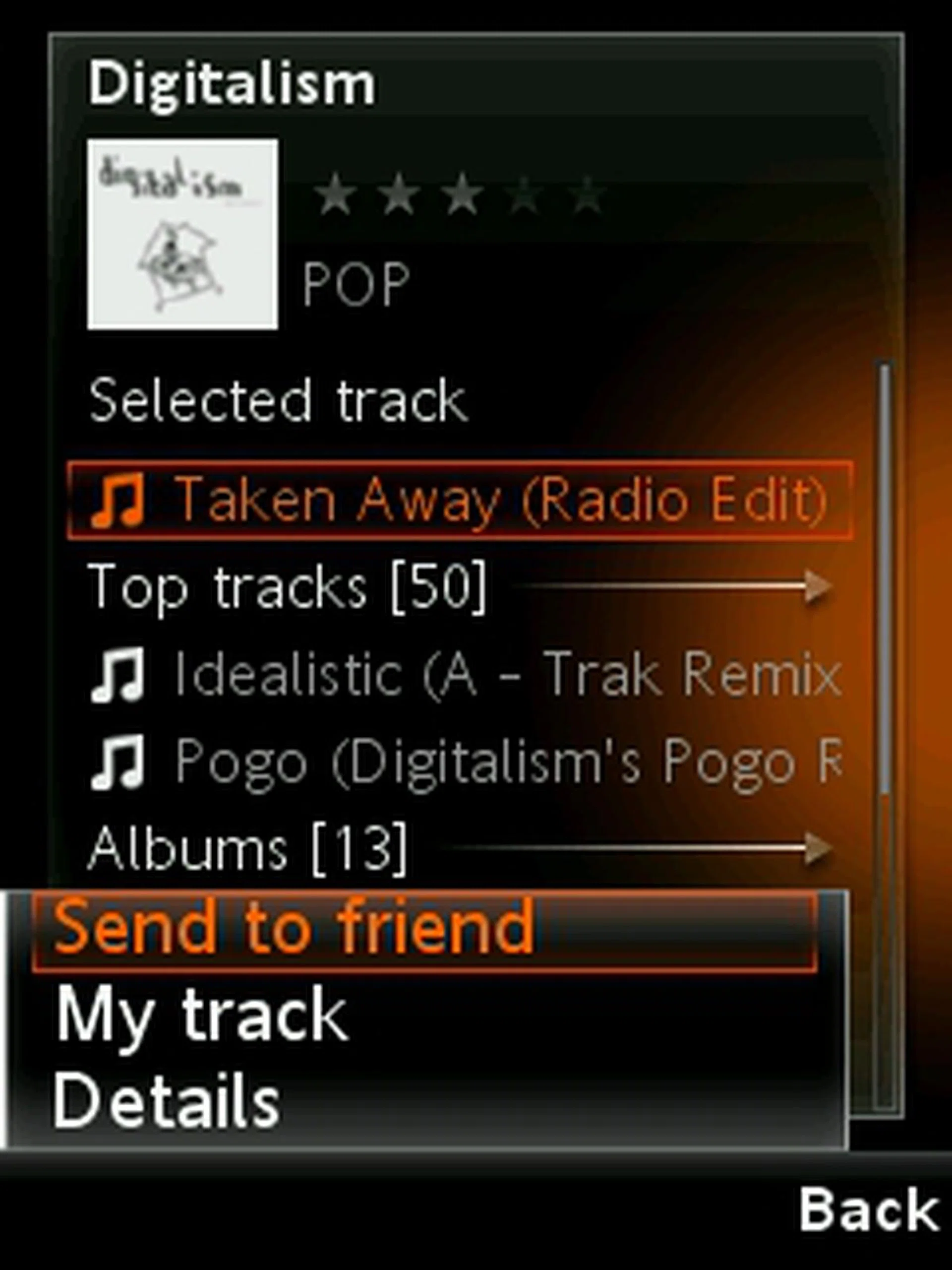
Community plays a major role on the PlayNow plus service. With the possibility of adding like-minded individuals to your Friends and Soulmate list, you can share your favorite songs and even get to know what makes other people tick.

If you need to update yourself on the music scene, the News section within the PlayNow plus service will give you the latest news and even link you to the songs that exists within the music library.
Grooving Non-Stop with the PC
So, we've explored how the PlayNow plus experience is like on the mobile device, particularly the W705 that comes with it. What you'll see on the PC client, will be more or less similar, albeit there will be some minute differences.
The PlayNow plus interface is separated into three distinctive sections. On the left, you'll find a sidebar that directs you to specific categories such as Albums, Artists, Search and various other options available on the service. Right smack in the middle, you'll have the main display that's akin to a web browser interface that opens up into multiple tabs as you access more features such as My Profile, Albums and Artistes. To the right, you'll have your track listing, which also includes tracks that are current downloading, and of course the integrated music player.
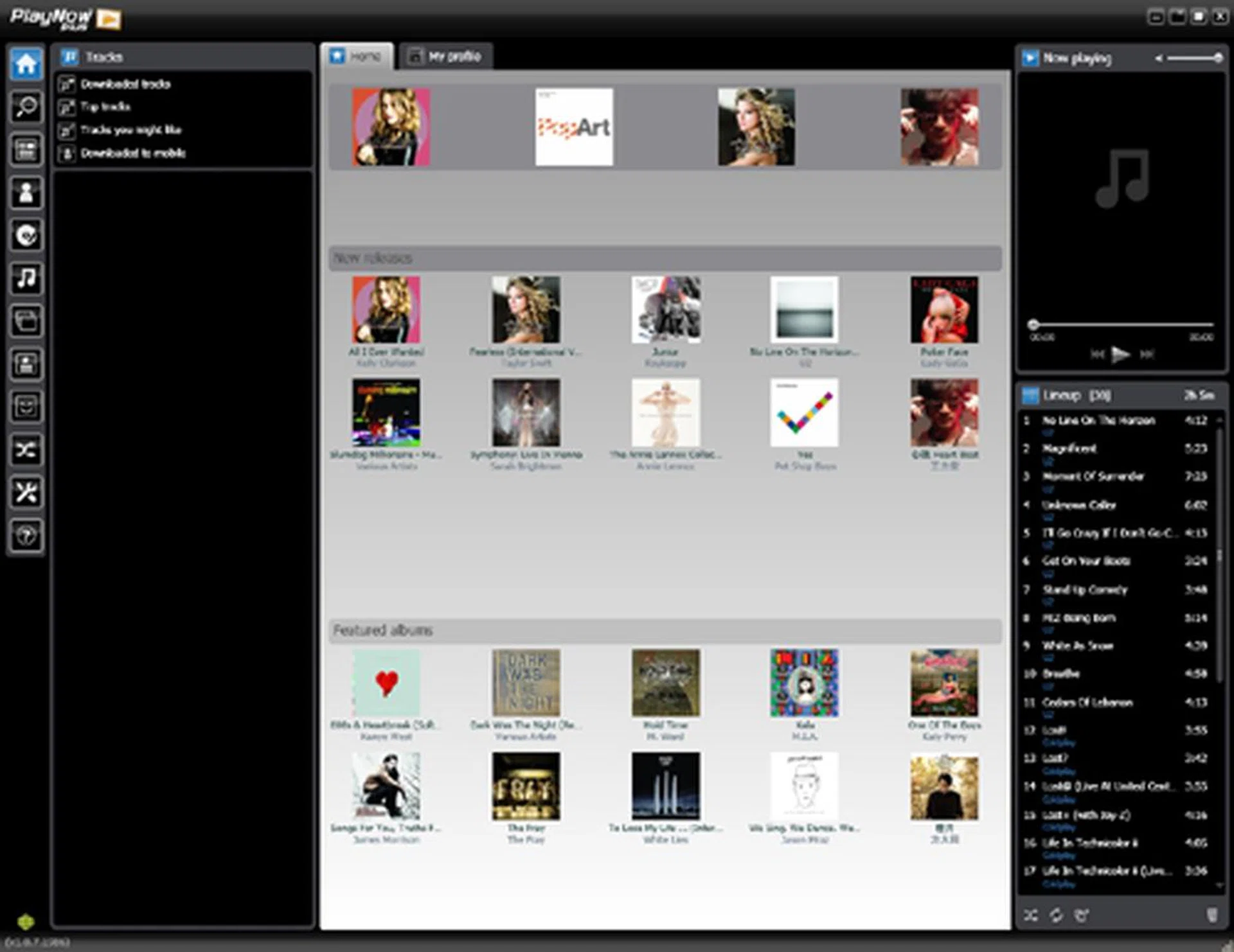
The main landing page provides you with 3 main dialog windows split left, right and centre: the left sidebar shows you the Categories within the service, the main display page at the centre, and your playlist and media player at the right.
Once you start up PlayNow plus, you'll notice Sony Ericsson's latest recommendations under Featured Album and the latest releases as recommended by the music labels. Of course, if there's a song stuck in your head, you can go to the Search tab and type in specific key words to locate and download that song. When we tested out its search engine and went for Coldplay, the results were categorized according to Artist, Albums or Track. The search engine is specific to the keyword, and thus you have to be in the know of what exactly you're searching for. In this case, what we're looking out for is Artists, and that definitely did the job.
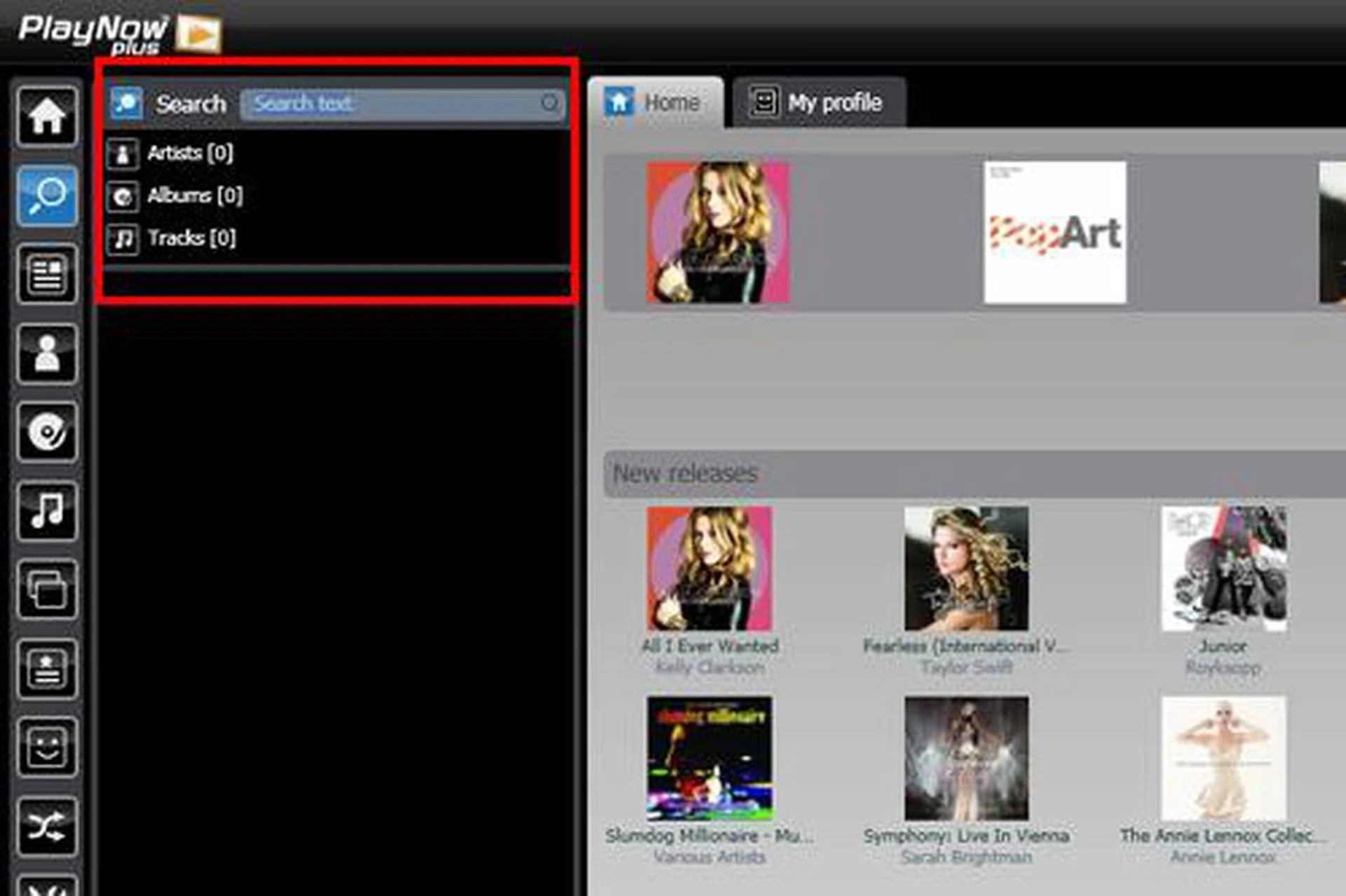
Searching for that particular song or artist is easy on the PlayNow plus PC client, though one must be sure of what exactly they're searching for and not go into it blindly.
The PlayNow plus server keeps track of your downloads and play time over the next 12 months, and this is employed for a few reasons. One, it examines and determines the genre of music that's most listened by yourself, and thus makes recommendations for songs that you might be interested in. By far, this feature has been included in other online music stores such as iTunes or Nokia Music Store, so it isn't anything to wow or be concerned about. What makes the PlayNow plus service interesting is that by doing so, it also keeps track of your most often played song, both on your mobile device and the PC client. Once you've fulfilled the 12 month service, Sony Ericsson will provide you with 200 DRM-free tracks, based on the server's record of your most often played songs.
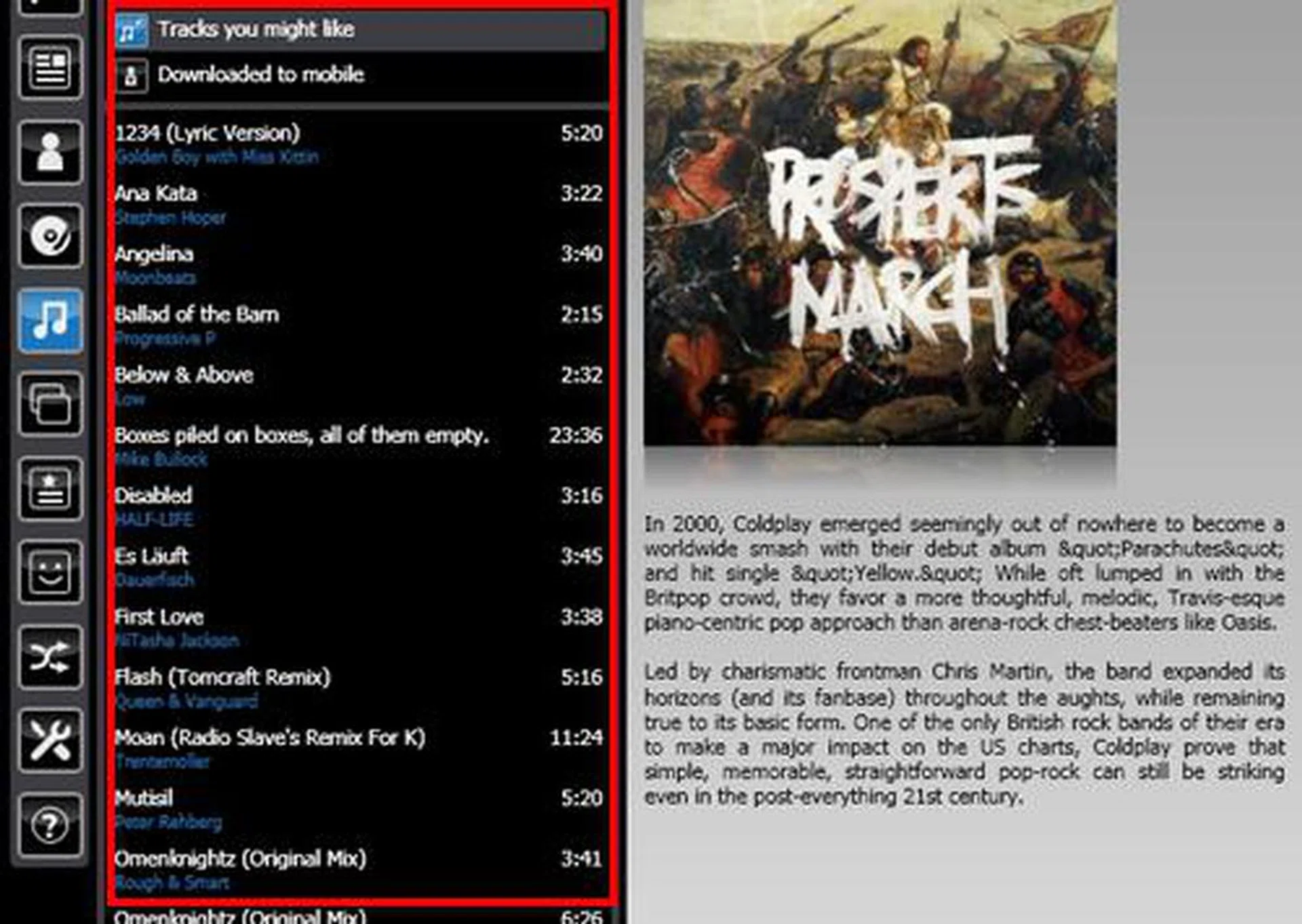
Song recommendations are the norm, but keeping track of your most played songs and offering you 200 DRM-free tracks at no extra cost at the end of the service? Now that's something new.
Though there's no side-loading involved with the PlayNow plus service, and you won't be able to link songs from your mobile device to the PC client, the contrary doesn't hold true. Songs or albums that are being downloaded on your PC client, can be sent to your mobile devices. But not in the conventional method, because what you'll essentially be doing, is dropping a link to your mobile device's PlayNow plus mailbox, which directs you to download that particular song or album on the mobile device. For some, this might seem like a step too many since you'll have to download the songs from your mobile device. That aside, the speeds at which you can obtain the tracks on your mobile device (if you aren't going for CD quality songs) will be sufficiently fast for you to ignore this little detail here.
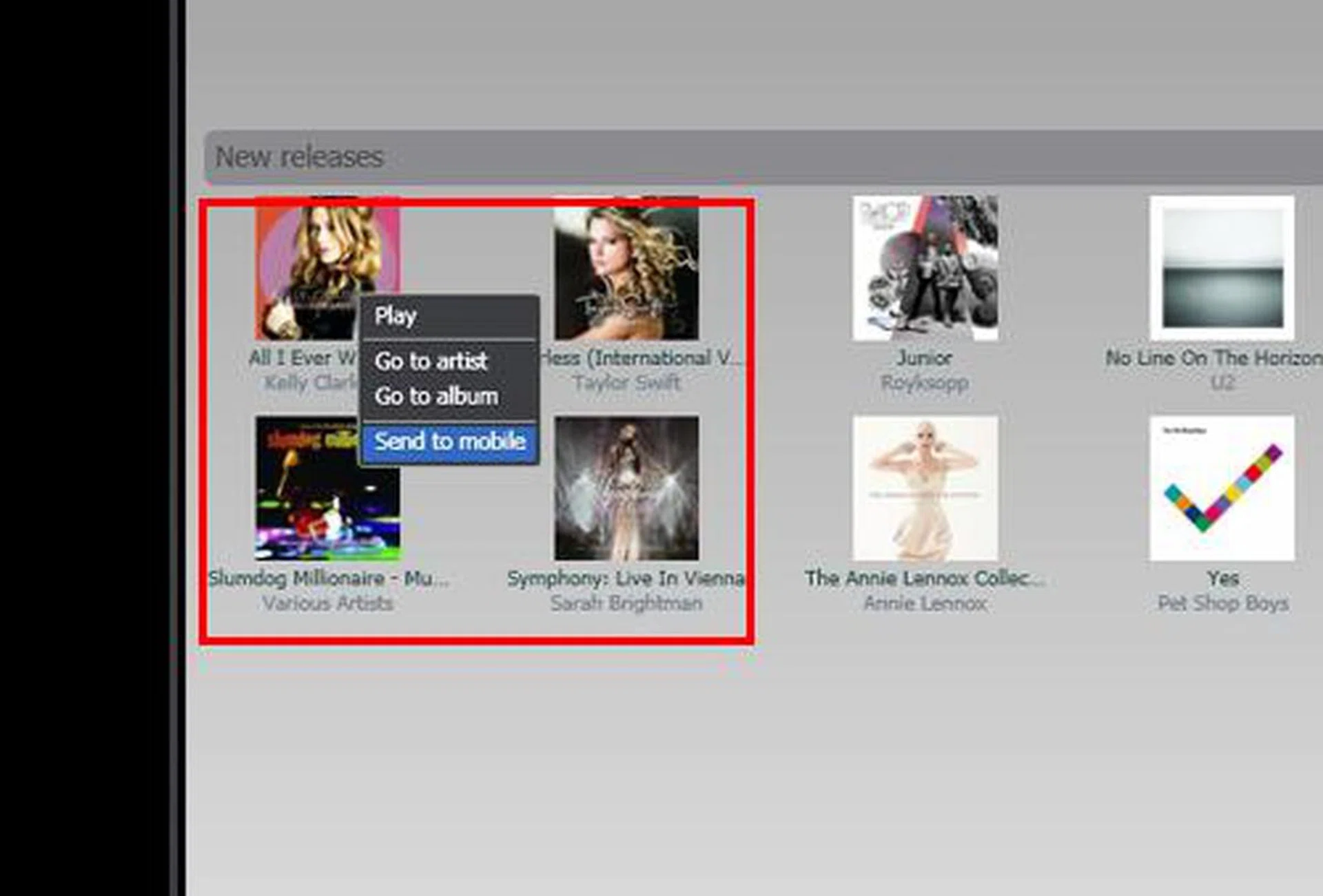
While you can't send songs from your mobile device to the PC client, you can do so from the PC client to your mobile device, or even to a Friend in your PlayNow plus community.
Likewise, the Community factor is still one of the core focus areas on the PC client too. Akin to how you send songs to your mobile device, you can do the same and send your recommendations to the friends on your list. Since both the mobile device and PC client are essentially tied to the same email account, your Friend and Soulmate list will also be synchronized accordingly, plus you can access similar news updates from the music scene, and access the albums and artists as mentioned in the music news.
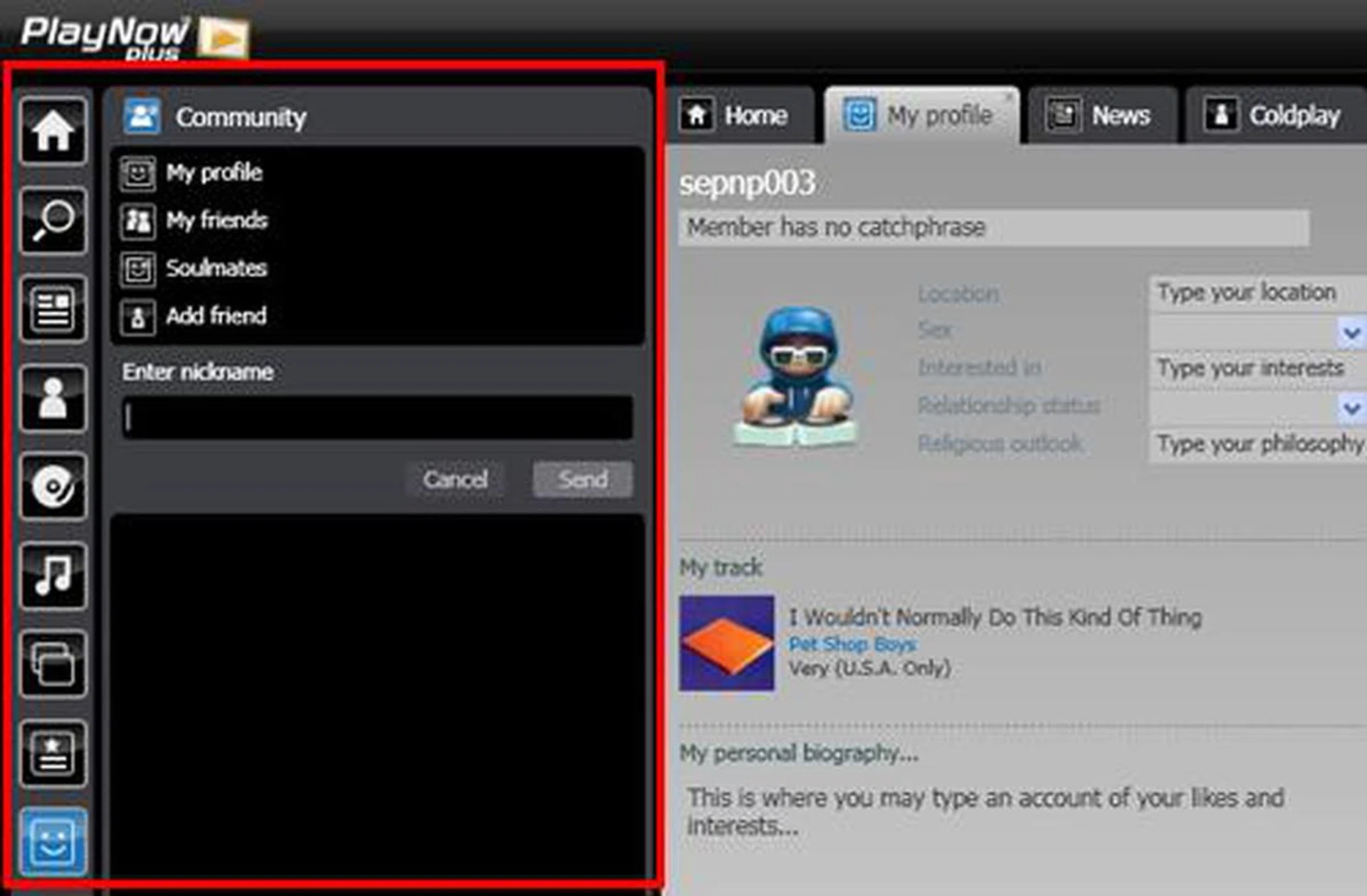
Within the Community section, you can also add friends and even check out what your friends are listening to right now.
The Competition
Unlimited music downloads has been in the market for quite a while. One of the more prominent ones that have recently reached our shores is Nokia's Comes with Music service, working in tandem with its own Nokia Music Store. In relation, how does Sony Ericsson's PlayNow plus service measure up? Here's a quick summary of what you should know about both services:
Service/Category | Sony Ericsson PlayNow plus | Nokia Comes with Music |
Type |
|
|
Format |
|
|
Digital Rights Management |
|
|
Side-loading |
|
|
Service period |
|
|
Renewal |
|
|
Tied to Mobile Service Provider? |
|
|
Price |
|
|
From what we've seen, PlayNow plus has some downsides. With the omission of side-loading and the inability to send songs from your mobile device to your PC, it does make your music collection in somewhat of a disarray. But with a mobile-centric service such as PlayNow plus, chances are, you'll spend less time listening to the songs you download on your PC client, and spend more of it with your mobile device.
Sharing the same 12 months service period as Comes with Music from Nokia, we explored what happens after it expires. As much as some might love the fact that they are still in possession of all the songs they downloaded from the Nokia Music Store over the last 12 months, there's the DRM issue that hampers transfer of your music tracks between devices. On the record label front, this does protect their intellectual property rights, and prevents piracy. Consumers will have a mixed reaction over this, especially since Sony Ericsson managed to strike a deal that allows you to keep 200 DRM-free tracks at no extra cost. But this comes, at the price of losing all the songs that you've downloaded over the 12 month period, on both your mobile device and your PC client.
And again, when we look at the service expiration, the PlayNow plus service shines in another aspect: renewal. Sony Ericsson has stated that once the 12 month period is over, consumers have a choice of renewing the PlayNow plus service, back on the same mobile device. Comparing this to Nokia's current stance that a new device has to be purchased to enjoy another 12 months of Comes with Music, this comes in as one of the most favorable points for Sony Ericsson. A side note here is that the PlayNow plus is only available with Singtel's mobile plans (at the moment at least), which is unlike Nokia's mobile service provider agnostic Comes with Music service.
While online music stores are plentiful, having one that integrates seamlessly with your music phone is still pretty rare. Both Sony Ericsson and Nokia have made the move into the unlimited music download scene with the introduction of both PlayNow plus and Comes with Music. While we feel Sony Ericsson has a better service, it's not by much considering its set of cons. In the end, it's really a toss on the consumer's end depending on what aspects are more important to them and how they prefer to manage their audio. What we can say is that the competition is definitely heating up, and our fingers are just as crossed if we will ever see the launch of Apple's iTunes Store in the region. With that, we're hoping for even better service offerings and hopefully shift more cons out of the list from each provider.
In the meantime, that's all we have for now, but do check out our June issue of HWM, where we'll be giving you a more in-depth look at the various music phones and music stores in the market.
Our articles may contain affiliate links. If you buy through these links, we may earn a small commission.