Battle of the 27-inch gaming monitors
Choosing the right gaming monitor isn't like choosing a GPU, as there are a lot more factors to consider. That's why we're rounded up three of the best gaming monitors for your consideration.
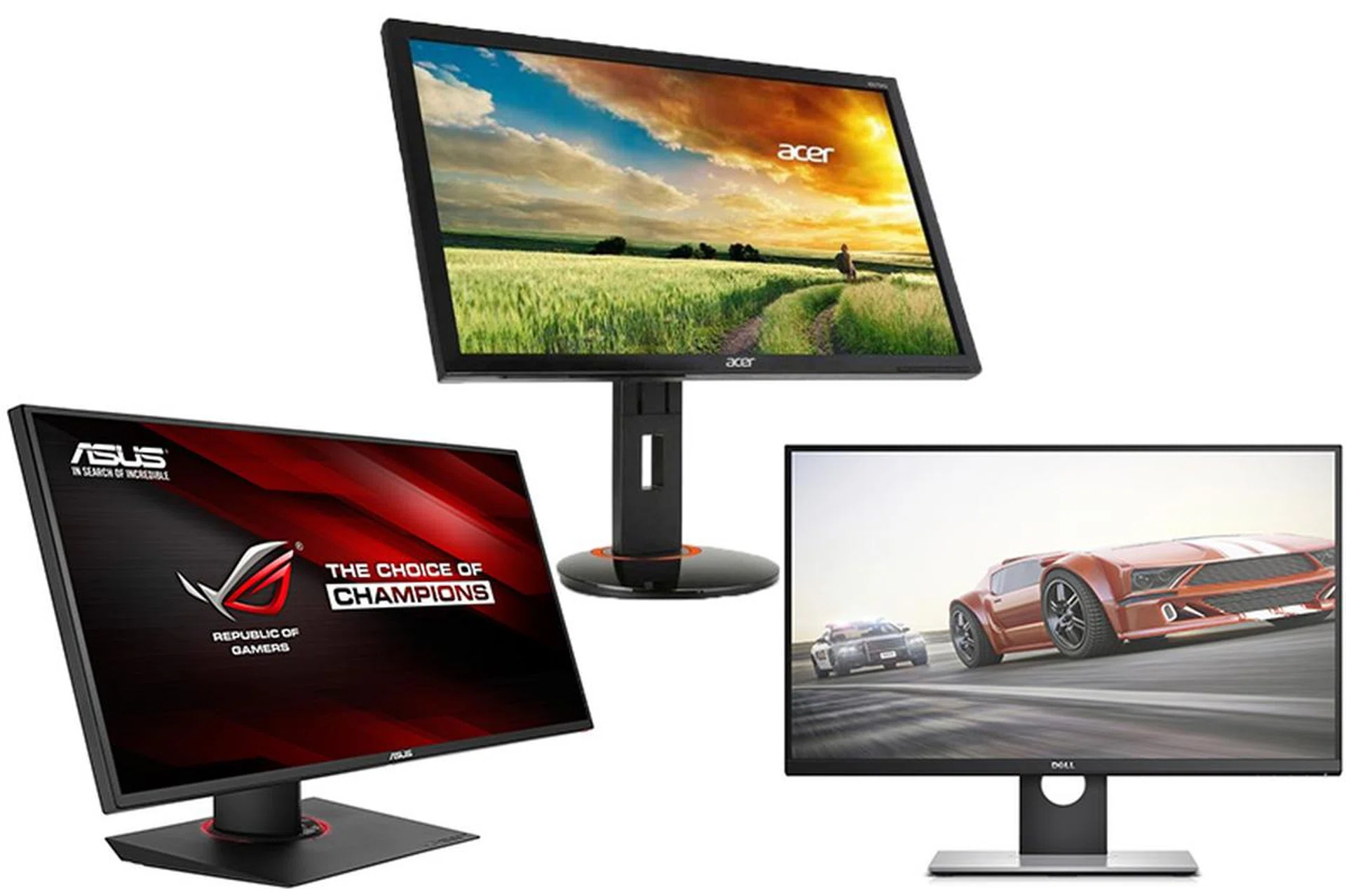
Three monitor enter, but only one will leave as the winner.
In the past, choosing a gaming monitor was relatively easy.
Due to the advantages TN displays had over IPS panels, it was an easy choice to pick the TN displays over the IPS ones. Sure, the colors weren't as good as those on an IPS display, but the refresh rate and response time advantage made that a worthwhile trade-off.
In recent times though, IPS displays have steadily been getting better.
Where they once had 8ms or higher response times, today's IPS monitors can boast a relatively speedy 4ms response time, almost catching up with the 1 to 2ms response time of some TN displays. With the narrowing response time between both display types, it's getting harder for gamers to pick a good gaming display.
That's where we come in. We've corralled three worthy displays for our gaming monitor shootout. Two have IPS displays, one has a TN panel.
To fit into our criteria for selection, the monitors have to have fast refresh rates, at least 1080p resolution and come with NVIDIA's G-Sync tech built-in. G-Sync synchronizes the refresh rate of the monitor to match those of the GPU's frame draw output. Doing so eliminates screen tearing, while also reducing input lag and stuttering. All this means is that you can have a better experience on an older system, without changing any hardware other than the monitor (and a compatible graphics card).
G-Sync support is included from NVIDIA GeForce GTX 660 GPUs onwards (the NVIDIA GeForce GTX 650 Ti is G-Sync capable, though the base GeForce GTX 650 isn't) so if you have a relatively recent NVIDIA GPU, it probably supports G-Sync already. Alternatively, if you have AMD cards and want something similar to G-Sync, you might want to consider AMD's solution, FreeSync.
On the most basic level, FreeSync is AMD's version of G-Sync. Like G-Sync, FreeSync eliminates screen tearing, as well as reducing stuttering and input lag. However, the caveat is that FreeSync requires a supported AMD GPU, much like G-Sync requires a supported NVIDIA one. The difference is how both standards are deployed.
NVIDIA's G-Sync requires NVIDIA's G-Sync hardware module to be used in the monitor, and the screen will also need to undergo qualifications by the green camp. All this drives up the cost of an NVIDIA G-Sync qualified screen. AMD's FreeSync however doesn't require dedicated hardware to be implemented in the monitors other than adhering to the Displyport 1.2a specs (more specifically, DisplayPort Adaptive Sync, which is based on AMD FreeSync) as adopted by the open VESA standards authority. So as long as monitors are able to engineer their monitors to adhere to these specs, a monitor technically meets the AMD FreeSync standard, without any testing and qualification by a third party. This is the reason why an AMD FreeSync monitor is vastly cheaper than an NVIDIA G-Sync monitor, despite both trying to achieve the same thing - bringing about a synced screen refresh that adjusts in real-time to match the GPU's output capability for a stutter-free and tear-free gaming experience.
As a result, both standards have become a requirement for a monitor to have to be considered a worthy gaming monitor. G-Sync monitors however are far more widespread (at this point in time), which is why all of our finalists are G-Sync qualified monitors.
So without further ado, let's take a look at the contenders.
[hwzcompare]
[products=538370,538367,538382]
[width=275]
[caption=Test Display Compared]
[showprices=0]
[/hwzcompare]
Now that you've seen a rundown of the contenders, head on to the next page and see how they stack up.
Acer XB270HU
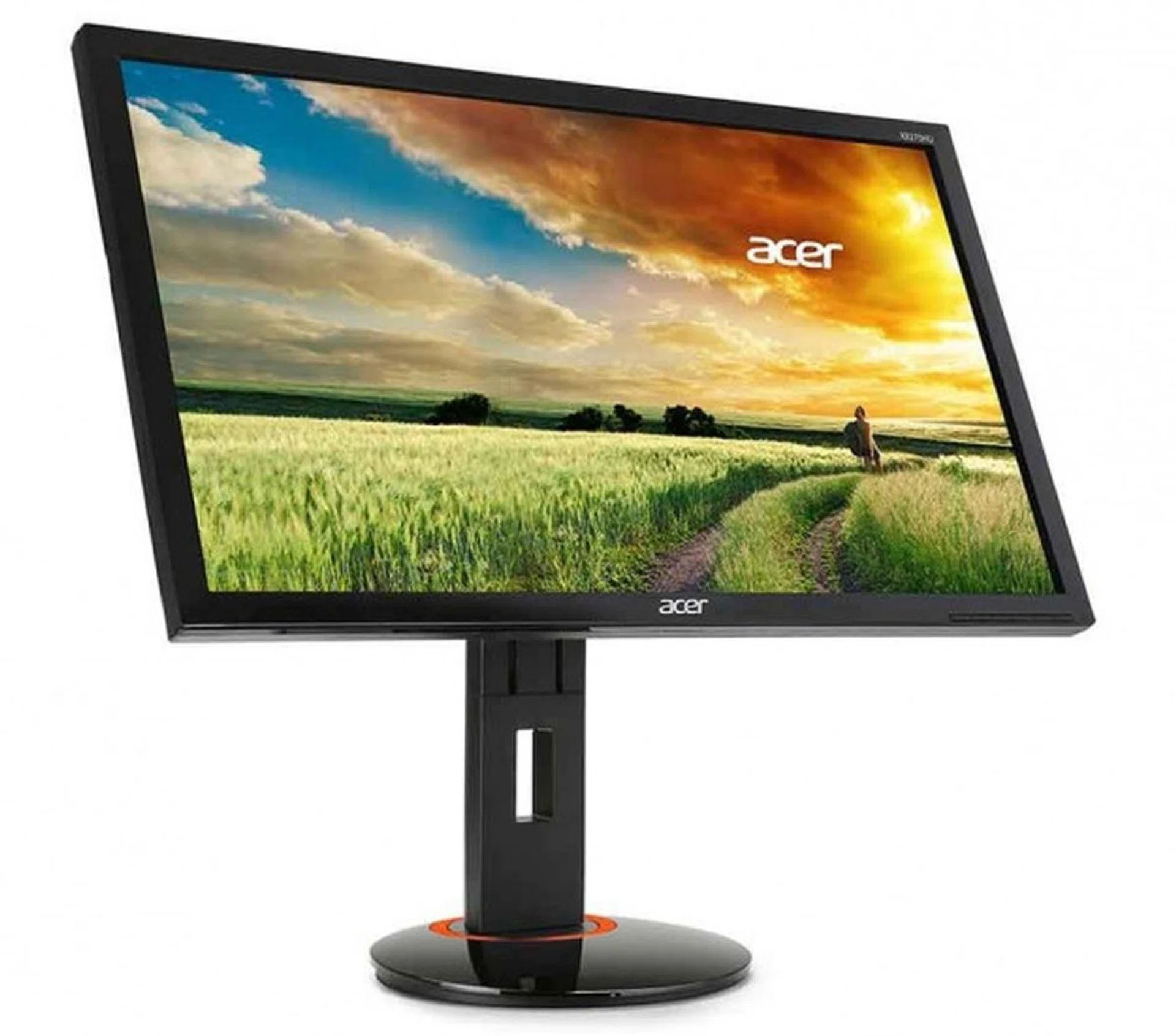
The Acer monitor might not look like much, but never judge a book by its cover.
If you're on the hunt for a gaming monitor, the brand Acer might not immediately spring to mind. You'd probably think of ASUS, BenQ and maybe even Lenovo. Still, the Acer XB270HU clearly is a monitor meant to satisfy gamers.
With its black frame and stand, there's nothing that outwardly screams 'This is a gaming monitor!'. The Acer XB270HU would look right at home in an office. While we're not a fan of outlandish designs, there's still something to be said for attractive looks, which sadly this display lacks. Placed side by side with the sleeker ASUS ROG PG27AQ in our comparison, the Acer XB270HU looks boring.
However, if you free your mind of expectations on what a gaming monitor should look like, the Acer XB270HU will definitely impress where it counts.
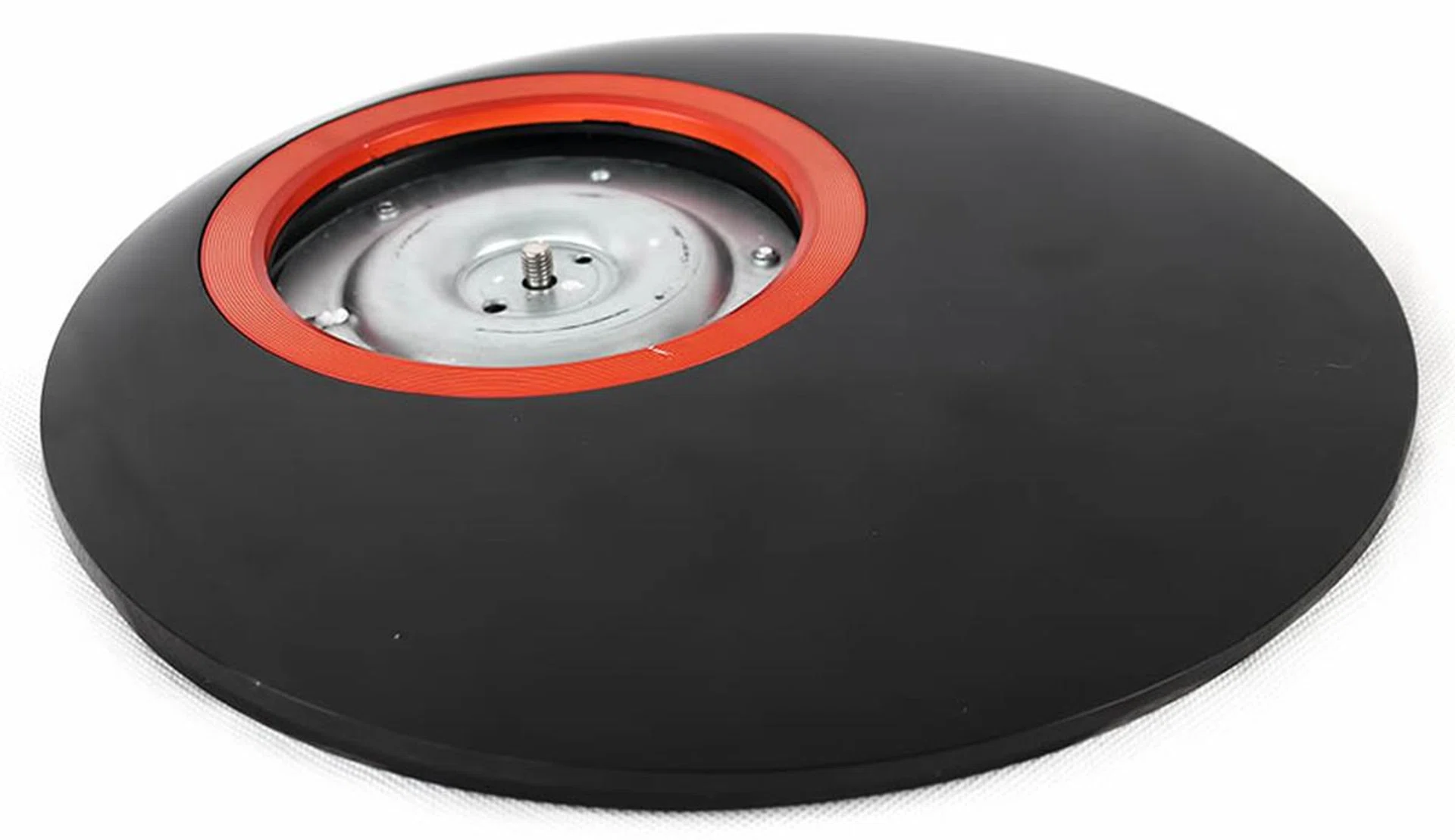
Despite how unstable the stand looks, it's actually very sturdy and solid. The Acer and Dell monitors also require some assembly, though it's just a matter of slotting the stand, base and screen together.
The 27-inch Acer XB270HU display comes with a glossy circular base, which you'll need to install yourself. Installation is a breeze thankfully, which simply requires you to attach the stand to monitor screen and then use the included screws to tighten them together. Once set, the monitor can rotate, pivot and swivel, yet still remain in place. Additionally, the monitor has just the right amount of resistance when you're adjusting the screen - not too much that it becomes an effort and not too little that the monitor can't hold its position.
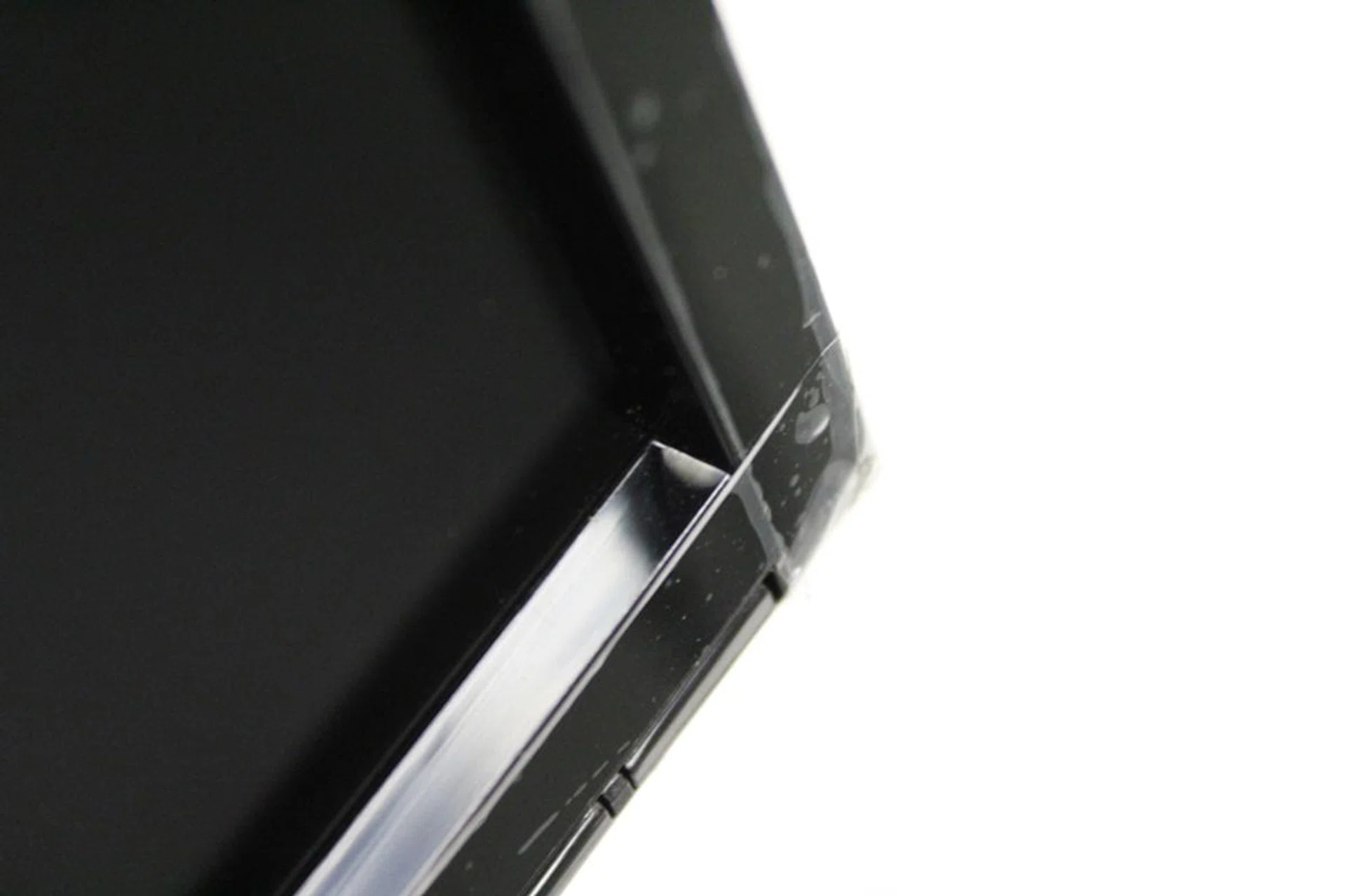
The recessed bezels aren't only thick, but being recessed, will accumulate dust over time, requiring constant maintenance to keep clean.
The Acer's somewhat boring aesthetic and the thick bezels that surround the recessed display do nothing to dispel that. Initial viewings had us noticing the borders around the display, though as we got used to it, we found that we didn't really notice it that much when we're focused on what's on the screen instead. However, if you're looking to deploy a multi-monitor setup, you'd do well to give the Acer XB270HU a pass as the thick bezels will easily detract from enjoying a seamless stretched viewing experience with multiple XB270HU screens. Unless of course, you intend to use them as discrete screens only for work, but that defeats the purpose of buying an expensive gaming-grade high refresh screen in the first place.
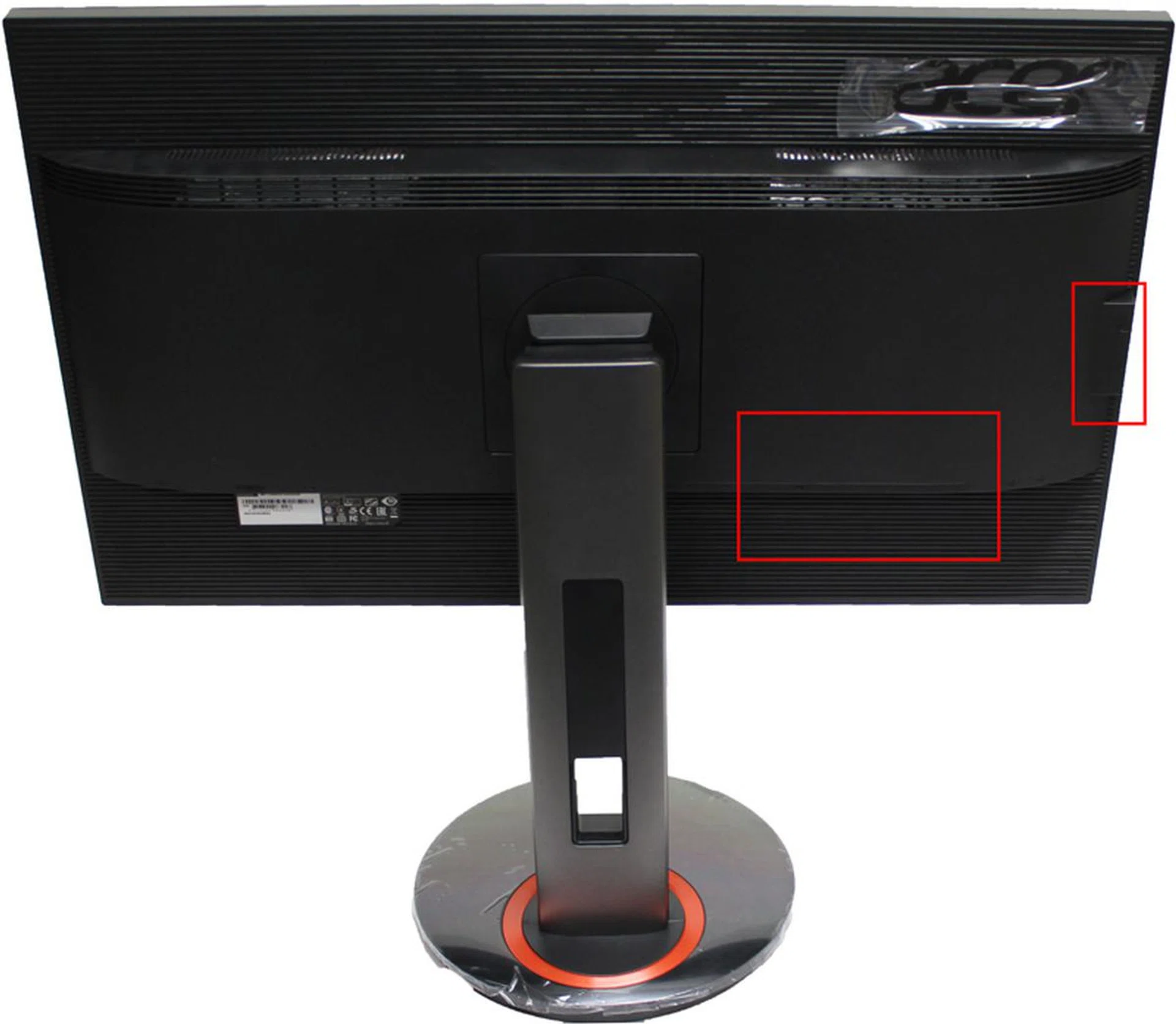
The red rectangles indicate where the USB ports are located.
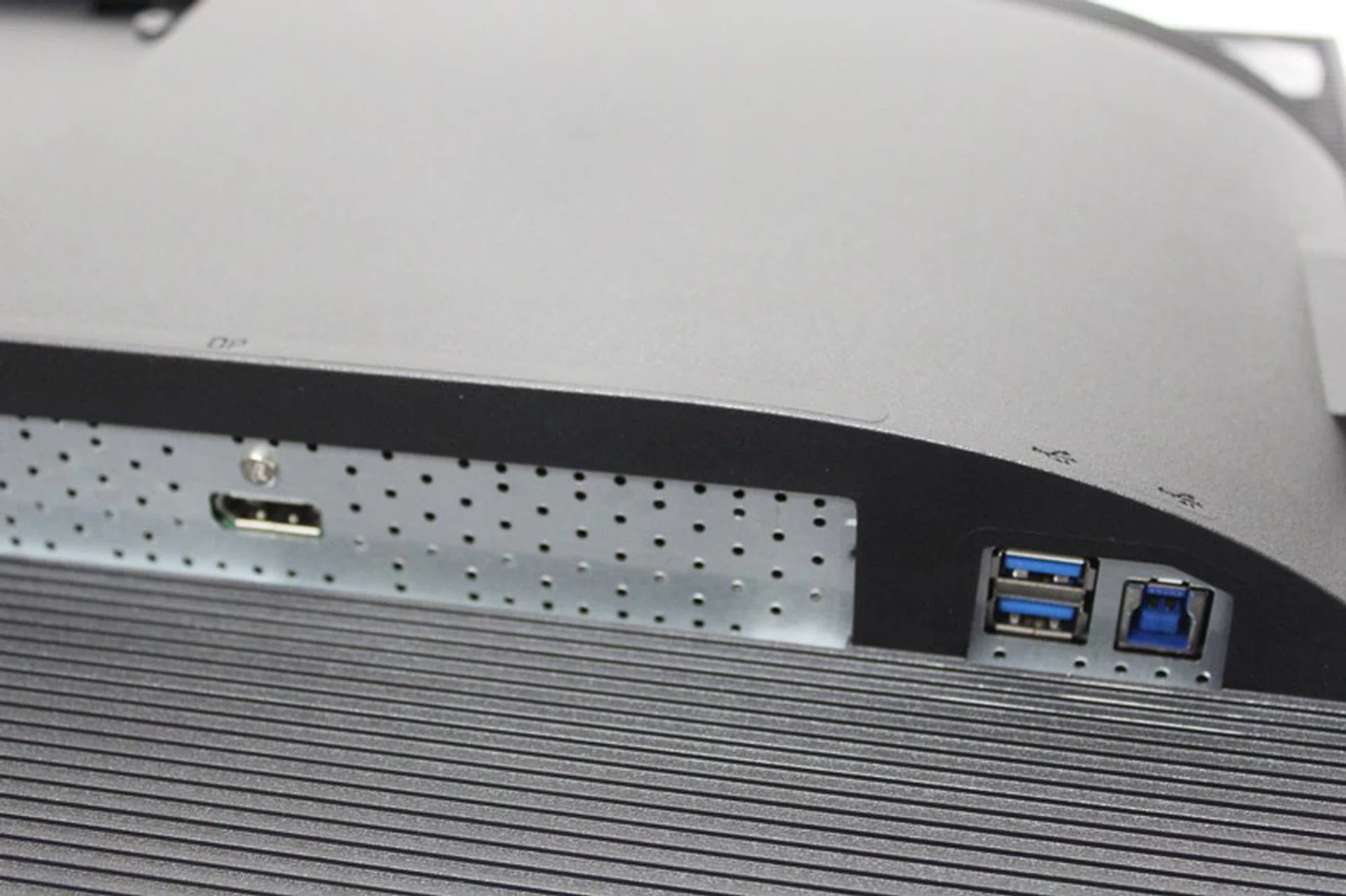
Only get the Acer monitor if your machine can output via DisplayPort. The monitor doesn't accept other inputs.
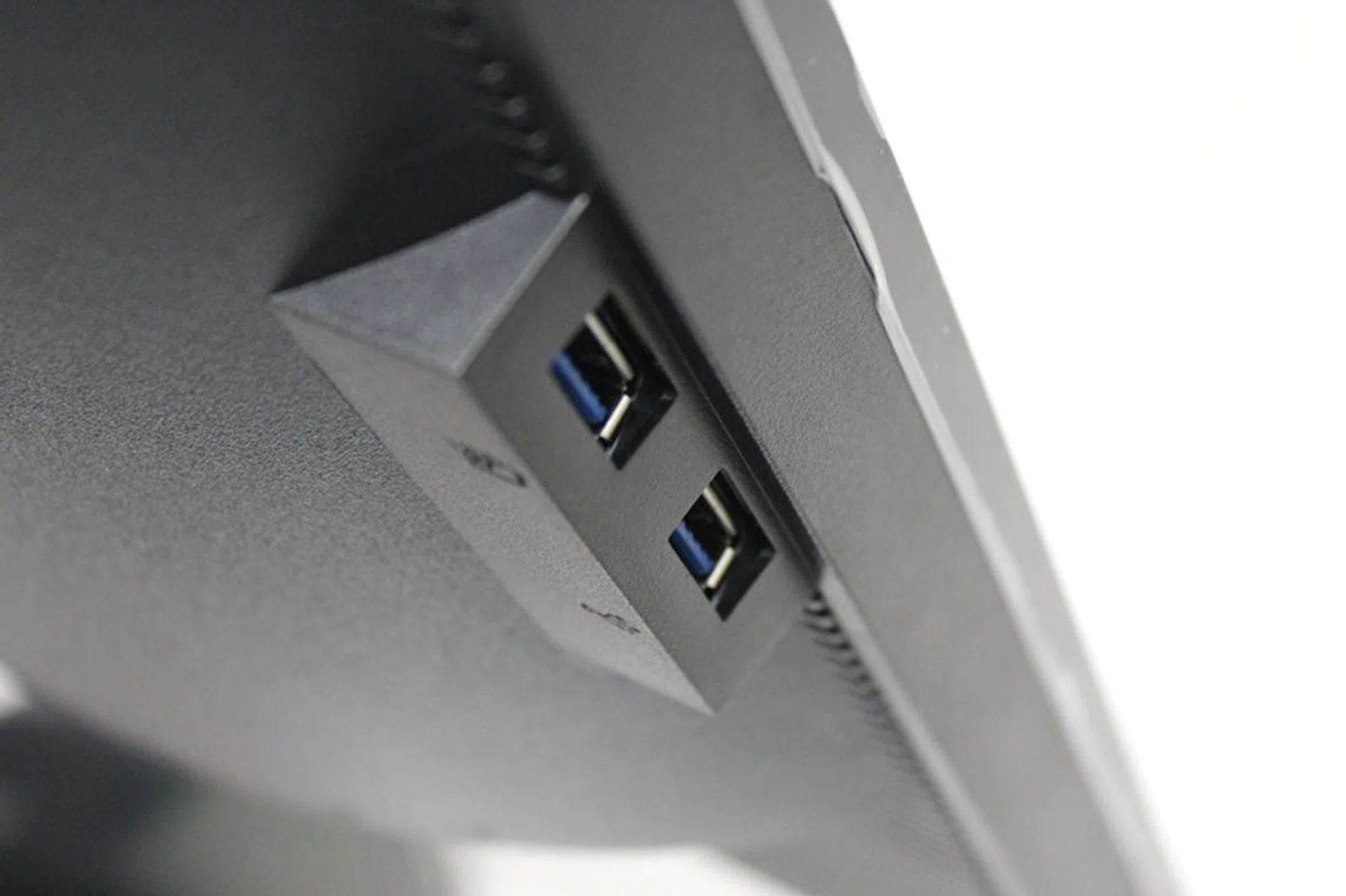
Two of the USB 3.0 ports are at the side of the monitor, which facilitates easy access.
The monitor connects only via DisplayPort and since there's only one of it, this severely limits the screen's connectivity options. HDM-only outputs like most notebooks are out of luck unless you choose to use some adapters. The screen however offers four USB 3.0 ports, two behind the monitor and another two at the side. Like the ASUS display, getting to the USB ports behind the machine can be a chore, so if you do have to use them, we advise that you plug things that you won't be removed often. The ones on the side are easily accessible though, and you can easily plug in a thumb drive or other USB device by feel alone.
A WQHD (2,560 x 1,440 pixels) resolution monitor with an IPS panel, the Acer XB270HU has a response time of 4ms; slower than the 1ms response time of the Dell's TN-panel monitor, but equaling that of the ASUS with its IPS screen. Unlike the ASUS monitor, however, Acer's model supports 144Hz refresh rate which definitely gives it an edge on fast-moving shooter games. That, coupled with the fact that the monitor supports NVIDIA G-Sync means that gamers can expect a great gaming experience.
As expected, the picture quality for the machine was great right out of the box. When pitted against the TN screen on the Dell monitor, the Acer XB270HU blew it away with its brighter, more vibrant colours. Even when up against the 4K ASUS ROG Swift PG27AQ, the Acer XB270HU still manages to put up a fight, though the ASUS monitor ultimately looked better thanks to its higher resolution.
The Acer XB270HU isn't a touchscreen monitor, so OSD navigation is performed via tiny buttons underneath the display. Unlike the control nub found on the ASUS ROG Swift PG27AQ monitor, navigation was a pain. The buttons weren't as responsive as we'd like, with our presses sometimes not registering immediately.

While the buttons are easily visible from the front, their responsiveness is an issue.
However, since it's unlikely a user will be using the OSD much anyway (the Acer XB270HU doesn't have any gamer-centric extra features like the ASUS monitor does), the squishy buttons can be overlooked without issue.
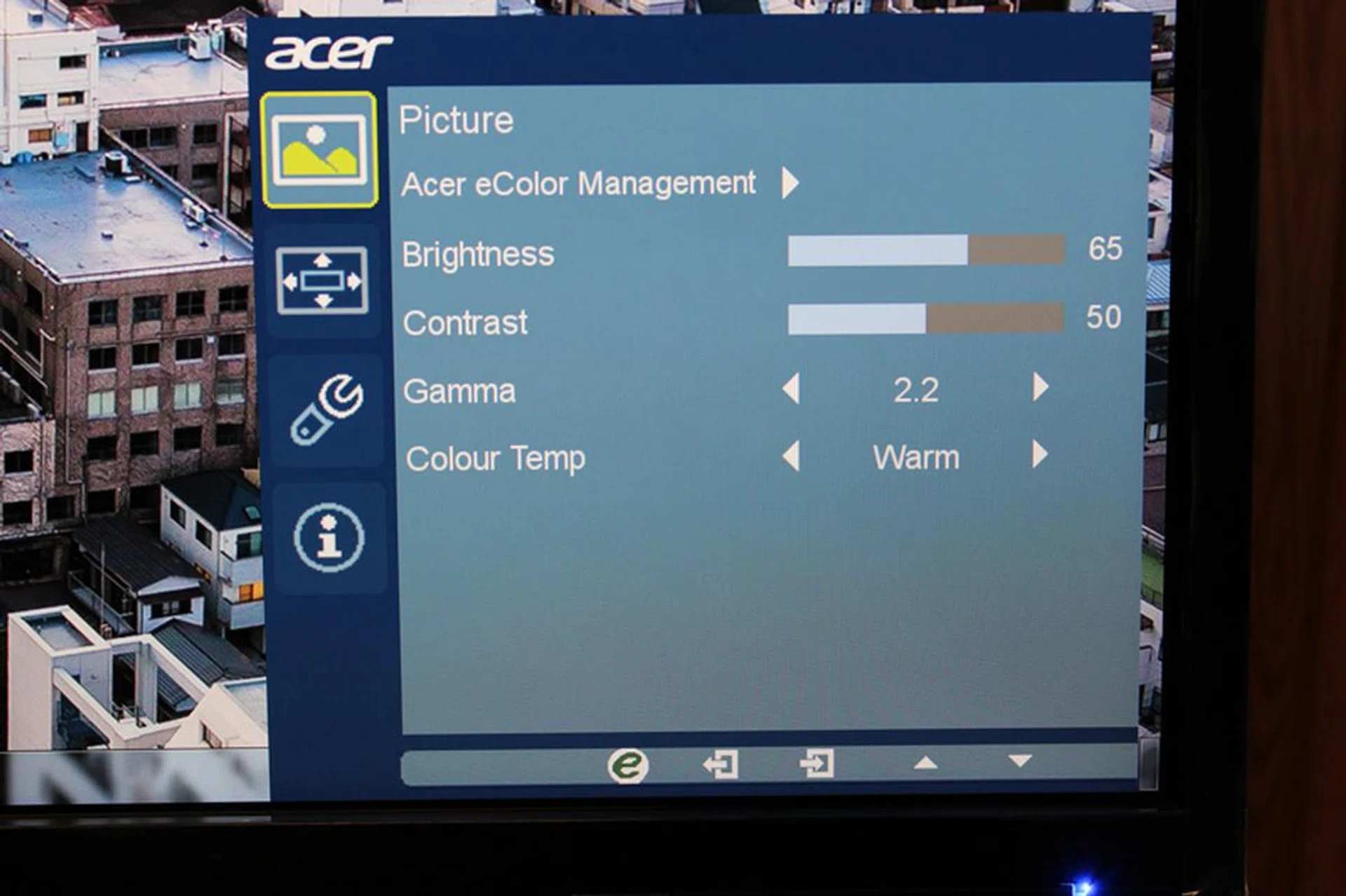
The Acer's OSD is succinct and rather spartan, but it's all self-explanatory. We had no issues with the OSD.
With no extra gamer-centric features, OSD navigation is pretty easy and basic, with most-used options clearly labelled and easily accessed. Of course, the monitor also comes with presets if you don't want to fiddle with around with settings.
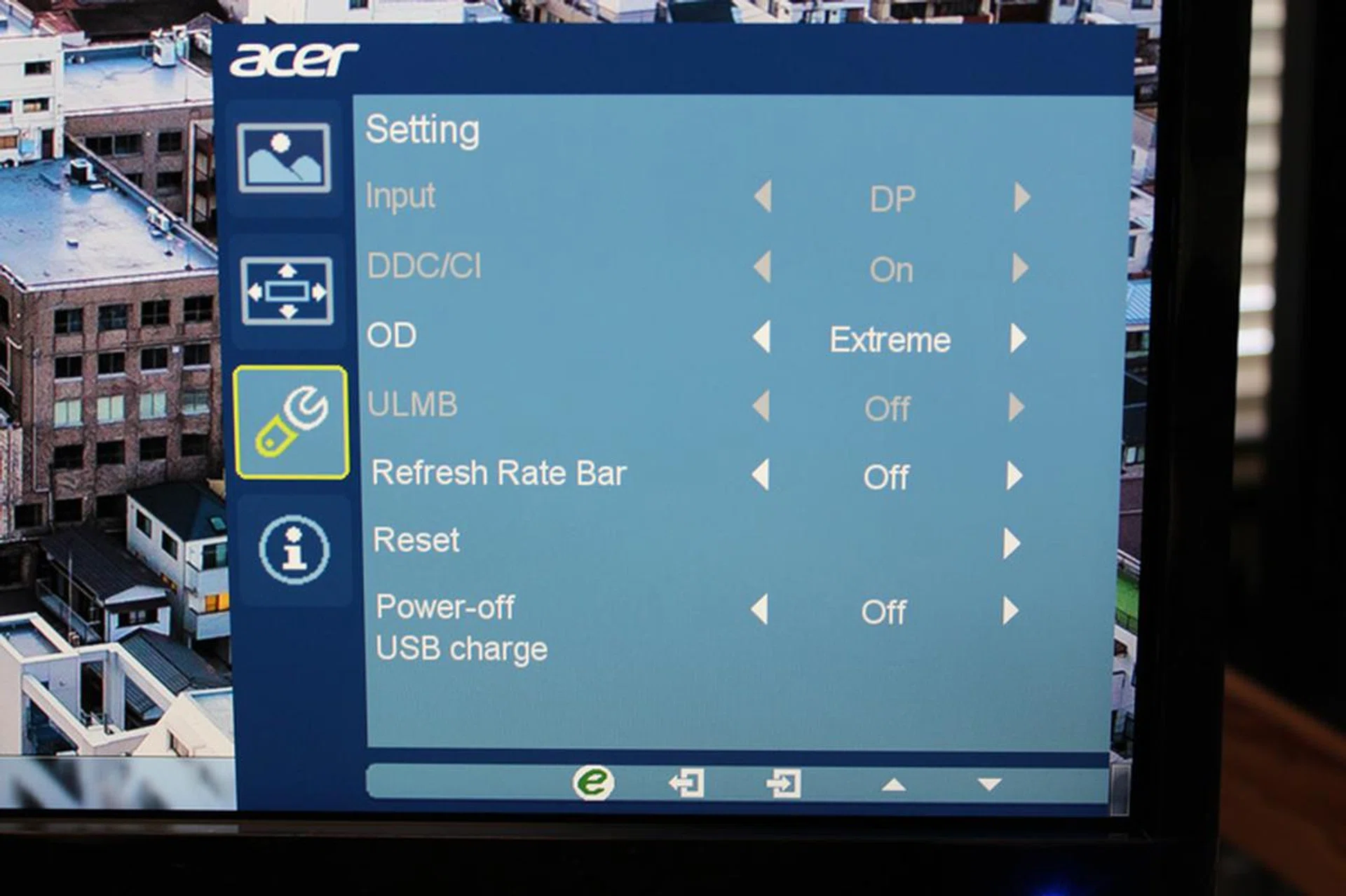
Depending on whether you use G-Sync or not, some of the OSD settings may not be selectable.
The monitor uses Acer's eColor management system, which doesn't allow you to manually select a colour temperature, however, it offers a host of preset options instead. Other settings present in the OSD include the ability to play around with Overdrive settings (which increases response times) and ULMB (Ultra Low Motion Blur). As the name suggests, ULMB reduces motion blur in fast-moving scenes, though if you can use NVIDIA G-Sync, ULMB can't be selected. It's only one or the other.
Overall, we found the Acer monitor to be quite a decent, if rather pricey, gaming monitor. It doesn't offer frills that specially cater to gamers other than NVIDIA G-Sync and a high refresh rate, but its great picture quality and decent specs definitely make it a contender for your money.
Are those features enough to make us pick the Acer XB270HU as the winner? Only one way to find out and that's to read on!
ASUS ROG Swift PG27AQ
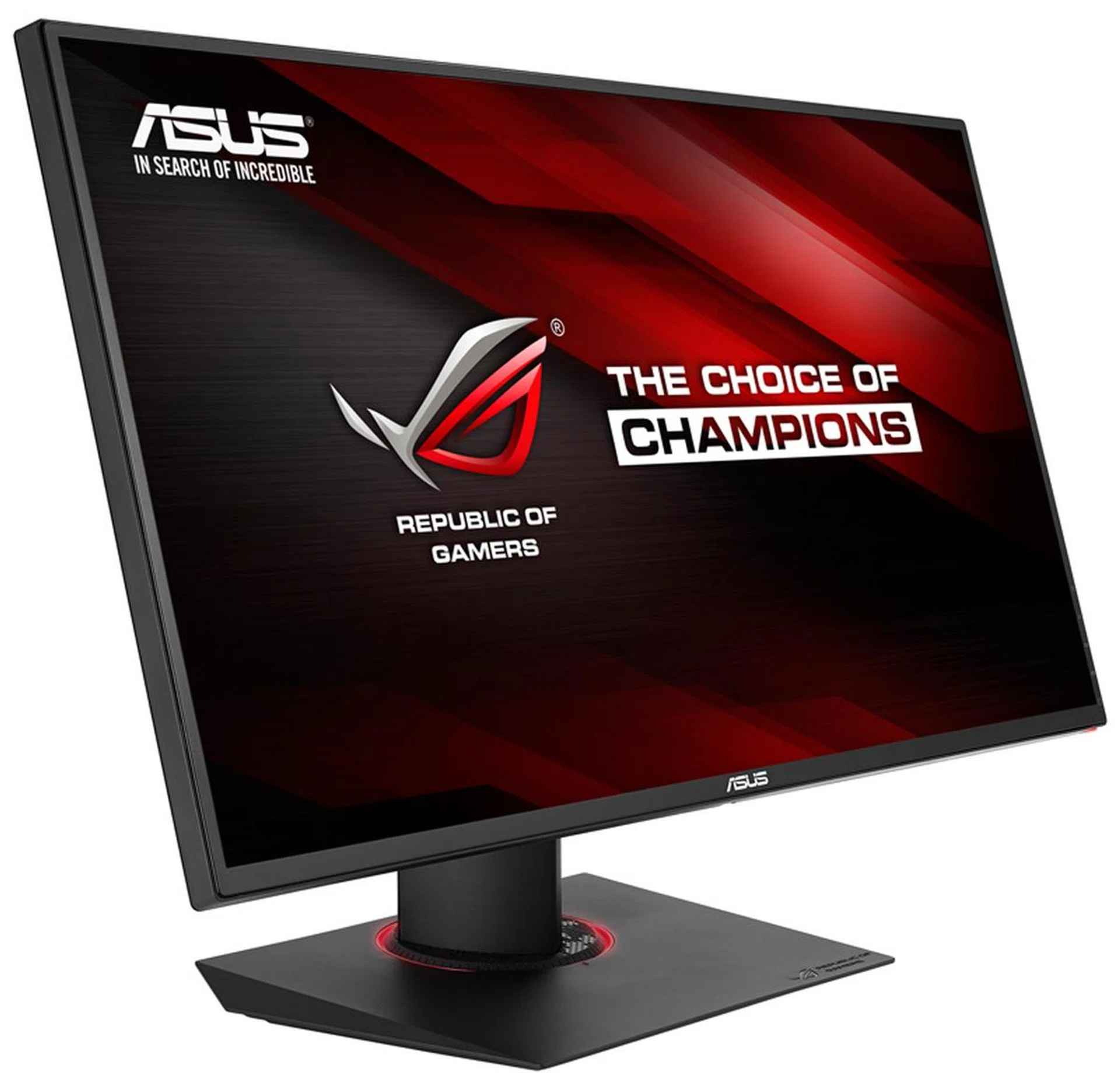
The ASUS ROG Swift PG27AQ looks the same as the PG278, but closer inspection will reveal what sets them apart,
The ASUS ROG Swift PG27AQ is certainly an impressive gaming monitor.
Firstly, it looks incredibly similar to the ASUS ROG Swift PG278. Everything that the older monitor had going for it, the new ASUS ROG Swift PG27AQ has. That means the sleek looks, the nearly bezel-less design and the intuitive nub navigation for the OSD are all back. But in case you missed reading that review, we'll just recap.
If you're familiar with ASUS' other ROG monitors or notebooks, you'll immediately recognize the color scheme being used on the monitor, with it being all decked out in black with tasteful red accents used sparingly. Like the ASUS ROG Swift PG278, the bezels are incredibly thin. If you're looking for monitors to use in a multi-display set-up, you'll really want to consider the ASUS ROG Swift PG27AQ on that factor alone. On top of that, the screen has a matte finish to help reduce reflections.

While the bezel might look sizable in the picture, this is an extreme close-up. In reality, it's barely noticeable when you enjoy its 27 inches of goodness.
The new ASUS ROG Swift PG27AQ also uses the same stand as the older ASUS ROG Swift PG278. That means, it can rotate a full 360 degrees, with height, orientation and tilt all adjustable. Overall, our impression of the newer monitor is pretty much in line with how we felt about the previous entry.
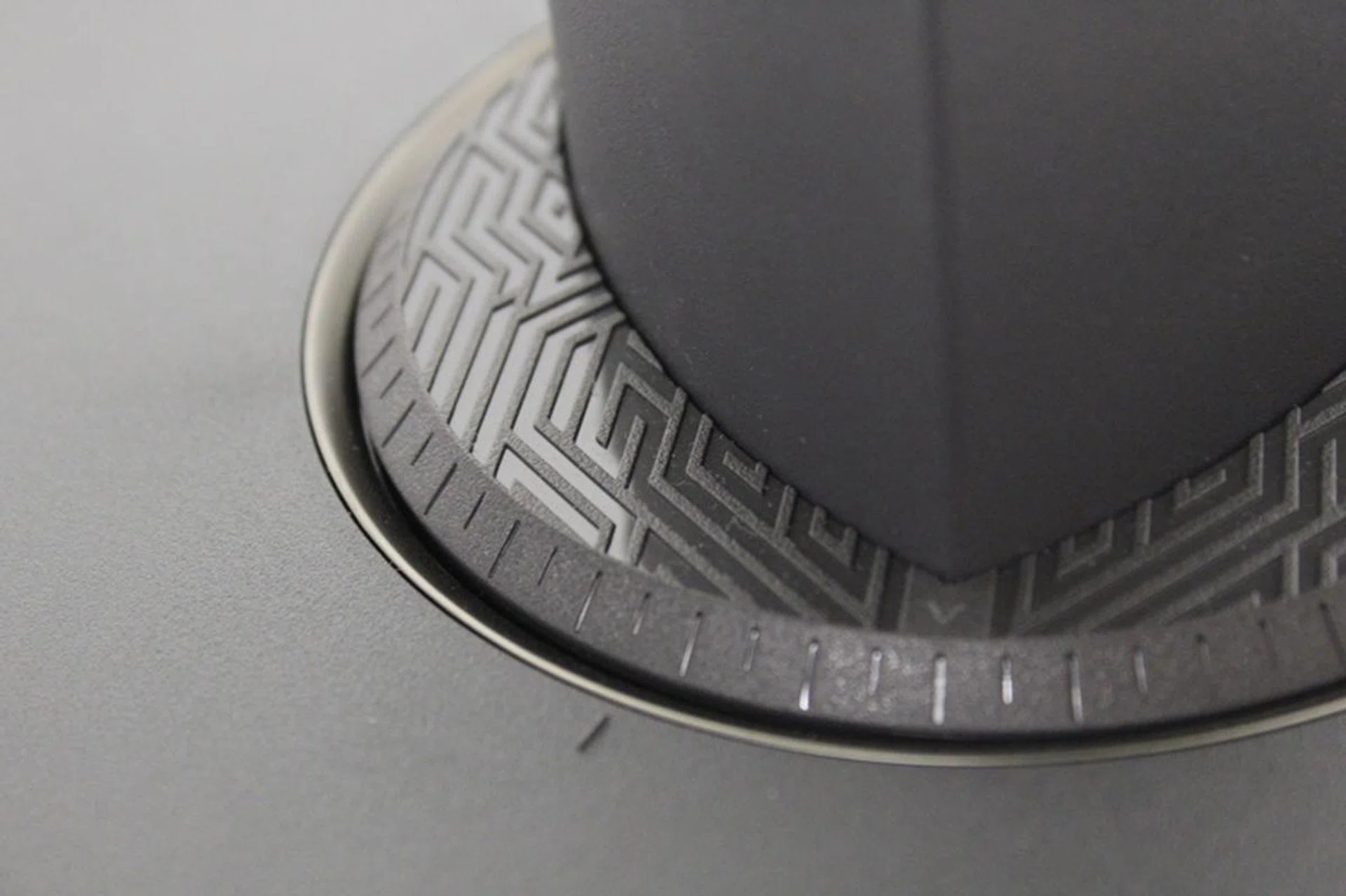
We like the ornate design of the plastic. For some reason, we're reminded of the Incas.
We still think that ASUS' design looks great without being too outlandish, while the ornate stand is very stable and firm, both in its support of the monitor and how it handles the monitor's movements. The stand is hollow, so if you like, you can easily route the cables through it to reduce clutter on your desk.
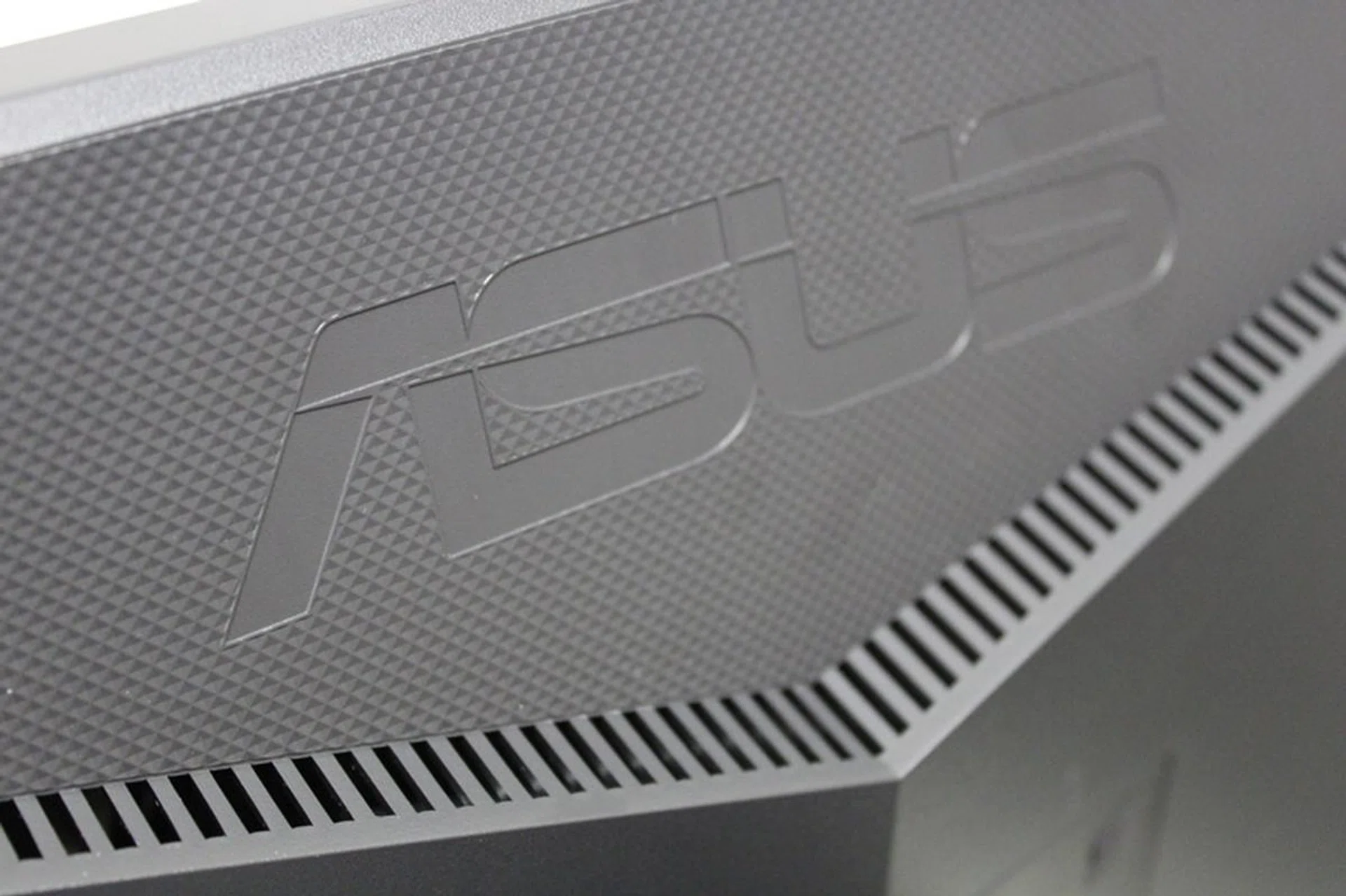
Vents at the back of the monitor let loose the air generated by the display.
The monitor also retains the slanted air vents of the older model. Inside, is a custom-designed heatsink meant to facilitate marathon gameplay sessions, allowing heat to dissipate without a problem.
Like the Acer monitor in the shootout, the ASUS monitor is a 27-inch IPS display. However, unlike the other monitor, ASUS offers a 4K (3,840 x 2,160 pixels) resolution, the highest of all the monitors in this shootout. Sadly though, that 4K resolution, while a major plus, also comes with a drawback; the display is only capable of 60Hz refresh, not 144Hz like most gaming-grade monitors. It's a downside of all 4K monitors and not just the ASUS one as the current DisplayPort standard simply can't handle the bandwidth needed for refreshing that resolution at 144 times a second.
Apart from that hitch, the ASUS ROG Swift PG27AQ also is a bit slow with its 4ms grey-to-grey response time as the monitor uses an IPS display instead of a TN one like the ASUS ROG Swift PG278. However, bear in mind that a 4ms response time is what most IPS monitors nowadays are achieving so it's not exactly as if the monitor is lagging behind the curve in some way.
Like the other monitors in the shootout, the ASUS monitor also comes with NVIDIA's G-Sync and ULMB. NVIDIA's ULMB (Ultra Low Motion Blur) reduces ghosting and minimizes motion blur, so objects in motion look smoother. ULMB however, can't be used at the same time as G-Sync, so it's one or the other.
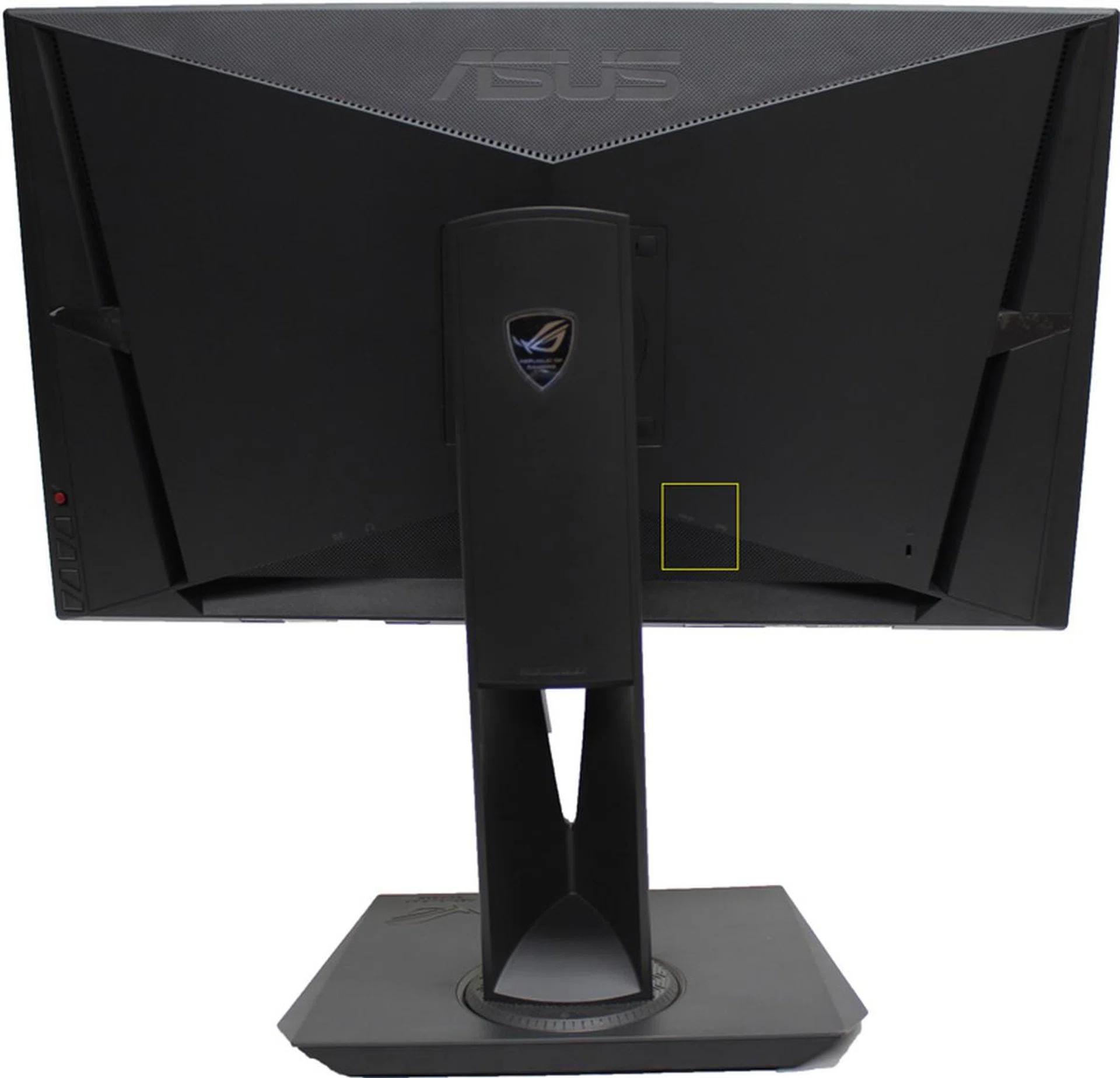
The yellow box is where the ASUS monitor's only two USB 3.0 ports are. We found them awkward to access due to their placement.
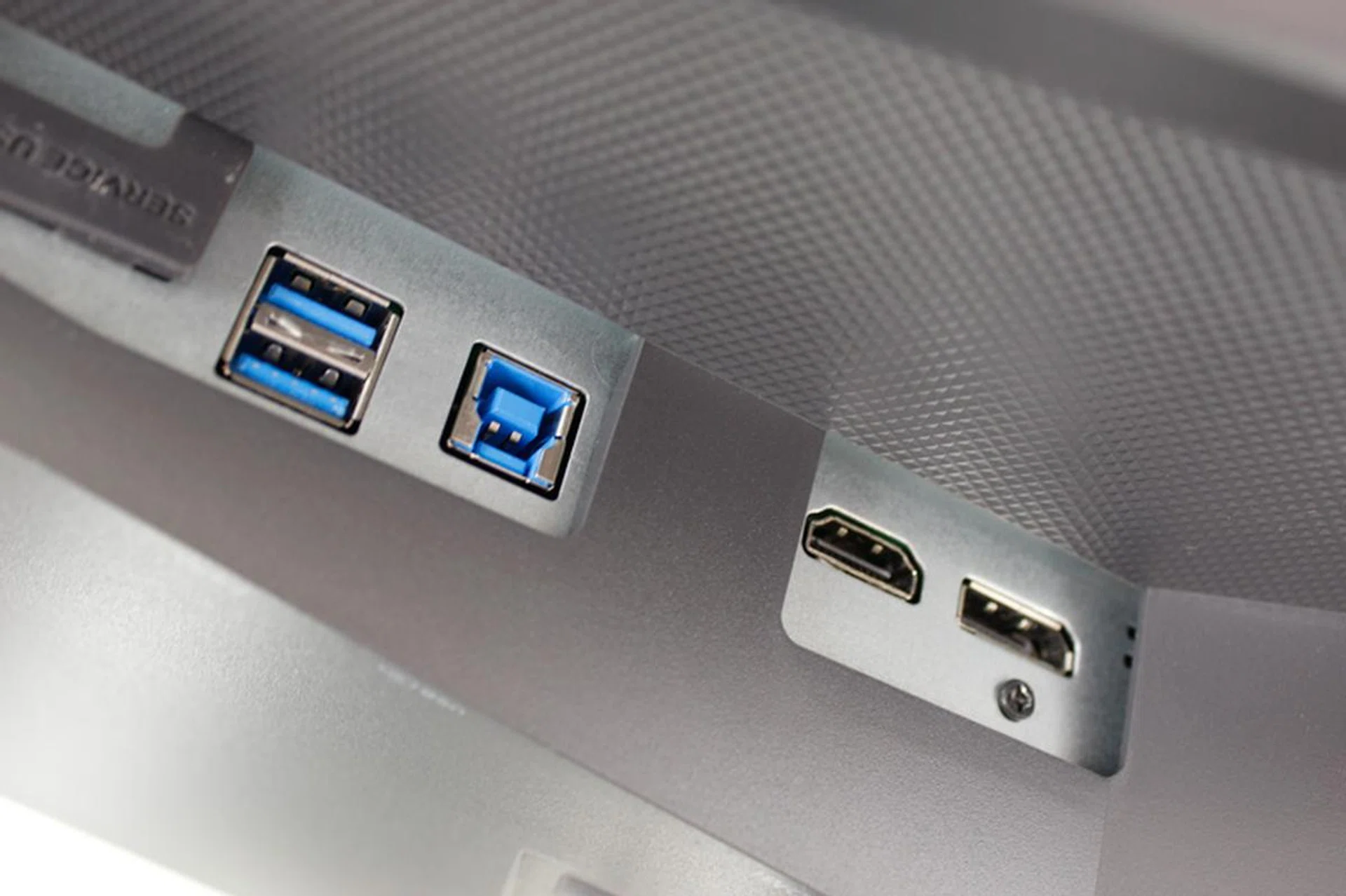
The monitor only has two USB 3.0 ports and they're stashed away behind the display in a hard to access area.
As for inputs, the ASUS ROG Swift PG27AQ actually improves upon the older monitors in the line. It now has a HDMI port, a DisplayPort and two USB 3.0 ports, with a single USB upstream port. If you're buying the monitor solely for its G-Sync support, the HDMI port might be a strange inclusion. After all, NVIDIA's technology will only work via DisplayPort. However, if you're planning on connecting a second device to the monitor, like a console or a Blu-Ray player, then the extra HDMI port is a great addition.
Sadly, as with the ASUS ROG Swift PG278, the USB ports are still placed in an awkward to access position, at the back of the monitor, making it a hassle to utilize them. Unlike other monitors in the shootout, the ASUS monitor only has these USB ports, which means you'll have no choice but to use them if you really need the extra ports.
The monitor also comes with 2W speakers built into its cabinet and as a result, has relevant audio jacks to better make use of it. Though these speakers produce decent sound, we don't really recommend them as they sound a bit tinny and lack bass. While they'd work in a pinch, consider investing in a decent pair of headphones or speakers for better audio immersion and fidelity.
One of the best parts of the ASUS monitor is how it handles OSD navigation and input. Everything is done by this easily accessible nub at the back of the display:-
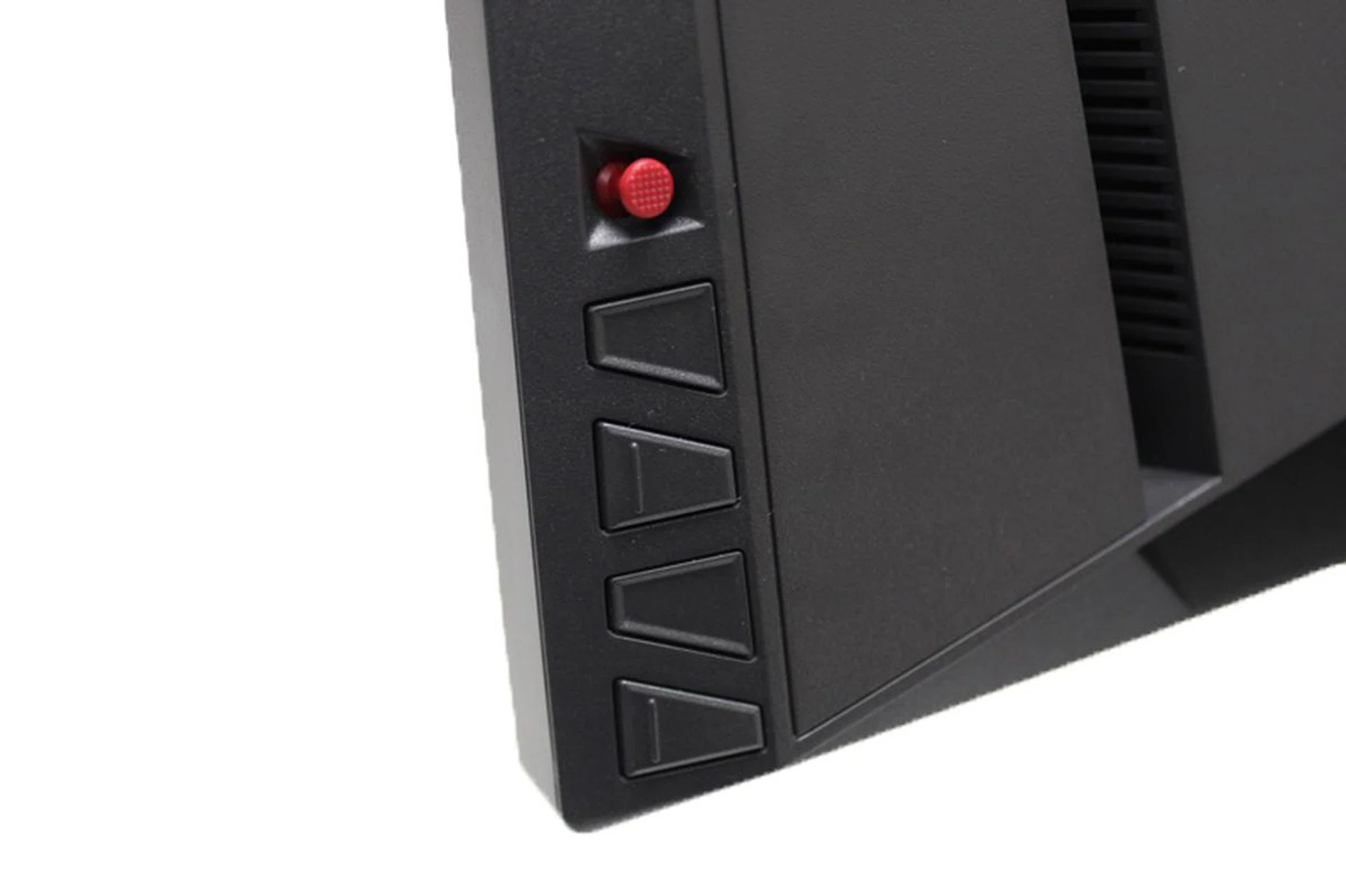
The analog nub is the best way to navigate any OSD.
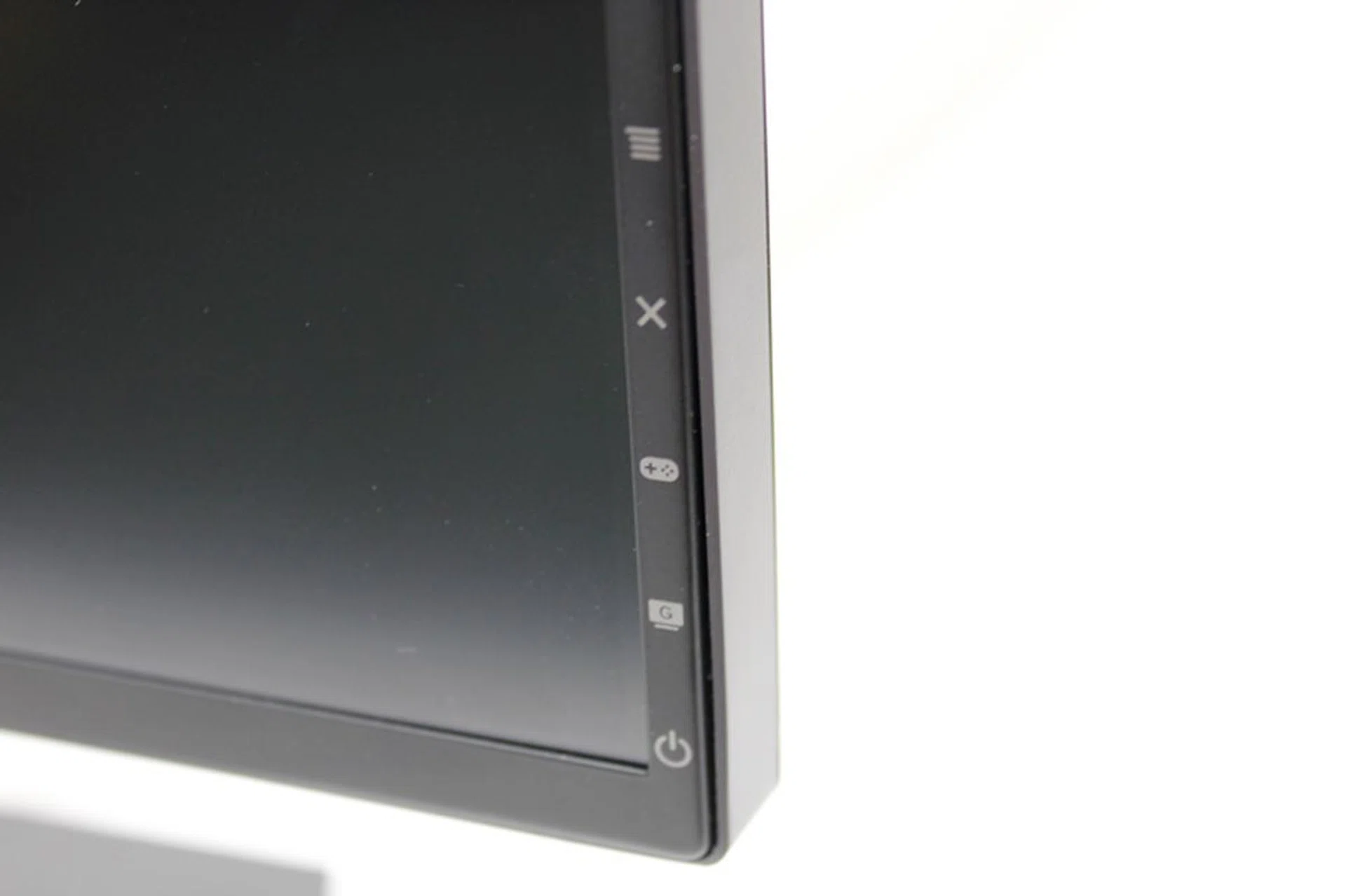
The OSD icons are pretty easily identified.
Forget about remembering which button controls what. The ASUS monitor handles navigation elegantly with the analog nub. All you need to do to navigate the menus is just to move the nub in the direction you want to go. It's clever, easy to use and we wonder why nobody else is copying the style.
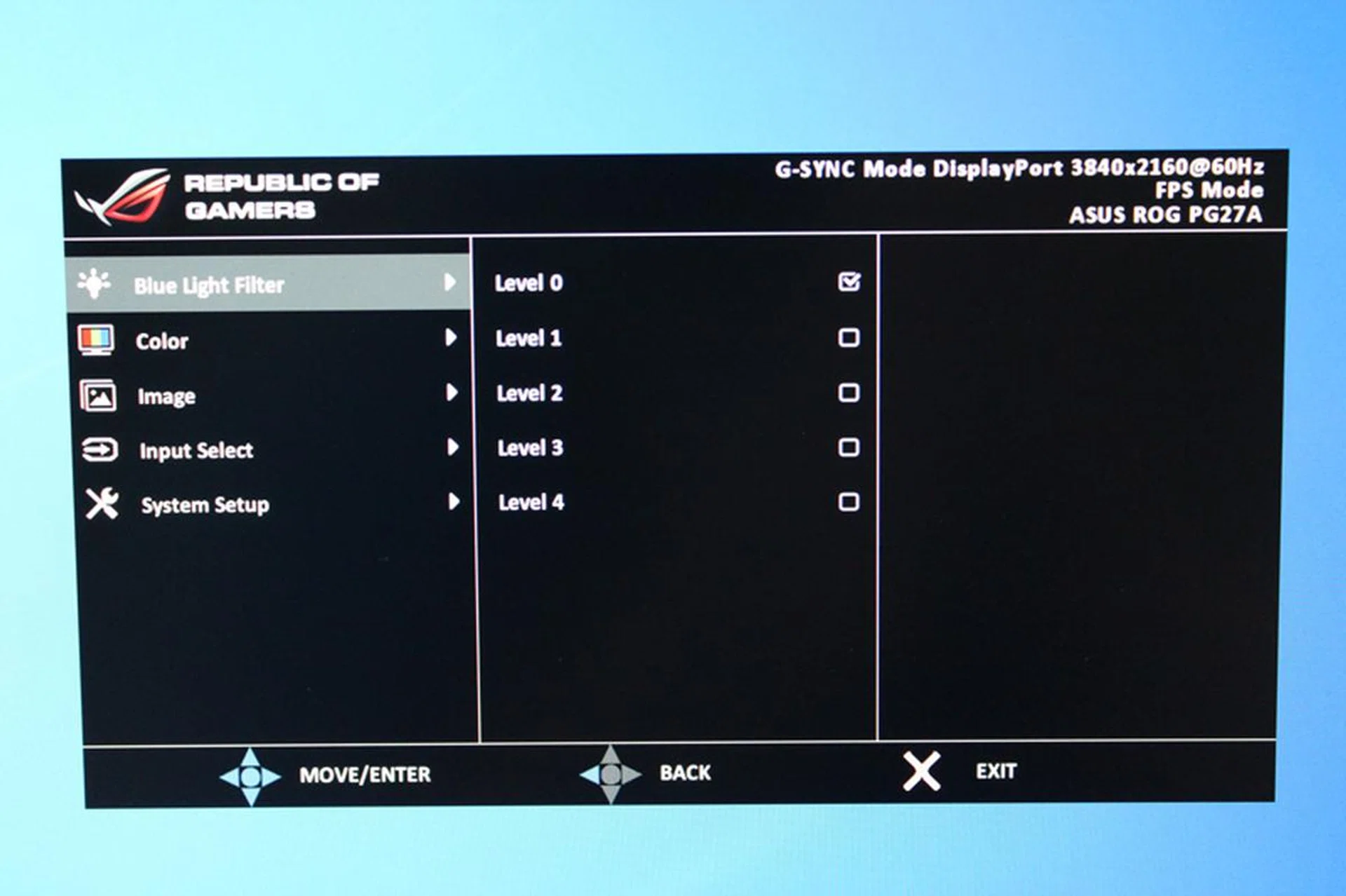
Nothing truly extraordinary in the main OSD menu. Apart from the Blue Light filter feature, other options are all the basics you'd expect to find in a monitor OSD menu, like brightness adjustment and contrast.
The other buttons simply unlock different options in the OSD menu, including the ASUS monitor's exclusive Gameplus modes and a shortcut to the monitor's presets.
Gameplus is what ASUS calls its suite of features that are supposed to cater specifically to gamers. There's the crosshair mode, which projects a crosshair onto the monitor (useful for games without crosshairs), a timer mode that allows you set timers so you know when you can use skills or when a boss respawn is up (which is great for MMOs) and finally, an FPS counter which displays a program's FPS on the screen.
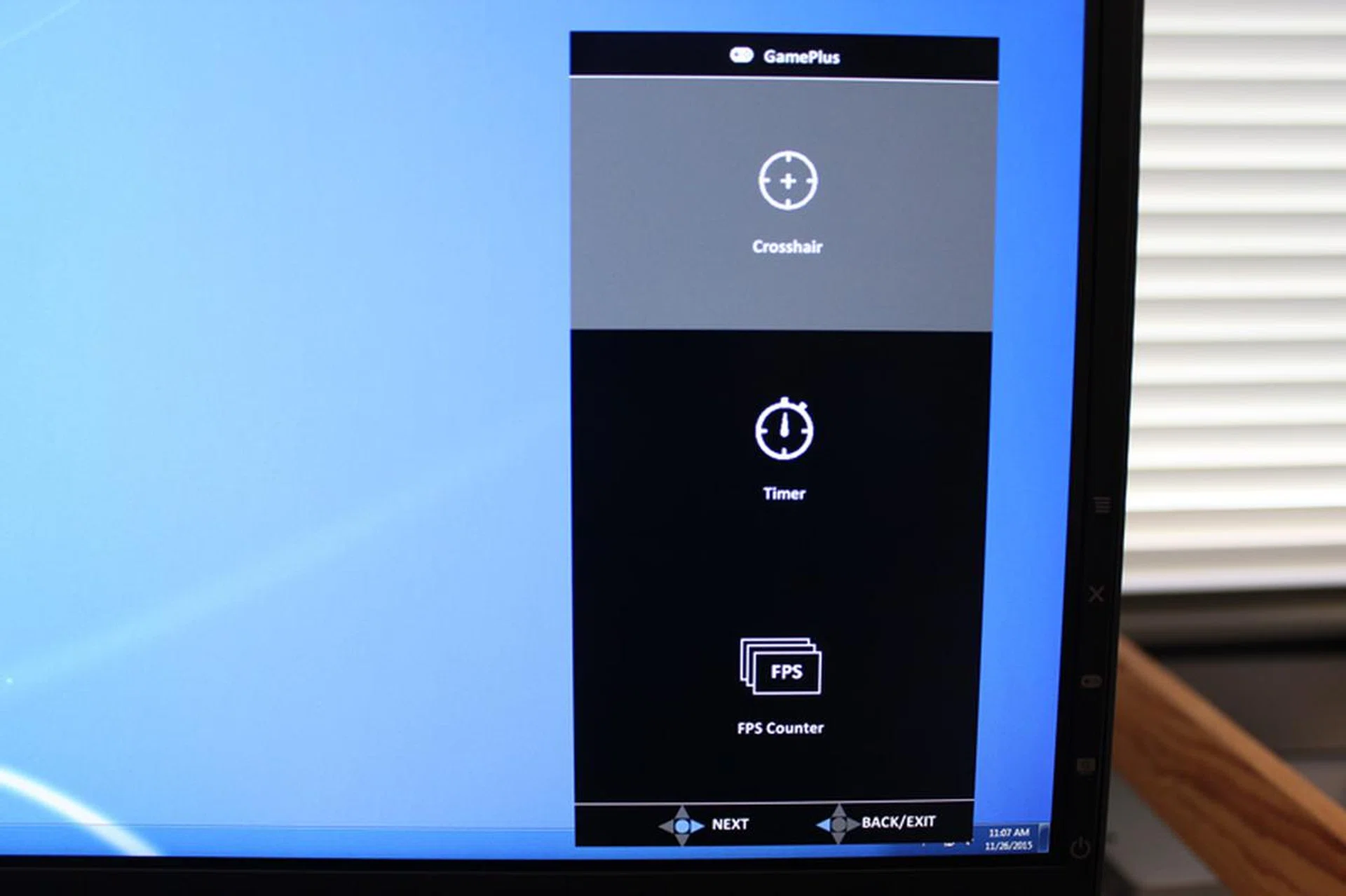
The GamePlus mode returns, with the same functions.
We have no issue with the crosshairs or timer (though you can easily get third party programs that can replicate their functions) but the FPS counter was a bit wonky when we tested it. We ran the benchmark for Shadow of Mordor while running the FPS counter and found that it consistently lagged behind what frame rate the native benchmark was displaying. We reckon it might be a good general indicator of a game's frame rate, but if you really want an in-depth count, you'd do well to look elsewhere.
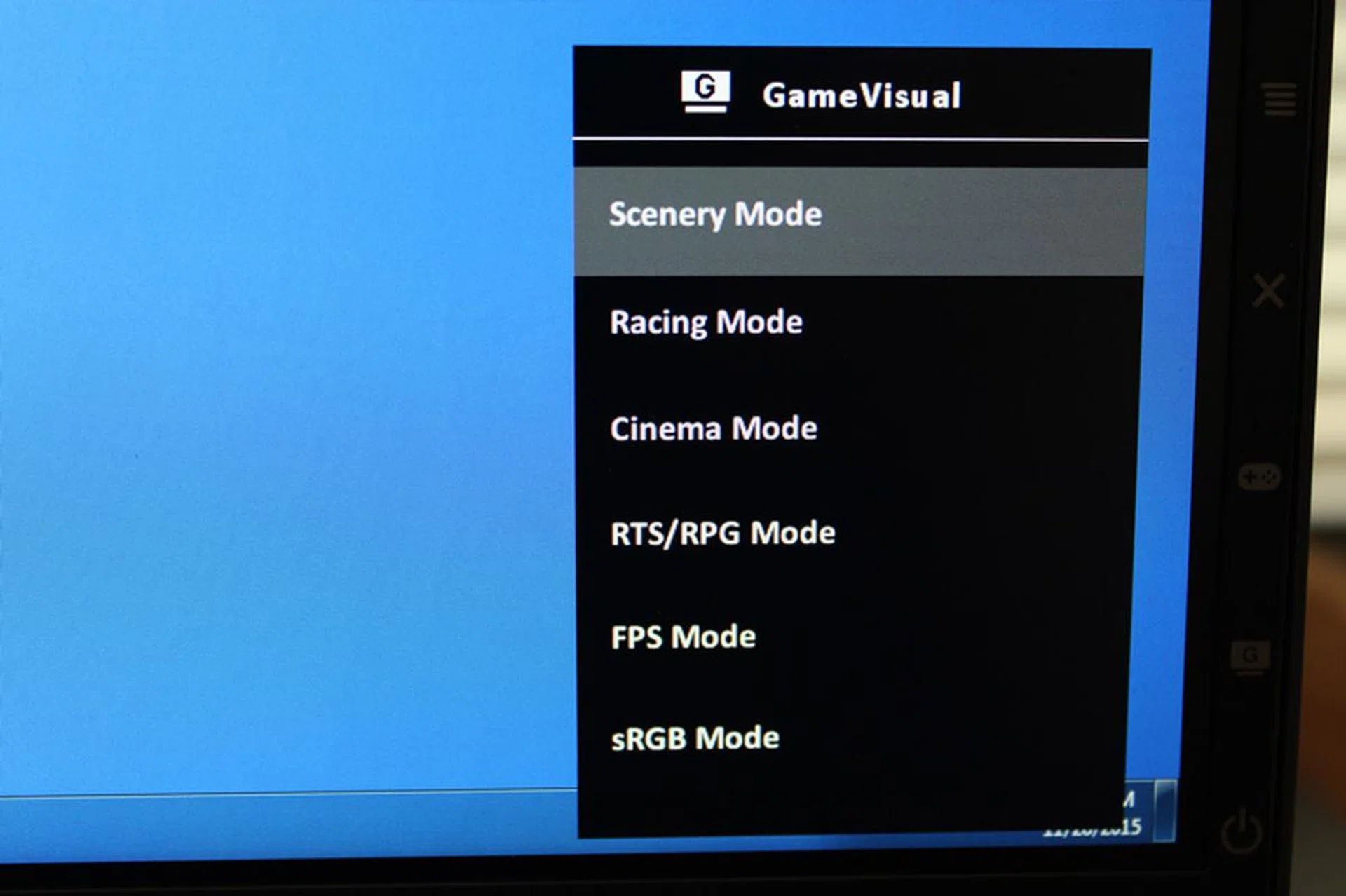
Presets for the machine have their own shortcut, so you can easily switch without delving into the OSD menus.
The great navigation and the gamer-centric options put the ASUS ROG Swift PG27AQ right on top of the heap, at least if you're looking for a monitor with a lot of frills.
On top of the GamerPlus feature, the monitor also comes with a Blue Light filter, that's supposed to protect you from the harmful effects of Blue Light emission. Long term exposure to Blue Light is supposed to be harmful to our eyes, which is why the monitor comes with a filter that allows you to adjust how much Blue Light it emits.
Overall, the ROG Swift PG27AQ is a great monitor offering from ASUS. It's not the perfect monitor but it has pretty decent features in it that make it a cut above most in the market.
Will it be enough though? Read on and find out.
Dell SD2716DG
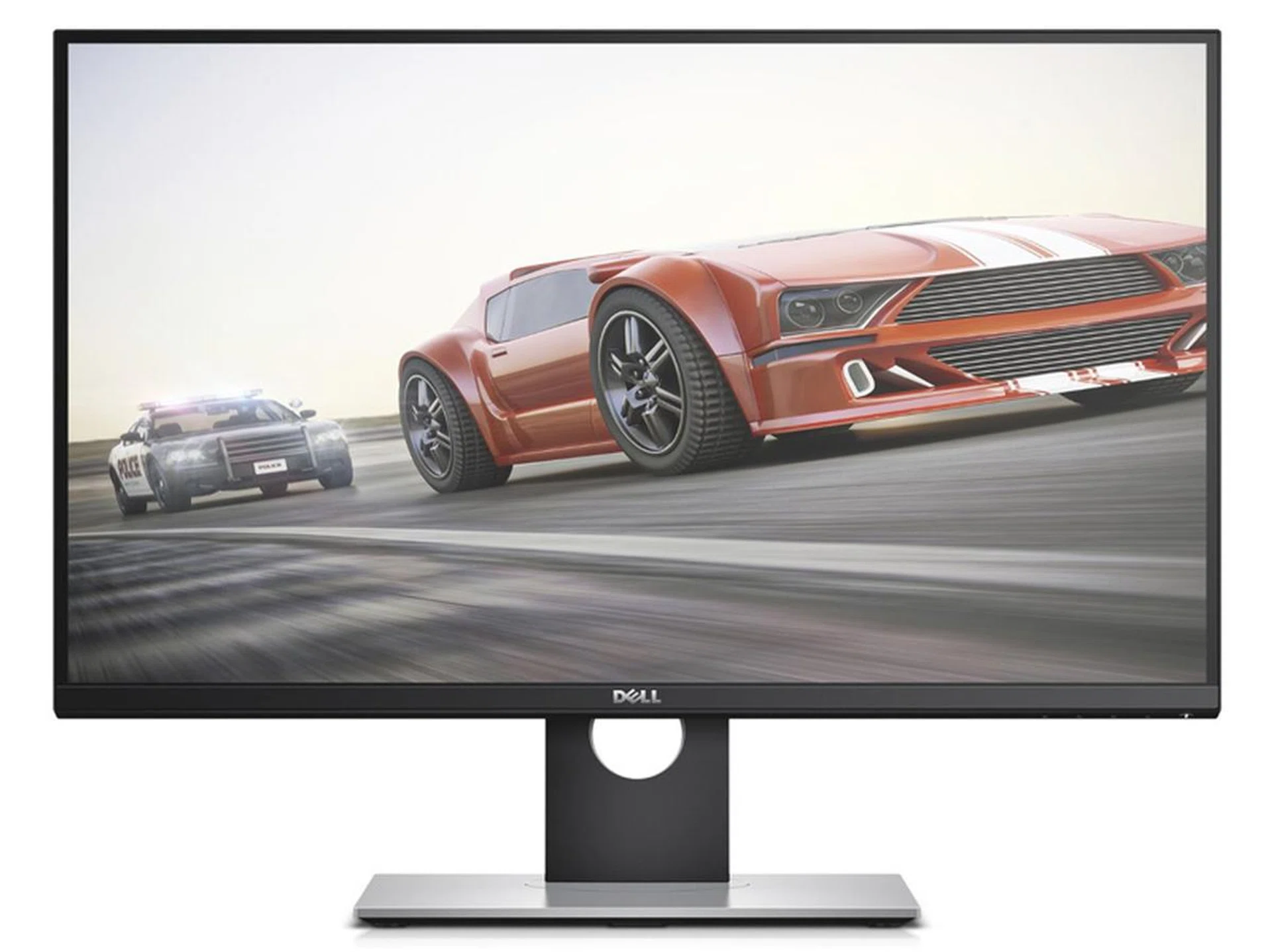
The Dell S2716DG is the only TN panel monitor in the shootout.
Dell as a brand is synonymous with quality - more so for their monitor lineup. But a gaming monitor? That's a segment that Dell is slowly trying to make its presence felt, along with its Alienware brand for those who need a matching outlook to play the part.
As for the Dell S2716DG that we've qualified for this comparison, it shares a lot in common with Acer's offering. Both of them definitely don't look particularly outstanding and would pretty much look right at home in a professional working environment. It doesn't look nearly as exciting as ASUS's ROG Swift PG27AQ, with its black and red theme, sharp angles and light-up base but what the Dell monitor lacks in looks, it makes up for it in other areas.
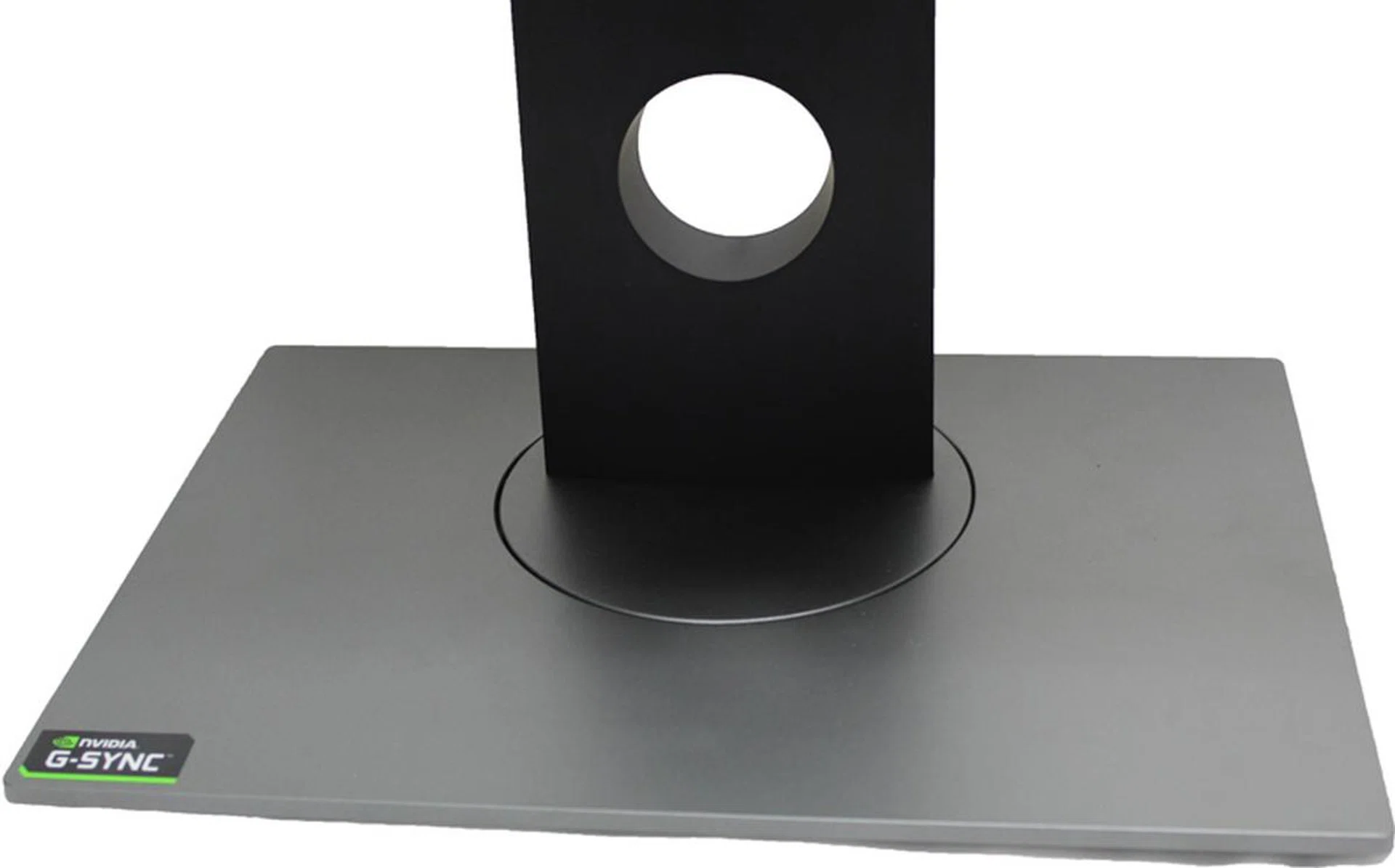
Rectangular and very stable, the Dell won't budge unless you really exert pressure on it.
The Dell S2716DG monitor comes with a flat rectangular base, a departure from the circular base of the Acer monitor or the uniquely shaped one found on the ASUS monitor. The Dell S2716DG comes disassembled, so you're going to need to put the pieces together before you can use it.
Like the Acer monitor, installation is a snap, literally in this case. Plug the monitor and stand together and then tighten the screws. Build quality is great on both the monitor and the base, giving the monitor a very solid feel. Like all the other contenders in the shootout, the Dell S2716DG can rotate, pivot, tilt and swivel with no issue.
Movement of the screen is smooth and requires minimal effort, though don't mistake it for a screen that might pivot off orientation accidentally or easily. Like the ASUS and Acer monitors, the Dell S2716DG stays in place once you've set its position.

Like the ASUS monitor, the Dell S2716DG's bezels are nearly flush into the display. Sadly, the display has uneven bezels though, the bottom bezel is thicker than the others.
One major highlight about the Dell monitor is how thin the bezels are for the top and sides of the display. The monitor's display does not sit flush like the ASUS ROG Swift PG27AQ, but neither is it noticeably recessed like the Acer monitor. Due to that, if you're looking to create a multi-screen setup, Dell's S2716DG monitor is a decent option if you're on a budget.
The Dell S2716DG comes with a WQHD (2,560 x 1,440 pixels) resolution TN display. As such, the monitor has an incredibly fast response time of just 1ms, the fastest out of all the monitors in the shootout. On top of that, it also has a 144Hz refresh rate, the same as the Acer monitor but more than twice that of the ASUS ROG Swift PG27AQ's 60Hz.
However, the Dell monitor comes with a downside of its own. The TN display doesn't quite stand up to the colours that the ASUS and Acer monitors can deliver with their IPS screens. On the Dell machine, a scene with bright vibrant colours becomes a tad faded and washed out. Of course, if you're playing games where a fast response time is important, the slightly duller colours might be a worthwhile trade-off.
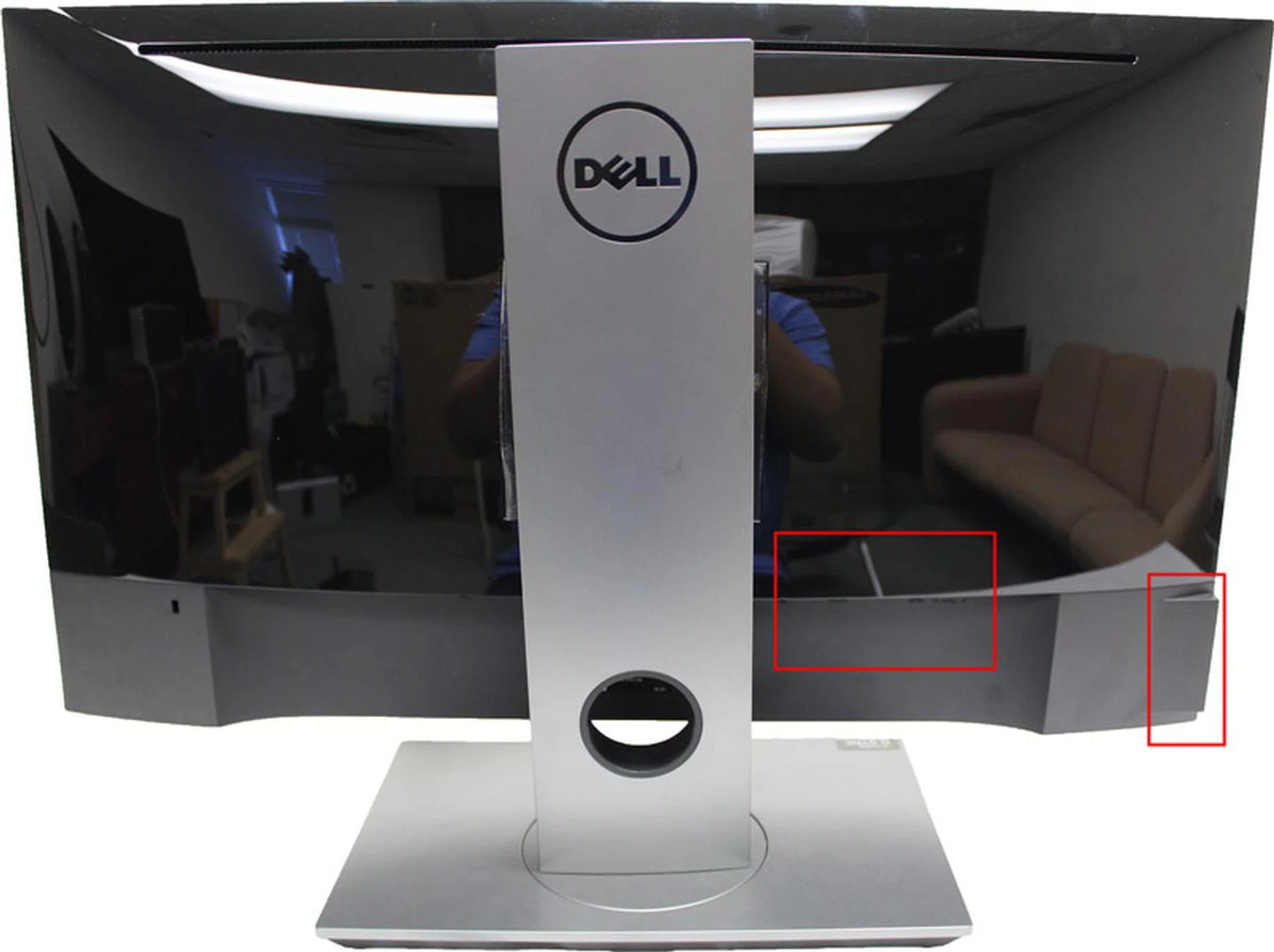
The Dell monitor has a glossy rear back. The red rectangles highlight the locations where the USB ports are located.
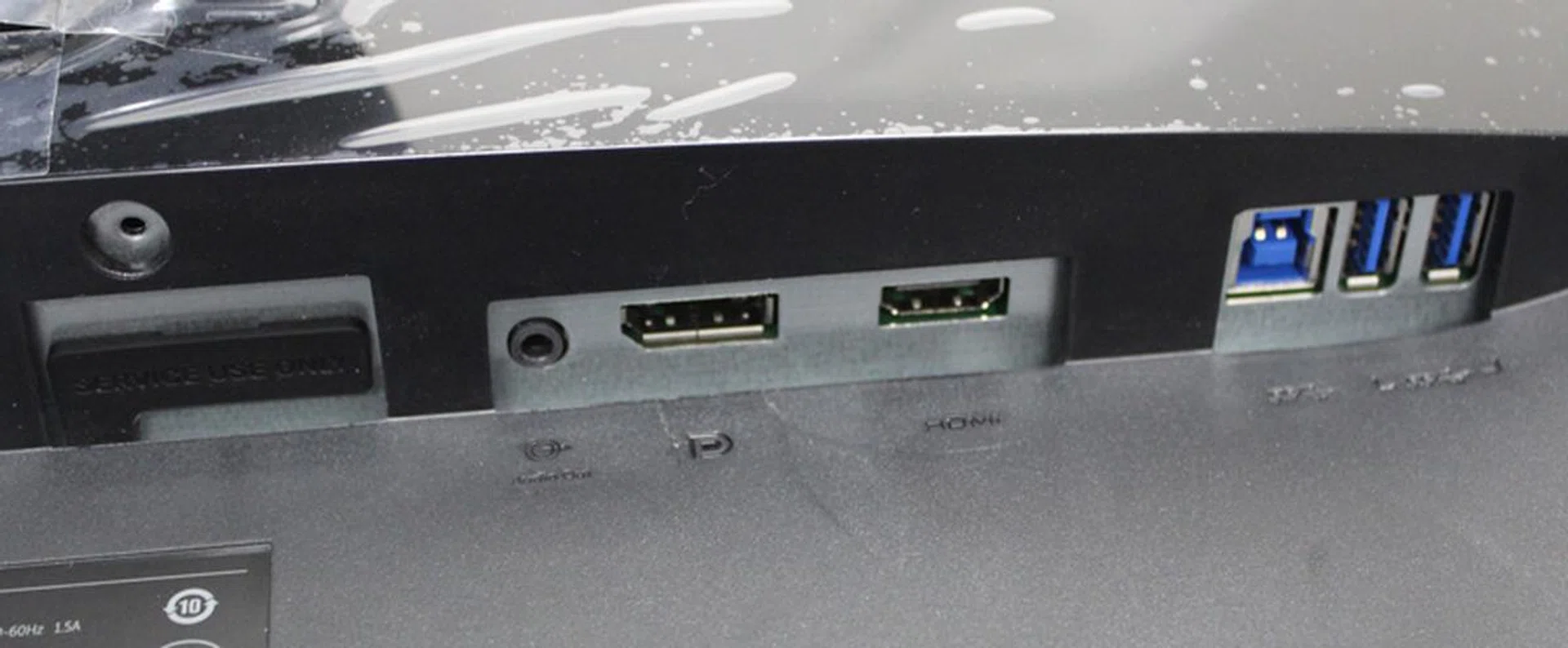
The Dell monitor accepts both DisplayPort and HDMI input. The back of the monitor is also where two of the USB 3.0 ports are located, along with the upstream USB connection.
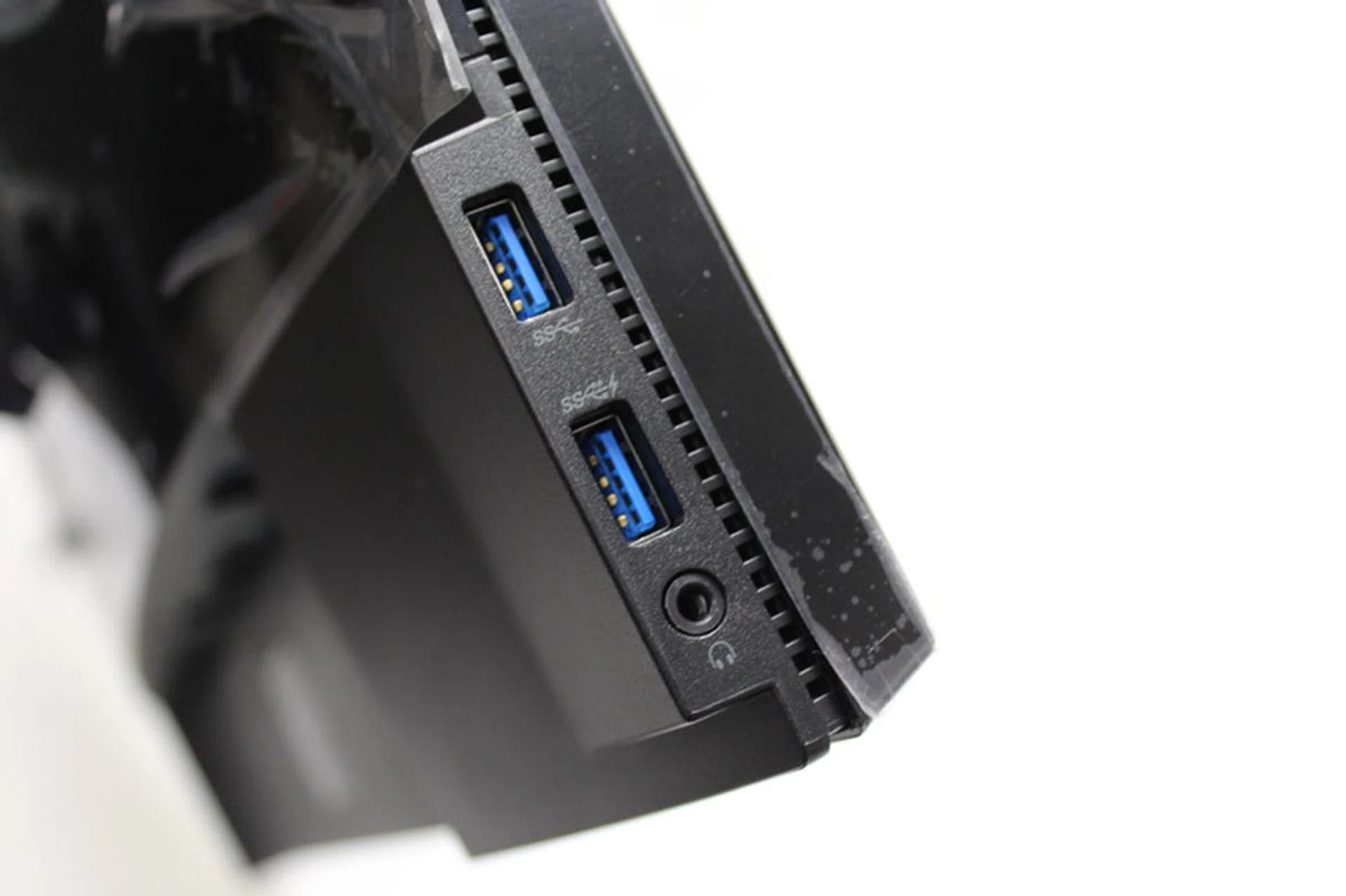
While it doesn't have speakers, there is a headphone jack on the monitor if you want to plug your headphones into it since an HDMI connection can carry audio signals as well. But if you're using a DisplayPort connection, then you're out of luck.
Like the other three monitors, the Dell S2716DG uses DisplayPort for its primary connection method, though an HDMI port is also available. However, since the Dell S2716DG is an NVIDIA G-sync capable monitor (like the others in the shootout), using HDMI effectively negates the ability to use G-Sync. However, if you're thinking of connecting another device that doesn't require G-Sync, such as hooking up your game console or any other AV device, then it's a boon.
On top of the HDMI and DisplayPort interfaces, the Dell monitor also comes with four USB 3.0 ports. Like the others, two of the USB ports are situated behind the display. Fortunately, the other two ports are on the left side of the monitor, which allows for easy, intuitive access.
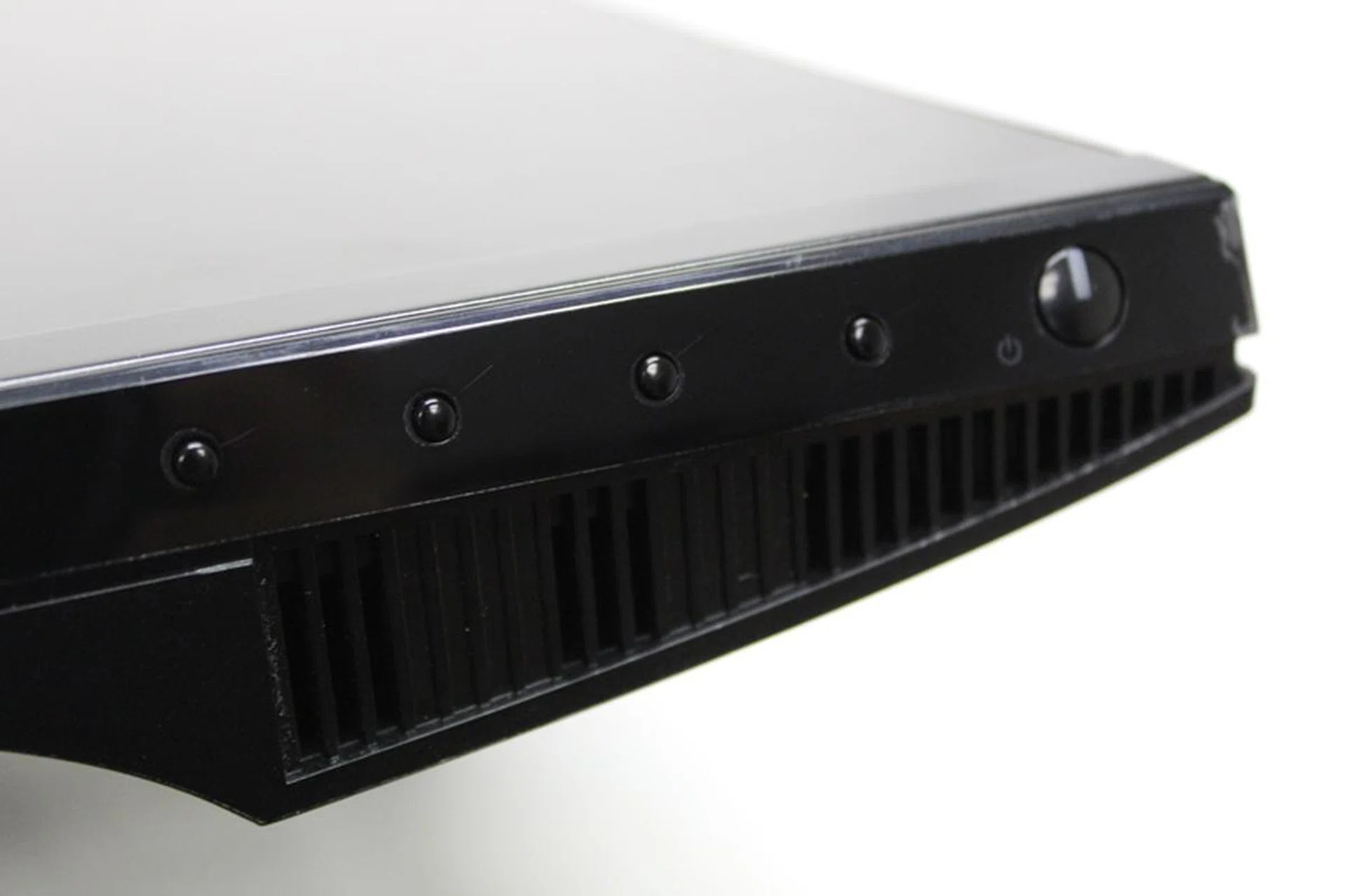
Stiff and hard to see, the buttons are pretty bad and we don't really like them.
Since the monitor isn't a touchscreen device, the Dell S2716DG comes with a set of buttons to configure its settings. While not as mushy as the Acer monitor's buttons, Dell's buttons are also a bit troublesome to use due to their placement under the monitor and are rather stiff in use.
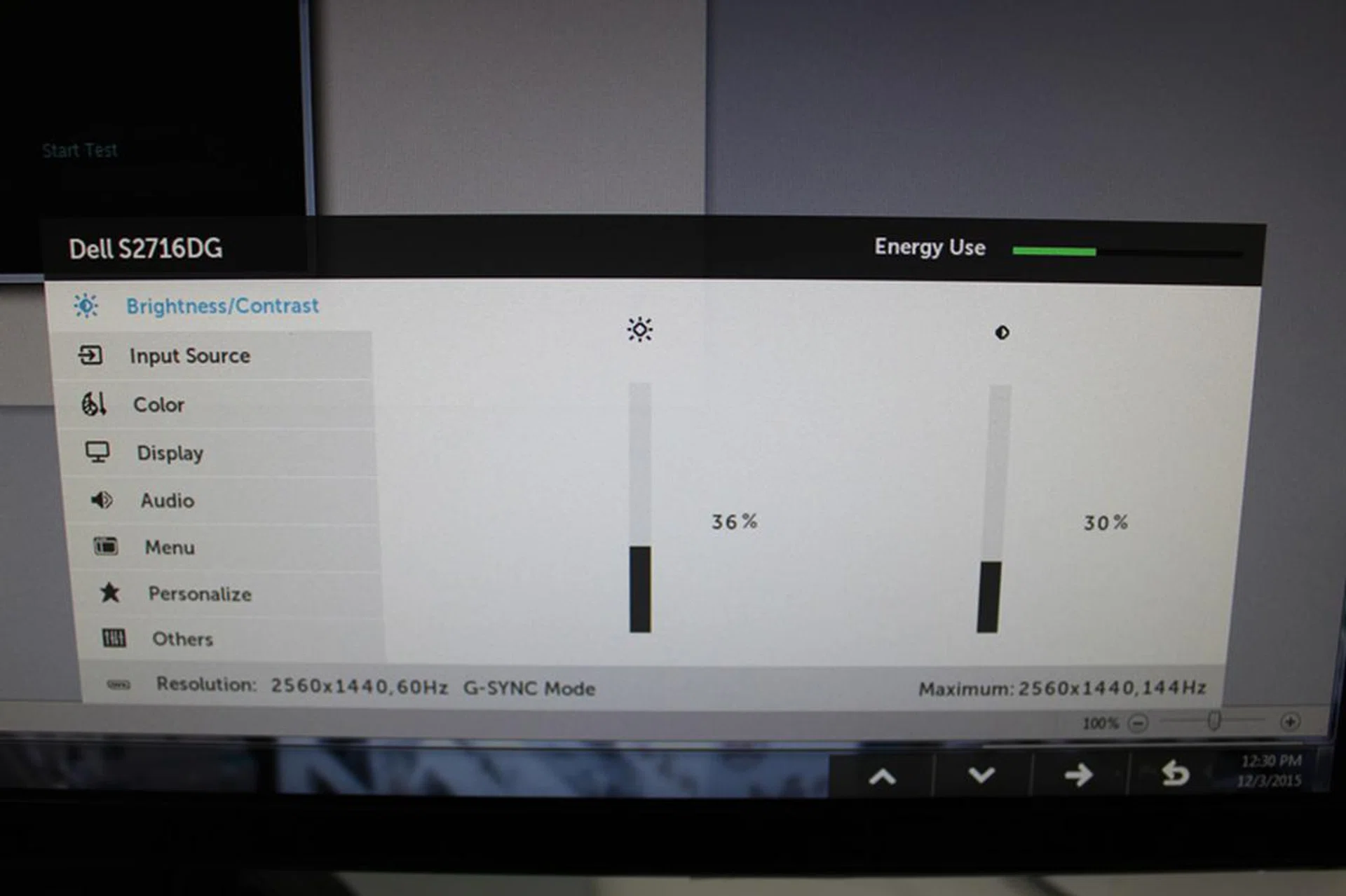
The OSD has the usual suspects; brightness settings, contrast and so on. Personalize option lets you create your own OSD shortcut.
The OSD is typical of Dell monitors, so if you've used a Dell monitor in the past, this shouldn't be too hard to come to grips with.
Most basic settings are easily presented, with the Brightness and Contrast settings taking prime billing in the OSD menu. There is also a setting for audio volume, for users who opt to use the audio out or headphone jacks. The monitor doesn't have built-in speakers though.
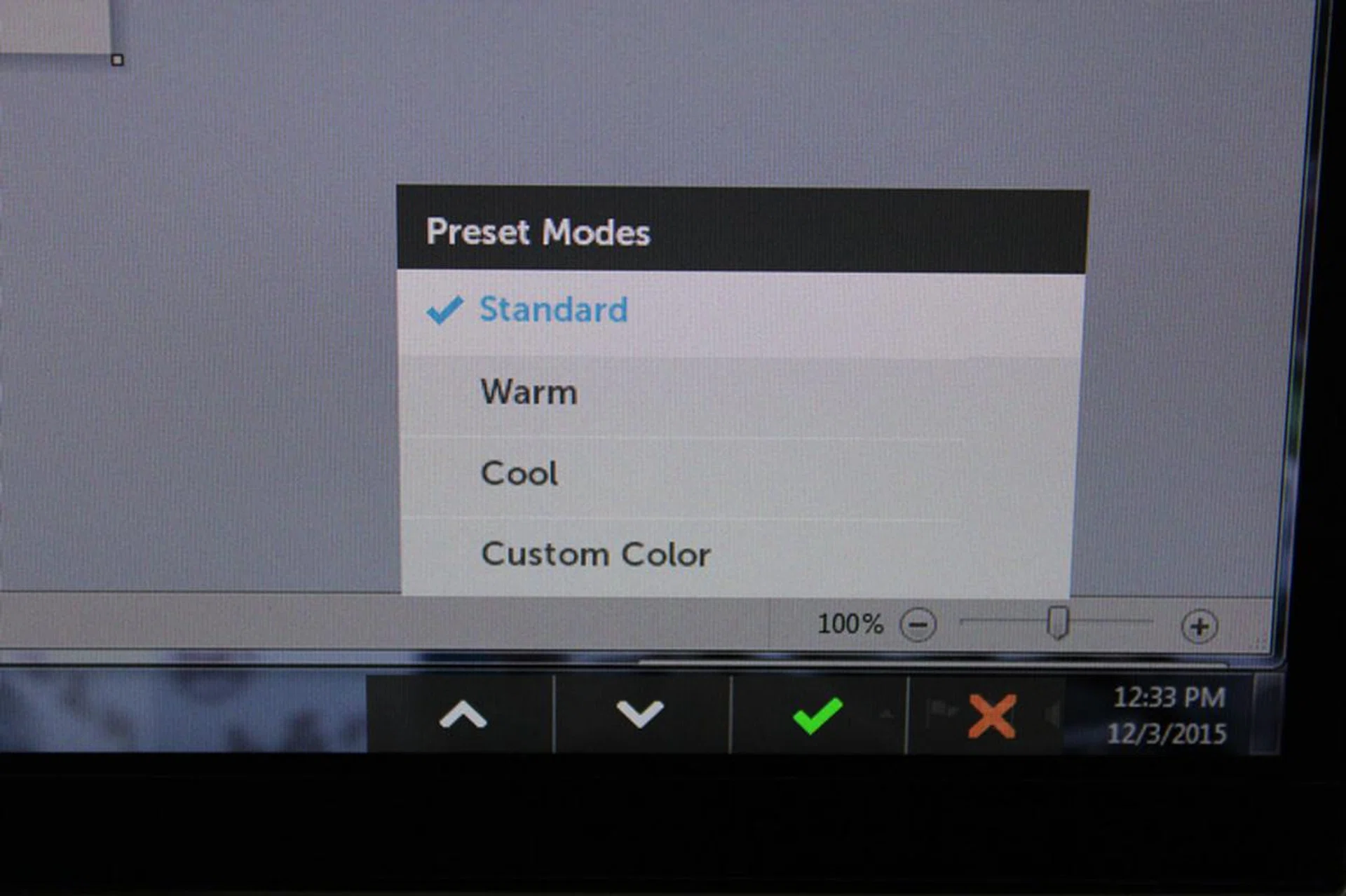
Weirdly, the monitor doesn't have presets. Instead it has different color temperatures you can switch on the fly.
Also, users might also be alarmed to find out that the monitor doesn't come with display presets, but only the ability to change to different colour temperatures.
Finally, the OSD also contains settings for ULMB (Ultra Low Motion Blur), which can't be used if you're using NVIDIA G-Sync.
Dell's S2716DG might not be the best monitor for gaming, but it does have a really attractive price point. At S$899, the display is great for people who don't really care about having the best visual quality but still want a G-Sync monitor with fast refresh capability. In that light, the Dell S2716DG is still a great monitor where value is concerned.
Will the Dell's low price and fast response rate win us over? Read on to find out.
Acer XB270HU Benchmarks
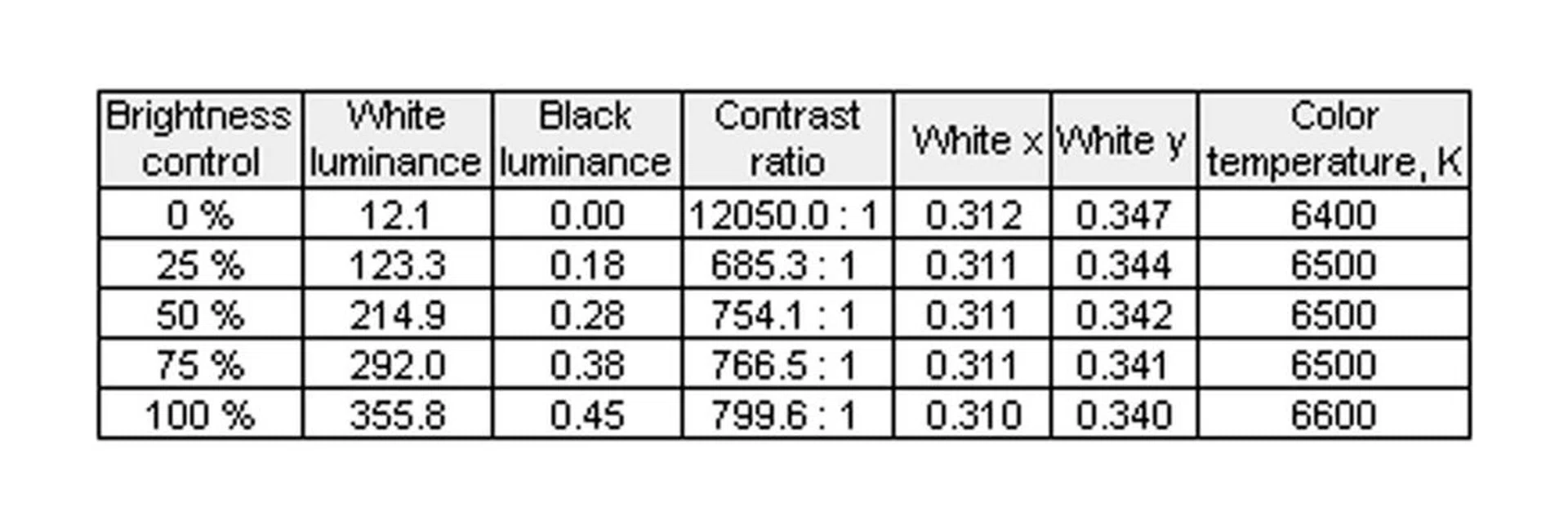
As mentioned earlier, the Acer XB270HU is a 27-inch 2,560 x 1,440 pixels resolution IPS monitor. It supports 16.78 million colours, with a brightness rating of 350cd/m2 and a maximum contrast ratio of 1000:1.
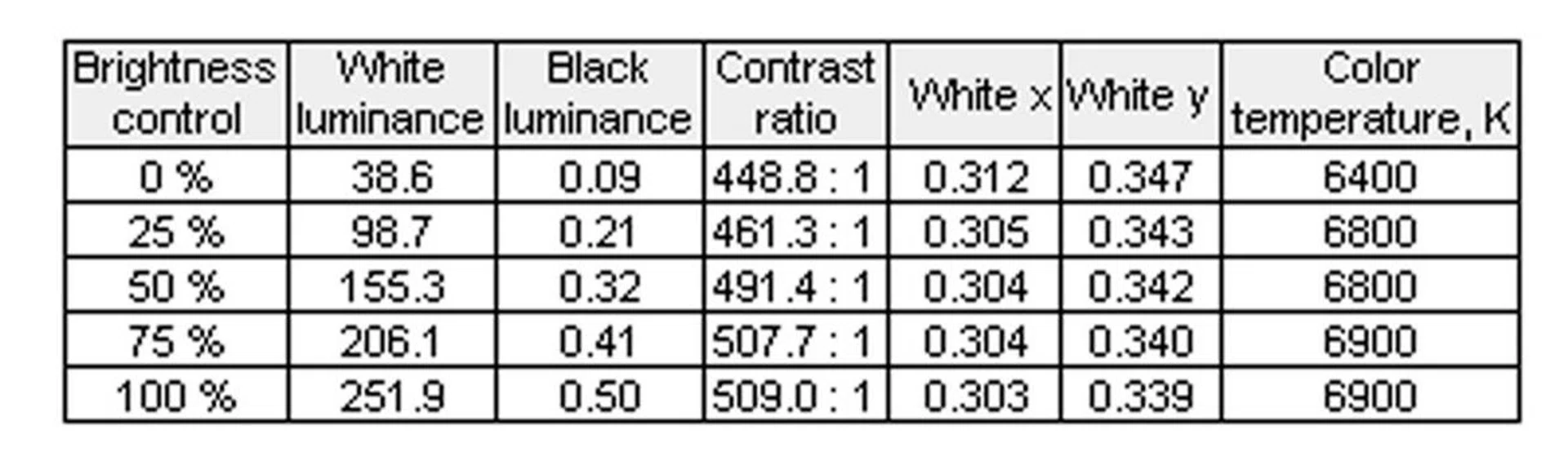
Here are the measurements of the monitor, with brightness from 0% all the way to 100%.
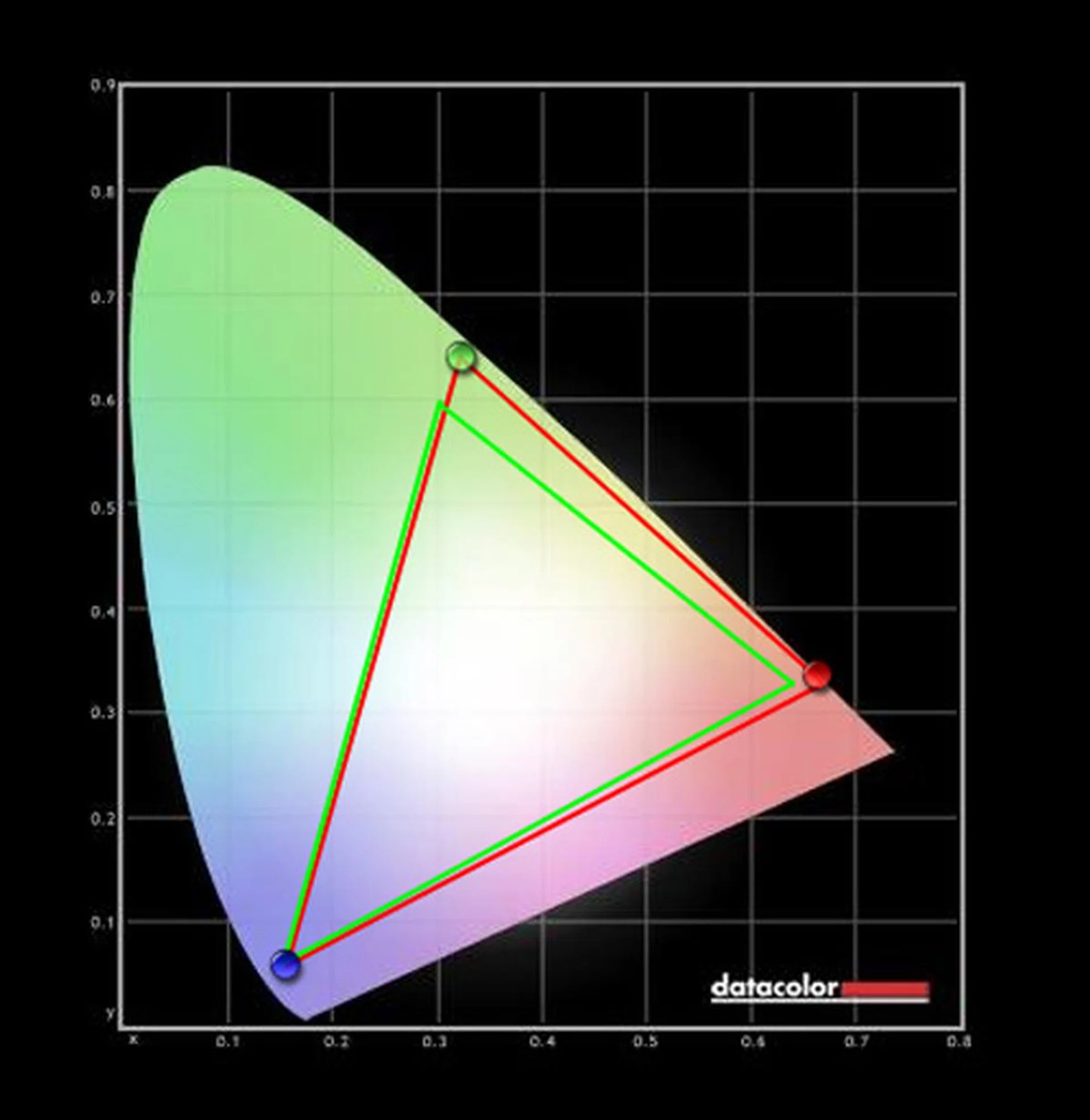
The Blues generated were pretty accurate, though the Reds and Greens were a bit off.
The Acer monitor's colour performance is pretty good. Its blues are nearly a perfect match, while its reds are just a tad off-kilter. The biggest issue with the monitor's colours are the greens, but it's still passable enough to not be a big issue.
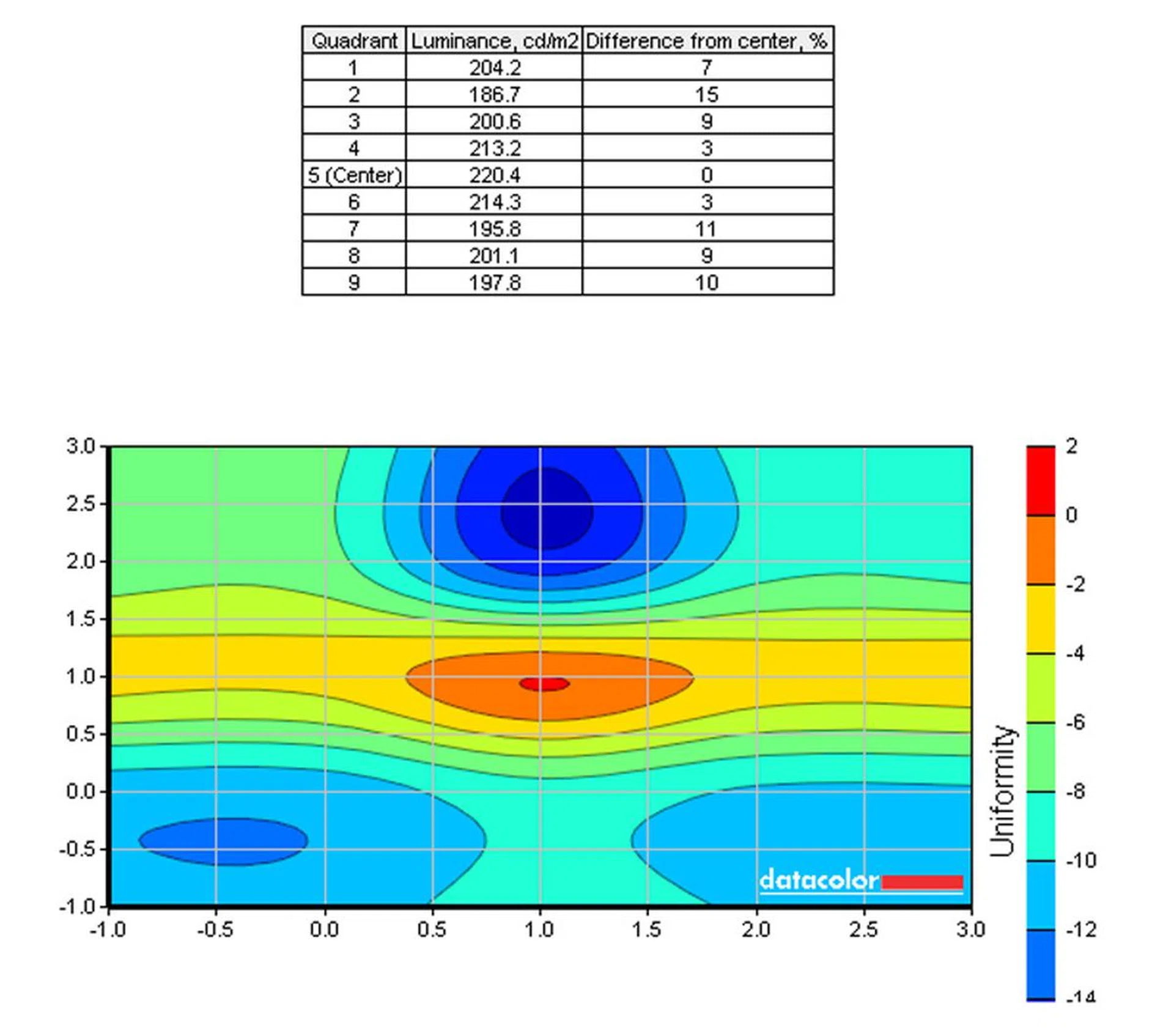
Uniformity was pretty even throughout. Even the areas that had a lower luminance didn't deviate too much from the center.
As for screen uniformity, the monitor again performed admirably well. Its display was brightest in the centre but even the sides exhibited decent uniform levels. The least intense section is the top middle, with 15% difference in intensity from the centre, where it's brightest.

Finally, the Acer XB270HU has a response time of 4ms. To gauge how that would affect fast-moving gameplay, we used PixPerAn and took photos at a very high shutter speed. As you can see, there is a decent amount of ghosting in the image, though it's certainly not as bad as it could be. A 4ms response is currently the lowest response time for IPS screens, so what we're getting with the Acer monitor is representative of other IPS monitors with similar response times. Until somebody creates a 1ms IPS display (like those found on TN models), the slower response time is a trade-off for the better colours that IPS screens can produce. Besides, testing the monitor with Shadow of Mordor and Tomb Raider proved that while the monitor might have some issue with ghosting in a benchmark setting, it's not noticeable in the least when you're gaming.
ASUS ROG Swift PG27AQ
The ASUS ROG Swift PG27AQ is the only monitor in the shootout that has a resolution of 4K. The IPS monitor is capable of displaying 1073.7 million colours, with a brightness rating of 300cd/m2 and a maximum contrast of 1000:1.
Here's a look at the measurements of the monitor, from 0% brightness all the way to 100% brightness.
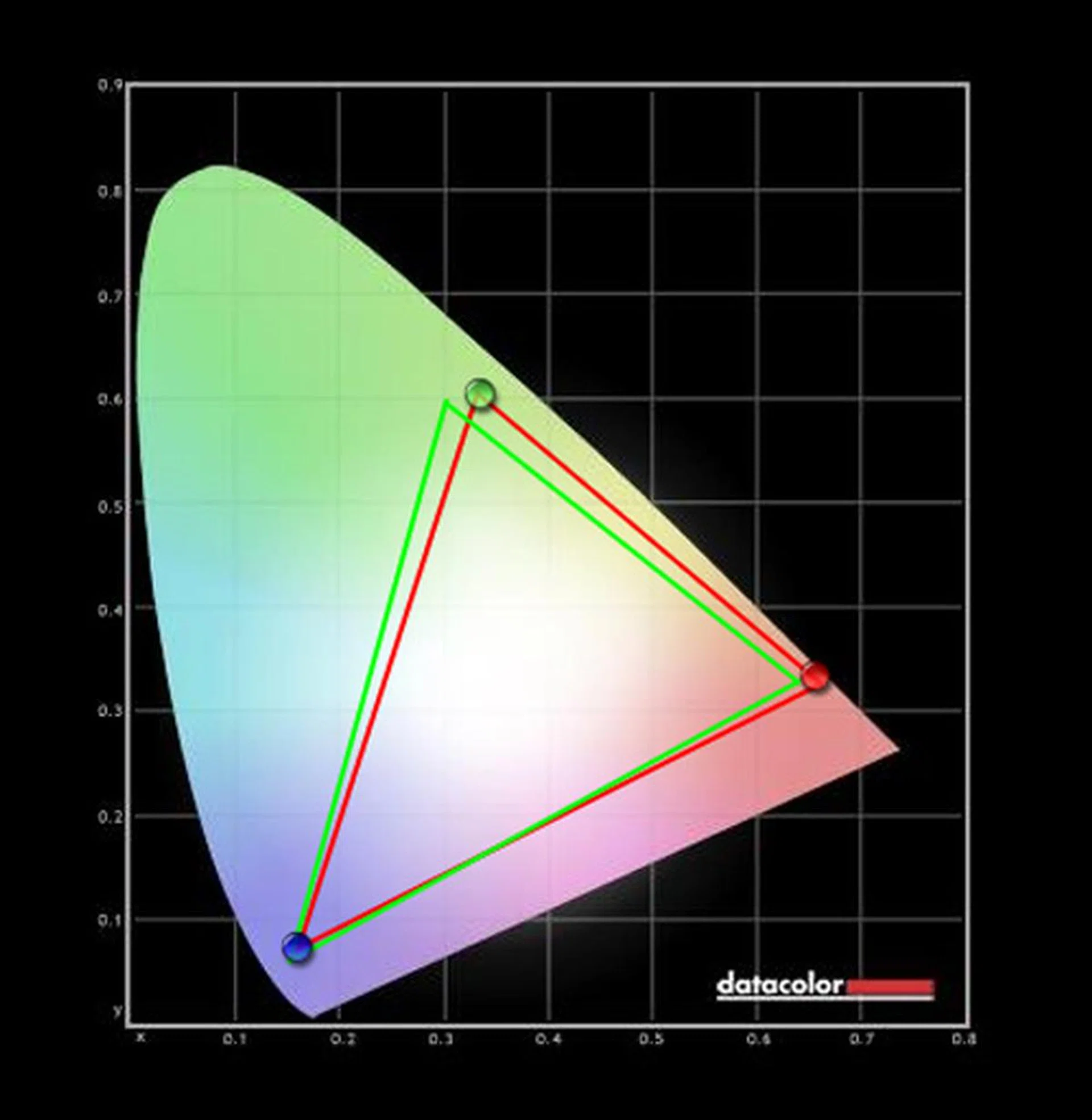
Again, the Blues are accurately reproduced, though the Reds and Greens are a bit off. This is similar to what we saw on the Acer monitor.
On the sRGB colour scale, the ASUS monitor fares incredibly well. Its blues are nearly dead on the line while its reds are just a tad off. Like the Acer monitor, its greens are off, though by a lesser amount than it. All in all, this leads the ASUS monitor to have great vibrant colours.
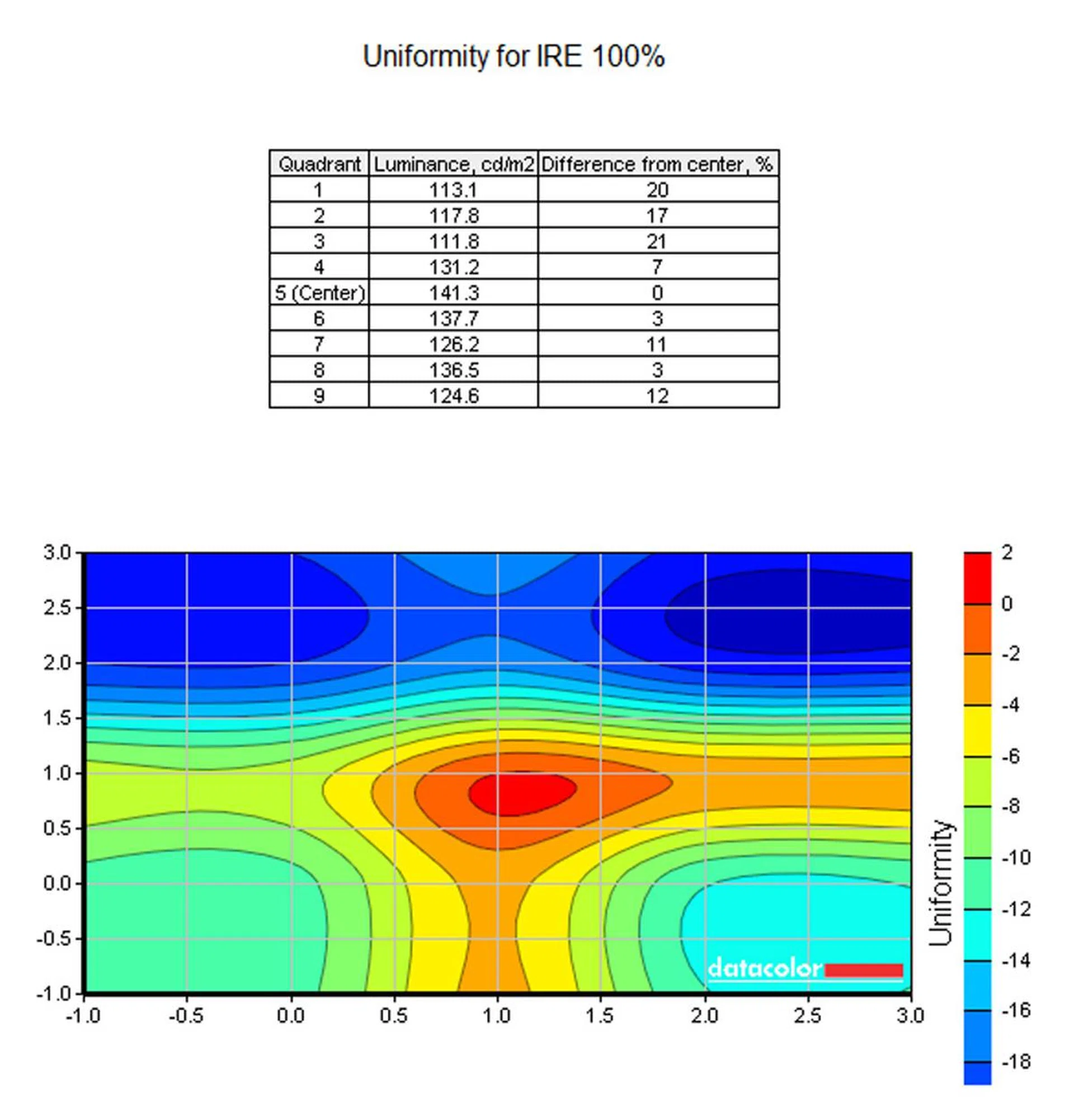
The top part is a bit dimmer than the rest but we didn't notice it at all when using the monitor.
ASUS has clearly done a better job on the ASUS ROG Swift PG27AQ from what it has learned from the ASUS ROG Swift PG278. The monitor is a lot more uniformly now, though the upper quadrants are still problematic. In fact, while the ASUS ROG Swift PG278 only had an 18% difference between the center and the dimmest part, while on the new monitor that difference has gone up to 21% for the upper right quadrant and 20% for the upper left, as you can see in the chart above.

Like the Acer monitor, the ASUS monitor also has a 4ms response time, though it only has a 60Hz refresh rate. Similarly, there is still blurring issues when we took a shot of the screen running PixPerAn. However, real-time tests on Shadow of Mordor and Tomb Raider showed that there were no discernible issues to the naked eye. So while blurring might occur, chances are unless you have really good eyes, you won't notice it.
Dell S2716DG
The Dell S2716DG is the sole monitor which has a TN display with a 2,560 x 1,440 pixels resolution. The monitor is capable of producing up to 16.7 million colours, has a contrast ratio of 1000:1 and with brightness rated at 350cd/m2.
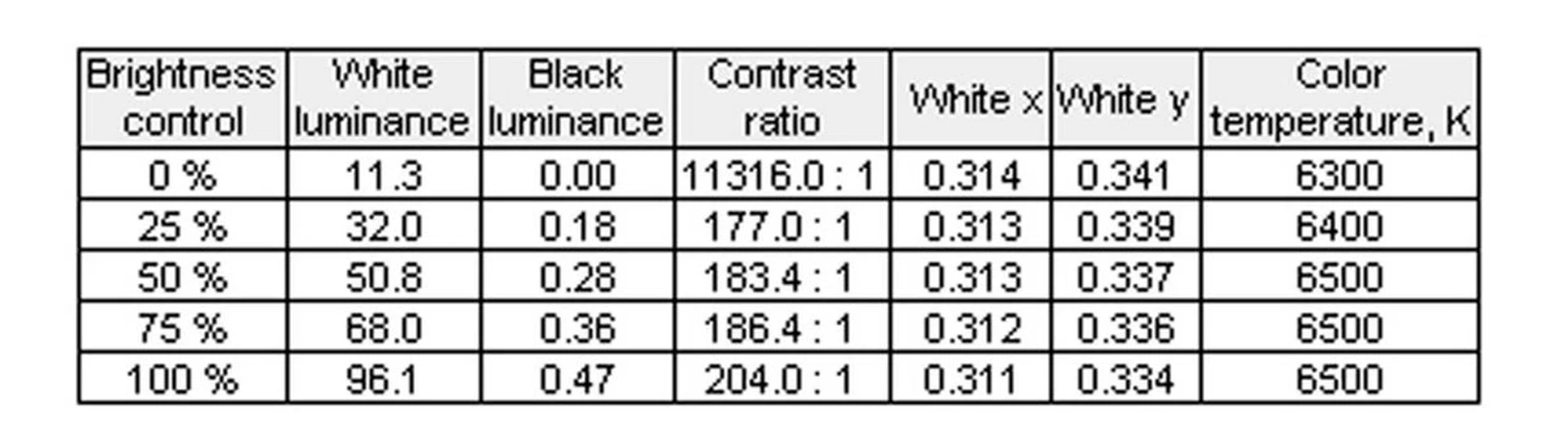
Here's a chart of measurements we took, from 0% brightness to 100% brightness.
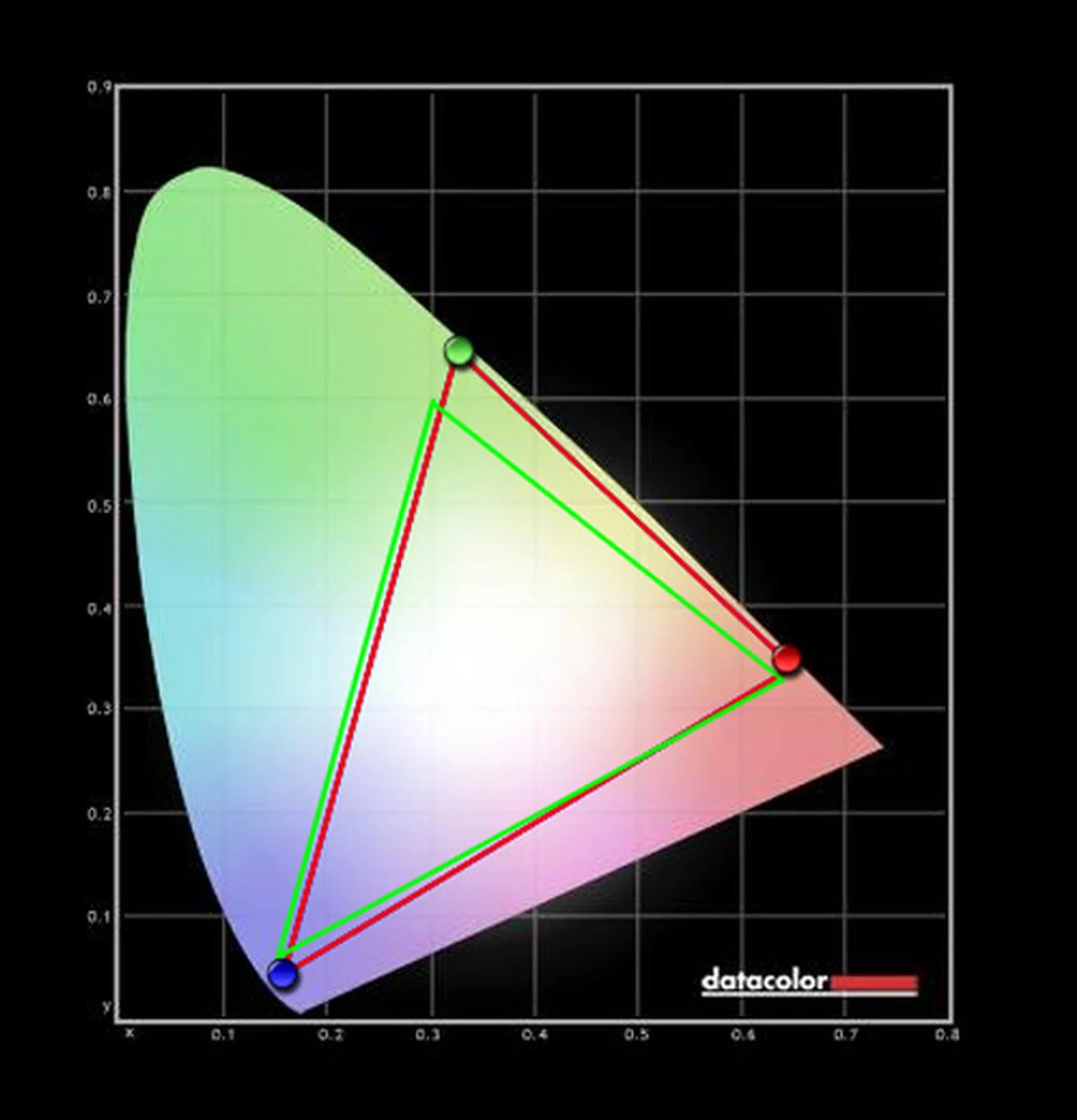
TN displays aren't known for their great color reproduction, which is why the RGB color reproduction isn't that accurate on the Dell monitor.
Of the three monitors in the shootout, the Dell S2716DG is the one with the least colour accuracy in sRGB. While the other two monitors have nearly perfect reproduction of blues, the Dell monitor had issues with reds, blues and greens, which led to a poorer over colour reproduction compared to the IPS panel competitors.
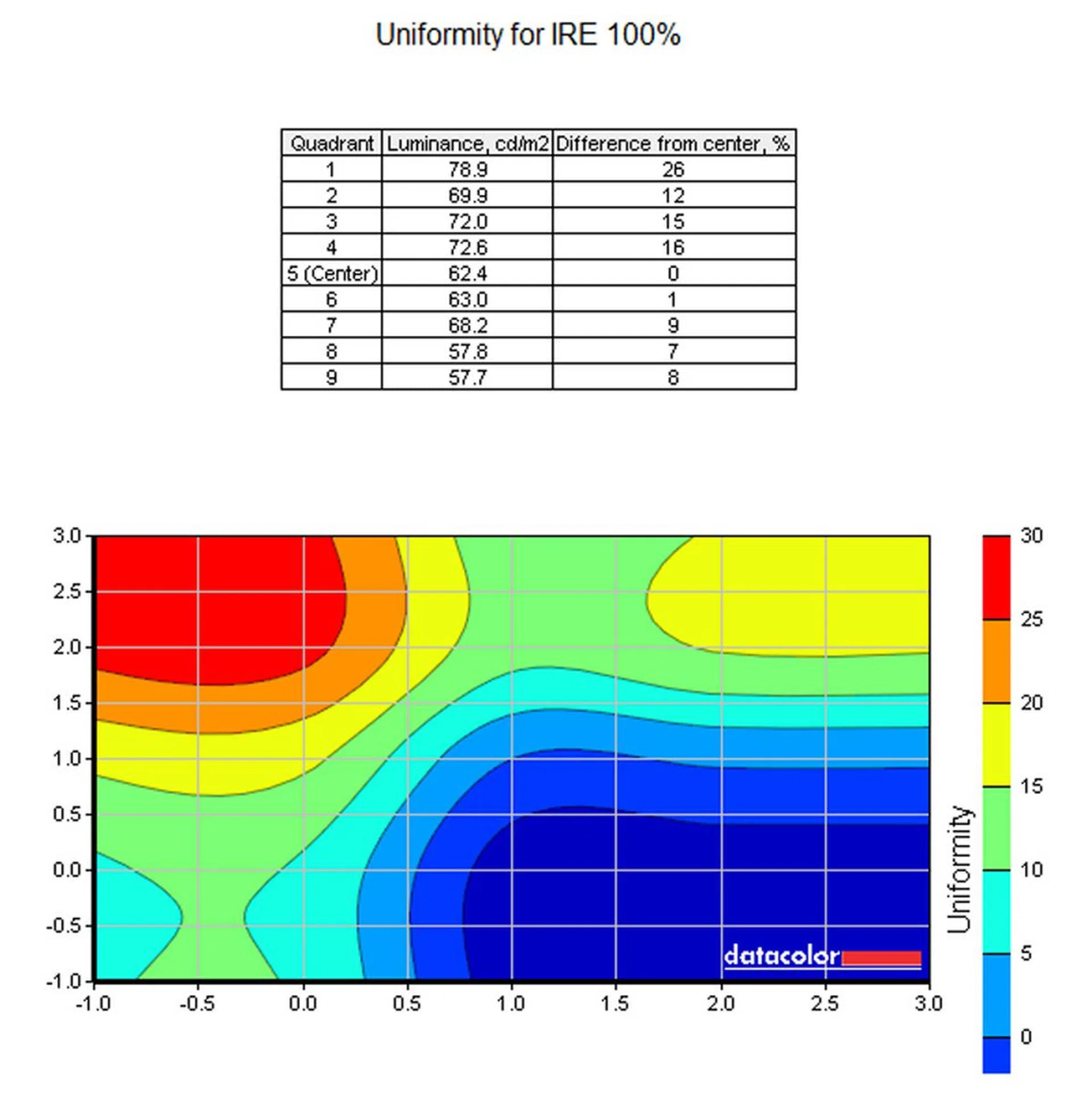
Weirdly, the upper right quadrant of the monitor was the brightest, with luminance level steadily lowering as you move away from it. However, in testing, we noticed no such difference in brightness.
The Dell had a very unorthodox uniformity on its display. Its upper right quadrant was the focal point of its brightness, unlike the center like the other two monitors. It also so the biggest deviation from the norm, with the lower right part of the screen being up to 26% cooler.

While the Dell monitor's colours and uniformity aren't on par with the others, the 1ms response time it has due to its TN screen gave it an advantage in the PixPerAn test. Blurring is present, but it is definitely less pronounced than it on the other monitors. The ghosting image is nearly non-existent and even the white of the text bubble is nearly translucent. In short, as befits a display with a 1ms response time, blurring is pretty much non-existent, even to those with eagle eyes.
Now that we've shown off what the three different monitors can do, it's finally time to reveal the winner. Head on to the final page of our shootout to see which monitor it is!
The best 27-inch gaming monitor
Over the last few years, gaming monitors have undergone a renaissance of sorts with the introduction of NVIDIA's G-Sync and AMD's FreeSync. The new tech didn't only benefit gamers with hardcore rigs, they also helped out those with ageing systems, which made them even more palatable to holdouts who were unwilling to spend on a new system. After all, when you can eliminate tearing and reduce input lag and stuttering by just replacing a monitor, it makes upgrading a much easier process to swallow. While FreeSync monitors are still relatively rare, those that are G-Sync capable have been around for years. It's no coincidence that all the finalists in the shootout are G-Sync capable monitors. It's practically a must-have for gamers now.
On top of that, advancements made by IPS displays have meant that the displays can be legitimately looked at viable gaming monitors. Though still behind TN displays in some aspects, the difference is close enough now that most people would rather pick the better colours of the IPS display over a slightly faster response time. Still, that doesn't mean TN monitors are going the way of the dinosaurs, as they still represent good value to those on a budget.
Here's a look back at the nominees:
- Acer XB270HU
- ASUS ROG Swift PG27AQ
- Dell S2716DG
Choosing the best gaming monitor out of the three finalists was pretty hard. Each of them had its merits.
The Dell S2716DG's $899 price point was very attractive, especially if one looks at it from a budget perspective. Not only does it have G-Sync, but it also comes with a 1440p resolution that looks good and has incredibly fast response and refresh rates. Then we have the other two monitors in the shootout.
The ASUS ROG Swift PG27AQ was like meeting up with an old friend, one who brought gifts. Not only was it an almost carbon copy of the beloved ASUS ROG Swift 278, but it also improved upon that monitor's capabilities by boasting an IPS 4K screen while still retaining everything that made the original so good in the first place.
Finally, we also have the Acer monitor, which came right out of the left field. Who'd have thought Acer, a company known for its business hardware, would make a great gaming monitor? The Acer XB270HU not only impressed us with its 1440p resolution, but it also drew our attention to the bright and vibrant colours it was capable of producing thans to its IPS screen and NVIDIA G-Sync capability.
In the end, a winner has to be chosen and it is...
Winner: The Acer XB270HU
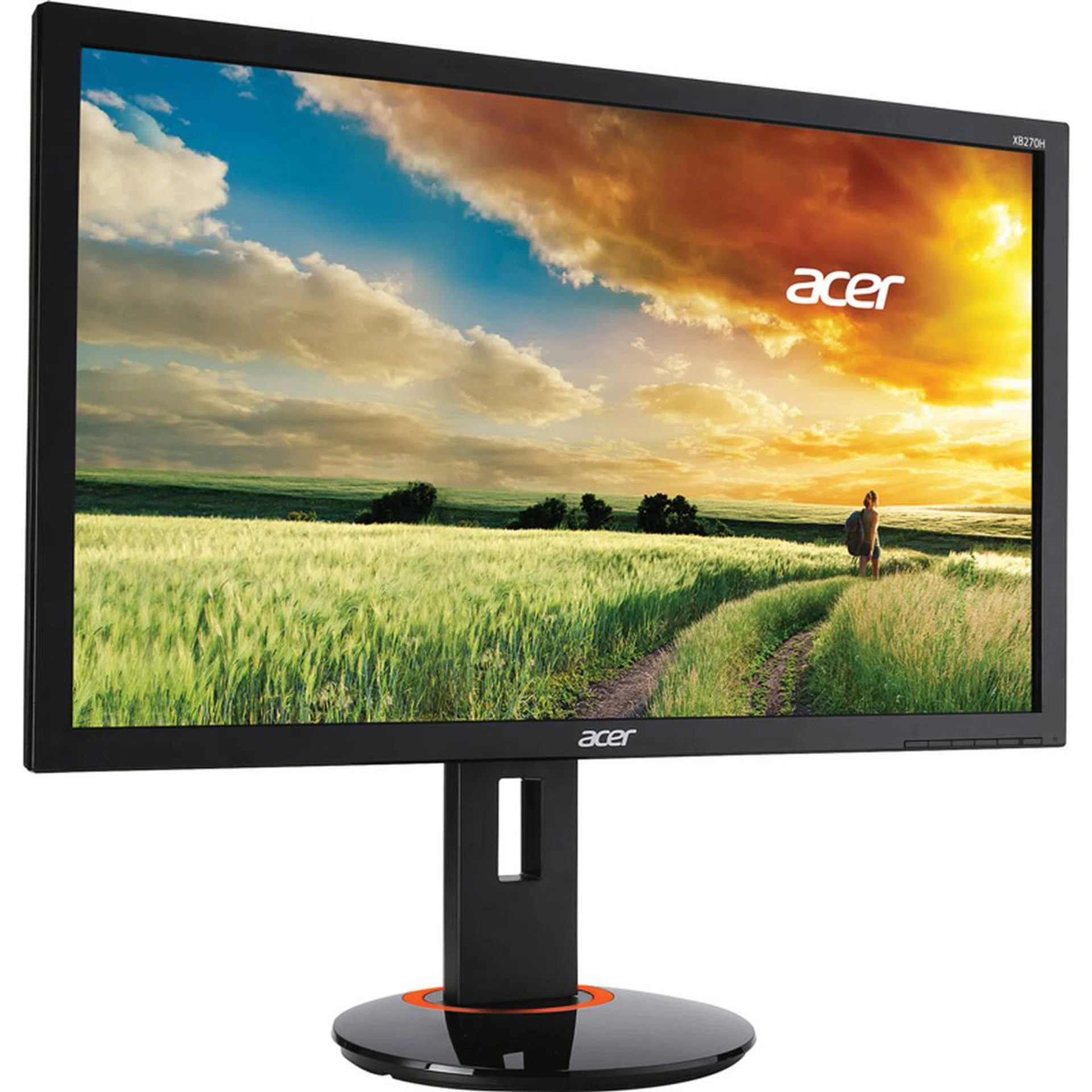
It might not be a look like the ASUS ROG Swift PG27AQ, but the Acer won us over with its other qualities.
With the benchmarks and testing over, the dust has finally settled and a winner became evident.
We picked the Acer XB270HU.
The Acer XB270HU didn't have the looks of the ASUS ROG Swift PG27AQ, but it had numerous other things going for it.
The refresh rate of 144Hz is incredibly fast, especially useful if your gaming rig doesn't support G-Sync. The 4ms response time isn't as fast as a TN screen's like the Dell S2716DG, but it did come out ahead where colour quality and vibrancy is concerned thanks to its IPS panel.
considering Acer's rival, the ASUS ROG Swift PG27AQ was also hampered by the same response time, that doesn't seem so bad. Furthermore, despite the lower resolution compared to the 4K monitor, image quality on the Acer XB270HU wasn't half bad. We'd acknowledged this earlier in our shootout, but it bears repeating that while it's true the ASUS monitor has the higher resolution display and sharper image, the Acer monitor still delivered a quality image and great colours right out of the box despite being on a lower resolution.
While it might be puzzling why we picked the lower resolution Acer XB270HU over the ASUS ROG Swift and its 4K display, the truth is 4k displays are still a bit impractical. Not only does 4K gaming requires an incredibly beefy gaming rig (which not everybody might have access to), the 4K screen in the ASUS monitor is severely hamstrung with its 60Hz refresh rate, an issue that the Acer monitor doesn't have. Other than gaming, 4K displays can also cause issues with certain programs that might not yet support that resolution. Finally, even though the movie industry is pushing for 4K, there's still a dearth of readily available 4K media, both on Blu-ray and online to make the resolution a worthwhile upgrade for some time yet. Of course, downgrading the resolution is always an option, but a downgraded image won't look as good as one running in native resolution, especially if it's used in the context of gaming.
Lastly, the asking price of the Acer monitor was just about right. At S$1,299 it was certainly not as cheap as the Dell S2716DG's S$899 but that extra money was well spent as the difference in color accuracy between the IPS and TN display were worlds apart. While some might argue that the ASUS monitor's S$1,400 asking price is just a stone's throw from the Acer, we felt that the extra leap in resolution, the GamePlus features and the 60Hz refresh rate weren't worth the extra money, especially considering the beefy hardware requirement for gaming at the 4K resolution. In fact, it could be more hassle than it's worth.
So there you have it. The best 27-inch gaming monitor is the Acer XB270HU.
Acer XB270HU | ASUS ROG Swift PG27AQ | Dell S2716DG | |
Design | 7.5 | 8.5 | 7.5 |
Features | 8.5 | 8.5 | 8 |
Performance | 8.5 | 8 | 7.5 |
Value | 8.5 | 7.5 | 8 |
Overall | 8.5 | 8 | 7.5 |
Price | S$1,299 | S$1,400 | S$899 |
 | |
 |  |
 |  |